What Engagement Rate on Instagram Actually Measures
A post with more likes isn't automatically a stronger post. A large audience gives a creator more opportunities to collect interactions, so comparing raw totals can obscure how responsive each audience is.
Engagement rate puts those interactions into context. Evaluating a workshop works much the same way: the total number of questions matters, but knowing how many people attended helps you interpret the conversation.
Understand the parts of the ratio
Every engagement-rate calculation has a numerator, the interactions you count, and a denominator, the audience or exposure measure you compare them with.
The numerator describes response. You might include likes and comments, or use a broader total that includes saves and shares.
The denominator supplies context. Followers, reached accounts, and impressions describe different opportunities for someone to respond.
The percentage makes comparison easier. It helps you compare posts without relying entirely on their raw interaction totals.
The concept map separates response actions from the audience measure used to interpret them.
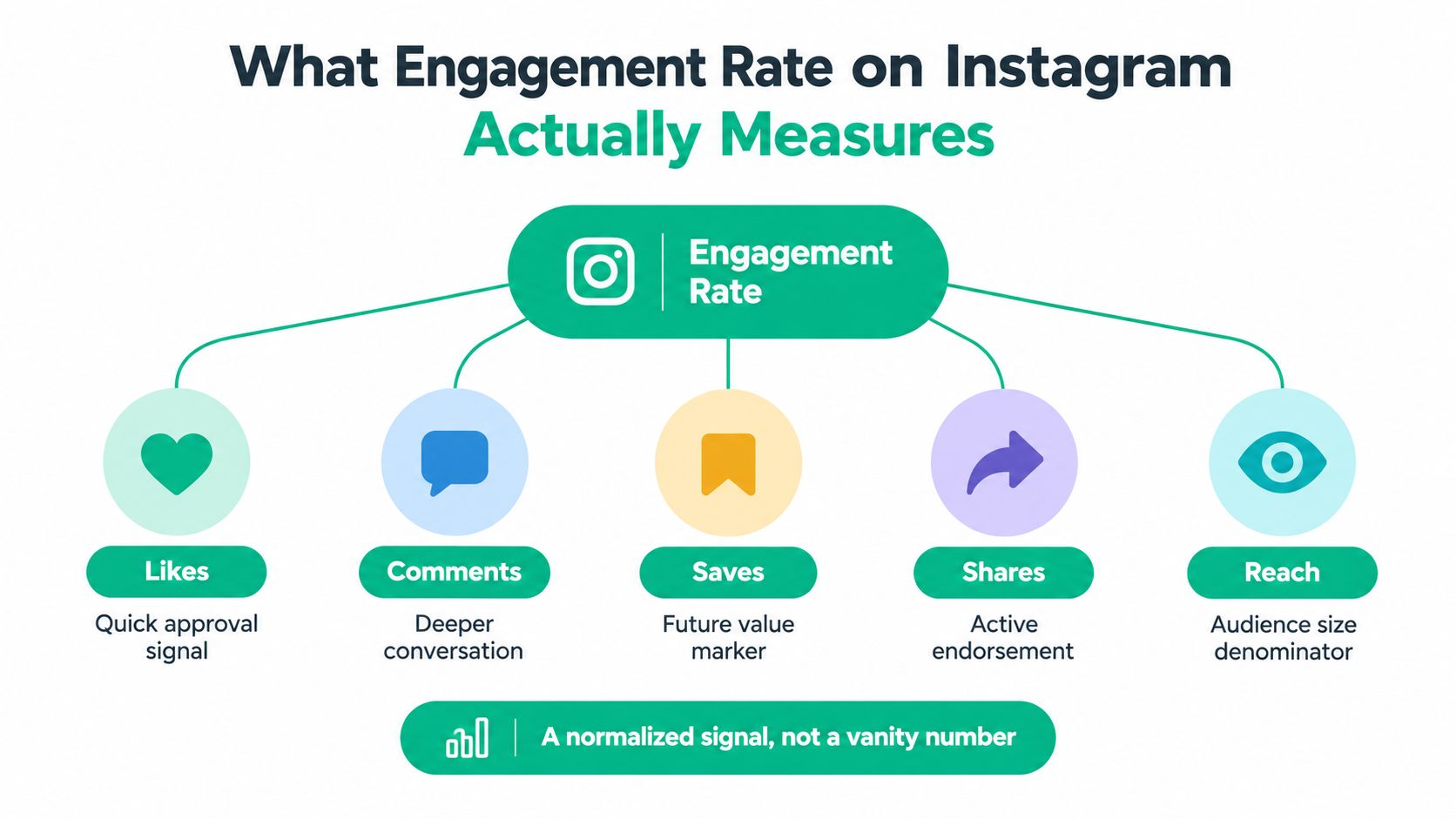
Notice that reach isn't an interaction. It belongs on the audience side of the calculation, even though it appears alongside engagement actions in the diagram.
Read the number without overreading it
An engagement rate isn't automatically the percentage of unique people who interacted. If you add likes, comments, saves, and shares, the same person could contribute several actions. You're measuring interaction volume relative to an audience measure, not necessarily counting distinct engaged individuals.
It also doesn't tell you whether someone became a customer, trusted your advice, or returned later. Those questions require separate evidence.
Practical rule: Treat engagement rate as a prompt for investigation, not a verdict on your value as a creator.
For a broader measurement perspective, Carlos Alba Media's resource on how to track engagement that matters is a useful companion when deciding which responses belong in your reporting.
Your most useful starting point is consistent measurement across your own posts. That gives you a foundation for identifying patterns without assuming a stranger's audience behaves like yours.
The Three Formulas You Need to Know
Start by choosing what counts as an interaction. For your own reporting, you could use likes + comments + saves + shares. If you're comparing against a public benchmark that counts only likes and comments, calculate a matching version separately.
Keep views out of that interaction total. Watching and actively responding are different behaviors.
Engagement rate by followers
Engagement rate by followers = (interactions ÷ followers) × 100
This compares the post's interactions with the account's follower base. It's useful for maintaining a consistent account-level reference, but it doesn't establish that followers generated every interaction.
A discoverable post may attract responses from people who don't follow you. That's why this formula is better described as interactions relative to followers, rather than the percentage of followers who engaged.
Engagement rate by reach
Engagement rate by reach = (interactions ÷ reached accounts) × 100
This asks how much response the post generated relative to the accounts that saw it. If the distinction still feels slippery, this explanation of what social media reach means can help you separate audience exposure from follower count.
Hootsuite's engagement-rate calculation guide recommends reach-based measurement for feed posts and carousels, while noting that Reels are increasingly evaluated against views and Stories need separate measures such as replies, sticker taps, and link clicks.
Engagement rate by impressions
Engagement rate by impressions = (interactions ÷ impressions) × 100
Impressions count displays rather than unique accounts. Someone encountering the same post repeatedly can therefore contribute additional exposure without becoming an additional reached account.
For Reels, a views-based version follows the same structure, but you should label it engagement rate by views, not treat views and impressions as interchangeable.
Use followers to compare response with your account's audience size. Use reach to assess response among accounts that encountered the post. Use impressions to compare response with the total number of times the post was displayed.
To practice without getting distracted by sample figures, take a recent post and enter its interaction total into each formula. Keep that numerator unchanged. The resulting percentages differ because you've changed the question, not because the post suddenly performed differently.
Also record your interaction definition beside the result. A broader numerator can produce a higher rate without any actual improvement in audience behavior.
Which Formula to Use for Each Content Format
Choose your formula according to the decision you need to make, then consider the content format. A carousel designed as a reference resource and a Reel intended to introduce your work to unfamiliar viewers shouldn't automatically receive identical reporting.
Choosing the Right Engagement Rate Formula
For a feed photo, divide interactions by reach and multiply by 100 to assess response among reached accounts. Use the same reach-based formula for a carousel, but review saves and shares alongside the rate.
For a Reel, divide interactions by views and multiply by 100 to compare active response with viewing volume. Track reach separately. For a Story, divide the relevant action count by reach and multiply by 100. Label the result by action, such as reply rate, sticker-tap rate, or link-click rate.
For an account-level comparison across posts, divide consistently defined interactions by followers and multiply by 100 to maintain a familiar historical reference. When evaluating total displays, divide interactions by impressions and multiply by 100 to understand response relative to repeated exposure.
The format recommendations follow the measurement distinctions in Hootsuite's guide cited above. Treat the table as a reporting framework, not a claim that a particular formula explains every aspect of performance.
Match the measurement to the job
For a tutorial carousel, ask whether viewers found something worth keeping or discussing. Read the reach-based rate alongside the individual save and share totals rather than assuming likes tell the whole story.
For a Reel, distinguish viewing volume from active response. Repeat plays can affect the denominator, so a views-based percentage doesn't describe unique viewers' behavior in the same way a reach-based calculation does.
Stories deserve their own reporting labels. A link-click rate addresses a different goal from a reply rate, even if both use reached accounts as the denominator.
Don't compare percentages until you've checked that they describe the same action, audience measure, and content format.
Use follower-based reporting when you need a stable reference across your account, but keep format-level analysis separate. Otherwise, changing your content mix can make your overall rate move even when the underlying posts haven't become more or less useful.
The practical choice is straightforward: use the metric that helps you decide whether to repeat, revise, or retire a specific idea.
Benchmarks by Industry and Account Size
A benchmark is a reference group, not a grade. Before comparing your account with an industry percentage, check what the researchers counted, which accounts they included, and how they calculated the result.
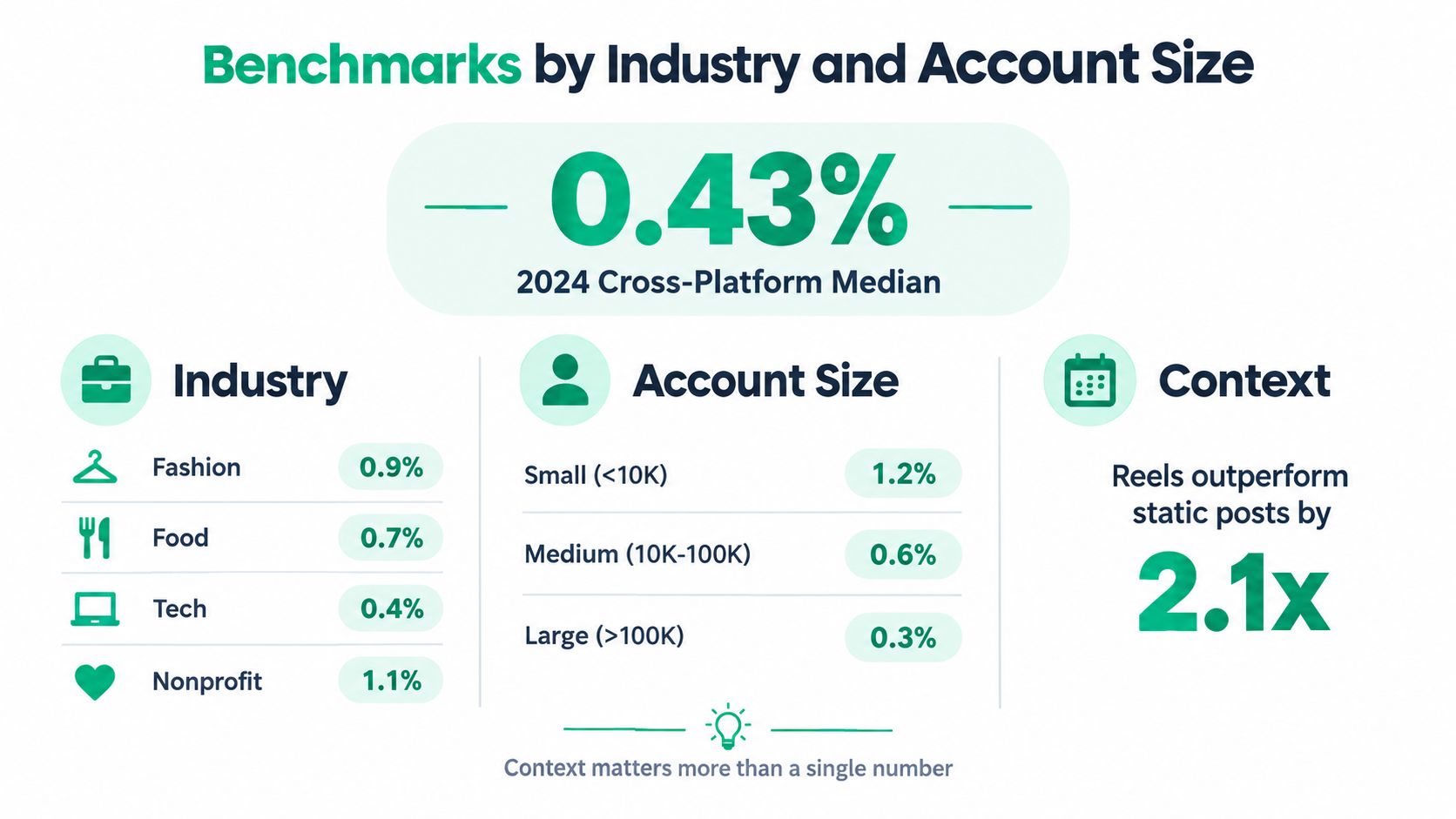
The visual below provides a context checklist. Treat its embedded figures as illustrative rather than verified benchmarks, and use the sourced findings in the surrounding text for numerical comparisons.
Read the headline carefully
Rival IQ's 2024 Social Media Industry Benchmark Report reported a median Instagram engagement rate of 0.43%, drawing on a wider cross-platform dataset of more than 5 million posts and 10 billion likes, comments, and favorites.
That is an Instagram median, not a combined engagement rate across every platform. The distinction matters because the scope of a research dataset and the scope of an individual finding aren't necessarily identical.
A median also isn't the same as an arithmetic average. It describes the middle observation in an ordered dataset, rather than adding all observations and dividing by their count.
Choose a relevant comparison group
Industry affects what people want from a post. A local property account, an educational creator, and a retailer may publish with different goals, so don't assume their headline percentages should match.
Account size adds another comparison filter. The account-size findings discussed below provide useful context, but they shouldn't become targets detached from methodology.
Match the industry. Look for accounts serving a similar audience need, not merely publishing similar-looking content.
Match the audience scale. Avoid treating a niche creator and a household-name brand as equivalent comparison partners.
Match the calculation. Check the denominator and included interactions before comparing percentages.
Match the purpose. A post intended to generate inquiries needs more context than a post intended to entertain.
For small-business planning, the resource on engagement metrics for SMB growth from AI Optimization Services offers a complementary place to think about engagement alongside business objectives.
Your own historical performance remains the most directly relevant reference. Use external benchmarks to ask better questions, not to replace the evidence from your account.
Why a Low Rate Might Not Mean Weak Content
Don't rewrite your entire content strategy just because the follower-based percentage falls. First, check whether fewer people encountered the post relative to your audience size.
A 2026 analysis of more than 431,000 accounts reported median engagement of 2.99% for accounts with 1,000–10,000 followers, 1.69% for accounts with 10,000–50,000, and 0.77% above one million; median Reel views were approximately 107 per 100 followers in the smallest group versus 20 per 100 followers above one million.
Those findings support investigating distribution alongside response. They don't prove why any particular post received limited exposure, and Reel views shouldn't be mistaken for unique reach.
Separate exposure from response
Use a diagnostic pair:
Engagement rate by reach helps assess response among the accounts exposed to the post.
Reach per follower, calculated as reached accounts divided by followers, gives you context about exposure relative to account size.
Reach per follower isn't the share of followers who saw the post, because reached accounts can include non-followers. Label it accurately and examine audience composition where available.
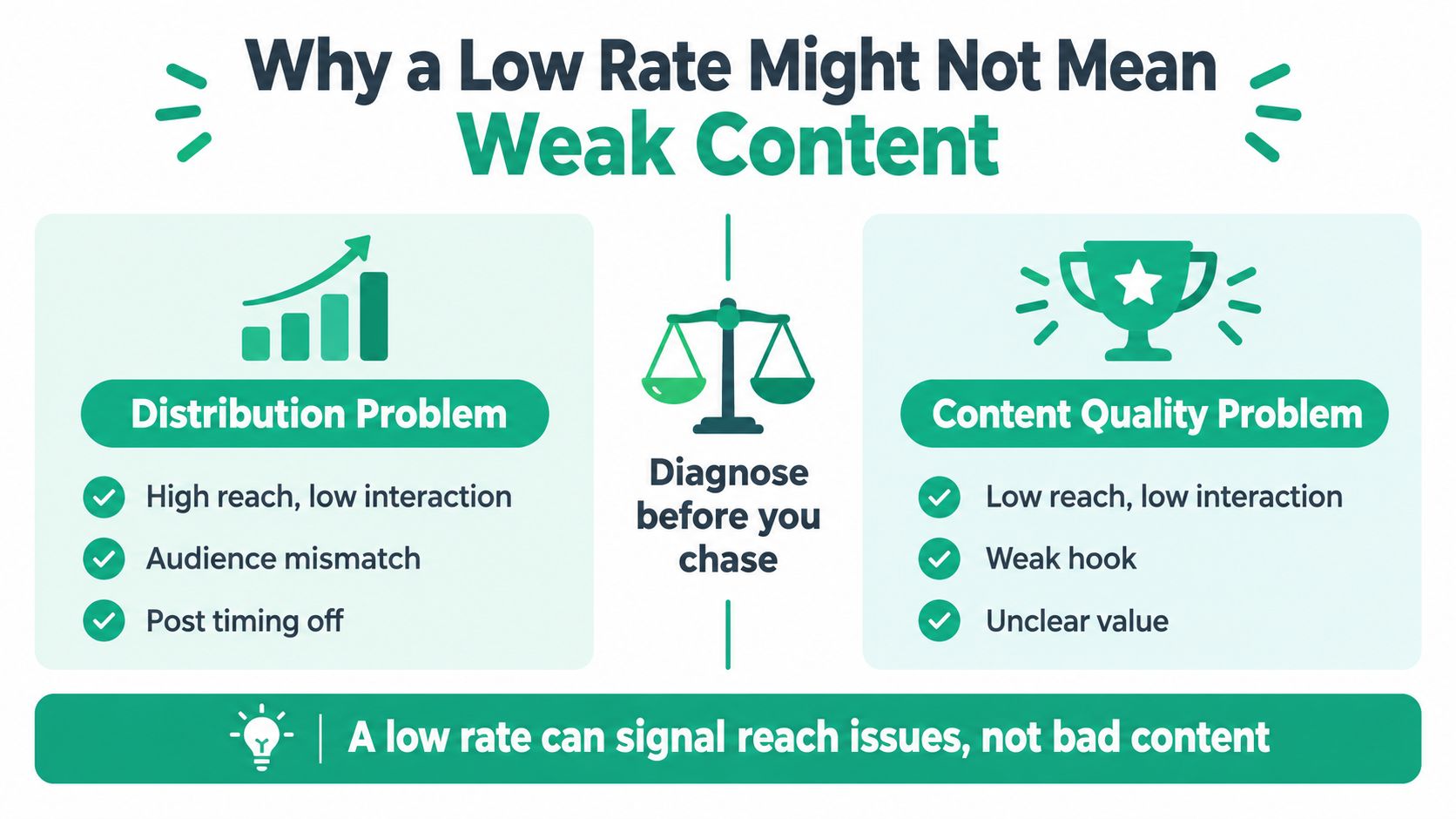
The graphic highlights the need to diagnose before changing direction. Its panel labels are prompts, not rules: low reach alone doesn't establish weak content, and high reach with little response can reflect audience mismatch.
Turn the pattern into a hypothesis
Suppose your tutorial attracts fewer reached accounts than similar tutorials, but those viewers respond enthusiastically. I'd test the packaging and distribution conditions before abandoning the subject: the cover, opening promise, publishing context, and relevance to unfamiliar viewers.
If reach expands while response weakens, inspect who encountered the post. Broader exposure may include people with less interest in your topic. Alternatively, the opening may attract attention without delivering what viewers expected.
> A diagnostic metric narrows your investigation. It doesn't establish causation.
Read saves and shares individually, too. A practical checklist may be useful enough to revisit without inviting much conversation, while a discussion prompt may generate comments without becoming a reference resource.
The useful question isn't whether your rate fell. It's what changed in exposure, audience fit, or response, and which change you can test next.
Practical Tips to Improve Your Engagement Rate
Improve the behavior you want, rather than chasing an undifferentiated percentage. If your goal is discussion, revise the invitation to respond. If it's usefulness, improve what someone can apply after viewing.
Captiv8's 2024 Organic Benchmark Report, covering more than 5,000 organic creator posts across Instagram and TikTok, found an inverse relationship between Instagram follower count and engagement rate, with nano-influencers recording the highest Instagram rate at 6.23% under its engagement-to-impressions methodology.
That finding isn't a promised outcome for small accounts. It's a reason to focus on audience responsiveness rather than follower volume alone.
Make the next action worthwhile
Write captions with answerable questions. Instead of asking for general thoughts, ask which part of a process someone struggles with. A photographer could ask whether choosing a location or directing a subject feels harder, then use the replies to plan a relevant tutorial.
For carousels, build something readers can use later. Try a troubleshooting checklist, a comparison, or a clearly ordered explanation. Make the cover specific enough that readers understand what they'll get.
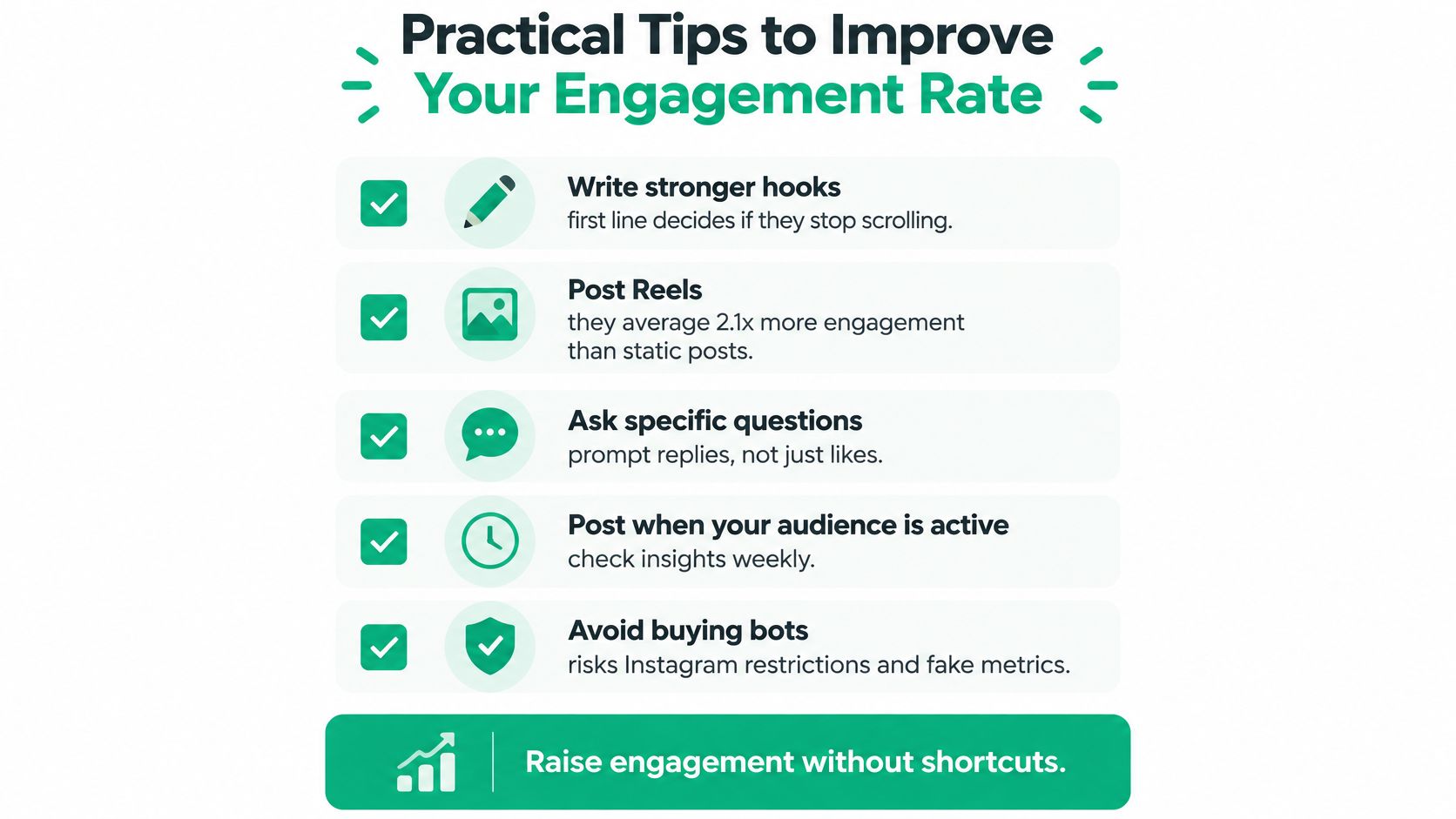
Use this checklist for ideas, not as evidence for its embedded performance multiplier or a guarantee about account safety.
Test creative choices deliberately
Open Reels with the actual subject. Demonstrate the task or state the viewer's problem before spending time on an introduction.
Test publishing times against your account. Use Instagram Insights to form a hypothesis, then compare similar content rather than unrelated posts.
Give Stories a clear purpose. Try a relevant poll, question sticker, or invitation to reply, and record the corresponding action.
Continue genuine conversations. Answer questions in comments and DMs with something useful rather than treating every reply as another tally.
For additional creative prompts, explore Bulk Image Generation's engagement guide. Pair those ideas with this guide to increase Instagram engagement organically when planning your tests.
Avoid buying followers as a shortcut. Adding inactive or poorly matched accounts increases the follower denominator without ensuring meaningful response. Attract people who want the subject you consistently publish, then evaluate whether those people participate.
Building a Simple Engagement Tracking Routine
Build a small reporting sheet you'll realistically maintain. Use a consistent primary formula for each content format, and keep supporting measures beside it rather than switching formulas whenever another percentage looks more flattering.
Record each post's format, topic, publication date, interaction definition, and measurement window. Compare posts at a similar age so an older post does not receive an unfair advantage because it has had longer to accumulate activity.
Keep the weekly review focused
Log the primary rate. Label whether you used followers, reach, impressions, or views.
Record reach per follower. Use it to examine exposure relative to account size, not as a measure of follower coverage.
Keep saves and shares visible. Record their individual totals and combined total beside the headline rate.
Write a brief interpretation. Describe what you suspect changed and what evidence would challenge that explanation.
The Instagram analytics guide for business growth can help you organize a broader review without losing sight of these core measures.
Make the monthly decision explicit
Review patterns across comparable posts, not just your strongest and weakest examples. Group similar topics and formats, then ask whether the results support repeating the idea, revising its presentation, or testing a different audience need.
Be precise about averages, too. Averaging individual post rates and dividing combined interactions by combined reach are different calculations. Choose a reporting method, label it, and keep it consistent.
End the review with a specific experiment, such as changing a carousel cover while preserving its topic and structure. Your tracking becomes useful when it changes your next decision, not merely when the spreadsheet is complete.
For support alongside your own testing, Gainsty offers organic Instagram growth support and analytics guidance for creators and businesses. Visit to explore whether its targeting and growth approach fits the audience you want to reach, then assess progress using the clearly labeled engagement measures you've chosen.