1. Gainsty
Growth is the job most creators tackle last, and the one where doing it by hand burns the most hours. Gainsty is a managed service: you connect the account, set the targeting, and a mix of Instagram specialists and AI tools works on attracting an audience that matches your niche rather than a random one.
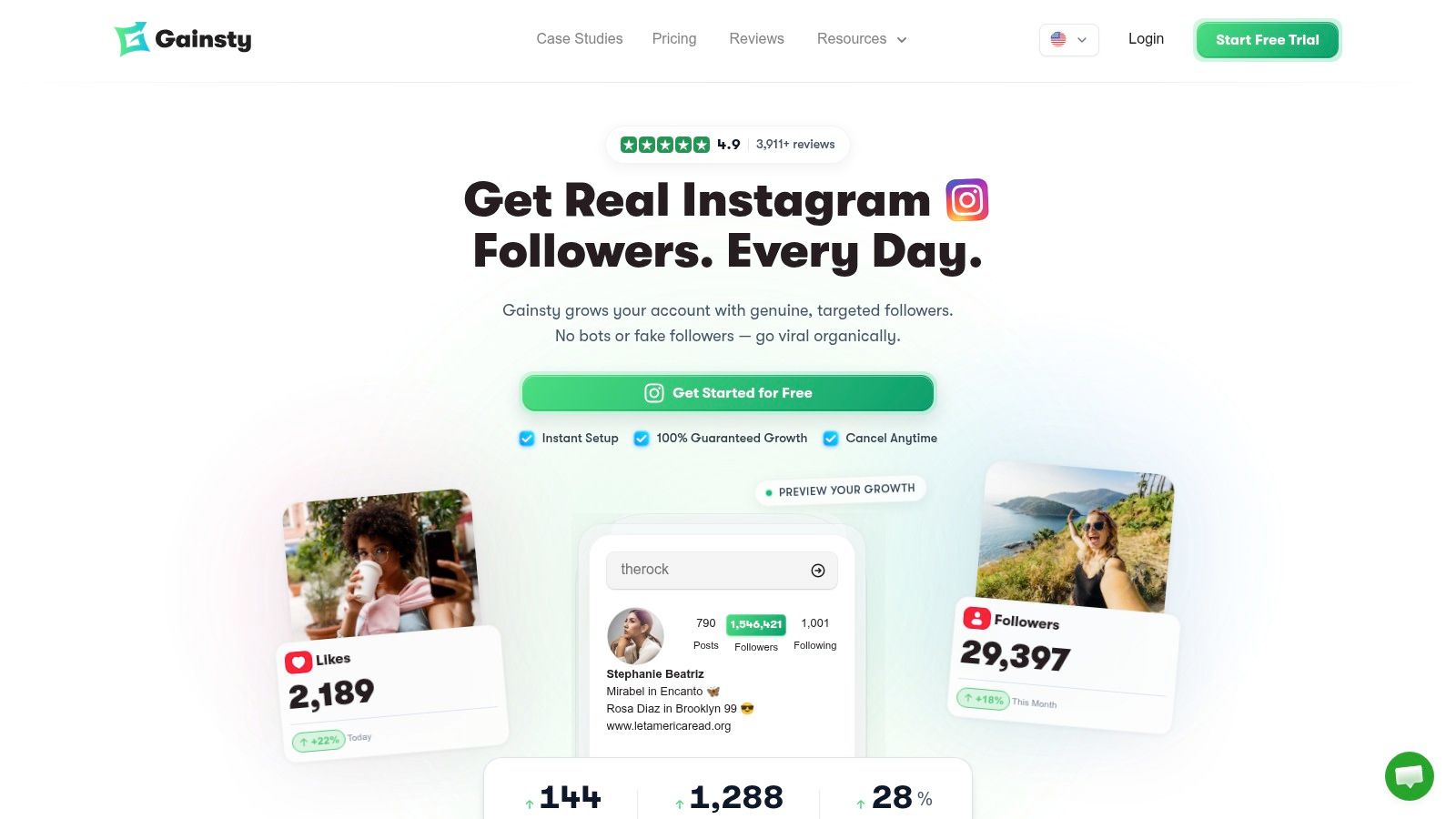
The targeting is the product. You pick competitor accounts to model, plus location, age, gender, and language, then watch follower growth and engagement move on a live dashboard. The Turbo plan adds a dedicated account manager and DM automations, which matters if your bottleneck is conversations rather than reach.
Demand for that job isn't in doubt. In CreatorIQ's brand survey, 85% of brands reported using Instagram for creator marketing and 29% said Instagram generated their strongest return on investment among creator-marketing platforms (SocialBee's summary of the CreatorIQ data). Sponsors are on the platform. Your work is being found by the right slice of it.
What it costs, and what to verify
Upgrade runs $177 for four months, discounted 25% from $236, and Turbo runs $237 for four months, down from $316. Both sit behind a 7-day free trial, so testing the setup costs nothing but the onboarding call.
Worth knowing: you hand over your Instagram username and password for the service to run. Gainsty states it doesn't store or distribute the password, and that it isn't responsible if an account gets banned. Read those terms before you connect anything you can't rebuild from scratch.
The company reports 11,320+ creators and businesses on the platform, with growth starting within 24 hours on Upgrade and 2 hours on Turbo. Treat those timelines as promotional and judge follower quality at day 30 instead.
Good fit: a niche business or creator who wants qualified followers without running outreach by hand.
Poor fit: anyone shopping for a posting calendar or a video editor. This is growth only.
Check first: the four-month billing period. The discount applies to a committed term, not a monthly plan.
You can see the plans and the targeting options at Gainsty.
2. Instagram's Built-In Creator and Professional Tools
Most creators pay for a worse version of what's already in the app. A professional account includes Insights, a professional dashboard, native creation and publishing tools, and in some markets, monetization features.
What it actually covers
Meta's Creator Insights API exposes creator-level metrics such as follower counts, audience engagement and reach, with defined time periods and granular breakdowns. The Creator Discovery API runs on authenticated, real-time first-party data to surface creator recommendations for partnership campaigns (Meta's creator marketplace documentation). You won't touch either API, but they explain how third-party dashboards read your numbers at all.
Monetization is where eligibility narrows sharply. Gifts, subscriptions, and Live badges are open to certain accounts and regions only, and Meta requires creators to meet account, behavior, payment, and policy standards before any switch flips on.
Cost: nothing beyond the phone and data plan you already pay for.
Strength: measurements that always match the format, with no sync lag or broken permissions.
Weakness: Instagram only, with no cross-platform view and no long archive.
Watch for: a personal account. Convert to professional before you pay for analytics, or you'll buy reports you can't populate.
Where native tools break is comparison. If a sponsor asks how a Reel performed against the same idea on TikTok, or how this quarter compares with one 14 months back, the app has no answer. That gap is the honest reason to buy something else, and the rest of this list exists because of it. The full set of native features sits at Instagram for Creators.
3. Edits
Reels activity grew 3.8% from 2024 to 2025 while image posts fell 6.41%, according to The Influencer Marketing Factory's Creator Economy Report 2026. If your output is video, the editor is where your hours go.
Edits is Meta's own mobile tool: filming, editing, project management, teleprompter, storyboards, effects, captions and templates, with direct publishing to Instagram or export elsewhere. Meta says exported videos carry no added watermark, which matters if you repost to other platforms (Meta's Edits announcement).
Where it earns the slot
If turnaround time is the bottleneck, Edits keeps the loop inside one app: shoot, cut, caption, post. The trade-off is control. Mobile-first editing is fast for talking heads, product pans and trend formats, and frustrating for anything needing frame-accurate timing or layered audio. That's the point where creators reach for CapCut or a desktop suite instead.
The other limit is scope. Edits doesn't schedule your week, doesn't compare formats and doesn't tell you which hook held people. Pair it with a planner and an analytics layer, or you'll edit fast and publish blind. This roundup of Instagram video editing apps covers the alternatives if you want more control.
Practical rule: decide per video whether you need speed or control before you open an editor. Switching mid-edit costs more time than choosing wrong at the start.
4. Canva
Say you need a Reel cover, a six-slide carousel and two Stories by Thursday. Canva is where those get made without opening a design program. Templates are organized by Instagram format, so sizing and safe zones are handled before you move a single element.
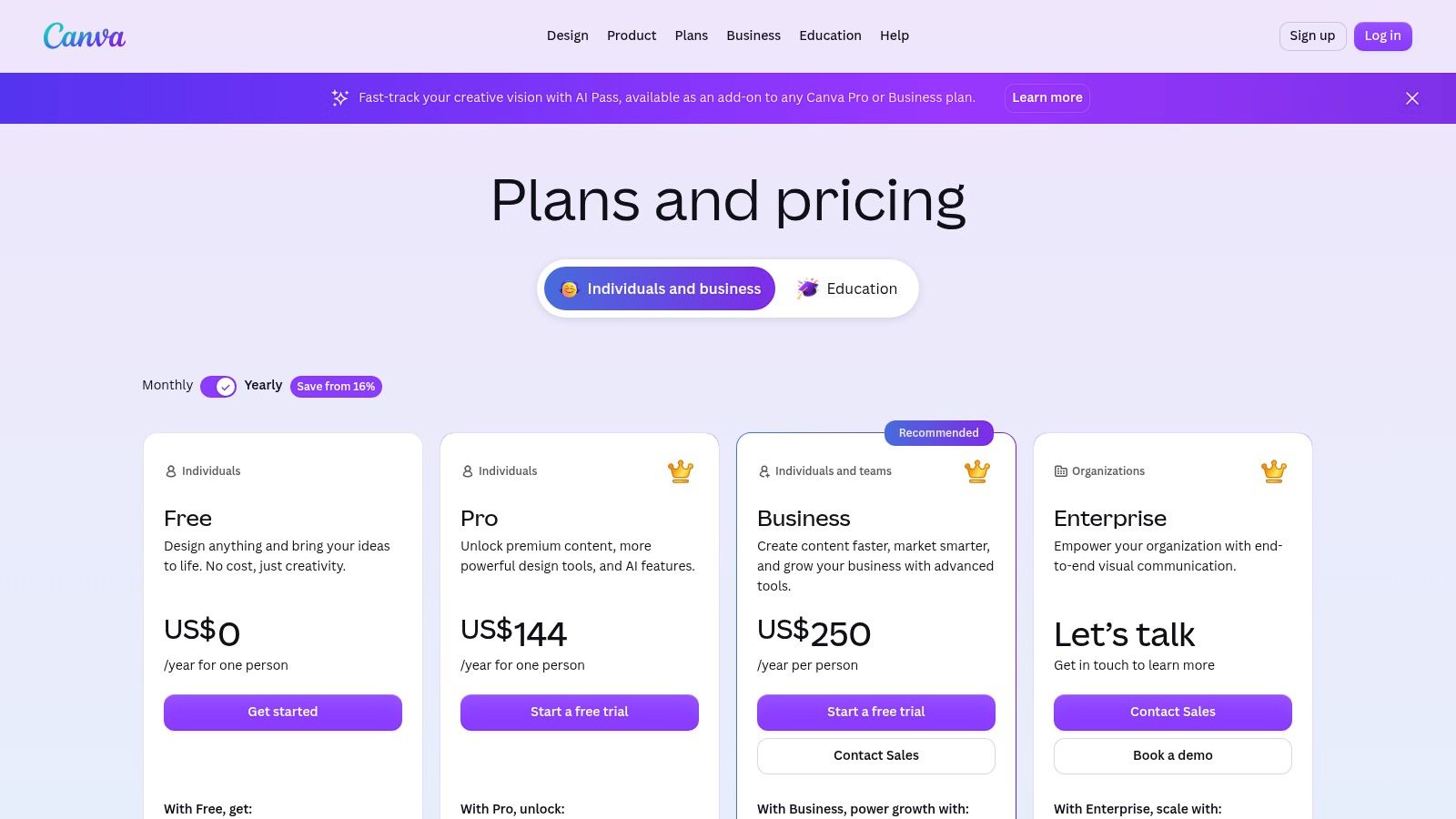
The free plan covers the basics and tells you quickly whether you'll use it. Paid tiers add Brand Kits, premium assets, AI features, collaboration, and social scheduling, which is where it starts competing with tools it doesn't beat (Canva's pricing page lists current tiers).
Strong at: branded carousels, quote graphics, covers, and anything you reuse every week.
Weak at: analytics. You get design and posting, not a real read on performance.
Watch for: the scheduling feature. It's a convenience, not a replacement for a planner with queues, approvals and per-platform previews.
Build a template, not a graphic
The payoff comes from repetition. A brand kit with your fonts, three colors and a logo lockup turns a carousel into a 20-minute job instead of an hour. Without one, you rebuild the same layout every week and the feed looks like three different accounts.
Canva won't protect you from template sameness either. If 40 accounts in your niche use the same layout, the design reads as filler. Change one structural element, a crop, a font pairing or the grid, so the result looks like yours and not like the template shelf.
5. CapCut
CapCut is the editor most Reels creators learn on, and the one they complain about most. Both reactions are fair. Templates, transitions, captioning, effects and AI features work across mobile and desktop, and the free tier is fully usable for a weekly posting schedule.
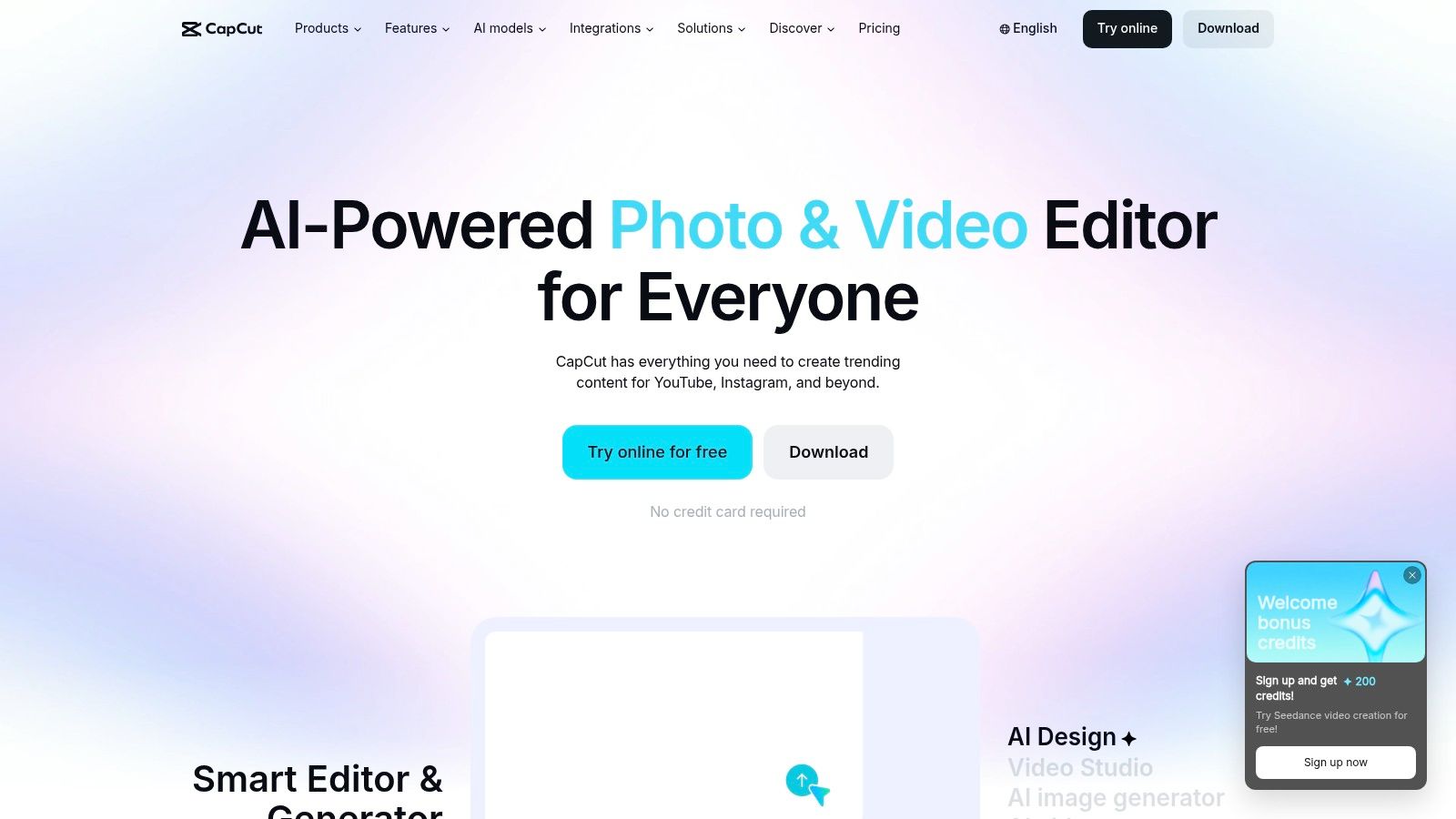
The friction is the paywall. Features that were free move behind a subscription, assets get locked, and pricing shifts by region, device, and promotion, so check the price in the app store you use rather than the one in a blog screenshot (CapCut's site lists what's currently bundled).
Use it for volume, not for signature work
CapCut earns its place on repeatable formats: talking-head cuts with auto captions, product b-roll with a trending transition, hook tests where you post three versions and keep the winner. It's weaker on anything meant to look handmade, because the templates are visible from a mile out.
It's also not a scheduler and not an analytics tool. Creators who expect it to handle publishing end up exporting to the camera roll at 11 pm, which is exactly the workflow the rest of this list exists to fix. Editors make files. They don't make a posting habit.
6. Later
A nine-post preview can reveal an awkward color run or a gap in your feed before it goes live. Later's visual planner is built for that job. It schedules Instagram posts, Reels and Stories, as well as content for other networks, and includes a Link in Bio page.
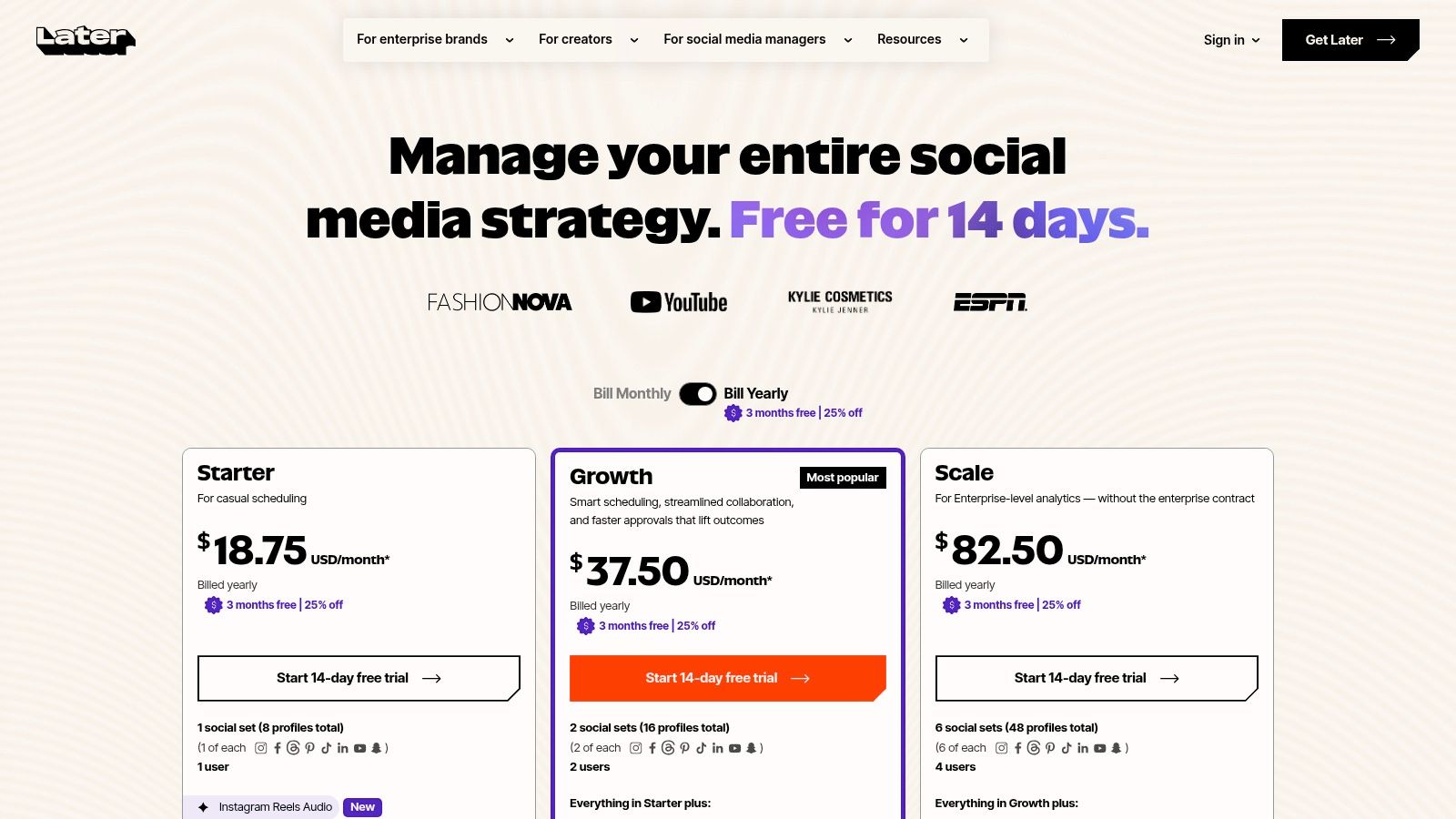
Planners are most useful when planning, publishing and measurement fit into one workflow. Later's visual feed view is the feature that sets it apart. The trade-off is that account limits and monthly post caps can make multi-brand workflows expensive.
Where the pricing pinches
The Starter tier caps social sets and monthly posts. It can suit one account posting a few times a week, but becomes restrictive for multiple brands or client accounts. Check the tier that fits your likely workload, not just the one that works for your first account.
Best for: creators who plan their feed visually and post to more than one network.
Skip if: you publish frequently across several accounts and need high posting volume.
Remember: Later plans and publishes content. Audience growth requires a separate approach.
Compare your posting needs to find the right posting scheduler.
7. Buffer
Buffer's pitch is simplicity, and it holds. Queue posts across channels, draft captions with the AI Assistant, check analytics, and answer messages from one inbox. Nothing in the interface needs a tutorial, which is rarer than it sounds.
The pricing model is the deciding factor. The free tier covers up to three channels and 10 scheduled posts per channel, and paid Essentials pricing runs per channel (Buffer's pricing page shows current rates). Per-channel billing is cheap for two accounts and expensive for six.
Wins on: a small number of channels, a simple queue, a clean mobile app.
Loses on: visual feed planning. You can't preview a grid the way Instagram-first planners show it.
Watch for: the free post cap. Fine for testing, tight for a daily poster.
For one Instagram account plus one other network, per-channel pricing is the cheapest structure on this list. For creators juggling more platforms than that, this guide to the best social media management platforms compares the higher-volume options.
8. Metricool
Metricool is the free tier that surprises people. One brand, up to 20 scheduled posts a month, 30 days of analytics and competitor profile analysis at no cost (Metricool's pricing). That combination covers a creator's first year comfortably.
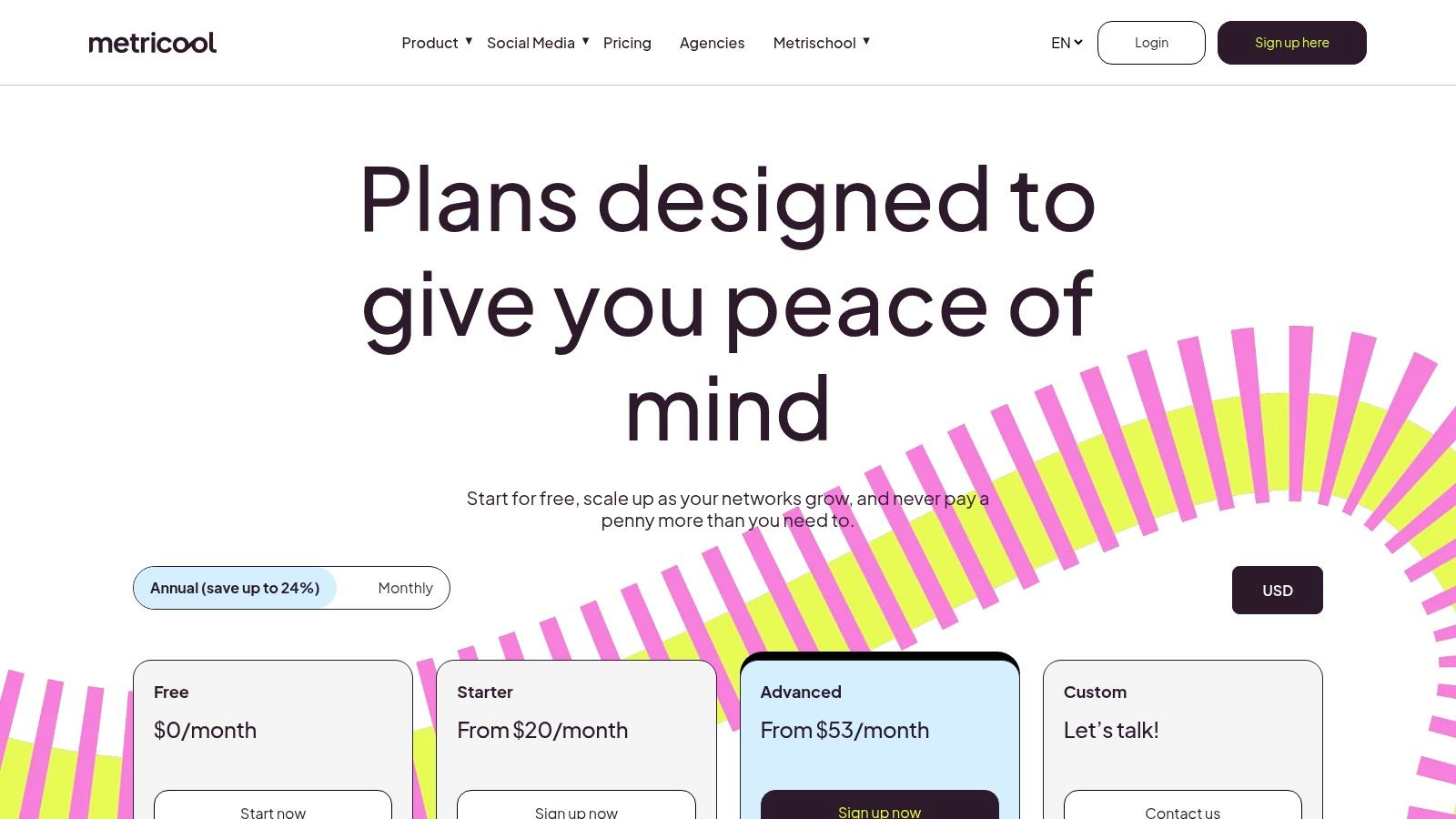
Scheduling, performance review and a look at what competitors publish, from one login. Paid plans add brands, team seats, approval flows and reporting, which is the point where it turns into an agency tool rather than a creator tool.
The 30-day trap
Analytics that roll off after 30 days will teach you the wrong habit: judging a format on four weeks of data. Publish weekly, and you're comparing four posts per format. That's not enough to separate the format from the topic you happened to pick.
Export the numbers monthly and keep your own archive. A spreadsheet with date, format, hook, reach, saves, and profile visits beats any dashboard once it holds six months of your own history.
Good fit: one or two accounts, a small budget, a need for competitor context.
Poor fit: large teams needing approvals at scale, unless you're paying for a higher tier.
Verify: which analytics and automation features sit behind add-ons before you build a workflow around them.
9. Iconosquare
Iconosquare is built for people who have to explain results to someone else. Instagram and Reels analytics, scheduling, competitor and campaign reporting, dashboards and team workflows, scaled by profile and user counts (Iconosquare's plans).
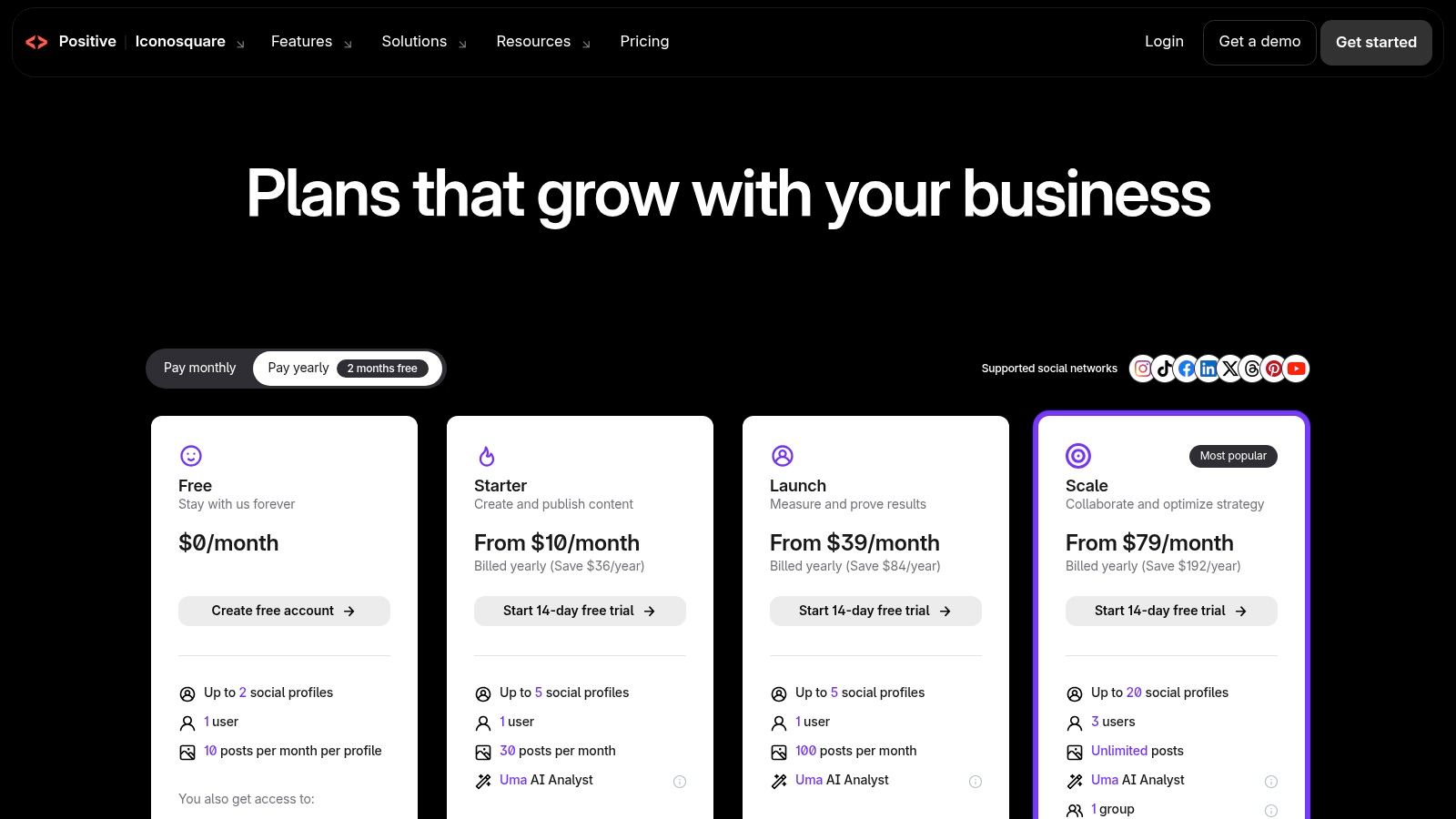
The case for a paid analytics layer is retention. Instagram Insights reports views, interactions, follower changes and post-level performance across a rolling 90-day window at no additional cost, and it describes your own content rather than offering long historical retention, cross-network reporting or research-grade discovery (this comparison of Instagram analytics and research tools sets out the split). Ninety days is roughly a quarter. Sponsorship cycles and year-over-year comparisons run longer.
Judge rates, not totals
Bigger accounts produce bigger raw numbers on identical content. Compare interactions divided by reach, and new followers divided by profile visits, so decisions rest on efficiency rather than audience size. A Reel that reaches 40,000 people and converts 30 followers is a weaker acquisition asset than a carousel that reaches 6,000 and converts 40.
Capture baselines before a campaign launches, and store reach, interactions, follower growth and content volume outside the app. Those are the only numbers you'll be able to defend in a wrap-up deck three months later. This list of Instagram analytics tools covers dashboards beyond Iconosquare.
10. Linktree
Linktree answers one question: where do profile visitors go next. A single bio link routes to a shop, newsletter, latest video, and booking page, with click analytics attached to each destination.
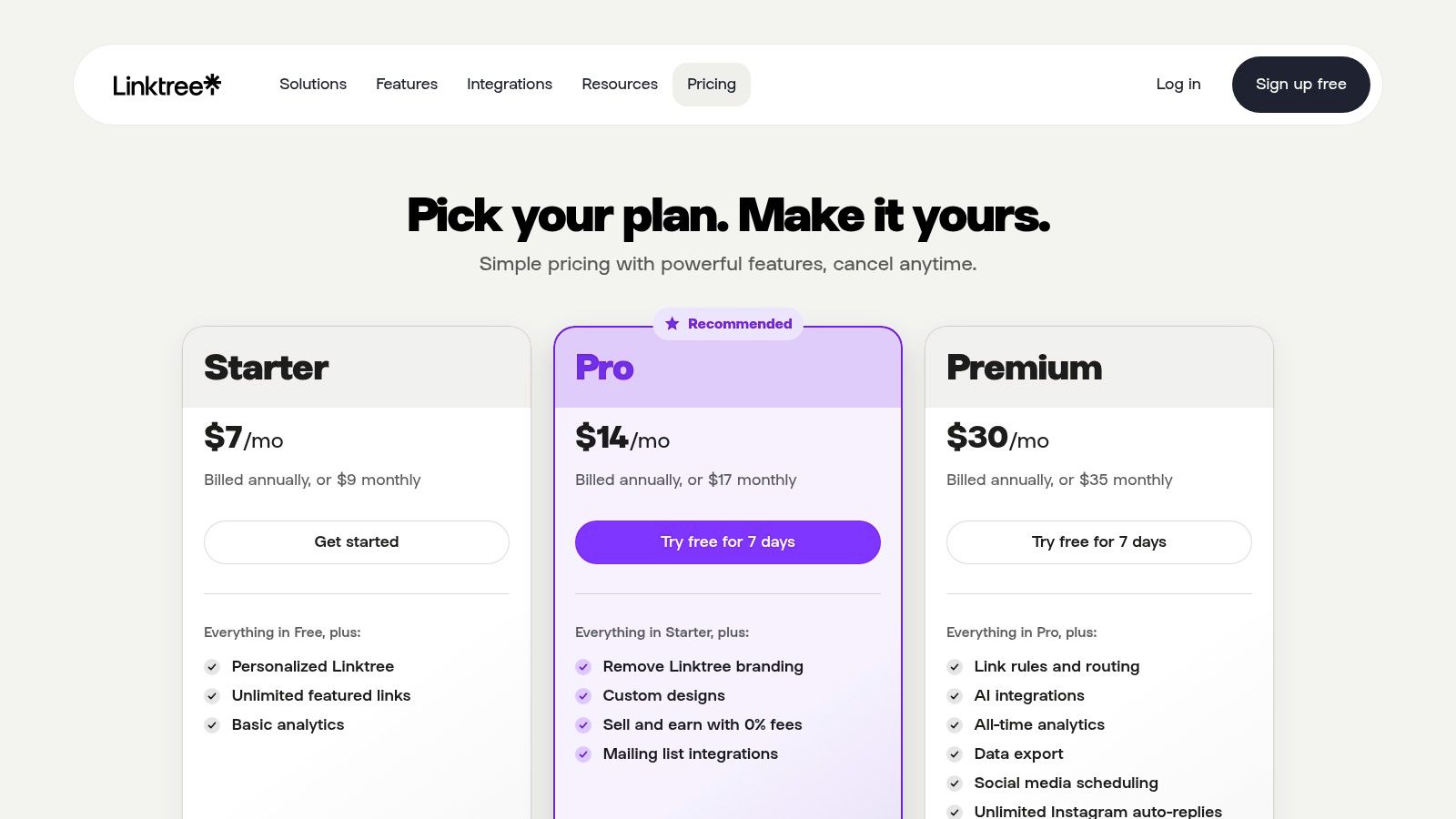
The paid tiers go further than most creators realize, adding Instagram auto-replies, social scheduling and digital product sales (Linktree's pricing breaks down the tiers). Auto-replies earn their fee if your comments are full of "link?" and you'd rather answer once than two hundred times. Selling inside the tool is convenient and carries plan-dependent transaction costs.
Use it when: you promote more than one destination, and your bio holds only one URL.
Skip it when: you already run a website with a shop and email capture. A direct link does the same job.
Check before paying: which features your tier includes, since auto-replies and scheduling aren't on the free plan.
The honest limitation is that it doesn't make or publish content. It converts attention you already earned, so it amplifies whatever your Reels and carousels already do. Weigh the trade-offs in this breakdown of Linktree pros and cons before you move a whole funnel onto it.
How the ten Instagram creator tools compare at a glance
Each tool serves a different job: making content, planning posts, measuring performance, or growing an audience. Compare the free-plan limits before adding a paid tool, especially when two tools cover the same task.
For audience growth, Gainsty offers a free trial, competitor and audience targeting, a growth dashboard, and specialist support. It requires your Instagram username and password, and results depend on account-specific limits and Instagram changes.
For managing one Instagram account, Instagram's built-in creator and professional tools generally include free Insights, a dashboard, and publishing features. They do not provide a cross-platform view, and some features have eligibility limits.
For mobile video creation, Edits is free and combines editing, planning, and direct Instagram sharing. It focuses on video rather than full social-media management.
For branded graphics, Canva has a free plan with templates and design tools, plus paid collaboration features. Its analytics are limited, and advanced features require a paid plan.
For short-form video editing, CapCut offers a free option with templates, effects, and captions. Some features may be paywalled, and it does not provide scheduling or detailed analytics.
For visual planning, Later has a free plan and combines feed planning, scheduling, analytics, and Link in Bio. Its Starter plan limits monthly posts.
For a simple publishing queue, Buffer lets you schedule posts and manage engagement across channels. Its free plan covers up to three channels and 10 scheduled posts per channel; paid costs rise as you add channels.
For scheduling and analytics together, Metricool offers a free plan with one brand, 20 scheduled posts monthly, 30 days of analytics, and competitor analysis. Multiple brands and advanced features may require a paid plan.
For detailed reporting, Iconosquare offers analytics, competitor comparisons, and client reports, with a small-scale free plan. Advanced reporting and collaboration require paid tiers.
For directing profile visitors elsewhere, Linktree offers a basic free link-in-bio page, with analytics and monetization options on higher tiers. It does not create or publish Instagram content.
Treat Gainsty as a growth service, not a content scheduler. It offers done-for-you organic outreach and targeting, while Instagram's native tools cover account management and measurement. The key trade-off is account access: Gainsty requires your username and password, so review its connection terms before starting.
For a lean setup, pair one making tool with one planning or measurement tool only when your workflow needs both. Canva and CapCut, for example, solve different creation tasks; Later, Buffer, and Metricool overlap more on planning and publishing. Choose by the job you need covered, then check the free-plan limits before paying.
Build a Small Stack Before You Buy More Tools
Choose tools around the job slowing your account down. If editing Reels takes too long, start with an editor. If posting slips, look at scheduling. If you cannot tell which formats earn follows, focus on analytics. If you need to reach a different audience, address growth directly. Pick one priority and leave the rest of the stack alone for a quarter.
Try a free tier for two or three weeks before paying. Use your own formats and account activity to see whether the tool solves the problem. If the free version cannot answer your question, a paid plan may add capacity or reporting without fixing the underlying gap.
Size the plan to your actual volume
Check limits before checkout. Buffer's free plan allows up to three channels and 10 scheduled posts per channel. Metricool's free plan includes one brand and 20 scheduled posts a month. Later's Starter plan caps monthly posts. These limits can suit one account but restrict an agency managing several clients. Pay for the capacity you use, not a higher tier by default.
Eligibility also affects your stack. Gifts, Creator Marketplace and Subscriptions may have follower thresholds, and access can depend on country and age. Check Instagram's professional account help centre to confirm which features are available for your account before building a revenue plan around them.
Follower count alone is a poor guide to tool choice. A 3,000-follower account earning affiliate revenue needs different tools from a 30,000-follower account pursuing subscriptions.
Where the overlap hides
Two schedulers often mean paying twice for the same job. Analytics can overlap too: several dashboards may report reach and saves from the same account. Keep the tool that answers your regular questions, then cancel the duplicate before adding another subscription.
Separate jobs that bundled tools handle poorly. A design app's scheduling tab may not offer the planning controls you need. A video editor's publish button does not replace a content calendar. Choose one main tool for each job and avoid paying extra for features you will not use.
Give growth its own place in the stack. Choose whether to pursue it through more content, manual outreach, or a managed service. Set a measure, such as qualified profile visits per week, so you can assess progress after 30 days rather than relying on a vague impression.
Review the stack quarterly. Cancel tools you no longer use, downgrade plans with spare capacity, and upgrade only when a specific limit gets in the way.
If growth is the job holding your account back, Gainsty offers done-for-you organic Instagram growth. You set targets using competitors, age, location, gender, and language; Gainsty handles outreach manually without bot scripts. It offers a free trial, so you can test the setup before you commit. You can chat with an Instagram specialist or book a call via email. Visit Gainsty to review its growth platform.