The Hidden Power of Instagram Saves
A save is one of the clearest signs that content has created enough value for someone to keep it. That matters because Instagram increasingly rewards private engagement behavior such as saves, shares, and DMs over vanity metrics. If you're still grading posts mainly by likes, you're reading the wrong scoreboard.
The strongest posts on Instagram now tend to do one of two things. They either teach something worth revisiting or package information in a format people want to reference later. That is why save-friendly content often outperforms content that only grabs quick attention.
Saves tell you whether a post had a life after the scroll.
This is also why “dark social” behavior matters so much. You can’t publicly see who saved a post, and users aren’t announcing that they bookmarked your carousel for next week’s planning session. But Instagram can see that behavior, and the platform treats it as a quality signal.
If you want a practical primer on how these signals fit into ranking behavior, this breakdown of the Instagram algorithm is useful because it frames engagement as a set of weighted actions rather than a popularity contest.
Why private actions matter more
Public engagement is noisy. People like posts casually. They tap and move on. Saves are slower and more selective. They usually happen when someone sees future value in a post.
That’s why saves are such a strong strategic metric for:
Educational creators who publish tutorials, breakdowns, or how-tos
Product brands that want buyers to revisit styling ideas, use cases, or launch details
Service businesses that need trust, not just attention
Agencies and consultants that use Instagram as a discovery channel for higher-intent followers
What strong save behavior usually indicates
Not every saved post is brilliant. Some are merely convenient. But in practice, save-heavy content usually has one or more of these traits:
Clear utility, such as steps, frameworks, checklists, or examples
Reference value because the viewer expects to come back later
Dense information packed into a carousel, caption, or short reel
Personal relevance tied to a problem the audience is actively trying to solve
That’s the reframing. Saved posts on instagram aren’t just a consumer feature. They’re one of the most useful professional signals on the platform.
What Are Saved Posts on Instagram
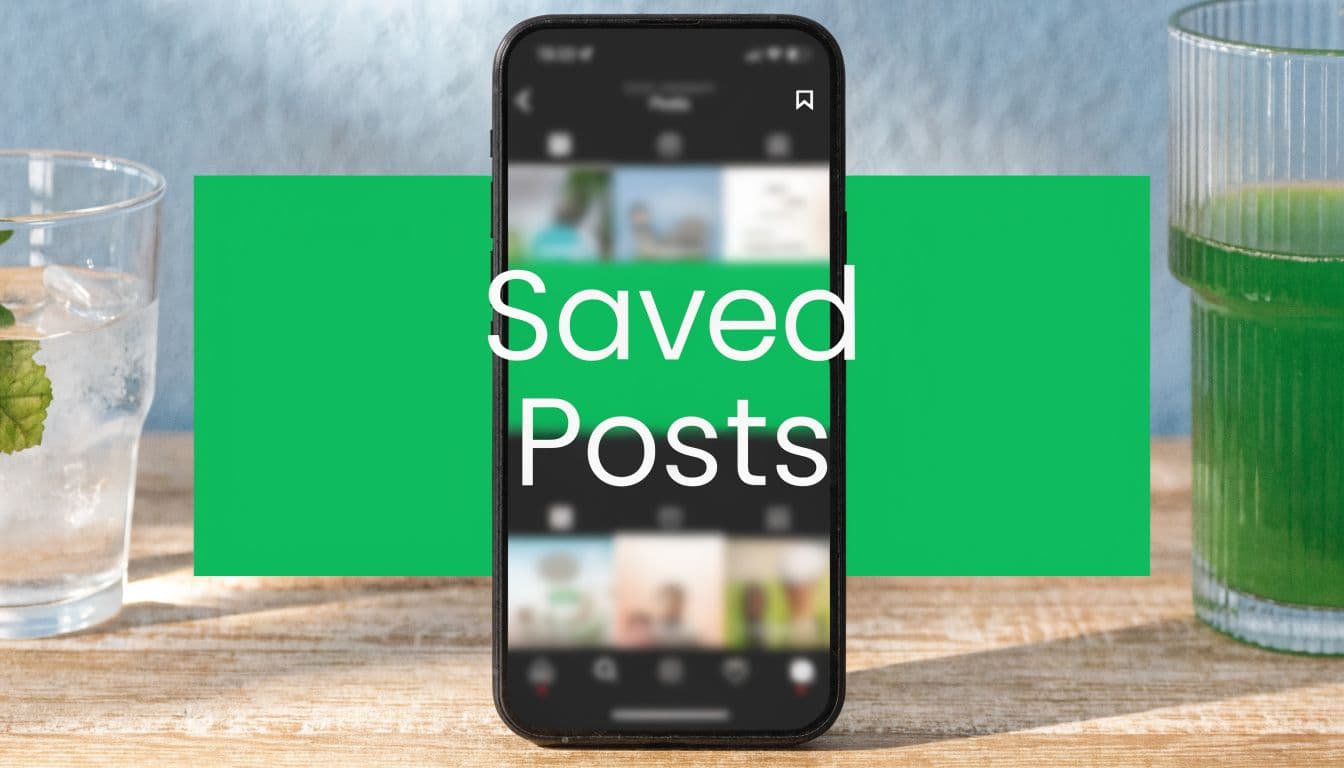
Instagram’s save feature turns a quick scroll into deferred intent. A user taps the bookmark icon on a post or Reel, and that content moves into a private archive tied to their account for later review.

At the product level, saved posts work like a built-in reference library. Users can save feed posts, carousels, and, if you want, the format-specific steps, how to save Instagram Reels follows the same core behavior. The creator is not told which specific person saved the content, and the saved item stays private unless the user chooses to share it elsewhere.
That privacy model is the reason saves matter professionally. People use likes casually. Saves usually happen when someone expects the post to be useful again.
Why do people actually save content?
The obvious use case is personal. Someone wants to revisit a recipe, workout, outfit idea, travel tip, or tutorial without hunting through their feed later.
The more interesting use case is professional. Marketers, creators, and brand teams use saves to build swipe files, track competitors, collect creative patterns, and sort content ideas by topic or campaign. Used well, saved posts on instagram become a working research database inside the app, not just a personal bookmark folder.
Here’s what the feature helps with:
Private bookmarking for posts worth revisiting
Faster research than sending links to yourself or taking screenshots
Pattern spotting across competitors, creators, and formats
Reference viewing for tutorials, product demos, hooks, and carousel structures
The privacy rule that shapes strategy
Instagram keeps individual saver identities hidden in normal analytics. Creators and brands can see save counts on eligible professional accounts, but they cannot pull a list of exactly who saved a post. That trade-off is useful for both sides.
Users can save freely without social pressure. Brands have to evaluate saves the right way, as a signal of content quality and future intent rather than a contact list.
That changes how smart teams use the feature. Instead of asking who saved this, ask what made people save it. Then collect those patterns at scale across your own posts and competitor accounts. That is where savings start improving content strategy, not just reporting.
How to Find and Organize Your Saved Posts
Most guides stop at “tap the bookmark icon.” That’s the easy part. The main challenge starts when you’ve saved enough content that your archive becomes messy, and you can’t find anything when you need it.

Instagram keeps Saved inside your profile menu. The standard path is simple:
Open your profile
Tap the three horizontal lines
Tap Saved
Open All Posts or one of your Collections
That gives you the archive. Organization is where the feature becomes useful instead of overwhelming.
How to create collections that stay usable
Collections are Instagram’s folder system. If you use one giant catch-all archive, it becomes hard to turn saved posts on instagram into something actionable. Collections fix that, but only if you name them in a way that matches how you’ll search mentally later.
A few naming conventions work well:
Topic-based folders such as Recipes, Hooks, Outfit Ideas, and Local Competitors
Format-based folders such as Carousel Design, Reel Openings, Before and After
Workflow folders such as Post Soon, Research, Test Later
Audience folders such as Customer Questions, UGC Examples, and Objection Handling
To create one, open Saved, tap the plus icon, name the collection, and start adding posts. You can also save directly into a collection when you bookmark a post.
A better structure than random saving
It's common to over-organize too early or never organize at all. Both approaches fail. What works is a simple layered setup.
Reference – Best used for material you want to revisit for learning. Save tutorials, guides, case studies, or tips you may need again later.
Inspiration – Best used for creative direction, visual ideas, and hooks. Keep content that sparks new ideas for design, captions, or future posts.
Competitor watch – Best used for posts from brands or creators in your niche. This helps you study trends, positioning, and what is working in your market.
Production queue – Best used for ideas you may adapt into future content. Store concepts you want to recreate in your own style or turn into upcoming posts.
This is also where saved Reels deserve their own folder. If you’re collecting short-form examples, keep them separate so you can review pacing, hooks, and edits without noise. If that’s part of your workflow, this guide on how to save Instagram Reels is a useful companion.
What works and what breaks down
A few practical trade-offs show up fast:
Too many broad folders create decision fatigue. “Marketing” is too vague.
Too many hyper-specific folders create maintenance work. You won’t keep up.
Saving without review turns your archive into storage, not strategy.
Renaming folders later is fine, but rebuilding a chaotic system is slower than starting with a few clear buckets.
Review collections weekly if you use Instagram for work. The feature is only valuable when retrieval is easy.
If you save content for business use, your goal isn’t to preserve everything. It’s to create a system that helps you find patterns, references, and reusable ideas quickly.
Why Saves Are a Goldmine for Creators and Brands
Likes say a post was pleasant. Saves say it was useful enough to keep. For any business trying to grow through organic content, that difference is massive.
Sprout Social reports that carousel posts achieved 1.36% engagement for influencers in 2025, ahead of photo posts at 1.04% and Reels at 1.24%, and that carousels also achieve the highest save rates, according to its Instagram stats roundup. That lines up with what most practitioners see in the field. Swipeable, structured content gives people a reason to return.

Why Instagram values saves so highly
Instagram wants content that keeps users engaged beyond the first impression. A save is strong evidence that the content delivered more than entertainment. It created a delayed value.
That’s why saves tend to cluster around content like:
Tutorials people want to apply later
Checklists they need during a task
Comparisons they want to reference before a decision
Story-led carousels that reward a second read
Resource posts with examples, prompts, or swipe ideas
The platform doesn’t need the interaction to be public for it to matter. In many cases, private intent is more meaningful.
What saves reveal about audience quality
A post with modest likes but strong saves often has more business value than a post with quick public applause. Saves usually signal an audience member who is thinking, planning, or evaluating.
For brands, that can mean:
Product consideration because someone wants to revisit a use case or styling example
Problem awareness because the content described a pain point clearly
Educational trust because the post feels worth keeping
Longer content life because people return instead of consuming once
For creators, saves help separate disposable posts from library posts. Library posts keep working after the publish day.
What works and what doesn’t
There’s a real trade-off here. Save-driven content often looks less flashy than trend-chasing content. It may get fewer immediate reactions because it asks for attention, not just impulse.
What works:
High-clarity carousels
Useful summaries
Posts that solve a narrow problem well
Captions with substance instead of filler
What usually underperforms on saves:
Generic motivation
Aesthetic-only posts with no takeaway
Trend participation with no audience fit
Overdesigned graphics that hide the point
If a follower would need the post again next week, it’s save-worthy. If they only need it for one second, it probably isn’t.
That’s why saves are a goldmine. They help you identify content with lasting value, stronger intent, and better odds of compounding reach over time.
Five Proven Tactics to Get More Saved Posts
If you want more saves, stop asking for them as a generic CTA and start designing posts people would regret losing. The trigger is usefulness. The format just carries it.

High save volume correlates with algorithmic boosts, increasing post visibility in Feed and Explore by 15% to 30%, according to GetDewey’s summary of save-related visibility effects. That’s why these tactics matter. More saves don’t just feel good in reporting. They improve distribution.
Build carousels that people need to revisit
What to create
Use carousels for frameworks, mini-guides, before-and-after breakdowns, myth-vs-reality posts, and step-by-step teaching.
Why it works
Carousels naturally support “save now, use later” behavior because they compress multiple ideas into one asset. They reward slower consumption and second reads.
A good test is simple: if slide three or slide six contains a detail someone may need later, the post has save potential.
Turn captions into reference material
Many teams write captions like filler under the “real” content. That wastes one of the easiest save opportunities on Instagram.
Try using captions for:
Detailed instructions that don’t fit in the visual
Example lists your audience can copy later
Contrarian advice with nuance
Short scripts or prompts they can reuse
People often save a post because of what the caption adds, not just the first slide.
Publish checklists, templates, and prompts
This is the most direct save magnet because it gives the audience something practical they can apply. The key is specificity.
Examples that work well include:
Content checklists for launch posts or reels
Prompt packs for captions or storytelling
Decision frameworks for purchases, planning, or strategy
Templates users can adapt to their niche
These formats create obvious replay value. Users know immediately why they should keep them.
Solve one real problem per post
Broad advice gets nodded at. Narrow advice gets saved.
A post like “how to grow on Instagram” is too big and too vague. A post like “three carousel hooks for low-trust audiences” is focused enough to become reference material. Precision creates utility.
Field note: The more specific the problem, the easier it is for a user to justify saving the solution.
Make the save reason explicit
This isn’t about begging. It’s about clarifying utility. If a post includes a checklist, framework, or script, say so in the cover, the caption, or the closing slide.
A few examples of strong framing:
Save this before your next shoot
Keep this for your next launch
Bookmark these hooks for later
Use this as your posting checklist
That small cue helps users recognize the future value of the content.
A quick filter before you publish
Use this table before posting if you want more saved posts on instagram:
Would someone need this later? – If yes, the post has strong save potential because people are more likely to bookmark content they may need again in the future.
Is the takeaway specific? – If yes, it becomes easier to justify saving since clear and actionable advice feels more valuable than vague tips.
Can the post help during a task? – If yes, the content is especially useful for checklists, tutorials, and step-by-step guides, which people often save for later use.
Does the format support re-reading? – If yes, the post has a better chance of being saved. Carousels and detailed captions usually perform well because users can revisit them multiple times.
Save-driven content isn’t about gaming the metric. It’s about earning a place in the audience’s working library.
Using Saved Collections for Content Research
Teams that treat Instagram saves as a research system work faster and make better content decisions. The feature looks personal, but used well, it becomes a practical database for trend tracking, competitor analysis, and creative quality control.
The mistake is saving posts into a pile and calling it inspiration. That approach breaks as volume grows. A useful system has to help you review hundreds of posts, spot repeat patterns, and turn those patterns into publishing decisions.
Build collections around decisions, not topics
Topic-based folders get messy fast. “Marketing Ideas” or “Inspo” tells your team nothing about what to do with the post later.
Create collections based on the decision the post will inform:
Competitor hooks
Offer positioning
Reel retention tactics
Carousel cover formats
Objection-handling captions
UGC concepts worth testing
If customer content is part of your workflow, this guide on using user-generated content helps separate posts that support conversion from posts that only create surface-level engagement.
This structure matters more as your archive grows. A strategist, copywriter, and designer can all save into the same decision-based buckets without creating a mess.
Review saves on a fixed cadence
Collections only become research if someone reviews them consistently. I recommend a simple rhythm. Weekly for quick pattern checks. Bi-weekly for competitive teardowns. Quarterly for synthesis.
During each review, tag what keeps repeating:
Format: carousel, Reel, static image, talking head
Hook type: direct promise, mistake, curiosity, checklist
Audience problem: education, proof, objection, aspiration
Save trigger: reference value, planning value, swipe-worthy phrasing, visual structure
Brand relevance: test now, adapt later, ignore
That last filter matters. High-performing content in your niche is not automatically useful for your brand.
Use saves for competitor analysis at scale
The feature becomes more than a swipe file. Save competitor posts into separate collections by brand, campaign type, or message angle. Then review them in batches instead of one by one.
A simple team system works well:
One person saves posts from direct competitors
One tracks adjacent creators or brands outside your category
One logs patterns into a shared doc or spreadsheet after each review
The content lead turns those findings into next month's testing priorities
That process gives you scale. Instead of reacting to isolated posts, you can compare 50 to 100 saves at a time and ask better questions. Which hooks are appearing across multiple competitors? Which offers keep resurfacing? Which visual formats are spreading from one niche account to the next?
Over a quarter of those saved posts become a pattern library. Your team can turn that library into a strategy document with sections for recurring hooks, offer framing, creative formats, and content gaps your competitors still are not covering.
What this change in practice
A well-run saves system reduces random brainstorming. It gives your team evidence.
You can use it to improve:
Creative direction, because ideas come from repeated audience signals, not mood-board taste
Competitive awareness, because you can track which formats and messages are gaining traction across accounts
Content planning, because research is already organized before sprint planning starts
Testing discipline, because each content experiment can be tied back to patterns seen in saved posts
The trade-off is upkeep. Saving everything creates clutter. Saving selectively, reviewing on schedule, and summarizing findings in one place turns Instagram into a lightweight research tool that can support real editorial planning. If you want to pair that qualitative research with broader reporting, the best social media analytics tools can help fill the gaps Instagram's native workflow leaves behind.
Troubleshooting and Analytics Best Practices
The question clients ask most is simple: Can you see who saved your posts? No. Instagram keeps users' identities private. Professional accounts can see the number of saves on their own content through Insights, but not the list of people.
To find saved counts on a Business or Creator account, open the post, tap View Insights, and look for the bookmark icon. That gives you the post-level total. It’s enough to compare content patterns without breaking user privacy.
Best practices that keep the metric useful
If you track saves, don’t look at them in isolation. Compare saves against the format, topic, and promise of the post. Saves are most useful when they help you answer, “What did people think was worth revisiting?”
Use a simple review routine:
Check save totals by post type to see whether carousels, Reels, or static posts are creating more reference value
Review your own saved collections monthly so stale inspiration doesn’t crowd out stronger examples
Archive irrelevant research posts when they no longer match your niche, offer, or creative direction
Pair save data with broader reporting if you want a better view of content performance. This roundup of best social media analytics tools can help if you’re comparing workflow options outside Instagram's native analytics
What to do if savings are low
Low saves usually point to one of three issues:
The post was too broad
The takeaway wasn’t clear
The content was interesting, but not reusable
If you want a stronger analytics workflow for business decisions, this guide to Instagram analytics for business growth is a solid next read.
If you want help turning save-worthy content into real organic growth, Gainsty helps creators, brands, and businesses build a safer Instagram growth system around authentic engagement, smarter content strategy, and audience quality instead of bots or fake followers.