1. Gainsty
Gainsty stands out as a premier choice for small businesses laser-focused on authentic Instagram growth. Unlike traditional social media management tools that bundle features across multiple platforms, Gainsty specializes in a powerful hybrid model: combining sophisticated AI targeting with dedicated human expertise to drive organic follower growth exclusively on Instagram. This approach is engineered for businesses that prioritize building a genuine, engaged community over simply scheduling posts. It moves beyond passive management and actively expands your audience with real, interested users.
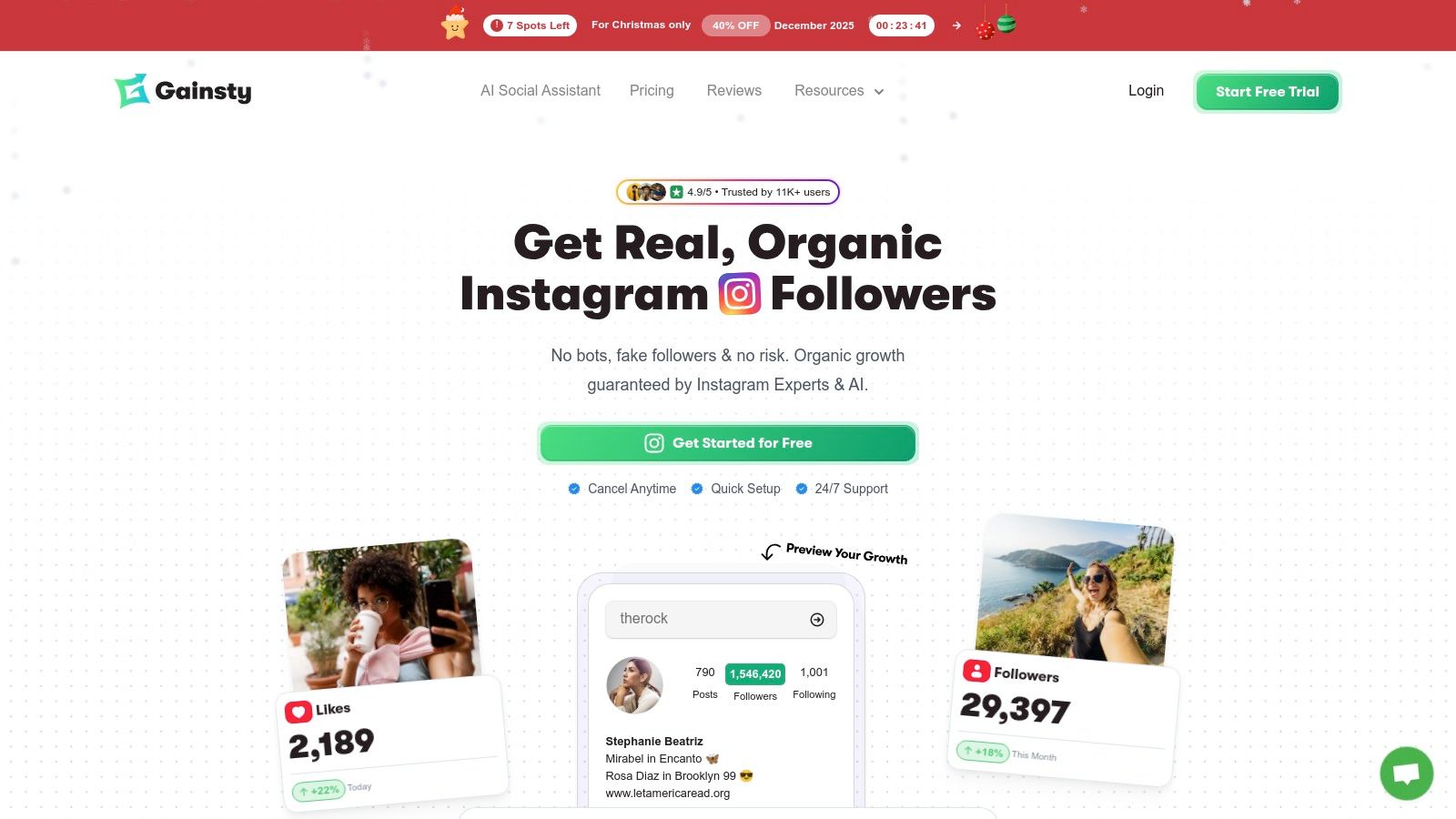
The platform's core strength lies in its precision. Instead of casting a wide, generic net, Gainsty allows you to define your ideal follower with remarkable detail. This granular control ensures the followers you gain are genuinely interested in your brand, leading to higher engagement rates and better conversion potential. It's a strategic solution for local retailers, service providers, and niche brands that need to connect with specific demographics to succeed. This method is a core component of effective social media marketing strategies for small businesses on gainsty.com.
Key Features & Use Cases
AI-Powered Audience Targeting: Pinpoint potential followers by competitor accounts, location, language, gender, and age. This is ideal for a local coffee shop targeting followers of a nearby competitor or a fashion brand aiming for a specific age demographic.
Human-Expert Management: A dedicated account manager (on higher-tier plans) fine-tunes your campaign, providing a level of strategic oversight that automated-only tools cannot match. This service is invaluable for business owners who lack the time for constant optimization.
Live Growth Dashboard: Monitor your progress in real-time with clear analytics on follower gains, engagement increases, and profile visits. This data-driven feedback loop helps you understand what content resonates with your new audience.
DM Automations: Set up automated welcome messages for new followers to immediately build a connection and guide them toward your products or services.
Pricing and Onboarding
Gainsty offers a transparent pricing structure with a risk-free entry point. New users can take advantage of a 7-day free trial to experience the service firsthand. Paid plans are designed for different growth velocities, such as the Upgrade plan (approx. $59/month) and the Turbo plan (approx. $79/month), with significant discounts available for annual billing. The platform also includes a "grow or your money back" promise, adding a layer of confidence for new clients.
Upgrade Plan: Targets approximately 200–1,000+ followers per month and is an excellent starting option for steady, organic growth.
Turbo Plan: Targets approximately 700–1,700+ followers per month, offering accelerated growth with a faster campaign launch and higher activity level.
Pros:
Guarantees real, bot-free followers.
Advanced targeting for high-relevance audience building.
Combination of AI efficiency and human expertise.
Strong social proof with a 4.9/5 user rating and clear case studies.
Cons:
Focused solely on Instagram, requiring other tools for multi-platform management.
Results are dependent on your content quality and profile optimization.
Website: https://www.gainsty.com
2. Hootsuite
Hootsuite is a veteran in the social media management space, offering a comprehensive, all-in-one dashboard designed for growing teams. It acts as a central command center for publishing, engagement, and analytics, making it one of the most robust social media management tools for small businesses that are starting to scale their operations. Its core strength lies in its powerful scheduling and team collaboration features, which support a wide array of social networks.
The platform stands out with its unlimited post scheduling, AI-powered content creation tools, and an integrated social inbox for managing messages and comments efficiently. Direct integrations with tools like Canva and Adobe Express streamline the content creation workflow, allowing for a seamless transition from design to publication.
Key Features & Pricing
Best For: Ideal for growing small businesses, marketing teams that need collaboration features, and agencies managing multiple clients.
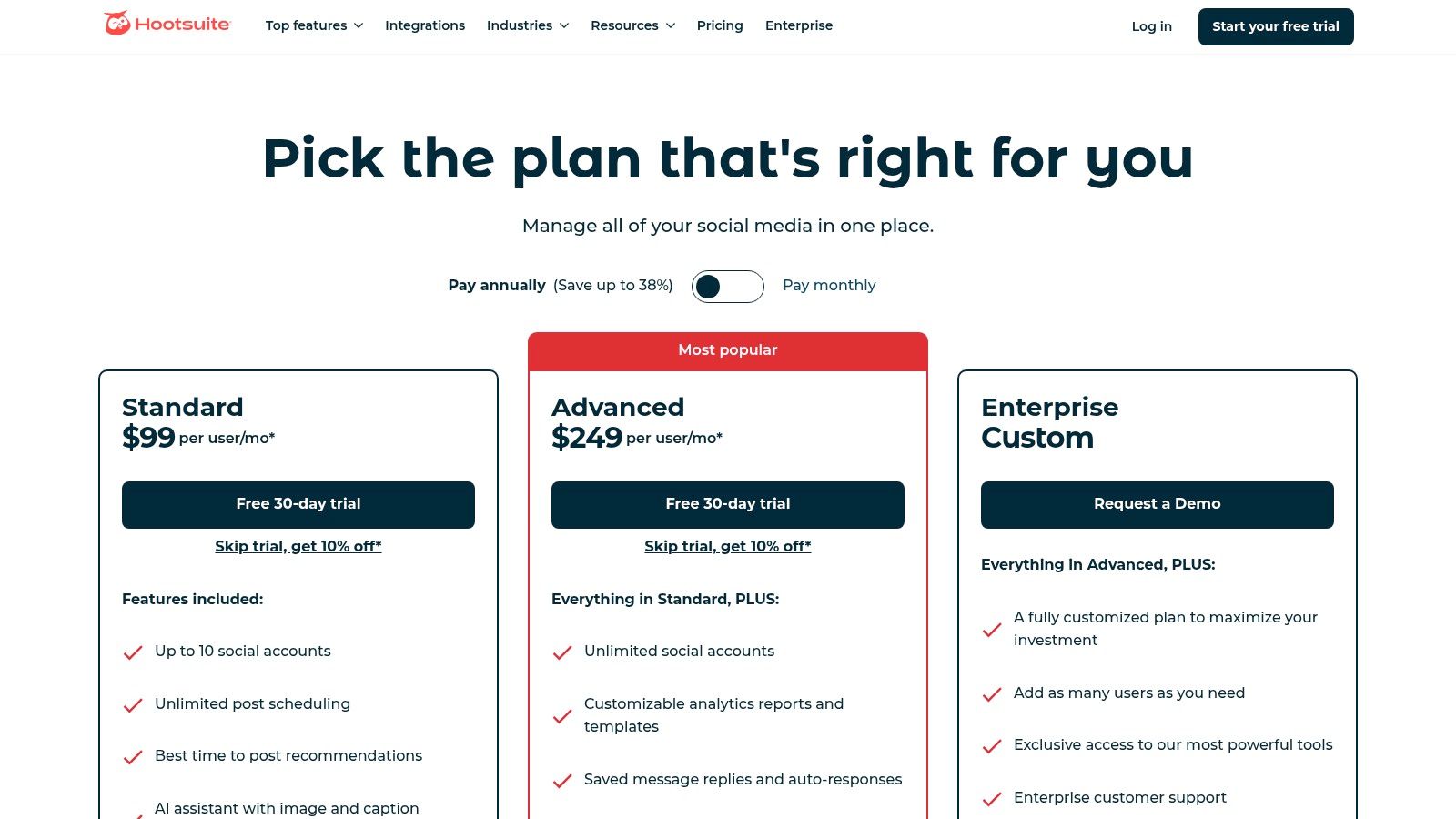
Pricing: The Professional Plan starts at $99/month for 1 user and 10 profiles, while the Team Plan costs $249/month for 3 users and 20 profiles. Custom pricing is available for larger organizations, and a 30-day free trial is offered.
Key Differentiator: Stands out for its extensive app ecosystem and deep, advanced analytics capabilities that support data-driven decisions.
Pros & Cons
Pros:
Robust Features: Comprehensive tools for scheduling, monitoring, and team collaboration.
Broad Network Support: Integrates with all major platforms and offers a wide app directory for extending functionality.
Detailed Analytics: Provides in-depth reporting and competitor benchmarking. For a closer look at its reporting capabilities, you can explore the best social media analytics software available on Gainsty.com.
Cons:
Cost: Pricing can become expensive, especially as you add more users.
Complexity: The user interface can feel cluttered and overwhelming for new users.
Website: https://www.hootsuite.com/plans/business
3. Sprout Social
Sprout Social is a premium, enterprise-grade platform that brings sophisticated publishing, engagement, and analytics tools to businesses of all sizes. It positions itself as an all-in-one hub for social media management, with a strong focus on customer care, team collaboration, and deep data insights. For small businesses serious about leveraging social media for growth and customer relationships, Sprout Social provides the powerful infrastructure needed to execute a professional strategy.
The platform shines with its unified Smart Inbox, which aggregates messages across all networks into a single stream, making engagement seamless. Features like review management, optimal send-time suggestions, and AI-assisted content composition tools empower users to work more efficiently and effectively. Sprout Social is one of the most comprehensive social media management tools for small business teams that prioritize data-driven decisions and scalable workflows.
Key Features & Pricing
Best For: Designed for data-focused small businesses, agencies, and teams that require advanced reporting, analytics, and collaboration features.
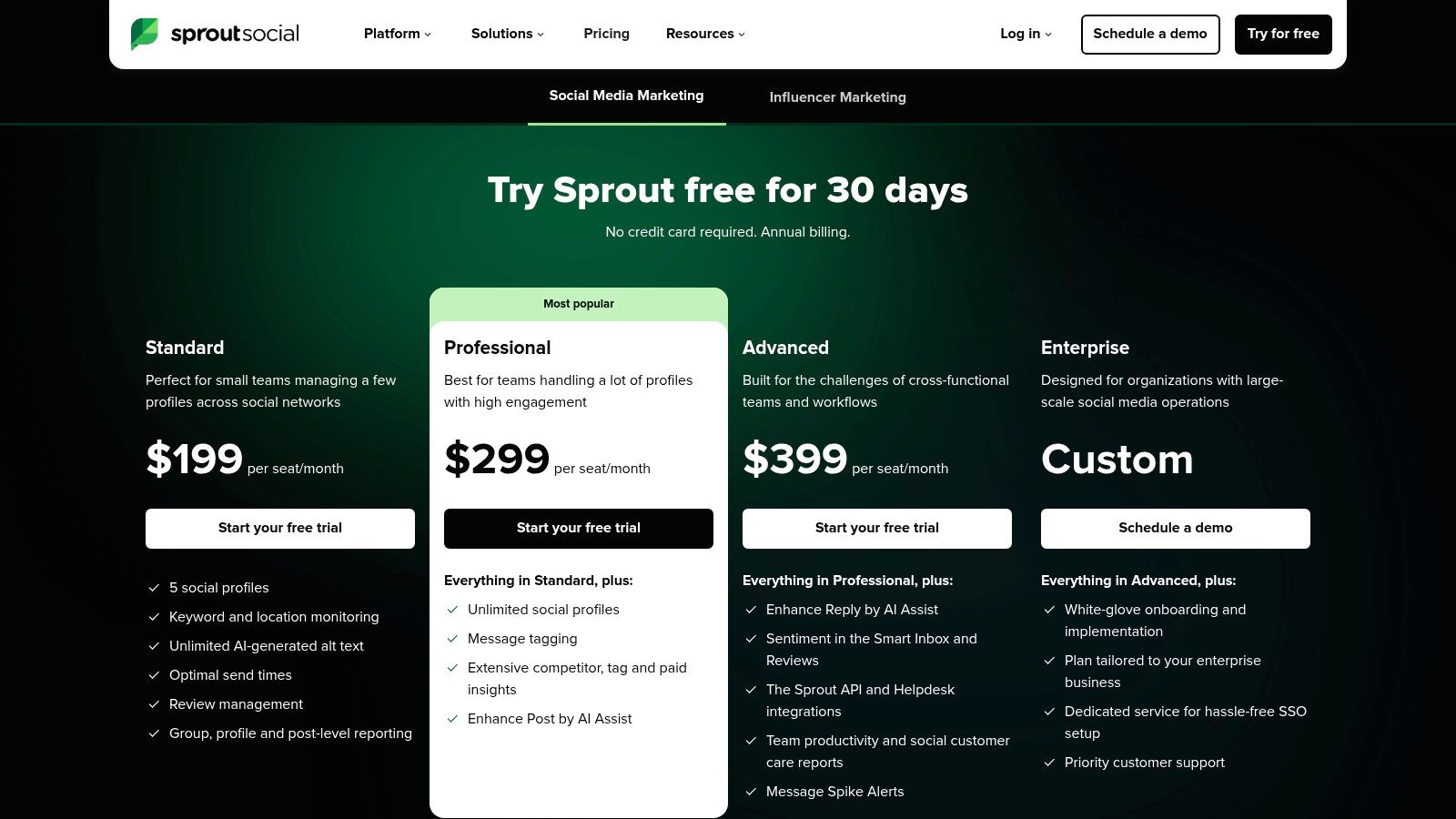
Pricing: The Standard Plan starts at $249/month for 1 user and 5 profiles, while the Professional Plan costs $399/month for 1 user with unlimited profiles. A 30-day free trial is available to test the platform.
Key Differentiator: Known for its powerful CRM-style inbox combined with best-in-class analytics and reporting, making it ideal for performance-driven teams.
Pros & Cons
Pros:
Excellent Analytics: Delivers beautiful, stakeholder-ready reports with deep competitive insights.
Scalable Collaboration: Scales well for multi-profile and multi-team setups with clear workflows.
Strong Support: Offers robust support resources and comprehensive onboarding options.
Cons:
High Price Point: The per-user pricing is significantly higher than many SMB-focused alternatives.
Costly Add-ons: Advanced features like listening and premium analytics come as add-ons, increasing the total cost.
Website: https://sproutsocial.com/pricing/
4. Buffer
Buffer is renowned for its clean, intuitive interface and streamlined approach to social media publishing. It's an ideal choice for solo founders and small teams prioritizing simplicity and affordability. The platform focuses on core scheduling and publishing functionalities, making it incredibly easy to plan and distribute content without the complexity of more enterprise-focused social media management tools for small business. Its straightforward design ensures a minimal learning curve.
The platform's strength lies in its user-friendly scheduling system, which includes a content calendar view, a helpful AI Assistant for generating ideas, and the ability to schedule first comments on platforms like Instagram. Buffer's modular pricing is a significant advantage, allowing users to pay only for the channels and features they need, which provides excellent value and scalability for growing businesses.
Key Features & Pricing
Best For: Solo founders, small businesses, and brands looking for a simple, affordable publishing tool.
Pricing: Free Plan supports up to 3 channels; Essentials Plan is $6/month per channel with unlimited scheduled posts and basic analytics; custom pricing is available for larger teams. A 14-day free trial is offered.
Key Differentiator: Extremely easy to use with a flexible, per-channel pricing model.
Pros & Cons
Pros:
Great Value: Highly affordable, with a generous free plan and transparent pricing.
User-Friendly: Very easy to learn and deploy quickly, making it perfect for beginners.
Efficient Scheduling: Simplifies content planning and posting across multiple platforms. To master your planning, explore the ultimate guide to creating a social media content calendar on Gainsty.com.
Cons:
Limited Advanced Features: Lacks deep social listening and advanced customer care tools.
Basic Team Workflows: Collaboration features are lighter compared to enterprise-level solutions.
Website: https://buffer.com/pricing
5. Later (Later Social)
Later has established itself as the go-to visual planner, making it one of the best social media management tools for small businesses that are highly dependent on aesthetics. Originally built for Instagram, its functionality has expanded to include TikTok, Pinterest, and other visual-first platforms. Its core strength is the drag-and-drop visual content calendar, which allows brands and creators to meticulously plan their feed's look and feel before publishing.

The platform excels by bundling essential creator tools into its plans, such as a customizable link-in-bio page and an AI content assistant for generating captions and ideas. This integrated approach simplifies the tech stack for product-focused brands and influencers, providing a unified workflow from content planning and media storage to scheduling and performance analysis.
Key Features & Pricing
Best For: Ideal for Instagram-focused brands, e-commerce businesses, content creators, and solo entrepreneurs looking to streamline content planning.
Pricing: The Starter Plan is $25/month for 1 user and 1 social set, the Growth Plan is $45/month for 3 users and 1 social set, and the Advanced Plan is $80/month for 6 users and 1 social set. A 14-day free trial is available.
Key Differentiator: Offers a highly intuitive, visual-first content calendar paired with an integrated link-in-bio tool, making content management and audience conversion seamless.
Pros & Cons
Pros:
Excellent Visual Planner: The drag-and-drop calendar is perfect for curating a visually appealing Instagram grid and planning TikTok content.
Creator-Friendly: Bundles features like the link-in-bio tool and AI assistance, which are ideal for individual creators and small brands.
User-Friendly Interface: The platform is clean, intuitive, and easy to navigate, even for social media beginners.
Cons:
Limited Network Focus: While strong for visual platforms, it's less robust for text-heavy networks like X (formerly Twitter) or LinkedIn.
Tiered Feature Access: Key features like advanced analytics and collaboration approvals are reserved for more expensive plans.
Website: https://later.com/pricing
6. Agorapulse
Agorapulse is a powerful all-in-one suite that excels in publishing, reporting, and managing social conversations. It positions itself as a user-friendly and highly efficient social media management tool for small businesses and agencies that need robust team collaboration and a unified inbox. Its strength lies in its intuitive design and comprehensive feature set that simplifies complex workflows, from content approval to performance analysis.
The platform stands out with its exceptional unified social inbox, which includes automation rules and translation features to streamline engagement. Unique features like first-comment scheduling for Instagram and detailed, exportable reports make it a strategic choice for businesses focused on ROI. Agorapulse also includes practical tools like a content library and bulk publishing to maximize efficiency.
Key Features & Pricing
Best For: Small to medium-sized businesses (SMBs) and agencies that require robust reporting, team collaboration, and social inbox management.
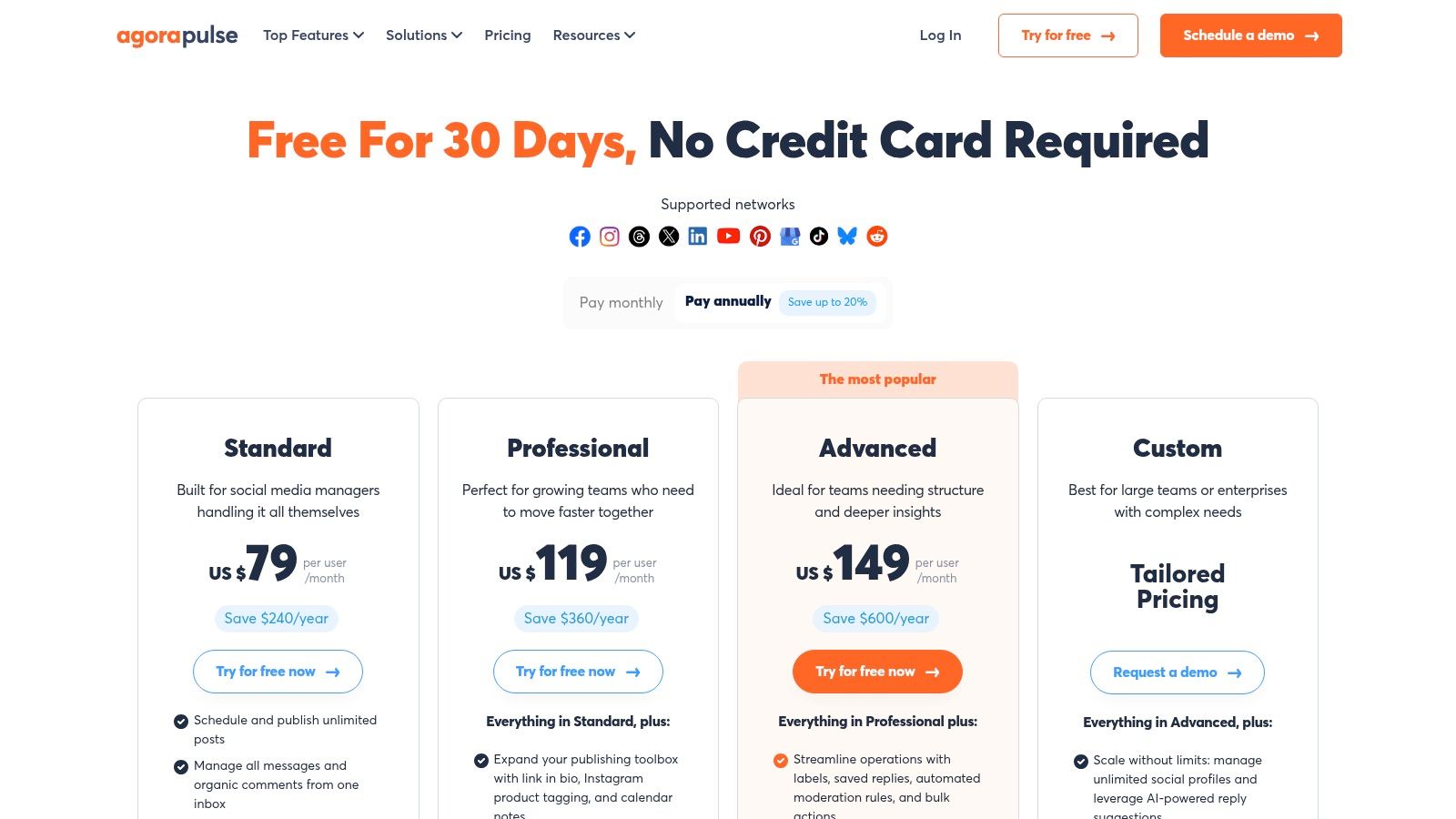
Pricing: The Standard Plan is $49/user/month, Professional Plan is $79/user/month, and Advanced Plan is $119/user/month. A 30-day free trial is available, along with discounts for nonprofits.
Key Differentiator: Features an industry-leading unified social inbox and offers generous profile limits per user, enabling efficient team management.
Pros & Cons
Pros:
Excellent Value: Offers a high number of social profiles per user, even on lower-tier plans.
Clear Pricing: Simple per-user pricing model makes it easy to calculate costs as your team grows.
Robust Inbox: The unified inbox with automation is one of the best for managing community engagement at scale.
Cons:
Can Get Expensive: The per-user model can become costly for larger teams compared to platforms with bundled user seats.
Limited Ad Monitoring: Advanced monitoring for ad comments is restricted to higher-tier plans.
Website: https://www.agorapulse.com/pricing
7. Sendible
Sendible is a highly popular social media management tool designed with agencies and small businesses in mind. It balances robust functionality with a user-friendly interface, offering powerful publishing, engagement, and reporting features. Its architecture is built for collaboration, making it ideal for teams, franchises, or any business managing multiple social media profiles across different brands or locations.
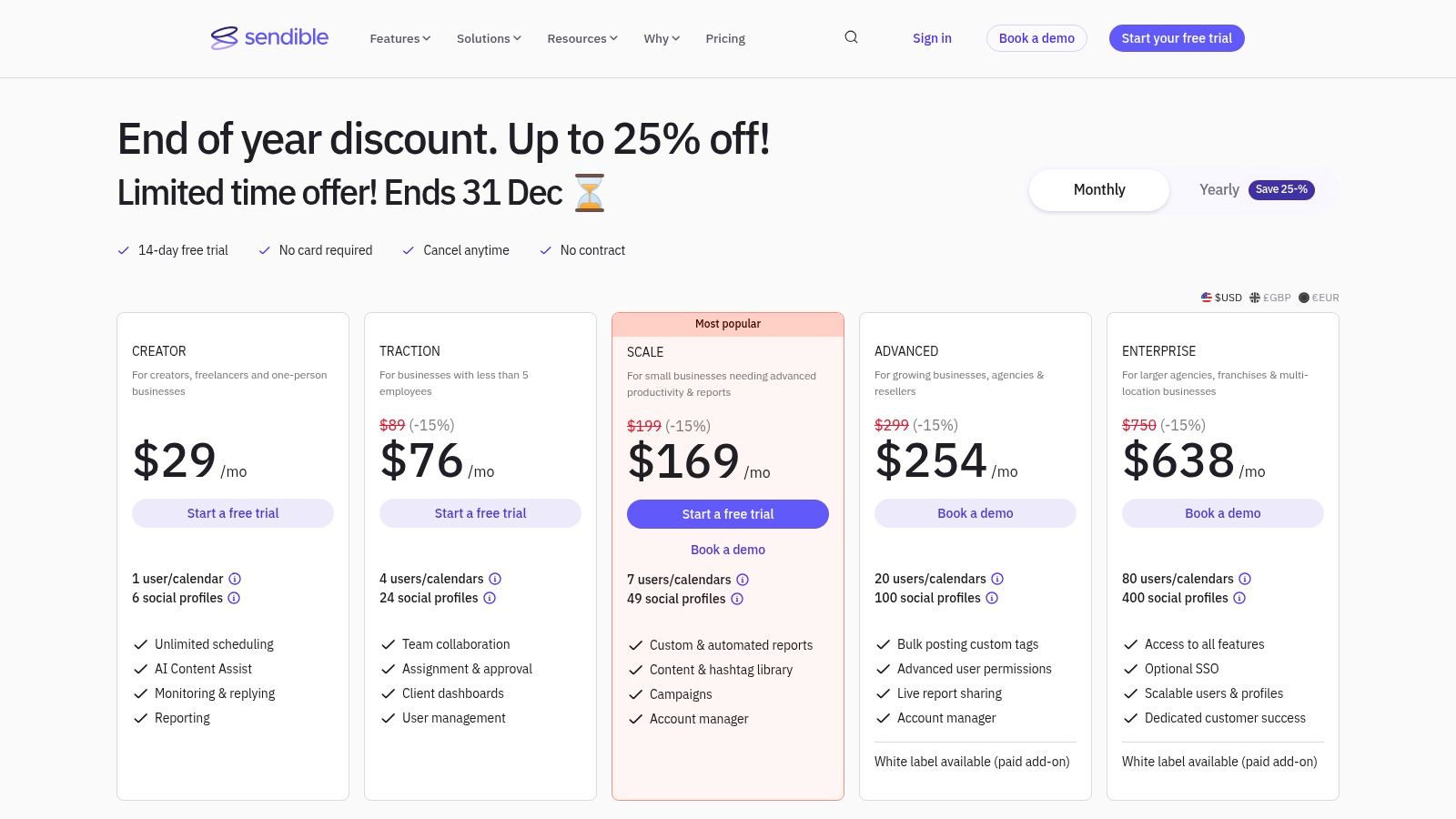
The platform shines with features like a shared content library, client approval workflows, and the ability to publish directly to Google Business Profiles. Sendible also provides a unified social inbox to manage conversations from one place and offers both prebuilt and custom automated reports, with optional white-labeling on higher-tier plans for agencies that need to deliver branded analytics to their clients.
Key Features & Pricing
Best For: Marketing agencies, small businesses with teams, and franchise operations.
Pricing: The Creator Plan costs $29/month for 1 user and 6 profiles, the Traction Plan is $89/month for 4 users and 24 profiles, and the Scale Plan is $199/month for 7 users and 49 profiles. A 14-day free trial is available without requiring a credit card.
Key Differentiator: Offers agency-focused features such as white-label reporting and flexible user/profile bundles.
Pros & Cons
Pros:
Excellent Collaboration: Strong team assignment, approval workflows, and multi-calendar setups.
Practical Integrations: Connects directly with Google Business Profiles, Canva, Dropbox, and provides a built-in UTM builder.
User-Friendly Trial: Offers a no-credit-card-required trial and frequently runs promotions.
Cons:
Time-Zone Centric Support: Customer support hours are primarily based in the UK, which can be inconvenient for users elsewhere.
Plan Limitations: The trial and lower-tier plans have some notable posting and feature limits.
Website: https://www.sendible.com/pricing
8. Zoho Social
Zoho Social is a powerful, cost-effective social media management tool designed for small businesses, especially those already embedded in the Zoho ecosystem. It offers a well-rounded suite of features for scheduling, monitoring, and reporting, all wrapped in a clean, user-friendly interface. Its primary appeal lies in its seamless integration with other Zoho applications like CRM and Desk, creating a unified platform for managing customer relationships and marketing efforts.

The platform provides robust publishing tools, including a content calendar and bulk scheduler, alongside a SmartQ feature that suggests optimal posting times. Monitoring streams allow you to track keywords and brand mentions, while comprehensive reports help measure performance. For businesses managing multiple brands, Zoho Social offers dedicated agency plans, making it a scalable choice.
Key Features & Pricing
Best For: Budget-conscious SMBs, businesses using the Zoho suite, and agencies.
Pricing: Offers a Forever-Free Plan for 1 user and 1 brand. Paid plans start at Standard $10/month (1 user, 1 brand) and Professional $30/month (1 user, 1 brand). Agency plans are also available.
Key Differentiator: Provides deep, seamless integration with the wider Zoho software ecosystem.
Pros & Cons
Pros:
Budget-Friendly: One of the most affordable full-featured social media management tools for small business.
Zoho Integration: Offers unparalleled synergy if you already use Zoho CRM or other Zoho apps.
Generous Free Plan: Provides a solid starting point for new businesses or solopreneurs.
Cons:
Basic Analytics: The depth of analytics may not satisfy data-heavy teams compared to premium competitors.
Tiered Features: Some advanced capabilities are locked behind higher-priced plans.
Website: https://www.zoho.com/social/pricing.html
9. SocialBee
SocialBee is a powerful social media management tool tailored for solopreneurs, creators, and small businesses looking to maximize their content output efficiently. It operates on a unique category-based scheduling system that allows you to organize your posts by topic. This system, combined with evergreen content recycling, ensures your profiles remain consistently active with minimal manual effort, making it ideal for those who need to maintain a strong brand without a dedicated social media manager.

The platform streamlines content creation with its AI Post Generator and integrated design tools like Canva. SocialBee's strength lies in its ability to automate a content strategy. You simply load your content categories, set a posting schedule, and the tool takes care of the rest, even re-posting your best-performing content over time to maximize reach and engagement.
Key Features & Pricing
Best For: Solopreneurs, content creators, and small businesses focused on content automation.
Pricing: Bootstrap Plan at $29/month (1 user, 5 profiles), Accelerate Plan at $49/month (1 user, 10 profiles), and Pro Plan at $99/month (5 users, 25 profiles). A 14-day free trial is available.
Key Differentiator: Offers category-based queues and evergreen content recycling for automated scheduling.
Pros & Cons
Pros:
Excellent Value: Affordable pricing plans make it accessible for startups and solo users.
Efficient Workflow: Simple, fast system for posting and repurposing content across multiple channels.
Scalable Agency Plans: Offers tiers that can accommodate a large number of social profiles for growing agencies.
Cons:
Limited Social Listening: Lacks the advanced inbox and social listening features of enterprise-level tools.
Basic Analytics: Reporting on lower-tier plans is less in-depth compared to some competitors.
Website: https://socialbee.com/pricing/
10. Loomly
Loomly is a calendar-first social media management tool that emphasizes planning, collaboration, and approval workflows. It's built for small teams, agencies, and marketing professionals who need a clear, organized process for creating and approving content before it goes live. The platform's core strength is its structured, step-by-step post creation system, which guides users from initial idea to final publication, ensuring every piece of content aligns with brand goals.
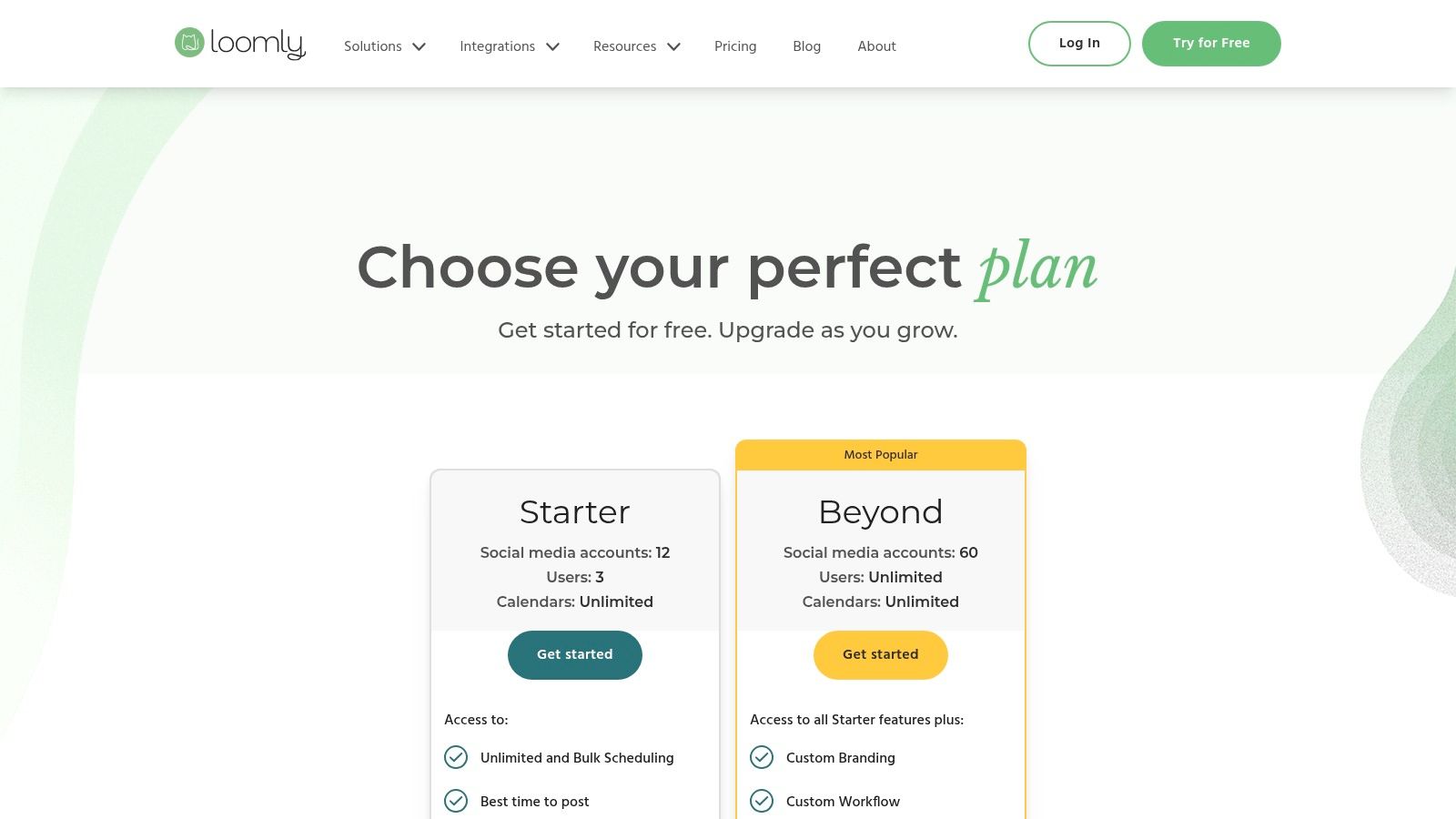
The platform stands out by making client or stakeholder collaboration incredibly straightforward. It provides automated publishing, content ideas based on trending topics, and a central asset library to keep all your creative files organized. For small businesses that need to maintain a consistent brand voice and quality, Loomly's approval process is a major advantage, preventing accidental posts and ensuring all content is vetted.
Key Features & Pricing
Best For: Small teams, marketing agencies, and businesses that need streamlined client approval workflows.
Pricing: Base Plan at $32/month (2 users, 10 profiles) and Standard Plan at $64/month (6 users, 20 profiles). Discounts are available for annual billing and nonprofit organizations.
Key Differentiator: Provides structured, calendar-based planning with a focus on post-by-post collaboration and approvals.
Pros & Cons
Pros:
Client-Friendly Approvals: Makes it incredibly easy for clients or managers to review, comment on, and approve content.
User-Friendly Interface: The calendar-centric view and guided post-creation are intuitive and easy to navigate.
Helpful Content Ideas: Provides post suggestions based on holidays, trends, and events to combat creative blocks.
Cons:
Limited Social Listening: Advanced monitoring and social listening features are less robust compared to enterprise-level tools.
Pricing Clarity: Recent pricing updates may require users to log in to see full details for certain plans.
Website: https://www.loomly.com/pricing
11. PLANOLY
PLANOLY began as an Instagram-first visual planner and has since blossomed into a comprehensive, multi-channel workspace perfect for visually driven brands. It serves as an official partner for Instagram and Pinterest, offering a suite of tools designed to plan, schedule, and analyze content across major platforms including TikTok, Facebook, X, LinkedIn, and YouTube. Its core strength lies in its intuitive drag-and-drop grid planner, which allows brands and creators to perfect their Instagram aesthetic before posting.
The platform is particularly valuable for e-commerce brands and influencers who rely on a strong visual identity. Unique features like a first-comment scheduler, a hashtag manager, and an AI caption writer streamline the content creation process. PLANOLY's flexible plan structure, with add-ons for extra social sets and users, makes it an accessible and scalable social media management tool for small businesses just starting their journey.
Key Features & Pricing
Best For: Instagram-heavy brands, e-commerce businesses, content creators, and influencers.
Pricing: Starter plan at $14/month for 1 user and 1 social set; Growth plan at $24/month for 1 user, 1 social set, with unlimited uploads; Professional plan at $36.50/month for 3 users and 2 social sets.
Key Differentiator: Offers powerful, best-in-class visual grid planning for Instagram with a highly customizable plan structure.
Pros & Cons
Pros:
Excellent Visual Planning: The drag-and-drop interface for planning the Instagram grid is intuitive and powerful.
Flexible Pricing: The ability to add on social sets and users makes it easy to customize a plan to fit specific needs.
Unlimited Uploads: The Growth plan and higher offer unlimited media uploads, which is great for content-heavy brands.
Cons:
Limited Team Features: Lacks the deep collaborative workflows and approval processes found in more enterprise-focused tools.
Upload Caps on Starter Plan: The entry-level paid plan has a monthly upload limit.
Website: https://www.planoly.com/
12. Meta Business Suite (Facebook + Instagram)
Meta Business Suite is the official, native management tool from Meta, designed specifically for handling Facebook and Instagram profiles. As a completely free solution, it serves as an essential starting point for any small business focused on these two platforms. It provides a unified dashboard to schedule posts and Stories, manage engagement, and view basic performance analytics without any subscription fees.
The platform's primary strength is its seamless, native integration. This often means faster access to new features like Reels formats or ad tools before they roll out to third-party apps. Its unified inbox is a standout feature, consolidating messages and comments from Messenger, Instagram Direct, and even WhatsApp into a single stream, simplifying customer communication.
Key Features & Pricing
Best For: New small businesses, entrepreneurs, or anyone working with a zero-dollar budget.
Pricing: Completely free to use; costs only apply if running paid ad campaigns.
Key Differentiator: Offers a unified inbox for Messenger, Instagram, and WhatsApp, and is completely free as a native tool.
Pros & Cons
Pros:
No Cost: An unbeatable option for businesses with very tight budgets.
Native Integration: Direct and reliable access to Facebook and Instagram features.
Unified Inbox: Simplifies managing messages and comments across Meta's platforms.
Cons:
Limited Scope: Only supports Meta-owned platforms (Facebook, Instagram, limited WhatsApp).
Basic Analytics: Reporting is less detailed compared to paid, specialized social media management tools for small business.
Feature Inconsistency: The interface and feature reliability can sometimes be inconsistent.
Website: https://business.facebook.com/
Top 12 Social Media Management Tools Comparison
Gainsty 🏆: Features AI targeting, a live growth dashboard, DM automations, and a dedicated manager. Users report ★★★★☆ (4.9/5) results. Pricing is $49–$79/month with yearly discounts, a 7-day trial, and money-back guarantee. Ideal for influencers, creators, SMBs, and brands. USP: Fast organic follower growth combining AI with human experts — no bots.
Hootsuite: Offers a unified scheduler, publishing tools, inbox, analytics, and integrations. Rated ★★★★. Pricing scales per user with a 30-day trial. Best for growing teams and SMBs. USP: Robust all-in-one dashboard with a broad app ecosystem.
Sprout Social: Provides advanced reporting, social listening, inbox management, and team collaboration. Rated ★★★★☆. Higher per-user pricing with enterprise add-ons. Ideal for agencies and enterprises. USP: Stakeholder-ready analytics and strong customer care.
Buffer: Includes a simple scheduler, AI assistant, hashtag manager, and modular pricing. Rated ★★★★. Offers a free tier and low-cost paid plans. Perfect for solo founders and small teams. USP: Very easy to learn with predictable, affordable posting.
Later (Later Social): Visual calendar, bulk scheduling, link-in-bio, and AI content credits. Rated ★★★★. Creator-focused tiers, scalable pricing. Ideal for creators and product brands. USP: Visual planning for IG/TikTok and streamlined media workflows.
Agorapulse: Unified inbox, Instagram tagging, reporting, and team workflows. Rated ★★★★. Per-user pricing but generous profiles. Best for SMBs and agencies. USP: Strong reporting and collaboration with export capabilities.
Sendible: Multi-calendar publishing, reporting, optional white-label. Rated ★★★★. Flexible bundles with a trial that doesn’t require a credit card. Ideal for agencies, franchises, and small teams. USP: White-label reporting with practical integrations.
Zoho Social: Scheduling, monitoring, reports, integrated with Zoho suite. Rated ★★★. Very budget-friendly with a free plan. Best for Zoho users and budget-conscious SMBs. USP: Seamless CRM/Zoho app integration.
SocialBee: Category queues, evergreen content recycling, AI content assistant. Rated ★★★★. Excellent value for startups, with performance guarantees. Ideal for startups, solo users, and agencies. USP: Fast repurposing with evergreen automation.
Loomly: Calendar-first planning, approval workflows, asset library, analytics. Rated ★★★★. Clear pricing with nonprofit discounts. Best for small teams and agencies. USP: Client-friendly review and approval workflows.
PLANOLY: Visual grid planner, AI captions, comment inbox, analytics. Rated ★★★★. Customizable plans and add-ons. Ideal for Instagram-heavy creators and brands. USP: Instagram-native tools like grid planning, first-comment posting, and hashtag management.
Meta Business Suite: Native scheduling, unified inbox, basic insights. Rated ★★★. Completely free. Best for small budgets and Facebook/Instagram users. USP: Native, no-cost solution for managing Facebook and Instagram.
Choosing Your Social Media Co-Pilot: Final Thoughts and Next Steps
Navigating the landscape of social media management tools for small business can feel overwhelming, but the right platform is a powerful co-pilot, not just another piece of software. Throughout this guide, we've explored a dozen powerful contenders, from enterprise-grade solutions like Sprout Social to visually-focused planners like Later and PLANOLY. The core takeaway is clear: there is no single "best" tool, only the tool that is best for your business.
The journey to finding your perfect fit begins with a deep understanding of your unique operational needs. Are you a solopreneur who lives and breathes Instagram? A platform like Later might be your ideal match. Do you run a small agency juggling multiple clients with diverse reporting needs? Sendible or Agorapulse could be the robust command center you require. For small businesses deeply integrated into the Zoho ecosystem, Zoho Social offers unparalleled synergy.
Your choice is a strategic investment in your brand's future. The right tool automates the mundane, illuminates your audience's behavior, and frees you to focus on what truly matters: creating authentic connections and building a loyal community.
Your Action Plan for Selecting the Right Tool
Before you commit to a subscription, it's crucial to move from reading to doing. A methodical approach will prevent buyer's remorse and ensure the tool you choose becomes an asset, not a burden. Use this final checklist to guide your decision-making process.
1. Revisit Your Core Needs:
Primary Goal: Is your main objective brand awareness, lead generation, community engagement, or customer support? Your primary goal will dictate which features are non-negotiable.
Platform Focus: Which social networks are most critical for your audience? Don't pay for a tool with advanced TikTok features if your customers are primarily on LinkedIn.
Team Size and Workflow: How many people will use the tool? Do you need sophisticated approval workflows, or is a simple, shared calendar sufficient?
2. Leverage Free Trials Strategically:
Shortlist Your Top 2-3: Based on our reviews and your needs assessment, select no more than three tools to test simultaneously.
Use Real Content: Don't just play with demo content. Schedule your actual upcoming posts, engage with real comments in the social inbox, and generate a report based on your own data. This is the only way to feel the platform's true workflow.
Test the Support: During the trial, ask a question of the support team. Their response time and helpfulness are a strong indicator of the service you'll receive as a paying customer.
3. Analyze the Long-Term Fit:
Scalability: Will this tool grow with you? Consider the pricing tiers and feature sets of the next plan up. A cheap plan today might become a costly bottleneck in a year.
Integration Power: How well does the tool connect with other software you rely on, like Canva, Google Drive, or your CRM? Seamless integrations save significant time.
Budget Beyond the Price Tag: The true cost includes the subscription fee plus the time it takes your team to learn and effectively use the platform. An intuitive tool with a slightly higher price may have a better return on investment than a cheaper but clunky alternative.
Ultimately, the best social media management tools for a small business act as a force multiplier. They streamline your processes, provide actionable data, and empower you to build a stronger, more profitable brand online. By taking a thoughtful, strategic approach to your selection, you are not just buying software; you are investing in a more efficient, impactful, and scalable future for your brand.
Ready to simplify your social media without sacrificing powerful features? Gainsty is designed specifically for small businesses, creators, and agencies who need an intuitive, all-in-one platform to plan, schedule, and analyze their content. Start your free trial of Gainsty today and discover a smarter way to manage your social media identity.