Why an Organized Instagram Feed Is Your Biggest Asset
Think about the last time you landed on a messy, confusing Instagram profile. You probably clicked away in seconds, right? That’s what happens when there's no clear strategy. Random posting feels disjointed and tells potential followers you don't have a clear message. An organized feed does the exact opposite.
A structured approach creates a predictable, almost comforting experience for your audience. They learn what to expect from you, which builds a massive amount of trust and keeps them coming back for more. This is where the real work begins, and it all starts with your content pillars.
The Power of Content Pillars
Content pillars are the foundation of your entire content strategy. I like to think of them as the 3-5 core topics that you can talk about endlessly. They're the subjects you’re passionate and knowledgeable about, and they form the thematic backbone of your account. By setting these pillars, you create a clear roadmap for every single post.
For example, I worked with a fitness coach whose feed felt a little all over the place. We narrowed her focus down to four solid pillars:
Workout Tutorials: Quick, no-fluff exercise videos.
Healthy Recipes: Simple meal ideas for busy people.
Client Success Stories: Real-world transformations and testimonials.
Mindset Mondays: Motivational posts about consistency and overcoming plateaus.
Suddenly, her profile wasn't just a random assortment of gym selfies and food pics. It became a cohesive, valuable resource. This kind of structure signals to both your audience and the Instagram algorithm that you're a reliable authority, which is a huge factor in getting your account discovered.
To give you a clearer picture, here is a quick overview of the system we're about to build together.
Quick Guide to Organizing Your Instagram Posts
Strategy Phase – You define your content pillars and target audience, with the goal of creating a clear roadmap for what you’ll post about.
Planning Phase – You map out your posts using a visual grid or content calendar, with the goal of maintaining a cohesive look and balanced content mix.
Creation Phase – You batch-create your photos, videos, and captions, with the goal of saving time and reducing the stress of daily posting.
Execution Phase – You schedule your posts and actively engage with your audience, with the goal of staying consistent and building strong relationships.
This four-step workflow is the key to unlocking sustainable growth.
The diagram below visualizes how these distinct phases flow together, moving you from big-picture strategy all the way down to the daily posts that build your brand.

Moving from Strategy to Execution is what separates thriving accounts from stagnant ones. It ensures every single post you publish has a purpose and pushes you one step closer to your goals.
Defining Your Content Pillars for Brand Consistency
Let's be honest, staring at the Instagram app and wondering, "What on earth should I post today?" is a terrible feeling. We’ve all been there. The best way to break that cycle of daily panic-posting is to give your content a solid foundation.
Think of your Instagram account less like a random camera roll and more like a carefully curated magazine. Every great magazine has its core sections—and for your brand, those sections are your content pillars. These are the 3-5 main topics or themes you’ll consistently talk about. They're the bedrock of your entire strategy, keeping you on-brand and making content creation infinitely easier.
Instead of a daily scramble, your thought process becomes, "Which of my pillars haven't I touched on this week?" It’s a simple shift that makes a world of difference.

Brainstorming Your Core Themes
So, how do you figure out your pillars? You’ll find them at the intersection of what you know (your expertise) and what your audience wants to know (their problems and interests). What do you want your brand to be the go-to source for?
Grab a whiteboard or just a good old-fashioned piece of paper. Start by dumping every single topic related to your brand onto the page. No idea is too small or silly at this stage.
Let’s say you run a local coffee shop. Your brain-dump list might have everything from latte art tutorials and new pastry announcements to behind-the-scenes moments and local community events. To make sure these ideas serve a bigger purpose, it's a good idea to understand what a modern Instagram content strategy that actually works looks like in 2026.
Once you’ve got a massive list, step back and look for patterns. Start grouping similar ideas together. You’ll notice natural themes start to emerge—these are your future content pillars taking shape.
Key Takeaway: Your pillars are a promise to your audience. They should clearly reflect your brand's purpose while delivering real value, so followers know exactly what to expect when they hit that "follow" button.
Refining Your Pillars for Impact
The next step is to get focused. You want to distill your brainstormed clusters into 3-5 powerful, distinct pillars. Having too many will just dilute your message and confuse your audience.
For our coffee shop example, we could refine those clusters into four clear pillars:
Behind the Counter: This is where you introduce your talented baristas, show off their skills, and give a glimpse into the daily life of the shop.
Coffee Education: Share simple brewing guides, explain the difference between bean origins, and break down tasting notes. Make coffee more accessible for everyone.
Community Spotlight: Feature the local artists whose work hangs on your walls, promote neighborhood events, and shout out to your loyal customers.
Menu Highlights: This is for all the drool-worthy content—stunning photos and Reels of your seasonal drinks, new baked goods, and signature creations.
This isn’t just about looking tidy; a structured approach like this gets real results. We've seen accounts that organize their posts with predefined categories boost their engagement rates by up to 30%. The data also shows a 25% lift in the 'Accounts Engaged' metric. We even have Gainsty users in specific niches like real estate who report up to 40% more saves and shares by tailoring their categories. It just works.
Once your pillars are locked in, content planning becomes a simple fill-in-the-blanks game, guaranteeing your feed stays balanced, interesting, and effective. If you want to go even deeper on this, we have a detailed guide on how to build out your own Instagram content pillars.
Bring Your Grid to Life With Visuals and Batching
You've done the hard work of defining your content pillars. Now for the fun part: translating those ideas into a gorgeous Instagram grid that stops scrollers in their tracks. Think of your grid as your brand’s first impression—your digital handshake. A messy, inconsistent feed can be off-putting, but a thoughtful, cohesive one? It invites people to stay, explore, and hit that "Follow" button.
But a beautiful grid is useless if you can't maintain it. This is where the magic of content batching comes in. Instead of living in a constant state of "what should I post today?", you'll create a whole month's worth of content in just a few focused sessions. It’s the secret to getting off the content hamster wheel for good.

Crafting Your Signature Feed Aesthetic
Before you start snapping photos, you need a visual game plan. This isn't about making every post identical—that would be boring! It's about creating a consistent vibe that feels unique to you.
I've seen brands succeed with all kinds of layouts, but a few tried-and-true approaches are great starting points:
Checkerboard Pattern: This is a fantastic way to create visual rhythm. You simply alternate between two different post styles. A common example is a photo followed by a text-based graphic. It's clean, easy to follow, and looks incredibly organized.
Consistent Color Palette: This is my personal favorite for instant brand recognition. Pick 2-3 core colors and make sure they show up in most of your posts. This could be through the filters you use, the clothes you wear, or the props in your photos. It’s a simple trick that makes a huge impact.
Row-by-Row Storytelling: This one requires a bit more planning, but the payoff is huge. Each three-post row is treated as its own mini-campaign or story. A food blogger might dedicate a row to a single recipe: one post for ingredients, one for the process, and one for the final dish.
My advice? Play around. Use a grid planning app to mock up these styles with some of your existing photos to see what feels right for your brand.
The Real Power of Batching Your Content
Once your visual strategy is locked in, batching will become your best friend. The mental energy you save by not having to be a strategist, photographer, copywriter, and editor every single day is massive. You get to put on one hat at a time and do focused, deep work.
By dedicating specific blocks of time to specific tasks, your workflow becomes incredibly efficient. More importantly, the quality of your work skyrockets because you’re not creating from a place of panic. You're executing a plan.
This is how you shift from feeling like Instagram is a daily chore to viewing it as a manageable, creative outlet. Having a bank of high-quality content ready to go is the ultimate safety net for consistency. To really map it all out, a detailed Instagram content calendar template can help you visualize the entire month at a glance.
A Realistic Batching Workflow
So, what does this actually look like in the real world? Let's say you're planning content for the next month. You're not going to do everything in one day. Instead, you could break it down like this:
Phase 1: Strategy & Ideation (One Afternoon)
Spend a few hours brainstorming ideas for each of your content pillars.
Roughly sketch out your grid for the month, deciding where different post types will go to maintain your aesthetic.
Phase 2: Content Creation (One Full Day)
This is your "production day." Shoot all the photos and record all the video clips you'll need for the month.
Once you have all your raw assets, sit down and edit them all at once, applying your go-to filters or color presets.
Phase 3: Copy & Scheduling (One Afternoon)
Write all of your captions. Since you're in the zone, the words will flow much more easily.
Research and compile your hashtag sets for each post.
Finally, upload everything into your scheduling tool and hit "schedule."
Just like that, you've got an entire month of content done. You’ve bought back hours of your time and ensured your Instagram stays active and engaging, even when you’re busy with the thousand other things on your plate.
The Best Tools for Organizing Your Instagram Posts
Having a great system on paper is one thing, but the right tools are what actually make it work without driving you crazy. I've found that a well-chosen set of apps doesn't just automate tasks—it genuinely frees up your headspace to focus on being creative. This is all about finding smart shortcuts, not adding more complexity to your day.
So, what's in my toolkit? Let’s talk about the essentials I rely on to plan, schedule, and manage content like a pro. The goal is a workflow that feels less like a chore and more like a well-oiled machine.
Visual Planners and Schedulers
If you care at all about how your grid looks, a visual planner is an absolute must-have. These apps let you drag and drop your posts to see exactly how they’ll look side-by-side, which is a lifesaver for nailing that checkerboard pattern or cohesive color story before you post.
Finding the right one is key to making content batching stick. If you're shopping around, there's a fantastic list of the best social media content planning tools that’s worth a look.
From my experience, a few platforms consistently stand out:
Later: It's incredibly popular for a reason. The drag-and-drop grid planner is a breeze to use, and it offers great suggestions for the best times to post based on your audience's activity.
Planoly: A go-to for designers, photographers, and anyone who lives and breathes aesthetics. The interface is clean, making grid planning feel almost meditative, and it has some solid features for managing comments, too.
Buffer: This is a fantastic all-rounder, especially if you’re juggling more than just Instagram. While its grid preview is simpler, its strength lies in managing all your social accounts from one clean dashboard.
The biggest win with these tools? Auto-posting. You can schedule everything to go live during peak hours, then step away from your phone. It's a game-changer.
Content Hub and Asset Management
Every successful Instagram account needs a "mission control"—a single, organized place for all your approved photos, videos, half-written captions, and go-to hashtag lists. This is what saves you from that frantic, 10-minute search for a photo you know you took three weeks ago.
Think of your content hub as your digital studio. It’s where raw creativity is stored, refined, and prepared for its public debut. Keeping it tidy is just as important as keeping your public grid tidy.
You don't need anything fancy to start. A couple of my favorite setups are surprisingly simple:
Google Drive / Dropbox: I love a good folder system. Start with a main folder like
Instagram, then break it down byContent Pillars. Inside each pillar, have subfolders like[Pillar Name]andReady to Post. It’s simple, searchable, and gets the job done.Notion or Trello: These are perfect for turning your content plan into a visual calendar. You can create a card for every post, attach the photo, drop in the caption, and add a due date. Then, just drag the card from "Idea" to "Drafting" to "Scheduled." It's incredibly satisfying.
When you pair a visual scheduler with a central content hub, your entire process clicks into place. And if you’re looking for a platform that handles everything in one spot, you can also check out our guide on other great social media management tools that help tie it all together. From there, platforms like Gainsty can step in to make sure all that beautifully organized content gets the organic growth and attention it deserves.
How to Organize Captions, Hashtags, and Digital Assets
True Instagram organization happens behind the scenes. It's about more than just a pretty grid; it's about having a rock-solid system for all the little pieces that make up a post—the photos, videos, captions, and hashtags. Without a system, you're signing yourself up for endless scrolling through your camera roll and frantic, last-minute work.
Let’s get your backend in order. We're going to build a central hub for all your creative assets that will genuinely save you hours and make content creation feel a whole lot smoother.

Build Your Digital Asset Library
First up, your visuals. A messy camera roll or a chaotic desktop folder is not a content library—it's a productivity killer. The cleanest approach I've found is to use a cloud storage service you're already comfortable with, like Google Drive or Dropbox.
The real magic is in the folder structure. You want to create a system that mirrors your content strategy, so you never have to guess where something is. Here’s a structure that has worked wonders for my clients and me:
Main Folder: Start with one main folder you can spot immediately, like
Instagram Content 2026.Pillar Folders: Inside, create a folder for each of your content pillars. For a fitness coach, this might look like
Workout Tutorials,Nutrition Tips, andClient Success Stories.Status Folders: This is the key. Within each pillar folder, add subfolders like
RAW Unedited,Needs Editing, andReady to Post.
This simple hierarchy creates a clear workflow. As you work on your content, you physically move the files from one status folder to the next. It’s incredibly satisfying and means you’ll never again lose that perfect Reel you shot three weeks ago.
Create a Powerful Caption Bank
Now, let's talk about the words. Staring at a blank cursor, trying to come up with a brilliant caption on the spot, is a surefire path to burnout. The answer is a caption bank—a living document where you store pre-written and partially-written caption ideas.
This doesn't need to be complicated. A simple Google Doc, a spreadsheet, or a project in a notes app like Notion is perfect. Create a separate page or tab for each of your content pillars. During your batching days, brainstorm and write out several captions for each theme.
This takes the pressure off completely. You can focus on crafting compelling stories, perfecting your calls to action, and nailing your brand voice—all without a posting deadline breathing down your neck. When it's time to schedule, you just copy, paste, and make a few small tweaks.
Get Your Hashtags in Order
The same logic applies to your hashtags. Scrambling to find 20-30 relevant hashtags minutes before posting is stressful and rarely effective. A smart strategy requires a mix of different hashtag types, and you should have these groups ready to deploy at a moment's notice.
I recommend building several pre-made sets in the same document as your caption bank. This keeps everything in one place.
Organize your lists into a few key categories:
Broad Industry Tags: These are the high-volume, popular tags in your niche (e.g.,
#socialmediamarketing,#healthylifestyle).Pillar-Specific Tags: Tags that relate directly to your content themes (e.g.,
#instagramtips,#mealpreprecipes).Post-Specific Tags: These describe the actual content of the specific photo or video (e.g.,
#checkerboardgrid,#smoothiebowl).Community & Niche Tags: Tags used by your ideal audience or within your specific community (e.g.,
#creativeentrepreneur,#austinfitness).
By having these sets ready to go, you can quickly copy and paste a strategic mix for every post. It ensures you're maximizing your reach with a diverse hashtag strategy every single time, without the last-minute guesswork. This complete backend system is the final, crucial piece for organizing your Instagram posts for long-term, sustainable growth.
Tracking the Success of Your Organized Strategy
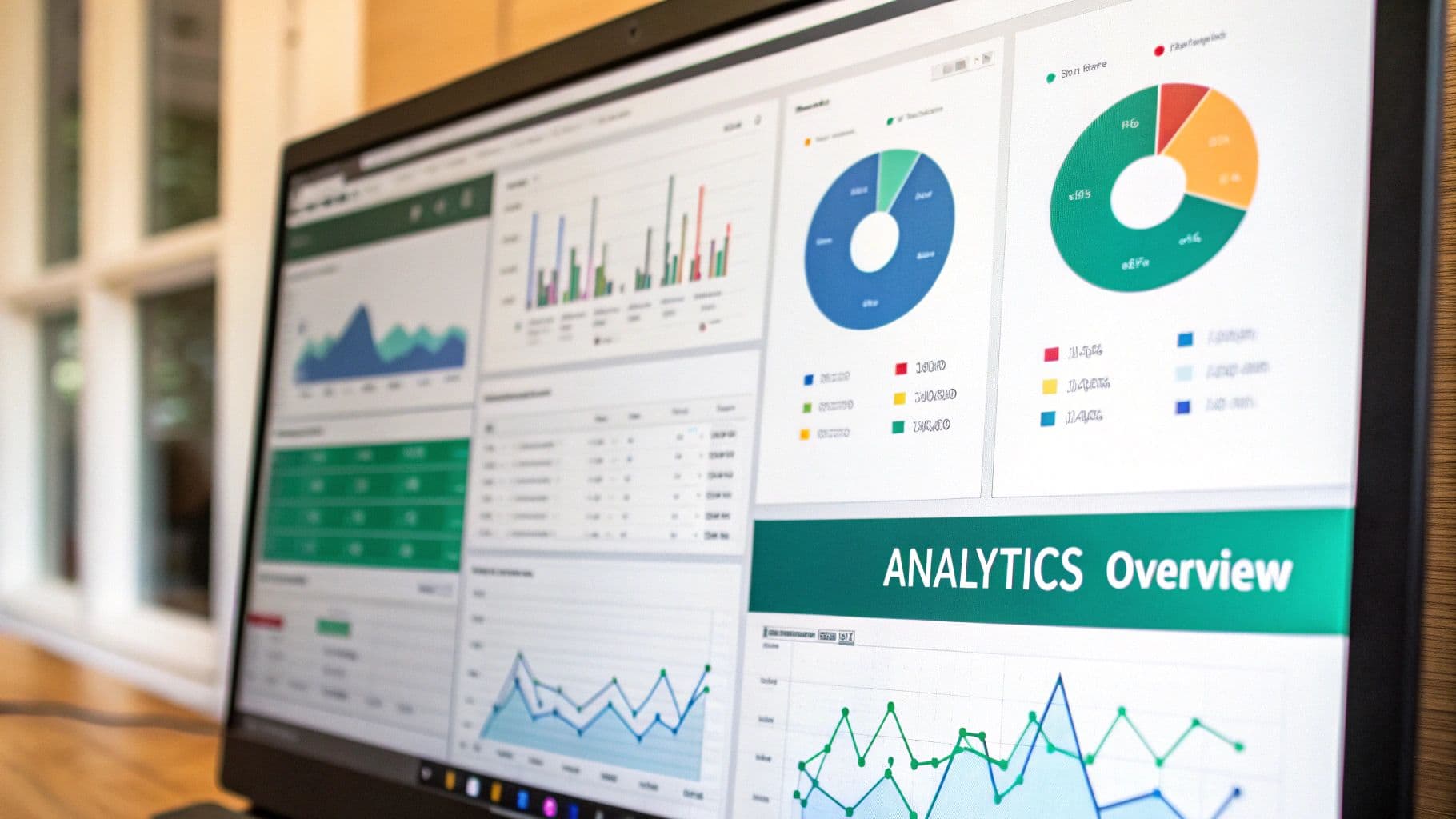
Okay, you’ve put in the work. Your content pillars are locked in, your grid is looking sharp, and your assets are all neatly filed away. But how do you actually know if this beautifully organized system is making a difference? The proof is waiting for you in your Instagram Insights.
This isn’t about obsessing over vanity metrics or getting a quick ego boost. It's about building a smart feedback loop where real data sharpens your creative instincts. When you start tracking the right numbers, you transform your organized workflow into a true engine for growth.
Which Metrics Actually Matter
Jumping into your analytics can feel like trying to drink from a firehose. Let's cut through the noise and focus on what’s actually important for seeing if your new system works. Forget just counting likes—we need to go deeper to figure out what really clicks with your audience.
Your main goal here is to connect performance directly back to your content pillars. Get into the habit of checking these key metrics for every post:
Reach: How many unique eyeballs saw your post? This is your best measure of discoverability. Is your content breaking out beyond your existing followers?
Accounts Engaged: This metric bundles likes, comments, shares, and saves into one powerful number that shows who actually did something with your post.
Saves: This is gold. A save means your content was so valuable that someone tucked it away to reference later. It's a huge sign of high-quality, useful content.
Shares: When someone shares your post in a DM or to their Story, it's the ultimate word-of-mouth endorsement. You can't ask for a stronger signal.
By comparing these numbers across your different content pillars, you’ll start seeing which themes are sparking the most meaningful connection. This is the secret to organizing your Instagram posts for real performance, not just for looks.
Conducting a Monthly Content Audit
To put this into practice, block off an hour at the end of each month for a quick content review. The mission is simple: find your winners and losers, and figure out why they performed that way.
Head over to your Instagram Insights and filter your top posts from the last 30 days. I like to sort by reach, then engagement, then saves to get a full picture. As you look at the top performers, ask yourself:
Which content pillars are showing up here the most?
What format are these posts? (Reels, carousels, a stunning single image?)
What was the specific topic? (A step-by-step tutorial, a funny behind-the-scenes moment?)
For instance, you might find that posts under your "Educational Tips" pillar consistently get 50% more saves than your "Product Showcase" posts. That’s a game-changing piece of information. It doesn't mean you scrap product posts entirely, but it might mean you should create more educational content or find a way to make your product features feel more like helpful tips.
This monthly check-in is what allows you to make small, intelligent adjustments. Over time, these tiny, data-informed pivots add up, constantly refining your strategy. It ensures your perfectly organized feed isn’t just saving you time—it’s also delivering real, measurable results.
Got Questions? I've Got Answers
Getting a new system in place always brings up a few questions. I've heard these a lot over the years, so let's clear them up so you can get organized with confidence.
What's the Best Cadence for Planning Instagram Content?
This is a "find your own rhythm" kind of thing, but I've found that planning in one or two-week sprints is the sweet spot for most people. It gives you a solid runway of content without being so far ahead that you can't jump on a last-minute trend.
I like to have a general monthly plan for my main content pillars—the big topics I know I need to hit. But the detailed, post-by-post planning? That's best done weekly or bi-weekly. This approach keeps things from feeling stale and leaves room for those spontaneous, in-the-moment posts that can perform so well.
Do I Really Need Paid Tools to Organize My Feed?
Nope, not at all. While paid apps can be great, you can absolutely get started without spending a dime. Instagram's own "Drafts" feature is your best friend for saving half-finished posts.
For visual planning, the old-school method still works wonders: just screenshot your current feed and use a free photo editor on your phone to collage your new images on top. It's a simple way to see how your grid will look. And for captions and hashtags? Your phone's notes app is perfect for creating a bank of ready-to-go text and sorted hashtag groups.
My Plan Feels Too Rigid and Stifling—What Am I Doing Wrong?
I hear this concern a lot, and it's a valid one. The key is to reframe your thinking: your content plan isn't a cage, it's a launchpad. Its real job is to free up your mental energy so you have more capacity for creativity, not less.
A good rule of thumb is to plan out about 80-90% of your content. That remaining 10-20% is your playground for spontaneity. If a trending audio drops that’s perfect for your brand or a news story breaks in your niche, your system gives you the freedom to jump on it without derailing everything. The plan supports those moments; it doesn't prevent them.
Ready to stop guessing and start growing? Gainsty uses advanced AI and real Instagram experts to boost your organic reach. See how we can help you get more followers and engagement at https://www.gainsty.com.