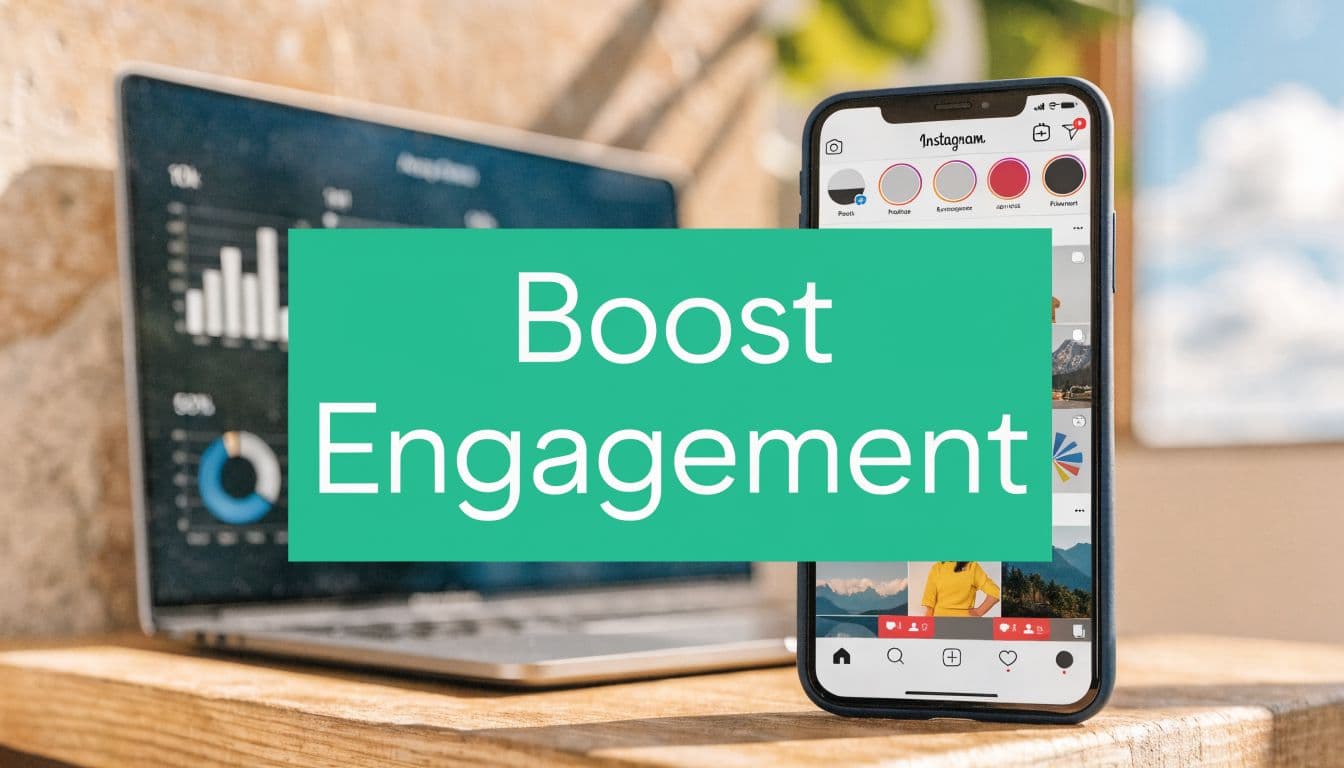
Decoding Your Instagram Activity Feed
Instagram activity is often first conceptualized as the feed of notifications: who liked your post, who followed you, who mentioned you in a Story, who replied to a poll. That feed matters because it shows surface-level movement. But it can also be misleading. A busy notification tab doesn’t always mean your content is creating momentum.

Instagram is too large for guesswork. It has grown to over 2 billion monthly active users, with over 60% of users under 35, and users open the app more than 12 times daily on average, according to Backlinko’s Instagram user data. That creates a huge opportunity, but only if your content generates the kind of activity the platform values.
A creator can get ten likes from existing followers and feel encouraged. Another creator can get fewer visible reactions, but more saves, shares, profile visits, and non-follower engagement. The second post often has more growth potential.
Practical rule: The activity tab tells you what happened. Your deeper metrics tell you why it happened and whether it can happen again.
Think of Instagram as a crowded city. Your activity feed is the street noise you hear. Your engagement data is the traffic map underneath it. If you only react to the noise, you’ll keep changing direction. If you read the map, you can move with intent.
The Two Faces of Instagram Activity
There are two kinds of activity on instagram, and mixing them up causes bad decisions.
The first is the activity you see. That’s your notification area. Likes. Follows. Mentions. Replies. It’s useful for community management because it tells you where to respond and who’s paying attention right now.
The second is the activity you create. That’s the set of engagement signals your content produces: comments, shares, saves, watch time, profile visits, Story replies, and other actions that tell Instagram people found your post worth acting on.
The scoreboard and the plays
A simple way to remember this is this: the activity tab is the scoreboard, but engagement metrics are the plays that win the game.
Scoreboards matter, but they lag. You don’t coach a team by staring at the scoreboard. You coach by looking at the passes, positioning, timing, and mistakes. Instagram works the same way.
If you post and then obsess over notification volume, you’ll usually optimize for easy reactions. That often leads to vague captions, recycled trends, and posts that invite passive likes but little else. If you optimize for created activity, you’ll build content that earns stronger actions.
Why the first hour matters
Instagram heavily prioritizes posts that get strong engagement velocity in the first 30 to 60 minutes, and posts that receive immediate likes, comments, and shares can get an algorithmic boost that expands reach to non-followers by up to 3 to 5 times compared with delayed engagement, according to Popsters’ analysis of Instagram post performance.
That changes how you should think about publishing. A post isn’t finished when you hit publish. The first hour is part of the post.
Here’s what that means in plain language:
Early comments matter: They signal that people didn’t just glance and move on.
Shares and saves matter more than many creators assume: They suggest usefulness or relevance.
Fast response loops matter: If you reply to comments quickly, you can extend the conversation while the post is still being evaluated.
If your post gets attention late, that’s nice. If it gets attention early, Instagram is more likely to treat it like a candidate for wider distribution.
What creators often get wrong
Some people assume that more posting automatically means more activity. Usually, better sequencing matters more. If you publish at a time when your audience is distracted, your post may miss its strongest window.
Others focus on vanity signals alone. A post with a lot of likes can still underperform if nobody saves it, shares it, or visits your profile after seeing it. Activity that looks flattering isn’t always an activity that grows an account.
The better question is not “Did people react?” It’s “Did they react in ways that gave the content another life?”
How to Read and Interpret Your Instagram Insights
Once you stop treating the notification tab as the whole story, Instagram Insights becomes much easier to use. You’re no longer staring at labels. You’re reading behavior.

The most useful shift is learning the difference between Accounts Reached and Accounts Engaged. Instagram Insights defines reached accounts as unique viewers, while engaged accounts are people who took an action such as liking, saving, sharing, commenting, or replying. High-performing content often shows meaningful engagement from non-followers, which is a sign that Instagram is distributing it beyond your existing audience, as explained in this breakdown of Instagram Insights.
If you want a second walkthrough of the dashboard language, this guide on how Instagram Insights works is useful for matching the labels to real decisions.
Start with reach, then ask who engaged
Open a recent post in Insights and look at reach before anything else. Reach tells you how many unique accounts saw the content. That number answers one question: Did Instagram give the post a chance?
Then check engagement. That answers a different question: did viewers care enough to respond?
A common point of confusion is this. People see decent reach and assume the post did well. Not necessarily. A post can get shown broadly and still fail to create action. That usually means the hook worked, but the content or call to action didn’t.
Compare follower and non-follower behavior
Many growth opportunities show up here.
If most engagement comes from followers, your content may be serving your current audience well but not expanding much. If non-followers make up a meaningful share of engagement, Instagram is testing your post with colder audiences. That’s often the signal to study and repeat that format or topic.
Use that distinction to categorize your posts:
Follower-heavy engagement: Good for loyalty, trust, and nurturing.
Non-follower-heavy engagement: Good for discovery and audience expansion.
High reach, low engagement: Good hook, weak delivery.
Low reach, high engagement: Strong content, weak distribution or timing.
Look at profile activity, not just post reactions
A post can perform without much fanfare in the feed and still be valuable if it creates downstream action.
Profile activity includes things like profile visits, website taps, and contact actions. For a small business, that often matters more than whether a photo got a burst of likes. A tutorial post that sends people to your profile is more commercially useful than a pretty image that gets applause and no next step.
Diagnostic shortcut: Ask which post type makes people do something after viewing. That’s usually the content to scale.
Use active times as a testing tool
Instagram gives many accounts audience activity patterns by day and hour. Don’t treat those as commandments. Treat them as test windows.
If your audience is most active in the evening, that doesn’t mean every post belongs there. It means that the time slot is a strong place to test content that needs early engagement. Educational carousels, offer posts, and high-retention Reels often benefit from being published when your audience can respond quickly.
Read patterns across several posts
One post can be random. Five posts start to show a pattern.
Review your recent content and ask:
Which topics bring in non-followers?
Which format leads to saves or shares?
Which posts create profile visits?
Which captions trigger comments instead of passive likes?
That habit turns Insights from a rear-view mirror into a planning tool.
Troubleshooting a Sudden Drop in Activity
A sudden dip in activity feels personal, but it usually isn’t. Instagram changes distribution patterns. Audiences shift attention. Sometimes your own content rhythm drifts without you noticing.
The worst response is panic posting. The better response is diagnosis.
Run a simple content audit
Pull up a few posts that performed well and a few that didn’t. Don’t just compare likes. Compare the full package.
Look for changes in:
Topic fit: Did you move away from subjects your audience expects from you?
Format choice: Did you switch from educational carousels or strong Reels to weaker formats for that message?
Hook quality: Did your first line, cover, or opening seconds get flatter?
Posting context: Did you publish at times when fewer people could engage quickly?
You’re trying to find what changed, not what feels disappointing.
Check whether the account has a distribution issue
If your content quality looks steady but reach falls sharply, it’s reasonable to investigate account restrictions or visibility problems. For a technical overview of the signs, Mallary.ai's shadowban insights for developers give a clear framework for thinking about distribution limits, indexing problems, and moderation-related visibility issues.
That doesn’t mean every drop is a shadowban. In many cases, the problem is simpler. Creators often repeat the same content angle until the audience stops reacting with urgency.
A drop in activity is feedback. It doesn’t automatically mean punishment.
Separate a bad post from a bad trend
One weak post means very little. A run of weaker posts means something changed.
To tell the difference, compare posts across a short recent period and ask whether the decline is isolated or consistent. If one post flopped, the hook or format may have been missed. If several posts underperform, check broader issues such as stale topics, repetitive visuals, or reduced interaction from your side.
Also, audit your own behavior. If you stopped replying to comments, using Stories consistently, or engaging in your niche, your account may be sending weaker relevance signals overall.
A calm review almost always produces a better answer than a dramatic theory.
Evidence-Based Strategies to Increase Authentic Activity
If you want more activity on instagram, don’t chase random hacks. Build a system that matches content type to user behavior.
Instagram rewards different actions for different formats. Some posts are better for reach. Some are better for saves. Some are better for conversations. Once you respect that, your content starts working with the platform instead of against it.

According to Sprout Social’s Instagram statistics, carousels average 1.36% engagement, Reels 1.24%, and single photos 1.04%. That doesn’t mean one format is always best. It means the format choice should match the outcome you want.
Match the format to the job
Here’s a practical way to think about it.
Carousel – Has an average engagement rate of 1.36% and works best for educational posts, step-by-step ideas, and content people want to save and revisit.
Reels – Average engagement is around 1.24%, making them ideal for discovery, reaching new audiences, showing personality, and quick demonstrations.
Single photos – With about 1.04% engagement, they’re best suited for brand visuals, simple announcements, and maintaining a consistent aesthetic.
A carousel works well when the audience needs a reason to slow down. Use it for checklists, myths versus facts, before-and-after thinking, or frameworks people may want to revisit. That’s why carousels often produce stronger saves and shares.
Reels work when you need quick attention and broader discovery. But many creators make Reels that are all hook and no payoff. If the opening is strong and the rest is thin, you may get views without meaningful activity.
A single photo can still work, especially for a personal update, a product reveal, or a proof point. It just usually needs a stronger context in the caption because the format itself gives you fewer chances to hold attention.
Design for interaction, not applause
Likes are easy. Useful activity usually comes from effort.
Try these interaction prompts:
Ask for a decision: “Which version would you choose?”
Invite reflection: “What part of this are you struggling with right now?”
Create a save reason: “Keep this checklist for your next post.”
Open a DM path: “Reply with a keyword if you want the template.”
These aren’t tricks. They help the audience understand what to do next.
Working principle: The clearer the next action, the more likely people are to take it.
Use Stories to create small, frequent signals
Stories are often the easiest place to revive account activity because they ask for lighter participation. A poll, question box, slider, or quick reply asks less of the audience than a feed comment.
For small businesses, prioritizing micro-interactions like poll responses can produce a 2.5x higher retention rate in followers’ activity feeds, and AI-driven reply assistance can boost Story reply rates by over 45%, according to Socialinsider’s reporting on Instagram algorithm signals.
If you need ideas for prompts that get people tapping instead of just watching, this guide on how to boost Instagram poll engagement offers practical examples you can adapt.
A few Story habits make a big difference:
Use polls for binary choices: They reduce friction because the answer takes one tap.
Post follow-up frames: If someone votes, give them a result, reaction, or next question.
Reply quickly to Story responses: Fast replies reinforce the interaction loop.
Turn common replies into content: If people keep asking the same thing, that’s your next Reel or carousel.
Build an early-engagement routine
Because early velocity matters, your publishing routine should include follow-through.
A stronger workflow looks like this:
Publish when your audience is likely to be active.
Stay available for early comments and DMs.
Share the post to Stories with a reason to click.
Continue the conversation instead of posting and disappearing.
That’s one reason some creators use tools or managed support. For example, this guide to increasing Instagram engagement organically outlines organic engagement tactics, and some teams also use services like Gainsty to support audience targeting and ongoing account activity without relying on fake followers or bots.
Create recurring content people learn to expect
Random posting creates random activity. Repeating strong content patterns trains your audience.
You don’t need a rigid template for every post. You do need recognizable categories. A coach might rotate between myth-busting carousels, client-question Reels, and behind-the-scenes Stories. A local business might mix product demos, customer FAQs, and location-based updates.
This does two things. It helps followers know why they should keep paying attention. It also gives you a cleaner dataset, because you can compare similar posts instead of guessing across unrelated experiments.
Prioritize depth over volume
A lot of creators post more when activity drops. That can help, but only if quality stays high.
If you’re deciding between three rushed posts and one strong carousel plus Stories that invite replies, the second option often creates better signals. Strong activity usually comes from relevance, timing, and clarity. Not just frequency.
Measuring Success and Knowing When to Scale
The easiest trap on Instagram is measuring what flatters you instead of what moves the business. Likes feel good because they’re visible. They’re also incomplete.
A healthier view of success is to watch for actions that show intent. Saves suggest utility. Shares suggest relevance. DMs suggest trust. Profile activity suggests your content made someone want to learn more or take the next step.
What meaningful success looks like
For many small businesses, the best-performing content isn’t the prettiest. It’s the content that gets answered, saved, forwarded, or revisited. That’s one reason micro-interactions matter. Polls and Story replies can hold your place in a follower’s activity environment more effectively than passive reactions, and reply assistance can help teams maintain that responsiveness, as noted in the earlier Socialinsider-backed section.
You should also know your own engagement math. If you want a clean explanation of what counts and how to calculate it, this guide to the Instagram engagement rate formula is a practical reference.
When it makes sense to scale
There’s a point where content isn’t the problem anymore. Your messaging is clear. Your posts create solid engagement. Your audience responds. But growth still feels slow because distribution and outreach take time you no longer have.
That’s when scaling support can make sense.
You might need help if:
You have strong content, but weak audience expansion
You can’t consistently manage replies, outreach, and analysis
Your team needs a repeatable system instead of manual effort
You want growth support without using fake followers or bots
At that stage, outside help isn’t a shortcut. It’s an operating decision. The goal is to preserve quality while increasing consistency.
The right time to scale is when your content already works and your capacity doesn’t.
Frequently Asked Questions About Instagram Activity
Does more activity in my notifications always mean better performance
No. Notifications show visible reactions, but they don’t always reveal whether the content created strong downstream actions. A post with fewer likes can still outperform if it earns more saves, shares, replies, or profile visits.
Should I focus on feed posts or Stories?
You need both, but for different reasons. Feed posts often do more heavy lifting for discovery and evergreen value. Stories are often better for frequent micro-interactions and relationship building.
Will buying followers increase activity on instagram
It usually creates the opposite problem. Inflated follower counts can weaken your engagement quality because the audience isn’t genuinely interested. That makes your metrics harder to read and your strategy harder to improve.
How do I know if my content is reaching new people
Check whether non-followers are appearing in your reach and engagement patterns inside Insights. If non-followers are interacting, Instagram is likely testing your content beyond your existing audience.
Is it safe to use a growth service?
It depends on how the service works. Bot-based activity, fake followers, and automated spam create risk and usually distort your data. A managed service should be transparent about using organic methods, audience targeting, and real engagement workflows rather than artificial shortcuts.
If your content is solid but your Instagram activity still feels inconsistent, Gainsty is one option to explore. It offers AI-supported organic Instagram growth, audience targeting, analytics, and managed engagement support designed to help creators and businesses scale without fake followers or bot-driven shortcuts.
.png&w=1920&q=75&dpl=dpl_D59Qa4oJ5cFQ7dZDLQ1JPQVnqHSs)




.png&w=750&q=75&dpl=dpl_D59Qa4oJ5cFQ7dZDLQ1JPQVnqHSs)