What Does Social Media Marketing Really Cost?

Think of it like building that custom car. You can't get a straight answer on price without knowing the specs. Are we building a reliable daily driver, or are we engineering a high-performance machine built for the racetrack? The engine, the features, the custom paint job—every choice impacts the final sticker price.
Your social media investment works the same way. It's not one single cost but a mix of four key components that come together to create your marketing engine:
Labor and Management: This is who's behind the wheel—your in-house team, a freelancer, or a full-service agency running the show.
Advertising Spend: The fuel for your campaigns. This is the cash you put directly into platforms like Facebook or Instagram to get in front of the right people.
Tools and Software: These are the essential parts under the hood, like scheduling platforms, analytics dashboards, and design software.
Content Creation: The body and design of your car. This covers the investment in creating eye-catching graphics, compelling videos, and all the other assets that represent your brand.
Typical Budget Benchmarks
So, where does that leave you? To give you a better feel for real-world numbers, let's look at some common budget ranges. These are all-inclusive figures, meaning they wrap everything from management fees to ad spend into one monthly total.
Most small brands we see tend to budget somewhere between $500 and $2,500 per month. A good rule of thumb is to set aside about 2–5% of your total revenue for social media marketing. If you're working with an agency, expect their management fee to be an additional 10–20% on top of your ad spend.
Getting a peek at how different services are packaged can also be super helpful. For instance, looking at Flowjin's pricing models shows you how different features and service tiers translate into actual costs.
The best budget isn’t about who spends the most. It's about investing your money smartly into the areas that actually drive results for your business—whether that's building brand awareness, generating leads, or making direct sales.
To help you find your starting line, here’s a quick breakdown of what you can expect to invest based on your business size.
Quick Look Social Media Marketing Monthly Budget Ranges
This provides a rough estimate of what an all-inclusive monthly social media budget might look like for various types of businesses.
Small business or startup vs larger companies:
Small businesses and startups typically operate with a monthly all-inclusive budget between $500 and $3,000, focusing on foundational growth, testing channels, and building brand presence.
Medium-sized business vs small business:
Medium-sized businesses typically invest $3,000 to $10,000 per month, enabling more consistent campaigns, professional content production, and in-depth analytics compared to smaller teams.
Large enterprise vs medium-sized business:
Large enterprises often allocate $10,000 to $50,000+ per month, enabling full-scale strategies, multi-channel management, dedicated teams, paid media, and advanced reporting at scale.
Think of these numbers as a launchpad. In the sections ahead, we’ll pull apart each of these cost components so you can see exactly where your money goes and build a budget that’s perfectly tuned to your goals.
Breaking Down the Four Pillars of Your Budget

Before you can figure out what social media marketing will cost, you need to know exactly where the money is going. It's not one big, mysterious number. Instead, your total budget is built on four distinct pillars, all working together. Get one wrong, and the whole structure gets wobbly.
Think of it like planning a road trip. The total cost isn't just the price of gas. You also have to factor in the car itself (your tools), who's driving (your labor), and maybe even some billboards along the highway to let people know you're coming (your ads).
Let's pull back the curtain on these four pillars. This will give you a solid framework for building a budget that actually makes sense for your business and its goals.
Pillar 1: Labor and Management
This is almost always the biggest and most flexible part of your budget. It’s the human brainpower—the expertise needed to plan the strategy, run the campaigns, and manage your entire social media space. Simply put, who is steering the ship?
In-House Team: Bringing a social media manager onto your payroll can run from $50,000 to over $100,000 a year in salary, not including benefits. This gets you a dedicated expert, but it's also the highest fixed cost.
Freelancers: A great, flexible option for specific jobs. A good freelancer might charge anywhere from $50 to $200+ per hour, depending on their experience and what you need them to do—from creating posts to managing your community.
Agencies: A full-service marketing agency usually works on a monthly retainer, which can be anywhere from $1,000 to over $20,000. This often buys you a whole team of specialists: strategists, creators, and data analysts.
The right move here completely depends on your budget, how hands-on you want to be, and the resources you have.
Pillar 2: Advertising Spend
If labor is the driver, then ad spend is the gas in the tank. This is the money you pay directly to platforms like Meta (for Facebook and Instagram), TikTok, or LinkedIn to push your content in front of a hand-picked audience. It’s how you get your message seen by people who don’t already follow you.
Your ad spend can be as small as $10 a day for a local shop or balloon to over $50,000 a month for a huge national campaign. This pillar is completely scalable. You dial it up or down based on your goals, whether you’re just trying to get your name out there or hunting for specific sales leads.
Your ad budget is a direct lever for your reach. While a solid organic game is crucial, paid ads are the most reliable and scalable way to guarantee your message lands in front of fresh, relevant eyeballs.
Without a dedicated ad budget, you’re just crossing your fingers and hoping the algorithm shows your content to the right people. That can be a slow, unpredictable way to grow.
Pillar 3: Tools and Software
These are the essential gadgets in your marketing toolbox. They’re what save you time, give you crucial data, and make your work look professional. Trying to run social media without them is like trying to build a house with only a hammer—you might get it done, but it’ll be frustrating and sloppy.
Expect essential software to add another $50 to $500+ per month to your total budget.
Scheduling and Management: Platforms like Buffer or Hootsuite make it easy to post across different channels without losing your mind.
Analytics and Reporting: Tools that dig deeper than the basic platform analytics to show you what’s really working.
Content Creation: Software like Canva for graphics or Adobe Premiere Pro for slick video editing.
Organic Growth Tools: Services like Gainsty are built to help you grow an authentic audience, which makes every other dollar you spend more effective.
Think of these tools as investments in pure efficiency. The hours they save your team can easily pay for themselves.
Pillar 4: Content Creation
Finally, you need something to actually say. Content is the vehicle for your message, and the cost to produce it can be all over the map. This pillar covers every visual and written thing you post.
The cost here is tied directly to production quality. A simple graphic you whip up in Canva might be free (if you don’t count your time), but a professionally shot and edited video could easily cost thousands. One study found that video ads can generate up to 48% higher engagement, which makes that investment a no-brainer for many brands.
Your content budget needs to account for things like:
Graphic design
Photography
Videography and editing
Copywriting
Working with influencers
Each of these four pillars—Labor, Ad Spend, Tools, and Content—is a critical piece of the total cost of social media marketing. When you understand how they fit together, you can start spending your money strategically to build a marketing engine that truly works.
When it comes time to hand over the reins of your social media, you’re doing more than just hiring help—you’re starting a partnership. Figuring out how agencies and freelancers price their services is key to finding the right fit for your budget and goals. After all, the pricing model you choose will have a huge impact on your total cost of social media marketing.
Think of it like hiring a contractor to renovate your kitchen. You could pay them by the hour, agree to a single price for the whole job, or keep them on a monthly retainer for ongoing tweaks and maintenance. Each option makes sense for different situations, and the same goes for social media. Let’s break down the common pricing models you'll run into.
The Monthly Retainer Model
This is the bread and butter of the social media management world. With a monthly retainer, you pay a fixed fee each month for a specific set of ongoing services. This usually covers everything from strategy and content creation to community management and reporting.
A retainer builds consistency and lets the agency or freelancer truly integrate into your team. It gives them the runway to think long-term, test what works, and build real momentum for your brand over time.
Best For: Businesses looking for a dedicated, long-term partner to handle all things social media.
Typical Cost: Expect a wide range, from $1,000 to over $20,000 a month, based on how much work is involved and the provider's level of expertise.
If you need someone to consistently build and manage your social presence, this is almost always the way to go.
The Project-Based Fee Model
Got a specific, one-time mission in mind? A project-based fee is probably your best bet. This model sets a single, fixed price for a project with a clear beginning and end. It's clean, predictable, and laser-focused on getting a specific job done.
This is a perfect fit for things like:
Launching a new product on your social channels.
Running a big holiday advertising campaign.
A one-time social media audit and strategy refresh.
Setting up and optimizing all your profiles from scratch.
The beauty of a project-based fee is that you know the total cost right from the start, so there are no budget surprises. The downside is that it’s less flexible if the scope of the project changes or if you find you need support after the project officially wraps up.
This approach is fantastic for businesses with a clear, time-sensitive goal. For a deeper look at how these kinds of services are often bundled together, check out our guide on social media packages and pricing.
The Hourly Rate Model
It’s exactly what it sounds like: you pay the freelancer or agency for every hour they spend working on your account. This model offers the most flexibility and is often used for smaller tasks, quick consultations, or when the amount of work needed is hard to predict.
Experienced social media pros often charge anywhere from $50 to over $200 per hour. While it’s great for short-term help, it can get pricey fast and makes budgeting for ongoing work a real headache. That unpredictability is its biggest flaw.
The Performance-Based Model
This one is a bit less common but is gaining traction. Here, the provider's payment is tied directly to the results they deliver. For instance, they might earn a percentage of your ad spend, a flat fee for every lead they generate, or a commission on sales that come directly from their campaigns.
This model puts everyone on the same team—the agency only makes more money if you do. It’s a true partnership, but it demands rock-solid tracking and a crystal-clear agreement on what "success" looks like.
Platform ad costs are a huge variable here. Costs per click (CPC) and costs per thousand impressions (CPM) swing wildly between platforms. For example, trackers in 2025 showed Meta CPMs hovering between $6–$12, while YouTube CPMs could dip as low as $3–$7. These numbers directly shape campaign planning. Small businesses might spend $650 to $2,500 a month on social activities, while bigger brands could see total costs—including fees and creative—climb past $20,000–$120,000 per month, depending on the scale. To get a better handle on the numbers, you can discover more insights about social media marketing costs in 2025.
Comparing Costs Across Major Social Media Platforms
Figuring out where to put your social media budget is a bit like picking the right fishing spot. You wouldn't cast a net designed for deep-sea tuna into a shallow trout stream, right? In the same way, the platform you choose needs to match the audience you're trying to catch, and the price to play varies wildly from one digital "fishing spot" to the next.
Each platform is its own little world, with unique demographics, user behaviors, and, of course, advertising costs. Getting a handle on these differences is the first step to spending your money wisely. A dollar spent on LinkedIn just doesn't work the same way as a dollar on TikTok.
Facebook And Instagram: The All-Purpose Powerhouses
As part of the Meta family, Facebook and Instagram run on the same powerful ad engine, giving you incredibly deep targeting options. They’re both super versatile, making them a safe bet for almost any business, whether you're selling to consumers or other companies.
Facebook: With its absolutely massive, diverse user base, Facebook is a champ at zeroing in on specific demographics. The average Cost-Per-Click (CPC) hovers around $0.97, and the Cost-Per-Mille (CPM)—that’s the cost for 1,000 views—is typically about $9. It's a reliable workhorse for driving traffic and building brand awareness.
Instagram: This is a visual-first playground, making it a natural fit for e-commerce, fashion, food, and lifestyle brands. Ad costs here can be a bit friendlier, with a typical CPM landing somewhere between $2.50 and $3.50. That makes it a really efficient choice for visually compelling campaigns aimed at a younger crowd.
LinkedIn: The B2B Lead Generation Engine
When it comes to B2B marketing, LinkedIn is the undisputed king. But getting in front of that premium, professional audience comes with a premium price tag. People aren't on LinkedIn to scroll mindlessly; they're there for professional networking and industry insights, which makes them incredibly valuable targets.
The cost of social media marketing is steepest here. It's not uncommon to see the average CPC climb past $5.00. That might sound like a lot, but the lead quality is often second to none. If you're selling high-ticket software or professional services, a single conversion from a LinkedIn ad can easily justify the higher spend.
And when you hire someone to manage these campaigns, you'll run into a few common pricing models.
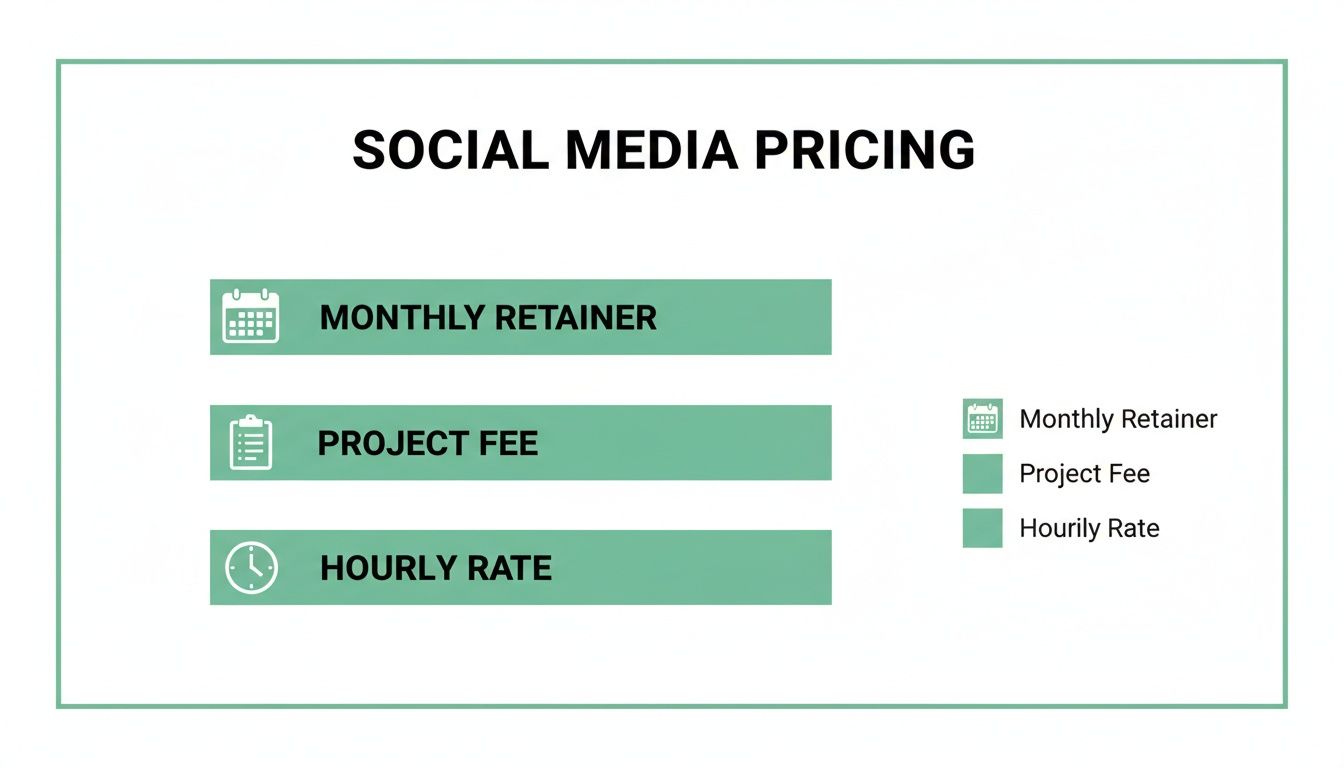
This image gives you a quick look at how agencies and freelancers structure their fees, whether it's a flat monthly retainer for ongoing management, a fixed project fee for a specific launch, or a flexible hourly rate for smaller jobs.
TikTok And YouTube: The Video Frontiers
Video isn't just a "nice to have" anymore—it's what drives engagement. Both TikTok and YouTube are built on video, but they serve very different purposes and come with different costs.
TikTok: Famous for its short, snappy, trend-driven content, TikTok gives you a direct line to younger audiences. Its ad platform is still growing, so the costs are pretty reasonable, with both CPC and CPM often starting around $1.00. It's a fantastic place to show off your brand's personality and chase that viral moment.
YouTube: As the world's second-biggest search engine, YouTube is a beast for educational content, in-depth reviews, and brand storytelling. It uses a Cost-Per-View (CPV) model, which usually falls between $0.03 and $0.30 per view. This makes it incredibly efficient for grabbing someone's attention for more than just a fleeting second.
Platform Cost Comparison: CPC, CPM, and Best Use Case
To make things a bit clearer, let's break down the typical costs and what each platform is really good for. Think of this as your cheat sheet for deciding where to start.
Facebook vs other platforms:
Facebook typically has an average CPC of $0.50–$2.00 and CPM of $7.00–$12.00, making it well-suited for broad audiences like Gen X and Millennials. It works best for community building, local businesses, and wide targeting strategies.
Instagram vs Facebook:
Instagram generally offers a slightly lower CPC of $0.40–$1.50 and CPM of $2.50–$7.00, while skewing toward younger audiences such as Gen Z and Millennials. It performs best for e-commerce brands, visually driven businesses, and influencer marketing.
LinkedIn vs all other platforms:
LinkedIn is the most expensive, with an average CPC of $5.00–$8.00 and CPM of $30.00–$90.00, but it targets professionals and B2B decision-makers, making it ideal for B2B lead generation, recruitment, and professional services.
TikTok vs Instagram and Facebook:
TikTok offers competitive pricing with a CPC of $0.50–$1.50 and a CPM of $1.00–$6.00, while strongly appealing to Gen Z audiences. It excels in brand awareness campaigns, viral trends, and user-generated content.
YouTube vs social feed platforms:
YouTube often operates on a CPV model ($0.10–$0.30) with a CPM of $10.00–$30.00, reaching a broad, intent-driven audience. It’s best for how-to content, product demos, and long-form brand storytelling.
Ultimately, picking the right platform is a strategic move that's about more than just finding the lowest CPC. For an even deeper dive, our social media platform comparison guide can help you sort through the pros and cons for your specific industry. The real key is to match your budget with the platform where your people are actually hanging out and are ready to listen.
Building Your Budget and Measuring Real ROI

Alright, this is where the rubber meets the road. It's time to turn those abstract numbers into a real-world plan. Building a social media budget isn't just about plucking a number out of thin air. It’s about creating a financial roadmap that directly fuels your business goals and justifies every penny of your social media marketing cost.
Let's get practical. We're going to ditch the guesswork and walk through two solid methods for setting a budget that makes sense for your business.
Two Smart Ways to Set Your Budget
Picking the right method really comes down to where your business is at. A fresh-faced startup might find a goal-based approach makes more sense, whereas a more established company can lean on its revenue figures.
The Percentage of Revenue Method: This one is as straightforward as it gets. You simply earmark a certain percentage of your company's total revenue for marketing. A good rule of thumb for most small-to-medium businesses is to set aside 5% to 12% of revenue for all marketing efforts.
So, if your business pulls in $500,000 a year, your total marketing budget would land somewhere between $25,000 and $60,000. From that pot, you’d carve out a slice for social media, depending on how critical it is to your overall strategy.
Goal-Based Budgeting: This approach is all about precision. You start with a concrete business goal—say, "get 100 new customers"—and work backward to figure out the cost. If you know your average Customer Acquisition Cost (CAC) is $50, then you know your budget for that specific goal is $5,000. Simple as that. This method is fantastic because it forces you to tie every dollar you spend to an actual, tangible result.
A big piece of any social media budget is paid advertising. If you're new to the ad game, checking out guides on what your Google Ads budget should be can be a huge help, as a lot of the same principles apply.
Moving Beyond Vanity Metrics to Measure Real ROI
Here's the truth: likes and follower counts don't pay the bills. The real measure of your success is how social media is actually affecting your bottom line. Calculating Return on Investment (ROI) is how you prove that your social media spending is an investment, not just another expense.
Vanity metrics like follower count and likes feel good, but they don't pay the bills. Real ROI is measured in leads, sales, and customer lifetime value—the numbers that directly reflect business growth.
The formula for social media ROI is surprisingly simple:
(Profit from Social Media - Total Social Media Cost) / Total Social Media Cost x 100 = ROI %
Let's see it in action with a quick example.
Campaign Goal: Get sign-ups for a webinar that converts into sales.
Total Social Media Cost: $2,000 (This covers ad spend, content creation time, and any software fees).
Results: The campaign brought in 20 new customers, with each customer generating $250 in profit.
Total Profit: 20 customers x $250 = $5,000
Now, let's plug those numbers into our formula: ($5,000 - $2,000) / $2,000 x 100 = 150% ROI
What does that mean? For every $1 you put into that campaign, you got $1.50 back in pure profit. That's the kind of hard data that not only justifies your budget but also helps you make smarter moves on your next campaign.
To make this whole process a breeze, you can use our handy social media ROI calculator to measure campaign success and get a crystal-clear view of your performance.
When you pair a well-defined budget with a sharp focus on real results, social media stops being a "nice to have" and becomes a serious engine for growing your business.
Smart Strategies to Get More Bang for Your Social Media Buck
Okay, you've got a budget. Now comes the fun part: making every single dollar pull its weight. Optimizing your spend isn't about being cheap; it's about being smart. It's about making strategic moves that get you better results without just throwing more money at the problem. This is how you stop treating social media as an expense and start turning it into a growth engine.
The secret sauce is a mix of efficiency and authenticity. When you truly get what makes your audience tick, you can double down on your wins and build a community that starts doing some of the marketing work for you.
Work Smarter, Not Harder
Your own analytics are a goldmine just waiting to be tapped for cost-saving ideas. Instead of feeling like you're on a content treadmill, constantly churning out brand-new stuff—which costs time and money—look at what's already a proven winner.
Repurpose Your Greatest Hits: Hunt down your best-performing organic posts. You know the ones—they got all the likes, comments, and shares. These are certified bangers with your audience. Why not repackage them as paid ads? Or turn a popular series of tips into a quick video? You could even expand a hot topic into a full-blown blog post. This cuts your content creation costs way down and ensures you're putting ad money behind something you know people already love.
Amplify What's Already Working: Don't just post something great and let it fade into the timeline abyss. When you see a piece of content getting more traction than usual, give it a little nudge. Putting even a small ad budget behind it to "boost" it to a wider, similar audience is an incredibly efficient way to use paid ads as a megaphone for your organic success.
Let Your Community Do the Talking
Your happiest customers can be your most powerful—and affordable—marketers. User-generated content (UGC) is the digital version of word-of-mouth, and it builds a kind of trust that polished, branded content just can't touch.
Encourage your followers to share photos or videos of themselves using your products. You can run a contest, create a fun hashtag, or just make a habit of featuring the best customer posts on your feed. Weaving authentic UGC into your ads can slash your creative costs and often boost conversion rates because it feels real and relatable.
Investing in organic growth isn't just a cost-saving tactic; it's a long-term play. An authentic, engaged audience built over time makes you less reliant on expensive ads, creating a brand that's more stable and resilient.
Invest in Real, Organic Growth
Paid ads get you results fast, but a strong organic foundation makes every single ad dollar you spend work that much harder. This is where tools designed for authentic audience growth come in, helping you build a genuinely engaged community that becomes one of your most valuable assets.
Platforms like Gainsty focus on connecting your account with real people who are actually interested in your niche. This method helps you grow an audience that is way more likely to engage with your content, share it, and eventually become customers. By beefing up your organic reach, you build a loyal base that provides consistent engagement, meaning you don't have to spend a fortune on ads just to get noticed.
Still Have Questions About Social Media Marketing Costs?
Diving into the numbers side of social media always stirs up a few questions. It's totally normal. To wrap this up, let's go through some of the most common things business owners ask when they start mapping out their social media marketing costs.
Getting a straight answer on these will give you the confidence to build a solid plan and invest your budget where it really counts.
How Much Should a Small Business Budget?
If you're just getting started, a budget between $500 and $2,000 per month is a solid starting line. This is a realistic range that lets you cover the essentials: some expert management, decent content creation, and a bit of ad spend to get the ball rolling.
But remember, there’s no magic number here. The best budget is one your business can actually sustain month after month—one that’s big enough to give you real data on what’s working. Think of it as the minimum ante to get into the game and see a real return.
For most small businesses, paying for social media marketing is a no-brainer. It's simply the most predictable and scalable way to find new customers. Waiting for organic reach to kick in is a slow burn; paid ads put your message right in front of people, guaranteed.
Is Paying for Social Media Marketing Actually Worth It?
One hundred percent—if you do it right. Pouring money into social media marketing is the difference between crossing your fingers for results and actually making them happen. It lets you zero in on your ideal customers, build brand recognition fast, and see exactly which efforts are leading to sales.
Organic social is fantastic for building a loyal community, but paid advertising is the engine that drives scalable growth. It's like waiting for customers to wander into your store versus setting up a bright, flashing billboard right on their daily commute. The trick is to keep a close eye on your ROI to make sure every dollar you spend is coming back to you (and then some).
What Is the Difference Between Management Fees and Ad Spend?
This is a big one, and it’s crucial to understand the distinction.
Ad Spend is the money that goes directly to the platforms themselves—like Meta or LinkedIn—to show your ads to users. Think of this as paying for the fuel.
Management Fees are what you pay an agency or a freelancer for their time and expertise. This fee covers the strategy, creating the ads, keeping an eye on the campaigns, and sending you reports. This is you paying for the skilled driver who knows how to get you to your destination.
Separating these two costs helps you see exactly where your investment is going and what you’re paying for.
Ready to grow your audience the right way? Gainsty uses advanced AI and expert strategy to connect you with real, engaged followers on Instagram, boosting your organic reach and making every ad dollar more effective. Start building an authentic community today at https://www.gainsty.com.

.png&w=1920&q=75&dpl=dpl_34ZXCf12K5qjjdZjPn9snwDRADrB)





.png&w=750&q=75&dpl=dpl_34ZXCf12K5qjjdZjPn9snwDRADrB)