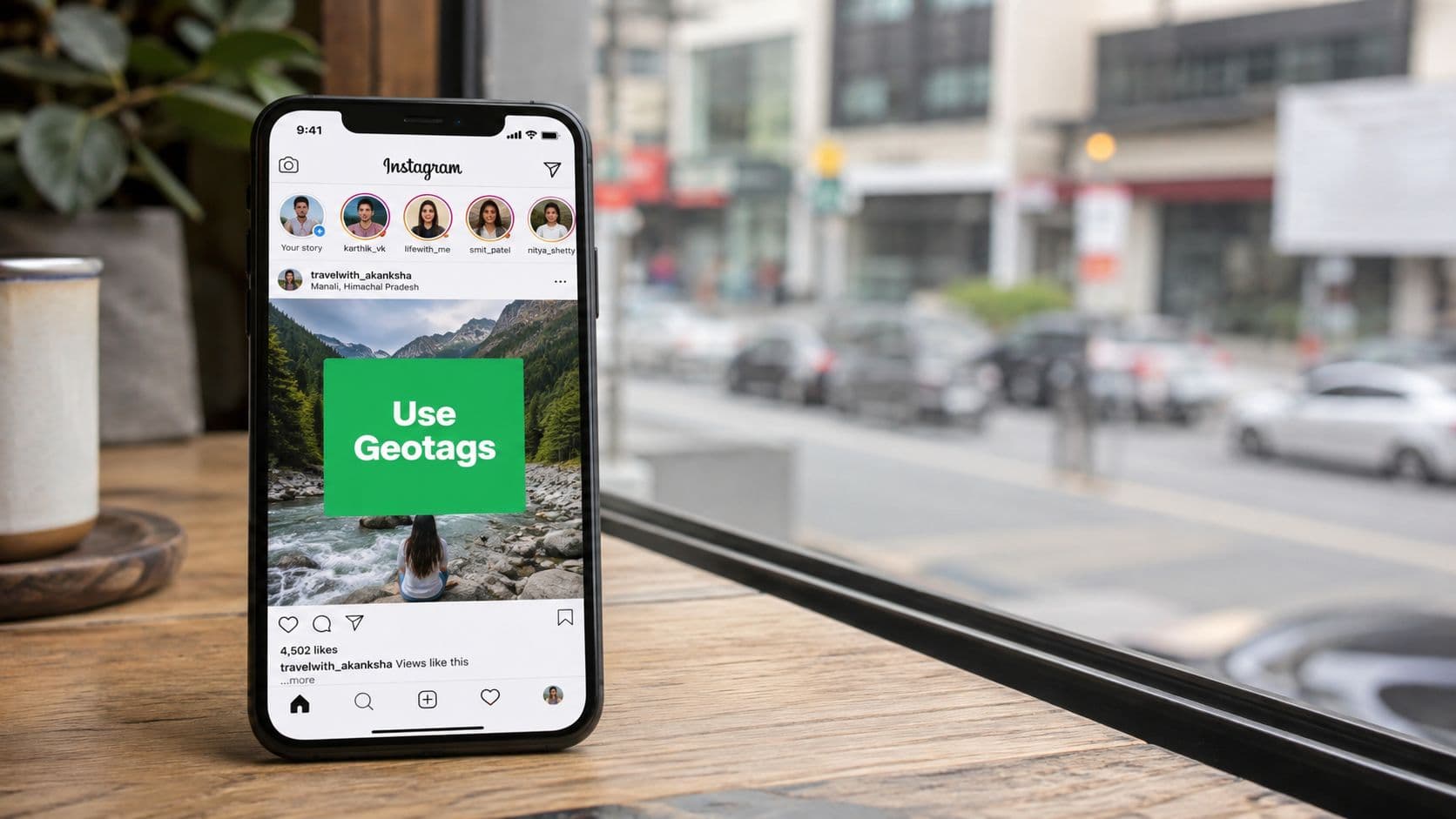
Why Geotags on Instagram Are More Than Just Labels
A lot of creators drop a location tag the same way they'd add an emoji, at the end, without much thought. That misses what the format does. In a 2020 AAAI-published study, 69.0% of participants geotagged within an hour of taking a photo or attending an event, and 89.3% geotagged by the end of the day, which shows geotagging is often tied to immediate sharing behavior, not delayed metadata cleanup, according to the study's findings in the AAAI paper on Instagram geotagging.
That timing matters because it explains why geotags work differently from many other post elements. They connect content to a real-world moment while that moment is still fresh, which makes the tag part of the story rather than a bookkeeping detail. In practice, that's why location tags tend to matter most for travel creators, event marketers, hospitality brands, and local businesses that want their posts attached to places people search for.
Practical rule: treat the location tag like a piece of editorial context. If the place matters to the decision you want a viewer to make, the geotag should be intentional.
There's also a discoverability angle that's easy to underestimate. Location tagging isn't just for people who already know your handle, it helps Instagram understand where the content belongs, which is why guides like Transactional LLC's geotag guide are useful when you want a basic operational refresher on the mechanics. The strategic takeaway is simple, if the place is part of the value proposition, the geotag is part of the content.
For niche accounts, that distinction is huge. A food creator tagging a neighborhood bakery, a photographer tagging a venue, and a startup tagging a co-working space are all doing more than labeling. They're placing the post inside a discoverable context that can outlive the first audience who sees it.
How Instagram Geotags Power Location-Based Discovery

Think of geotags as a second search engine inside Instagram. Hashtags help sort content by topic, but a geotag ties a post to a place entity in Instagram's own location database, so the same content can be found through a venue, neighborhood, or city page. That's why a tagged post can show up when someone browses a place feed, not just when a follower stumbles across it in their main timeline.
The useful part is the retrieval path. When a user taps a location tag, Instagram can surface other posts from that same area, which means your content becomes part of a local inventory of posts rather than a one-off upload. In practical terms, this creates a discovery lane that sits alongside follower graphs and hashtag browsing, and that matters for anyone trying to win attention in a specific geography.
Where the tag actually lives
Once a user adds a location, the post is associated with that place in Instagram's location system. That association is what makes the post discoverable through location pages and feeds, including across feed posts, Stories, and Reels when the same location entity is used. If someone is browsing a city page or a venue page, your content can appear in that context even if they don't follow you.
That's why geotags are so effective for places people actively search for, like restaurants, event spaces, hotels, and neighborhoods with strong foot traffic. The tag isn't just decorative. It helps organize content so Instagram can present it in the right place to the right type of browser.
A post with a geotag is doing two jobs at once. It speaks to your followers, and it enrolls itself in a location feed.
For marketers, that means each geotagged post has a second chance to be discovered after the initial publish window. For creators, it means location-based discovery can compound over time if the venue or area continues to attract searches. The more precise the location context, the more likely the post fits the intent of someone already browsing that place.
Adding and Creating Location Tags Step by Step
The basic path is straightforward, but the details matter. For a feed post, you add the location during the final publishing screen, after you've edited the image and written the caption. Tap Tag Location, search for the place, select the right result, and publish. For Stories, the location sticker gives you the same function with more visual flexibility, and for Reels, the location field sits alongside the other publishing settings.
When the exact venue doesn't exist, creating a custom location can be worth the effort, especially for businesses in new developments, studios, pop-ups, or niche spaces that customers will search for by name. The operational rule is simple, if the place is real, public, and likely to be reused, add it. If the tag will confuse people or duplicate a nearby place people already know, use the better-known nearby anchor instead.
What to do when search doesn't return the right place
Instagram location search can be messy. Sometimes the venue is listed under a slightly different name, sometimes a city-level result appears before the exact venue, and sometimes a custom location has not been propagated cleanly. In those cases, don't force a bad match just to check the box. Use the closest accurate tag that still helps users understand where the content belongs.
The best use cases for custom locations are usually operational, not vanity-driven. A local business can benefit if a new storefront, event series, or branded space needs a place page of its own. A creator usually benefits more from a well-known nearby venue than from inventing a location nobody would ever search for.
For a clean walkthrough of the interface, the field order, and the common setup mistakes, the most useful practical reference I've seen is this location creation guide from Gainsty. It's especially helpful if you manage multiple client accounts and need a repeatable process rather than guesswork.
Strategic Geotag Choices for Influencers and Local Businesses
The biggest mistake I see is assuming the most specific tag is always the best tag. It isn't. A venue pin can help when you want people to find the exact place, but it can also narrow your exposure if the venue has weak discovery activity or if your goal is broader local awareness. The right choice depends on whether you're trying to build reach, context, or foot traffic.
Broad tags versus hyper-local tags
For influencers, broad tags usually work better when the post is about lifestyle, travel, or a destination moment that isn't tied to one location. City-level and neighborhood-level tags can help the content feel relevant without overcommitting to one venue. For local businesses, hyper-local tags make more sense when the post needs to drive a visit, a booking, or a direct inquiry.
If you collaborate with creators, the tag choice should match the campaign goal, not the ego of the venue owner. A brand trying to seed local awareness may benefit from a district tag, while a restaurant launch or event night usually deserves the exact location. The same logic applies to influencer content, a fashion shoot in a recognizable area can support broader discovery, while a product demo tied to a storefront needs tighter local signaling.
Timing and content type matter
Geotags work best when the location is part of the reason people care. That's why event content often performs differently from evergreen travel content, and why a venue tag may be useful on the day of the event but less useful weeks later. Location choice should also reflect the format. A Reel can carry a broader discovery purpose, while a feed post about a specific visit can afford to be more precise.
My rule: if the viewer would still understand the post without the exact venue, don't force the exact venue. Use the level of detail that matches the intent.
There's also a research habit worth building. Before you commit to a location, open the place page and look at recent posts, consistency, and the kind of content already showing up there. If the page is active and relevant, it can help. If it feels dead, cluttered, or off-topic, the tag may be doing less than you think.
For influencer campaigns that involve location partnerships, pairing the right tag with the right creator profile matters as much as the creative itself, which is why a practical guide like how to collaborate with influencers can help brands line up the location strategy with the partnership structure.

Privacy Risks and Responsible Geotagging Practices
Geotags create a visibility trade-off. They can help people find your content, but they can also reveal patterns you didn't mean to broadcast. That matters for creators who post in real time, work from repeat locations, or want reach without inviting stalking, doxxing, or routine mapping.
The safest habit is to separate where you are from when you post about it. Delaying a post until after you've left the location is a simple way to reduce real-time exposure, and using a broader neighborhood tag instead of an exact venue can preserve discoverability without telling strangers precisely where you are. Travel creators already do this informally, but it should be a conscious policy, not an accident.
Precision isn't always responsible
There's also an ethical side to geotagging that most growth guides skip. Some places are fragile, sensitive, or under pressure from too much attention. Recent coverage on ethical geotagging argues for using the broadest accurate tag and checking access restrictions and carrying-capacity impacts before tagging a place, which reflects a more responsible attitude toward discovery and tourism pressure, according to this discussion of ethical geotagging and overtourism.
That doesn't mean never tag anything. It means think before you broadcast the exact spot. If a location is a private residence, a sensitive cultural site, a fragile natural area, or a routine place you visit regularly, the exact venue tag can create more risk than value.
A simple safety filter
Use this filter before you post:
Is the place public and broadly appropriate to share? If not, skip the precise tag.
Would a broader area still be useful? If yes, choose the broader tag.
Does the content reveal a routine or recurring pattern? If yes, avoid real-time tagging.
Could the tag push attention to a fragile spot? If yes, reconsider the post entirely.
The point isn't to make geotagging scary. It's to make it deliberate. A thoughtful creator can still use location for discovery while refusing to hand out unnecessary detail.
Measuring Whether Geotags Actually Drive Results
A lot of geotag advice assumes a location pin helps by default. That's lazy strategy. If you're spending time choosing the right tag, you should know whether it drives anything meaningful, not just whether it looks tidy on the post. The right question is whether the tag contributes to profile visits, saves, store visits, or other outcomes you care about.
Build a simple A/B test
The cleanest test is to compare three post types over time: a precise venue tag, a district or city tag, and no tag at all. Keep the creative, caption style, and publish window as similar as possible, then compare the outcomes in Instagram Insights and, if relevant, in your offline conversion tracking. You don't need a fancy dashboard to start, you need consistency and enough posts to see a pattern.
If a venue tag consistently gets more visits from the location page but fewer saves, that tells you something different from a broader tag that attracts fewer clicks but stronger intent. Precision can help local discovery, but it can also over-constrain the audience if the tag is too narrow for the content.
What to watch in the feed
There are two behavioral checks that matter. First, confirm whether your posts appear consistently in the location feed or only intermittently. Second, check whether the tag lines up with the density and freshness of other content in that same place, especially across seasons and weekdays. If the location page is thin or inconsistent, the tag may underperform even when the content itself is strong.
Don't assume the tag caused the outcome. First, prove that the tag changed where the content appeared. Then look at what happened next.
For teams that want a more formal analytics workflow, a broader measurement framework helps you separate discovery from conversion. A practical reference is this Instagram analytics guide, which is useful if you need to connect post-level behavior with audience movement over time.
This is also where organic growth tools can help without replacing judgment. A tool like Gainsty can support location-based content by pairing targeting, analytics, and account management with a geotag strategy, but the tag choice still has to be tested. Automation should sharpen the decision, not replace it.

Your Geotag Action Plan for Organic Instagram Growth
Start with intent, not habit. If you're an influencer, use geotags to add context when the place strengthens the story. If you're a local business, prioritize the location that best supports visits or inquiries. If you're an event marketer, tag the place while the event is still relevant, but don't forget the timing and privacy trade-offs.
Then test granularity. Run a simple comparison between exact venue tags, broader area tags, and untagged posts. Keep notes on what gets saved, visited, and shared, and watch for the tags that attract the right audience instead of just any audience. The most useful geotag is the one that earns consistent discovery without creating unnecessary exposure.
For ongoing growth, geotags should sit beside your other organic tactics, not replace them. Strong captions, local engagement, and smart posting cadence still matter, and a broader content system can help those signals compound. If you're already tightening your broader content strategy, the practical ideas in Improve Your Content Engagement Now pair well with a location-first approach.
A good 30-day target is clarity. A good 60-day target is pattern recognition. By 90 days, you should know which locations help and which ones are mostly busywork.
Stop treating geotags like a checkbox. Use them as a testable part of your discovery system, and keep the safety rules in place while you scale.
If you want a more disciplined way to grow around geotags on Instagram, Gainsty can help you combine organic targeting, analytics, and account support so location-based content has a better chance of compounding instead of fading. Visit Gainsty to see how it can support smarter Instagram growth around the places your audience already cares about.

.png&w=1920&q=75&dpl=dpl_GUcAToL1a3NL5kKuAJzJmVu7hgv9)








.png&w=750&q=75&dpl=dpl_GUcAToL1a3NL5kKuAJzJmVu7hgv9)