Why Connecting TikTok and Instagram Is a Smart Move
Before we jump into the "how," let's talk about the "why." Tossing your Instagram handle into your TikTok bio isn't just for show—it's a seriously strategic move. Think of it as building a bridge between two of your most active audiences, allowing you to tell a much richer, more complete story about your brand or yourself.
Deepen Your Audience Connection
TikTok is all about grabbing attention fast with short, snappy videos. It’s fantastic for reach. But Instagram lets you go deeper with different kinds of content, from detailed photo carousels and thoughtful captions to interactive Stories.
By linking them, you're essentially giving your TikTok followers an open invitation to see another side of you. They can get a peek at behind-the-scenes moments, read your longer thoughts, or jump into a Q&A on your Instagram Stories.
This isn't just about boosting your follower count. It’s about building a real community that’s invested in your entire brand, not just a single profile. You turn casual viewers into loyal fans who are along for the ride.
Create a Powerful Growth Loop
This is where things get really interesting. When your platforms work together, they start feeding each other's growth. A video that blows up on TikTok can funnel thousands of curious new followers directly to your Instagram. On the flip side, you can share an engaging Instagram Reel on your TikTok to give it a visibility boost.
It creates a fantastic, self-sustaining cycle where a win on one platform directly helps the other.
This synergy lets you:
Diversify Your Content: Show off parts of your brand or personality that just don't quite fit the fast-paced vibe of TikTok.
Drive Targeted Traffic: Send people straight to a specific Instagram post, a new product reveal, or an important announcement.
Increase Monetization Opportunities: Let's be honest, a bigger and more engaged audience across two major platforms looks a lot more appealing to potential brand partners.
To get the most out of this and see the specific steps, it's worth checking out a full guide on how to link TikTok to Instagram for maximum impact. You can also dig into the finer points of connecting-instagram-and-tiktok-for-better-reach to really gain an edge.
Use the Official Instagram Button on Your TikTok Profile
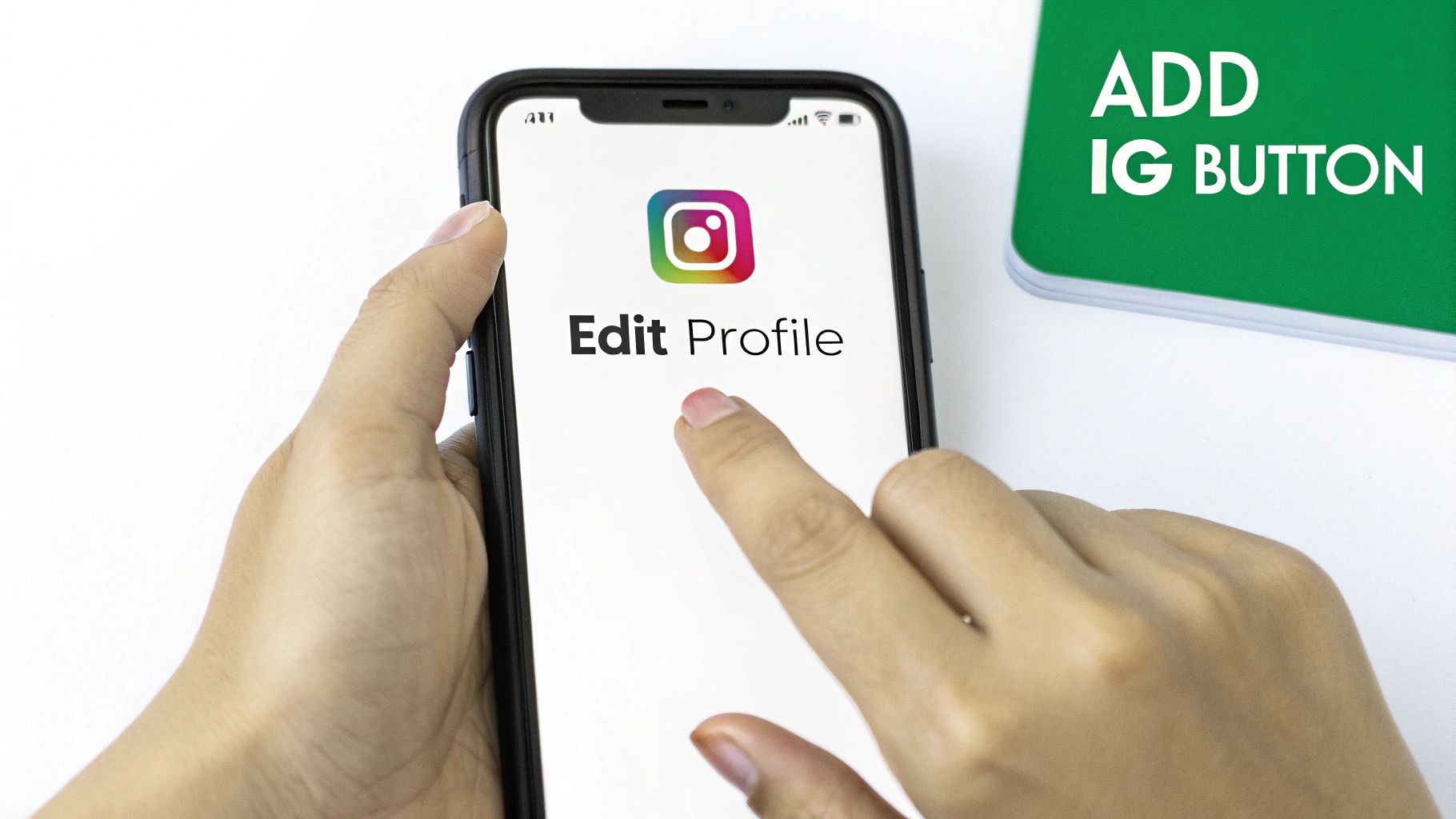
The cleanest and most straightforward way to connect your accounts is by using TikTok’s own built-in feature. This places a neat, clickable Instagram icon right on your profile, which is instantly recognizable to your followers. It’s a professional touch that leaves no room for confusion.
I always recommend starting here because it’s a native integration. It uses the platform's official connection, which builds trust with your audience and looks seamless. Best of all, the process is the same whether you’re on an iPhone or an Android.
How to Link Your Instagram Account
First, head over to your TikTok profile and tap the "Edit Profile" button—it’s sitting right below your follower count.
Once you're in the editing menu, you’ll spot a section for your social media links. Look for the "Instagram" option and give it a tap. TikTok will then ask you to log in to your Instagram account to authorize the connection. Don't worry, this is a secure process that just verifies you own the account; your password isn't shared with TikTok.
After you log in and approve the connection, the Instagram icon pops up on your TikTok profile immediately. This is the quickest way to get a link on your page, and you don't even need a Business account to do it.
Now, your TikTok profile will show that familiar little camera icon. When someone taps it, they'll get a prompt to open your Instagram profile directly in the app. This is a huge win for converting viewers into followers because it removes any extra steps or friction.
If you're looking for more custom options beyond the button, you might want to learn more about how to get your Instagram URL for use in your bio.
Putting a Clickable Link in Your TikTok Bio
While the dedicated Instagram button is nice and tidy, the real power lies in using your bio’s website field. This is the most valuable piece of real estate on your TikTok profile for sending followers exactly where you want them to go.
Think about it: you can direct people to your general Instagram feed, sure. But you could also link them to a specific contest you’re running, a viral Reel you want more eyes on, or an Instagram post that continues the story from your latest TikTok video.
This approach gives you total flexibility. You can swap out the link as often as you need to support whatever you’re promoting at the moment. Let’s say you drop a TikTok teasing a new product launch; you can immediately update your bio link to point straight to the Instagram post with the big reveal.
How to Get the Website Field to Show Up
So you've gone to "Edit Profile," but you're not seeing a spot to add a website. Don't worry, this is a common hurdle. That "Website" field is usually only available for TikTok Business Accounts.
The great news? Switching your personal account to a business one is completely free and takes about a minute.
Here’s how you do it:
Head over to your Settings and Privacy in the app.
Tap on Account.
Choose Switch to Business Account and just follow the quick prompts.
Once that’s done, you'll find the website field waiting for you in your profile editor. You're now ready to pop in your Instagram URL.
Using the website field is more than just adding a link; it's a strategic move. You're turning your bio from a simple profile page into a dynamic hub for calls-to-action, giving you precise control over where your audience goes next.
This level of control is a game-changer for driving action. Instead of a vague "check out my Insta," you can now create a TikTok and say, "the full tutorial is in the link in my bio!" and send them directly to the right Instagram post.
It just makes things easier for your followers, which dramatically increases the chance they'll actually click. If one of your TikToks starts going viral because it references a specific Reel, linking straight to that Reel keeps the momentum going and captures their interest right when it’s highest.
3. Use a Link-in-Bio Tool to Maximize Your Clicks
Why send your audience to just one place when you can give them a roadmap to your entire online presence? If you're a creator or brand with more going on than just Instagram, a link aggregator tool is an absolute must. This single link becomes the central hub for everything you do.
Think of it this way: instead of just a link to your Instagram, you can have a simple, clean landing page with links to your YouTube channel, your latest blog post, affiliate products, and that new merch you just dropped. I’ve found that using tools like Linktree, Beacons, or Koji saves me from the headache of constantly swapping out my bio link for every new announcement.
How to Set Up Your Link Hub
Getting one of these pages up and running is pretty straightforward. You'll sign up for a service, pick your custom URL (something like linktr.ee/yourusername), and start adding all your important links.
The real key is to make this page feel like a natural part of your brand. Tweak the colors, fonts, and profile picture to perfectly match your TikTok and Instagram vibes. That visual consistency makes the journey from one platform to another feel smooth for your followers. In fact, many of the same branding ideas we talk about in our guide to Instagram bio tips apply here, too.
This handy flowchart breaks down the decision of whether you can add a link directly or need to take an extra step first.
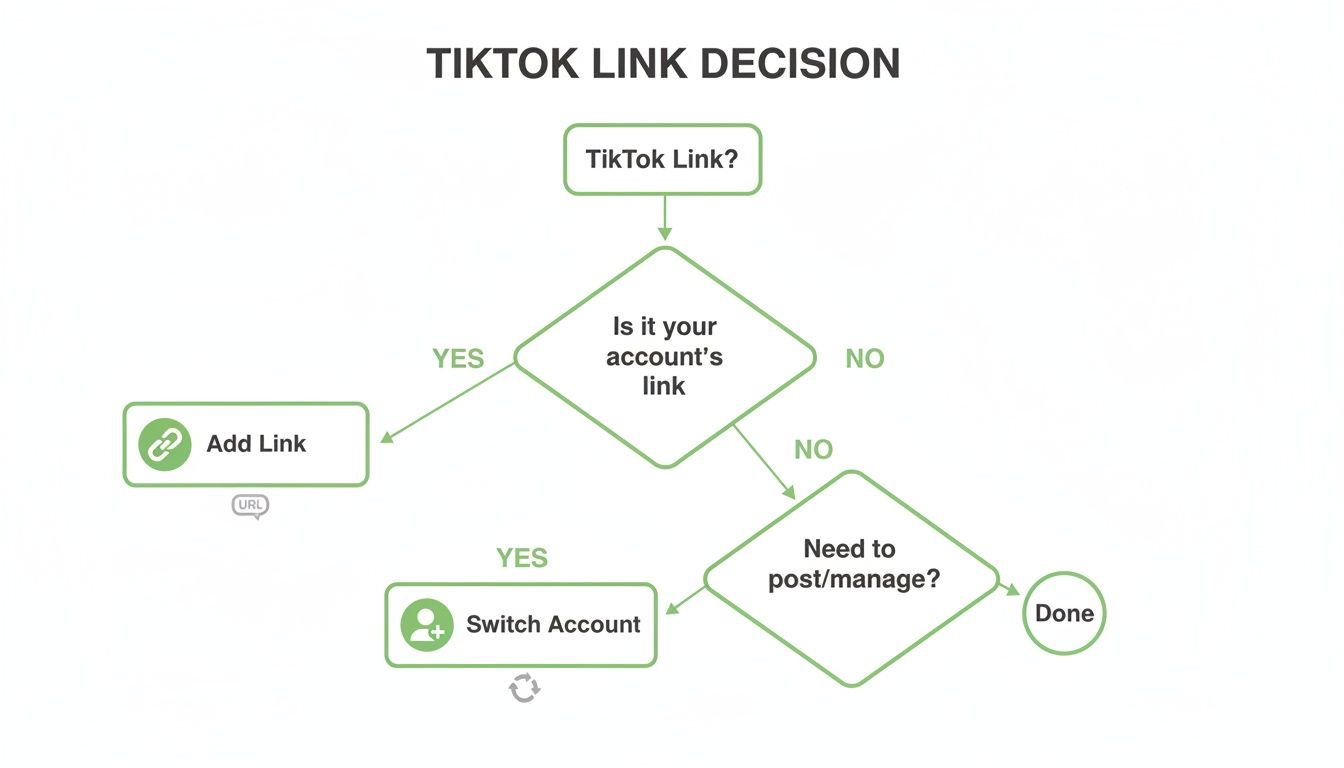
As you can see, you often have to switch to a Business Account to even get the website field to appear. It's a quick toggle in your settings that unlocks this powerful feature.
Once your link page is polished and ready, just copy that one central URL. Pop back over to your TikTok profile, tap "Edit Profile," and paste it right into the website field. Boom—that single link is now the gateway to your entire digital world.
Which TikTok Linking Method Is Right for You?
Feeling a little stuck on which option to choose? Each method has its own strengths depending on what you're trying to accomplish. This quick breakdown should help you decide.
Direct Instagram Connection
Best for creators who want a simple, no-fuss way to grow their Instagram following. It’s extremely easy to set up and adds a clickable Instagram icon directly to your profile, making it seamless for visitors. The downside is that it only sends traffic to Instagram and doesn’t provide analytics or performance insights.
Website Field URL
Best for anyone who wants to send traffic to a specific destination other than Instagram, such as a blog post, landing page, or product page. It’s easy to update and gives you full control over where users land. However, it’s still limited to one destination at a time.
Link-in-Bio Tool
Best for brands, businesses, and creators who promote multiple platforms, offers, or revenue streams. It allows you to use one link to share many destinations, is highly customizable, and usually includes analytics to track clicks. The trade-off is that it adds an extra click for users, and many advanced features are locked behind paid plans.
Ultimately, the best choice is the one that aligns with your goals. If your main objective is just funneling TikTok fans to your Instagram, the direct connection is perfect. But if you have bigger plans, a link-in-bio tool is the way to go.
Alright, you’ve got the link in your bio. Nice. But here's the hard truth: just having it there doesn't mean anyone will actually click it. That's only half the job.
The real trick is to make your audience want to click that link. You have to actively guide them from your videos to your profile. Think of your TikToks as the trailer and your Instagram as the full movie. Your job is to make the trailer so good that they can't resist seeing what happens next.
The secret is to frame that link as the next logical step. It's not just a link; it's the solution to their problem, the rest of the story, or the answer to a question you just made them ask. Don't just say, "check out my Instagram"—give them a specific, juicy reason why they absolutely have to.
Crafting a Call-to-Action That Actually Works
The best calls-to-action (CTAs) don't feel like a pushy sales pitch. They’re woven so naturally into your video that they feel like helpful advice. When you tell people exactly what they'll find and why it’s valuable to them, they're far more likely to take that next step.
I’ve seen top creators nail this over and over. Here are a few of their go-to moves:
Say It Out Loud: A simple verbal cue is shockingly effective. Try something like, “I break down the full tutorial on my IG right now!” or "I'm answering every single question about this over on my Instagram Stories today."
Use On-Screen Text: People often scroll with the sound off. An impossible-to-miss text overlay like “Full recipe on Instagram ->” or “Link in bio for Part 2!” ensures nobody misses the message.
Create a Cliffhanger: This one is a classic for a reason. Post the first half of a wild story or a jaw-dropping alteration on TikTok, then direct everyone to Instagram for the big reveal. Curiosity will be killing them.
Designing Your Content to Drive Clicks
Beyond what you say, what people see matters immensely. A polished, professional look builds instant credibility, making viewers more comfortable checking out your other platforms. If your videos look slapdash, why would they assume your Instagram is any better?
Take the time to master the art of creating compelling thumbnails and eye-catching cover images for your TikToks. A strong visual hook is what stops the scroll and gets them to your profile in the first place.
Ultimately, it all comes down to a smart content strategy. Always try to end your videos on a high note of curiosity. Make your Instagram the obvious next stop for anyone who wants to learn more, see more, or connect with you on a deeper level.
Quick Fixes for Common Questions
Even though adding a link seems simple, a few common hiccups can get in the way. Don't worry, they're usually easy to sort out. Let's walk through the most common questions people have when linking their Instagram to their TikTok.
Why Can't I Add a Website Link to My Bio?
So, you've gone to edit your profile and the "Website" field is just... gone. This is super common and almost always comes down to your account type.
TikTok generally reserves the clickable bio link for two kinds of profiles:
Business Accounts: This is the quickest and most reliable fix. Switching to a Business Account is free and instantly gives you access to the website field.
Personal Accounts with 1,000+ Followers: Sometimes, once you cross the 1,000 follower threshold, TikTok will unlock this feature for you. But it's not always guaranteed.
If you're under 1,000 followers and need that link now, just switch your account type. Head over to Settings and privacy > Account > Switch to Business Account, and you'll be all set. The website option should appear right away.
Is It Safe to Connect My Instagram to TikTok?
Yes, it's perfectly safe. When you connect your accounts using TikTok's built-in Instagram button, you're just authorizing a secure, public link. TikTok never actually sees or saves your Instagram login details. It's a standard and secure process.
The same goes for pasting a URL into the website field. As long as you're using a reputable tool like Linktree or Beacons, you have nothing to worry about. The only thing you're "risking" is getting more eyeballs on your Instagram profile, which is exactly what you want!
Can I Link Directly to a Specific Instagram Post or Reel?
You absolutely can, but there's a catch. You have to use the "Website" field for this trick. The official Instagram button that sits next to your bio will only ever take people to your main IG profile page.
To spotlight a specific piece of content—like a new Reel you want to go viral or a post about a product drop—just grab the URL for that individual post from Instagram. Then, paste that link directly into the website field in your TikTok bio. It’s a fantastic way to funnel your TikTok traffic exactly where you want it to go.
Ready to turn those new profile visits into real, engaged followers? Gainsty uses advanced AI and expert strategies to help you achieve organic Instagram growth without bots or fake accounts. Start growing your audience authentically today. Find out more at https://www.gainsty.com.