Why Connecting Instagram and TikTok Is a Smart Move

Just having a profile on both platforms isn’t enough anymore. You need them to work together, creating a seamless journey for anyone who discovers your content. This connection turns each app into a growth engine for the other.
Think about it. TikTok is an unbelievable discovery tool. Its algorithm is a powerhouse, built to serve your content to entirely new audiences who have never heard of you. It's the perfect place for someone to stumble upon your brand through a trending sound or a killer short-form video.
Instagram, on the other hand, is where you build your community. It’s the home base for nurturing those casual viewers into genuine fans through Stories, DMs, and a more curated feed. Linking the two lets you capture that fleeting attention from a TikTok video and turn it into a long-term, loyal follower on Instagram.
Building a Stronger Brand Funnel
This cross-platform approach isn't just a nice-to-have; it's essential, especially as TikTok’s user base continues to explode. This trend has pushed more and more creators to be strategic about how they share content. In fact, a staggering 41% of Instagram Reels are now connected to TikTok videos, as creators leverage TikTok's viral nature to fuel growth on other platforms.
By linking your accounts, you create a powerful funnel that works around the clock:
Discovery: A user finds you on their TikTok For You Page.
Engagement: They like what they see and tap through to your profile.
Conversion: They spot the Instagram link in your bio and click it to learn more.
Community: They hit "Follow" on Instagram, officially joining your community where you can build a real connection.
If you want to get into the nitty-gritty of the setup, this guide on how to link TikTok to Instagram for maximum growth is a fantastic resource.
This strategy is about more than just boosting follower counts; it's about building a brand with depth. Someone might love your fast-paced tutorials on TikTok but connect on a deeper level with your behind-the-scenes content on Instagram Stories. Give them both.
Smartly repurposing your top-performing videos is a core part of making this work. Our guide on effective content repurposing strategies is packed with practical tips for adapting your videos for each platform so they always feel fresh. When you link your accounts, you ensure that every piece of content you create has the best possible chance to make an impact.
How to Add Your Instagram Link to Your TikTok Bio
Alright, let's build the bridge between your two biggest platforms. Getting your Instagram linked up on your TikTok profile is a super straightforward process, but it makes a huge difference in helping your audience find you everywhere.
The cleanest way to do this is by adding the dedicated Instagram social button. This puts that little Instagram camera icon right on your profile, giving your followers a clear, one-tap path to your grid. The best part? This method keeps your main bio link free for other important stuff, like a new YouTube video or a product you're promoting.
To set it up, just head over to your TikTok profile and tap the "Edit Profile" button. You'll see a section called "Social." Tap on Instagram, and it'll walk you through logging in to authorize the connection. Once you do that, the icon pops up on your profile automatically. Simple as that.
Navigating Profile and Link Options
TikTok really makes this easy. Inside that "Edit Profile" menu, the social linking section is impossible to miss, so you can connect your accounts in just a few seconds.
Here’s a look at exactly where you’ll add your Instagram handle in the settings:
Now, there is another way. You could paste your Instagram URL directly into the main "Website" field in your bio. This makes the link a bit more prominent, but there's a catch: this option is only available if you have a TikTok Business Account.
To go this route, you'll need your full Instagram profile URL. If you're not sure where to find it, our guide on locating your Instagram URL breaks down how to grab it in a couple of quick steps.
Pro Tip: From my experience, using the dedicated Instagram button is almost always the better choice. It keeps your main bio from looking cluttered and gives users a familiar icon to click on, so they know exactly where they're headed. Give both a try and see which one sends more people your way.
If you want a more granular, step-by-step walkthrough of the entire process, check out a comprehensive guide on how to link Instagram to TikTok. It'll help you get everything connected smoothly so you can get back to creating content that makes people want to follow you on all your platforms.
Using Bio Link Tools to Maximize Your Traffic
That one link in your TikTok bio? It’s some of the most valuable real estate you own online. While the dedicated Instagram button is a clean, direct way to connect your profiles, what happens when you want to send your followers to more than just one place?
This is where bio link tools really shine. Services like Linktree or Beacons let you build a simple, mobile-friendly landing page that neatly houses all of your important links. Instead of having to choose between your Instagram and your latest YouTube video, you can feature both—and more. It changes your bio from a single doorway into a central hub for your entire online world.
So, when should you use the direct Instagram button versus a more versatile website link? This decision often comes down to your account type.
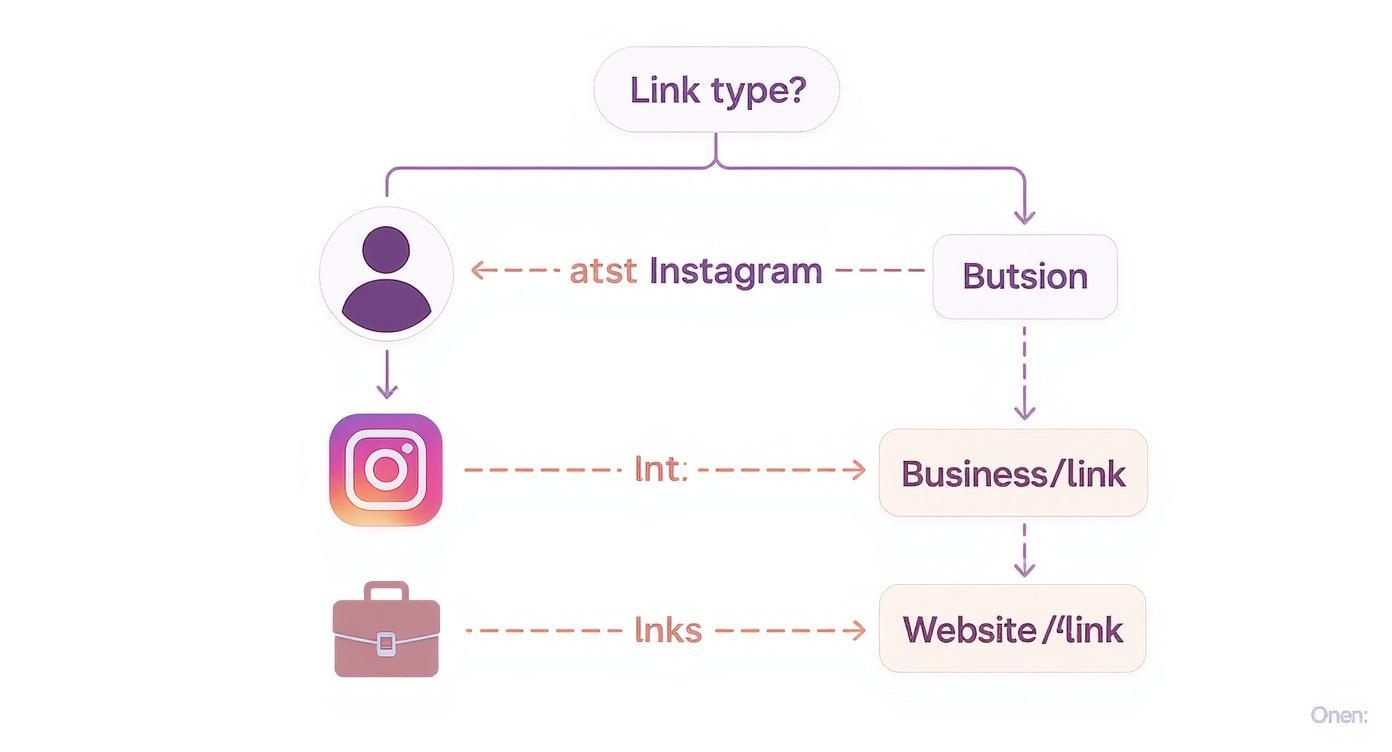
As you can see, personal profiles often benefit from the simple, recognizable Instagram icon. But for business accounts looking to drive traffic to multiple destinations, using the main website field for a bio link tool is a much more powerful strategy.
Setting Up Your Link Hub
Getting one of these pages set up is surprisingly quick. First, you'll pick a service and create an account. They'll give you a unique URL that you can pop right into your TikTok bio's website field. The fun part, though, is customizing your page.
From there, you just start adding buttons for each of your key online destinations. A few essentials I always recommend including are:
Your Instagram Profile: This is a no-brainer. Make it the top link so it's impossible to miss.
A YouTube Channel: If you create long-form video content, this is the perfect way to funnel your TikTok audience over.
An Online Store or Portfolio: Got something to sell or show off? Link it here to directly monetize your traffic or display your best work.
A Newsletter Sign-up: This is a fantastic way to build a direct line of communication with your most dedicated fans, away from the whims of algorithms.
Deciding between a direct link and a link hub tool involves a trade-off between simplicity and functionality. A direct link is foolproof, but a bio link tool offers far more control over where you send your audience.
Bio Link Options for TikTok
1. Direct Instagram Link in TikTok
Simplicity: Very high — one-click setup using TikTok’s built-in feature
Destinations: Only links to Instagram
Customization: None — just the default Instagram icon
Analytics: Limited — depends on Instagram Insights
Best For: Personal accounts or creators focused only on growing Instagram
2. Using a Bio Link Tool (e.g., Linktree)
Simplicity: High — easy setup but requires creating an external account
Destinations: Multiple — Instagram, YouTube, store, blog, etc.
Customization: Extensive — colors, fonts, layouts, buttons
Analytics: Detailed — click-through data for each link
Best For: Businesses, brands, and multi-platform creators
Ultimately, choosing a bio link tool gives you complete control over your audience's journey after they leave TikTok.
Think of your bio link page as a digital business card. It should reflect your brand's personality while giving anyone who clicks it immediate, clear value. You're taking control of the user's journey.
By organizing your links this way, you're not just linking Instagram to TikTok—you're building a seamless experience that guides your audience exactly where you want them to go. This simple shift can be the key to turning passive viewers into truly engaged members of your community.
Smart Strategies for Cross-Platform Promotion

So, you've dropped your Instagram handle into your TikTok bio. That's a solid start, but let's be real—the work has just begun. Just having the link sitting there won't magically send followers your way. You have to give them a reason to click.
This is where you need to shift from just linking to actively cross-promoting. Forget the generic "link in bio" text on your videos. Think like a storyteller. You need to build a little mystery, a bit of urgency, or offer something so good they can't help but see what's on the other side.
A classic move is to end a TikTok on a cliffhanger. Then, use your call-to-action to tease that the big reveal is waiting for them on Instagram. It’s a simple psychological trick that can seriously boost the traffic you drive between your accounts.
Crafting Compelling Calls to Action
The secret to making this work is to make the trip worthwhile. Don't just beg for a follow; offer them something valuable in return for that extra tap.
Here are a few powerful ideas I've seen work time and time again:
Exclusive Content Teasers: Announce that "Part 2" of a viral video or a more in-depth tutorial is only on your Instagram Reels.
Interactive Engagement: Hype up an upcoming Q&A session or a fun poll that's happening exclusively on your Instagram Stories.
Giveaways and Contests: Run a contest where one of the entry rules is following you on both TikTok and* Instagram.
This approach works because it respects your audience's time. You’re not just asking for a follow; you're giving them a clear and immediate reward for their click. That’s how you build a real community, not just a follower count.
This synergy is a game-changer for social commerce, too. TikTok is amazing for grabbing initial attention, but Instagram is often where you can nurture that interest into a sale. It's no surprise that with TikTok's high engagement rates, there's been a 45% spike in social commerce campaigns using this exact cross-platform funnel.
Smart Content Repurposing
Finally, great cross-promotion doesn't mean creating twice the content. It's about being smart and adapting what you already have so it feels fresh on each platform. A solid cross-platform content strategy is all about making small, strategic tweaks.
Try adding a different trending audio clip to the same video, changing up the on-screen text, or trimming it a little differently for Instagram. This way, even your most dedicated fans who follow you everywhere feel like they're getting a unique experience. By making these minor adjustments, you get the most out of every great idea without burning out your audience.
Common Linking Gaffes and How to Sidestep Them
Let's be real—even with the best content plan, a few simple technical slip-ups can completely derail your cross-promotion efforts. Getting the details right is just as important as the creative, but it's where I see a lot of creators stumble.
One of the most common issues I see? A simple broken or incorrect URL. It sounds basic, but it happens all the time. Before you do anything else, copy the link from your TikTok bio and paste it into a new browser window. Does it go to the right place? If not, neither will your followers.
Another classic mistake is linking to a private Instagram account. This is a dead end. Someone clicks over, excited to see your content, and hits a brick wall. They're not going to wait around for you to approve their follow request; they'll just leave.
The "Set It and Forget It" Trap
So, you've added your Instagram link to your TikTok bio. Job done, right? Not even close. Just dropping a link in your profile and hoping people find it is a recipe for crickets.
You have to be your link's biggest cheerleader. Effective linking requires you to actively and consistently point people toward it. Give them a clear call-to-action in your videos. Tell them why they should click. Use on-screen text overlays pointing up to your bio. Without that constant nudge, your bio link is just window dressing.
The biggest mistake is assuming the link will do the work for you. Treat your bio link like a product you need to market. You have to sell the click.
Finally, a major pitfall that trips up so many creators is a lack of brand consistency. Think about it from a user's perspective. They tap a link from your super high-energy, funny TikTok and land on an Instagram feed that looks like it belongs to a completely different person. The vibe is off, the profile picture is different, the bio is generic. It’s jarring.
That disconnect immediately breaks trust. They'll bounce. Make sure your profile picture, bio, and overall content style feel familiar across both platforms. This cohesion reassures new visitors they've landed in the right spot, making them way more likely to smash that "Follow" button.
Answering Your Top Questions
Let's clear the air on some of the most common questions that pop up when you start connecting your platforms. Getting these details right can make a huge difference in your strategy.
So, can you see exactly who clicks your Instagram link from your TikTok profile? The short answer is no. TikTok's built-in analytics won't give you a list of individual users who tapped your bio link.
This is where tools like Linktree become your best friend. Many of them have their own analytics that show you the total number of clicks, click-through rates, and even where your visitors are coming from geographically. It's a goldmine for understanding what your audience is actually doing.
Does TikTok Penalize You for Mentioning Instagram?
This is a big one. Creators often worry that the TikTok algorithm will punish them for sending users off the platform. While TikTok hasn't put out an official statement, the general consensus is that a blunt, aggressive CTA like "Go follow me on Instagram now!" might get your video deprioritized. It makes sense—the algorithm's job is to keep people on the app.
The trick is to work with the algorithm, not against it. You do that by focusing on value. Instead of just telling people to leave, give them a compelling reason to.
Expert Tip: Frame your CTA as an invitation, not a command. Try something like, "I'm sharing the full behind-the-scenes of this project on my Instagram Stories later today—link in bio if you want to see how it all came together!" This sparks genuine curiosity instead of just feeling like an ad.
Creative Ways to Announce Your Instagram
Just dropping the link in your bio and hoping for the best isn't a strategy. You need to get creative to cut through the noise. A quick verbal shout-out at the end of your video is okay, but you can do better.
Try mixing in some more engaging methods:
Use On-Screen Text Overlays: Add a clean, simple text box that points to your bio. Make the reason to click irresistible, like "Exclusive Q&A on IG!" or "Get the full recipe on Instagram!"
Pin a Comment: Take one of your best-performing videos and pin a comment that says, "For more content like this, check out my Instagram!" This puts your call-to-action right in front of the new eyes seeing your viral content.
Create a Dedicated Video: Make a fun, quick TikTok specifically announcing your Instagram. Highlight what kind of unique content followers can expect over there that they won't find on your TikTok. Give them a reason to follow you in two places.
Ready to turn those new followers into a thriving community? Gainsty uses advanced AI and expert strategies to help you achieve real, organic Instagram growth without bots or fake accounts. Start growing your Instagram with Gainsty today!

.png&w=1920&q=75&dpl=dpl_2si4hWs7xtpQVmrY6d8xhJ1wLJZL)





.png&w=750&q=75&dpl=dpl_2si4hWs7xtpQVmrY6d8xhJ1wLJZL)