What Makes Up Your Instagram URL?
Before we get into finding and copying your link on different devices, it helps to understand its basic structure. Think of it as a permanent digital address for your profile. It’s what makes it so easy for people to find and follow you.
This simple, predictable format has been a core part of the platform since it first launched back in 2010. It’s one of the reasons sharing profiles has remained so straightforward, even as Instagram has exploded to over 2 billion monthly active users.
Every Instagram URL follows the same pattern, which is great for consistency. Here's a quick breakdown of how it's built.
Instagram URL Format Breakdown
The base URL for any Instagram profile is https://www.instagram.com/.
Your username is added directly after the base URL with no spaces or symbols in between.
For example, if your username is citygardener, your full Instagram profile link becomes: https://www.instagram.com/citygardener/.
Why Knowing Your URL Is a Big Deal
Figuring out how to grab your Instagram URL isn't just a random tech tip—it's essential for growing your online brand. Having your link handy means you can:
Promote your profile in the real world. Add it to business cards, flyers, or even the back of a t-shirt.
Cross-promote on other social media. Drop it into your bio on TikTok, X (formerly Twitter), or your personal website’s contact page.
Make networking easier. Share your profile in an email or message without making someone hunt for your handle among countless lookalikes.
Your Instagram URL is one of the simplest yet most effective marketing tools you have. It instantly connects your physical and digital worlds, making your profile accessible to anyone, anywhere, with a single click.
Finding Your Instagram URL on a Desktop Browser
If you're looking for the quickest and most straightforward way to grab your Instagram URL, your desktop browser is your best friend. Seriously, there are no hoops to jump through or menus to dig into. The link is right there in plain sight.
This is my go-to method when I'm already working on my computer. Let's say I'm putting together a new website or updating a client's portfolio. Instead of grabbing my phone, I can simply open a new tab, head to Instagram, and copy the link in just a few seconds. It keeps the workflow smooth.
Navigating to Your Profile
First things first: open your favorite web browser—Chrome, Safari, you name it—and go to Instagram's website. After you log in, look for your profile picture, which usually hangs out in the top-right corner of the screen. Give that a click.
A little dropdown menu will appear. From there, just select Profile. This zips you right over to your personal Instagram page—the one everyone else sees, with your bio, posts, and follower count.
Now, glance up at your browser's address bar. That URL staring back at you is your unique Instagram profile link. It will look exactly like this: https://www.instagram.com/yourusername/.
Copying Your URL for Use
With your profile URL visible, simply click inside the address bar to highlight the whole thing. From there, you can either right-click and choose "Copy," or just use the classic keyboard shortcut: Ctrl+C on a Windows machine or Cmd+C on a Mac.
Just like that, the link is copied to your clipboard, ready to be pasted wherever you need it—your email signature, a link-in-bio tool, or your business card.
The desktop method is a favorite for creators and businesses for one simple reason: it's foolproof. What you see in the address bar is the exact link people will use to find you. No guesswork involved.
It’s easy to forget, but accessing Instagram through a browser has always been a core part of the experience. With Instagram.com being one of the world's most visited websites, millions of people land on profiles directly through these URLs every single day. It just goes to show how crucial it is to have your link handy. For more cool facts about Instagram's web brand, you can check out some insights on RecurPost.
How to Grab Your URL From the Instagram App
Since most of us are glued to our phones, grabbing your Instagram URL directly from the app is a skill you'll use all the time. It's not like on a desktop, where the URL is just sitting there in the address bar; the app makes you work for it just a little.
Luckily, Instagram has a built-in "Share Profile" feature that makes it painless once you know where to tap. This is my go-to method when I'm out and about and need to quickly send my profile to a new contact or drop it into a note. It's built for speed, and the whole process is identical on both iOS and Android.
Using the Share Profile Feature
First things first, pop open the Instagram app and head over to your profile page—just tap your picture in the bottom-right corner.
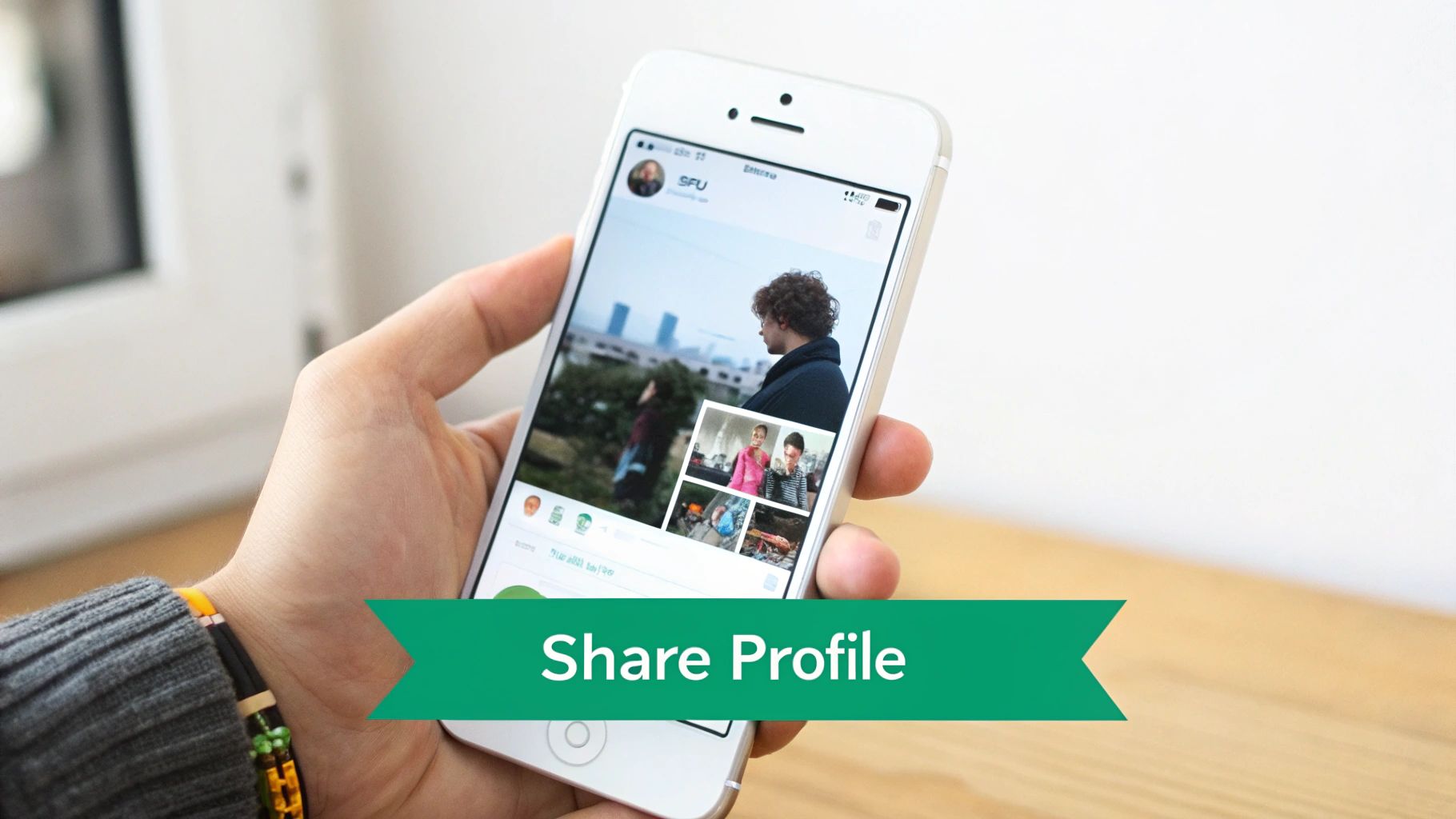
Once you’re looking at your grid, you'll see a Share Profile button right under your bio, sitting next to "Edit Profile."
Tapping that button pulls up a screen with your personal QR code. Ignore that for now and look just below it. You'll spot a couple of super useful options:
Copy Link: This is the magic button. One tap and your full Instagram URL is copied to your phone's clipboard, ready to paste.
Share Profile: This option lets you send the link directly through other apps on your phone, like Messages, WhatsApp, or Airdrop.
QR Code: Great for sharing your profile with someone in person, but for getting the actual link, "Copy Link" is what you want.
That's it. You can now paste your link wherever you need it. The whole thing takes less than 10 seconds.
Pro Tip: Not seeing the "Share Profile" button? No sweat. Tap the three-line "hamburger" menu in the top-right of your profile. From there, select "QR Code," and you'll find the exact same "Copy Link" option waiting for you.
A Sneaky Workaround for Any Profile
What if you need someone else's URL? Or maybe you're trying to help a friend who can't find the share button on their own phone. There’s an even faster trick for this.
Just navigate to whatever profile you need the link for. In the top-right corner, tap the three dots (...). A menu will slide up from the bottom of the screen, and right near the top, you'll see Copy Profile URL.
Tap it, and the link is yours. It's a fantastic shortcut that bypasses the whole QR code screen entirely.
Should You Change Your Instagram Username?
Your Instagram URL is hard-wired to your username. So, if you're dreaming of a "custom" URL, what you're really talking about is changing your handle. This isn't just a simple swap; it's a mini-rebrand that has real consequences for how people find you and perceive your brand.
On the one hand, a new username can be a major upgrade. It might align better with your current brand, sound more professional, or just be way easier for people to remember. Think about the difference between a handle like jane_doe_art_1995 versus JaneDoeFineArt. The second one instantly elevates the brand and gives you a much cleaner URL to slap on business cards and your website.
But don't jump the gun. There are serious risks. Your followers know you by your current handle, and a sudden switch can create confusion. Even worse, once you let go of a username, it's gone. Someone else can snatch it up in a heartbeat, and you might never get it back.
The Username Change Checklist
Before you pull the trigger, you need to think this through. Rushing this can lead to follower churn and a muddled brand identity. Run through these questions to make sure you're making a strategic move, not just an impulsive one.
Is the new name even available? This is your first stop. If your dream handle is already taken, the conversation ends here.
Does it fit your brand's future? You want a name that will grow with you, not one you'll want to change again in a year.
Can you update it everywhere? This is a big one. You’ll need to update your website, email signature, other social media profiles, and any printed marketing materials. It's a coordinated effort.
How will you tell your followers? You absolutely need a communication plan. Announce the change multiple times—before, during, and after—so your audience doesn't think you've disappeared.
Changing your username is a classic trade-off. You're weighing a better, more professional URL against the risk of disrupting your current audience and the hassle of updating your entire digital footprint.
The right username is also tied to your account type. A polished, professional handle is often more critical if you're running a business account, for instance. You can dive deeper into the differences between Business vs Personal Instagram accounts to help shape your strategy. A well-chosen name strengthens your brand and turns your Instagram URL into a much more powerful tool.
How to Use Your Instagram URL Effectively
Knowing how to find your Instagram URL is one thing, but the real growth happens when you start sharing it with a purpose. Just having the link isn’t enough. You’ve got to put it in the right places, turning that simple web address into your most powerful networking tool.
Think of your Instagram URL as a digital handshake or an open invitation to your world. Your goal is to extend that invitation in every relevant corner of your online (and offline) identity.
Prime Locations for Your Instagram Link
So, where should you plaster this link? Start with the high-traffic digital real estate you already own. These are the quick wins that can immediately start sending people your way.
Your Email Signature: Every single email you send is a tiny marketing opportunity. A simple "Follow me on Instagram" with a hyperlink is all it takes.
Other Social Media Bios: Don't assume your followers on X (formerly Twitter), TikTok, or LinkedIn even know you have an Instagram. Make it dead simple for them to find you.
Website or Portfolio: Add it to your contact page or footer. This gives potential clients or collaborators a direct line to your visual brand story.
Physical Business Cards: The offline world still matters! A QR code that links directly to your Instagram profile is a slick, modern touch for in-person networking.
Your Instagram URL is the bridge that connects all your different platforms. Placing it in these key spots creates a web of pathways leading right back to your profile, maximizing your reach without a ton of extra work.
Advanced Strategies for Savvy Marketers
Once you've nailed the basics, it's time to get a little more sophisticated with how you share your URL. This is where you graduate from simply sharing your link to actively tracking and optimizing its performance. For a deeper dive, our guide on how to share your Instagram account offers even more great tips.
A fantastic technique is to use a URL shortener like Bitly. These tools don't just create cleaner, more memorable links; they unlock a layer of analytics. You can see exactly how many people clicked your link from a specific source, giving you instant feedback on what's working. While this article is all about Instagram, applying similar cross-platform thinking from strategies for Pinterest can really strengthen your overall digital footprint.
For anyone running paid ads or specific campaigns, adding UTM parameters is an absolute game-changer. These are simple tags you add to the end of your URL that tell you precisely where your traffic came from. Was it your weekly newsletter? A specific Facebook ad? A link on a partner's blog? This data is pure gold for understanding your audience and doubling down on what drives results.
Where to Share Your Instagram URL for Maximum Impact
To make it even clearer, here’s a glance list of the best spots to drop your Instagram link and why they work so well.
Email Signature: This is effective because it passively promotes your Instagram every time you send an email. Pro tip: Use a small icon-based link to keep your signature clean and professional.
Other Social Bios: Great for cross-promotion since people who already follow you elsewhere can easily find your Instagram. Pro tip: Customize your call-to-action for each platform (e.g., “See my design work on IG” for LinkedIn).
Website Header or Footer: Perfect for capturing visitors who are already interested in your brand. Pro tip: Keep it in your footer permanently alongside your other social icons.
Link-in-Bio Tool: This works because it centralizes all your important links and positions Instagram as a main hub. Pro tip: Use tools like Linktree or Beacons so users can access multiple links from one place.
Business Cards and Flyers: Helps connect offline interactions to your online presence. Pro tip: Always include a QR code — no one wants to type a long URL.
YouTube Video Descriptions: Converts already engaged viewers into Instagram followers. Pro tip: Mention your Instagram verbally in your videos and remind viewers that the link is in the description.
Podcast Show Notes: Allows listeners to easily follow you after hearing your episode. Pro tip: Create a short, memorable custom link just for podcast listeners.
Putting your link in these places consistently will create a steady, compounding stream of new visitors and potential followers to your Instagram profile.
Got Questions About Your Instagram URL?
Even after you've figured out how to find and copy your Instagram URL, a few common questions always seem to pop up. Let's run through them so you can feel totally confident putting that link to work.
One of the big ones I hear all the time is, "Why can't I just put a clickable link in my post captions?" It’s a fair question, and the answer is that Instagram made a very deliberate choice here. Their official stance is that it helps cut down on spam and keeps the feed focused on the visual experience, rather than turning it into a wall of distracting outbound links.
The Logic Behind Link Limitations
This is exactly why the phrase "link in bio" became a cultural phenomenon. Instagram wants to keep a tight rein on where users can leave the app, funneling all that outbound traffic through very specific, controlled spots like your bio, your Stories, and of course, paid ads. It keeps the main feed looking clean and makes every link you share feel more intentional.
Think of it this way: your Instagram feed is the art gallery, and your bio link is the museum gift shop. The gallery is for browsing and enjoying the art, while the gift shop is the one designated place to guide people toward making a purchase or learning more.
This design choice really highlights just how important it is to have a simple, memorable URL. If you want to dive deeper into the nuts and bolts of what makes up your link, you can learn all about the standard Instagram URL format and how it’s put together.
Can I Link to a Specific Photo or Video?
You absolutely can! Sometimes you don't want to send people to your whole profile; you want them to see one specific, killer post. This is a game-changer for sharing a new product shot, a major video announcement, or that one portfolio piece you're incredibly proud of.
Getting a direct link to a single post is easy:
Head over to the exact photo or video you want to share.
Find the three little dots (...) in the top-right corner of the post and give them a tap.
A menu will pop up—just hit "Link."
And just like that, the direct URL for that piece of content is copied to your clipboard, ready for you to share anywhere.
Ready to turn those new profile visits into real followers? Gainsty uses advanced AI and expert strategies to help you achieve organic Instagram growth without bots or fake accounts. Start growing your audience today!

.png&w=1920&q=75&dpl=dpl_34ZXCf12K5qjjdZjPn9snwDRADrB)





.png&w=750&q=75&dpl=dpl_34ZXCf12K5qjjdZjPn9snwDRADrB)