Unlock Your Analytics by Switching to a Professional Account
If you're on a personal Instagram profile, you can spend a lot of time hunting for analytics that aren't there. Instagram's native way to check views is through Insights, and that's available only on Professional accounts such as Business or Creator accounts, as explained in this Instagram view guide.
That's the first checkpoint. Before you analyze a single Reel, Story, or post, you need to switch account types.

How to switch your account
Instagram places the setting under:
Open your profile
Tap Settings and privacy
Tap Account type and tools
Tap Switch to professional account
Once that's done, Instagram enables the built-in analytics layer that creators and businesses use to evaluate content visibility.
What the switch actually gives you
A lot of beginners assume this change is just for brands running ads. It isn't. It's the gatekeeper for the data you need if you want to measure performance with any seriousness.
With a Professional account, you can access:
Post-level insights so you can tap a specific post and check how it performed
View-related metrics for content formats that support them
Wider performance data, such as reach, likes, comments, and profile activity, which third-party guidance commonly discusses alongside Instagram Insights in the same analytics workflow
Practical rule: If you can't find view data, check your account type before you check anything else.
There's also a mindset shift here. Switching to Professional isn't just a settings tweak. It changes Instagram from a posting app into a reporting tool. That matters because growth decisions are easier when you're looking at actual behavior instead of guessing from surface-level numbers.
If you're still deciding between Creator and Business, this breakdown of Instagram business account benefits is a useful next read. The right choice depends on whether you operate more like a brand, a solo creator, or a service provider.
Finding Your View Counts Across All Content Types
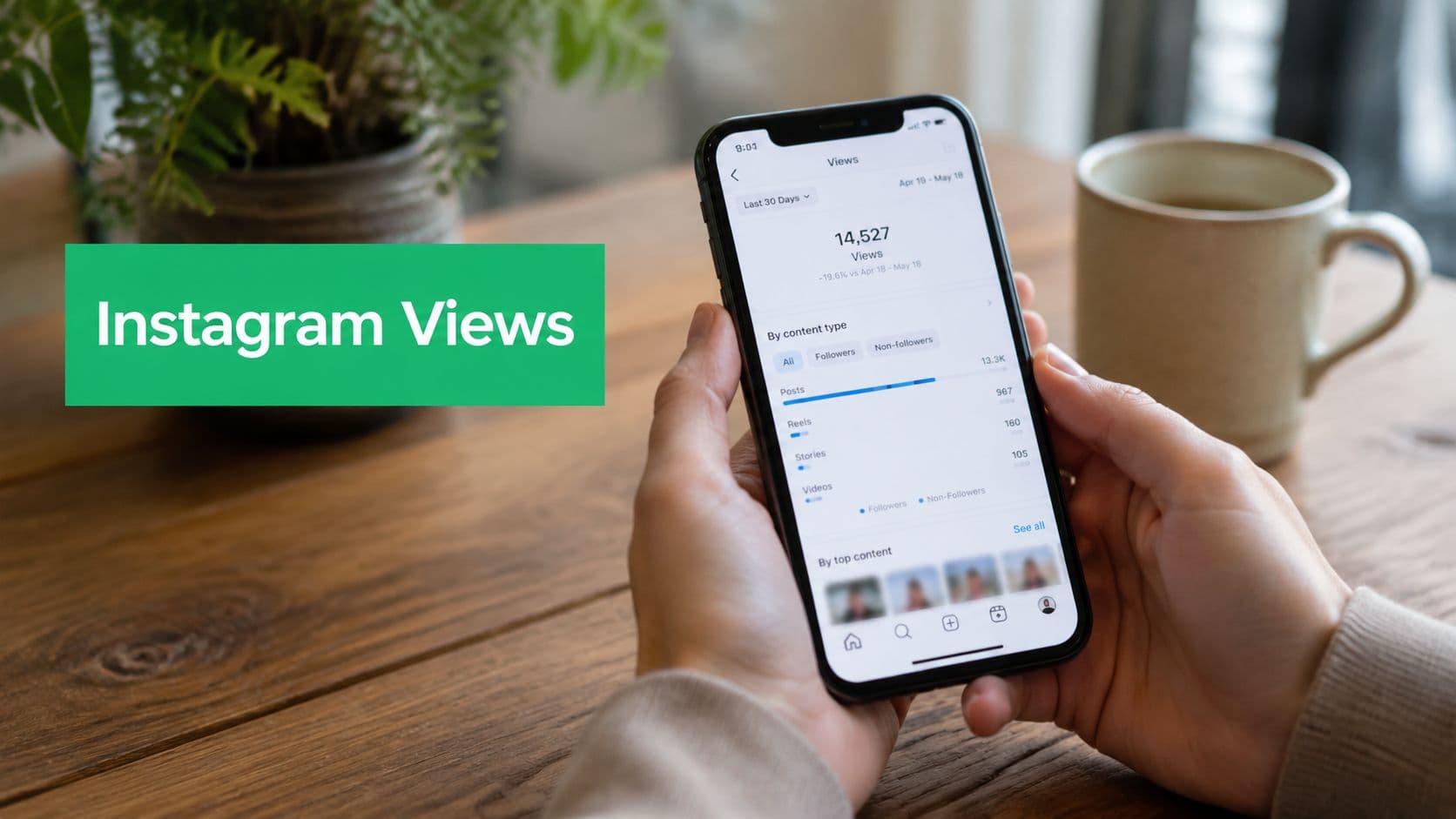
Once your account is set up correctly, Instagram gives you two places to work from. You can look at account-wide performance through the Professional dashboard/Insights area, or you can open a specific piece of content and inspect it directly. Instagram's help documentation notes that Professional accounts can view performance in the dashboard and switch between preset or custom timeframes within the past 90 days through the Insights workflow, as shown in Instagram Help.

Use the dashboard for the big picture
Start here when you want trends instead of one-post snapshots.
Path:
Go to your profile
Open Professional dashboard or Insights
Choose Views
Adjust the date range if needed
This is the cleanest way to answer broad questions like whether your content is getting more visible over time, whether a campaign week outperformed a normal week, or whether a content change affected visibility.
If you manage multiple creator tools or shared subscriptions while building your analytics stack, some teams look for cost-effective group buying options for supporting platforms. That can help when you're comparing native Instagram data with outside reporting workflows, though the native dashboard should always remain your source of truth for Instagram view counts.
Check Reels by opening the Reel itself
For Reels, don't rely only on the number visible in the grid or feed. Open the Reel and tap View insights. That's where Instagram starts to show the more useful context around the content.
When I audit creator accounts, this is often where confusion clears up. The visible play number gets attention, but the insight panel tells you whether the Reel merely replayed well or expanded audience exposure.
Check Stories while the Story is active
Stories work differently from feed content. If the Story is live, you typically review performance from the Story itself rather than from a feed-style post layout.
Use this habit:
Open your active Story
Review its viewer activity
Look at the insight details available for that Story
Stories are especially useful for spotting loyalty and repeat attention. They're less about broad discovery and more about how your current audience behaves.
Check in-feed posts and videos at the post level
For feed posts, especially video posts, open the post and tap View insights. That's the fastest way to see whether the post got watched, reached people, and generated interaction.
A simple mistake is checking account-wide trends when the pertinent question is content-specific. If one post underperformed, inspect that post. If the whole month feels flat, use the dashboard.
Open the content first when you need diagnosis. Open the dashboard first when you need patterns.
What about Live replays
If you archive or save Live content, review the related insights from the saved content area where available. The key is to treat Live replays as their own format. Don't assume they behave like Stories or Reels. They often reflect a different viewing intent, and that changes how you should interpret the number.
Interpreting What Your Instagram Views Really Mean
A high number can feel good and still tell you almost nothing useful.
The most common analytics mistake I see is treating views, reach, and impressions like interchangeable labels. They aren't. If you want to use Instagram data to make better content decisions, you need to separate them clearly.

Views and reach are not the same thing
When you tap View insights on a Reel, Story, or post, Instagram can show Views alongside related metrics like reach. As explained in Talkwalker's breakdown of Instagram impressions, views count total plays, while reach counts unique accounts.
That distinction changes how you read performance.
Here's the simplest analogy I use with clients:
Views
What it tells you: How many times the content was watched (or counted as viewed, depending on format like Reels or Stories).
Focuses on actual content consumption behavior, not just exposure.
Reach
What it tells you: How many unique accounts saw the content.
Useful for understanding how far your content is spreading to new people.
Impressions
What it tells you: The total number of times content was shown, including repeat views from the same accounts.
Helps measure overall visibility and frequency of exposure.
If one person watches your Reel several times, your views can rise while your reach stays flat. That's not necessarily bad. It just means replay behavior is doing some of the work.
What high views with low reach usually suggest
This pattern catches a lot of people off guard. They see a strong view count and assume the content has expanded to new audiences. Sometimes it did. Sometimes it didn't.
A high view count paired with modest reach often points to one of these situations:
Replay-heavy content where the same viewers watched more than once
Looping behavior because the Reel ends in a way that encourages repeat plays
Strong resonance with a small segment rather than a broad distribution
Repeated exposure to the same audience pool
That's why a Reel can look successful at first glance but not lead to follower growth or wider discovery.
Client note: If views rise faster than reach, ask whether the content was rewatched. Don't assume it reached a bigger crowd.
For a deeper breakdown of this distinction, this guide on impression vs view is worth bookmarking.
What can views tell you when you read them correctly?
Views are still useful. They help you spot which formats attract attention quickly, which hooks hold people long enough to keep watching, and which topics invite repeat consumption.
But a view count becomes actionable only when paired with context, such as:
Reach, to see whether exposure widened
Interactions, to see whether attention turned into a response
Audience fit, to see whether the content attracted the right people
Format behavior, because Stories, Reels, and feed videos naturally perform differently
This is the same discipline social teams use in niche settings, too. If you work in a mission-led or community-led space, resources on optimizing church social media performance can be surprisingly useful because they focus on engagement quality, not just raw visibility.
One more practical point: don't compare every format by the same expectation. A Story with loyal viewers can be healthier for a business than a Reel with inflated replays and weak interaction. The better question isn't “Which one got more views?” It's “Which one moved the right audience to care?”
Troubleshooting Common View Count Issues
Most view-count problems aren't bugs. They're expectation problems.
People expect Instagram to show the same data on every post, for every account type, in every timeframe. That's not how the platform works. When the numbers seem missing or delayed, there's usually a reason.
Why can't I see views at all
Start with the obvious check. If you're not on a Professional account, your analytics access will be limited. That's the first thing I verify when someone says their views “disappeared.”
Then check where you're looking. Instagram splits account-level reporting from content-level reporting. If you're searching for post-specific performance inside the wrong screen, it can feel like the metric doesn't exist when it's in a different place.
Why aren't my old posts showing useful data?
Older content can be frustrating because creators often assume every post will have the same depth of analytics forever. In practice, some posts are easier to evaluate than others, depending on format, age, and whether you had the right account setup in place when you published.
Use this triage process:
Open the post itself and look for View insights
Check the date range inside your dashboard if you're reviewing account-wide performance
Compare similar formats instead of forcing a Reel benchmark onto a Story or feed post
Avoid backfilling assumptions about content published before you were actively using analytics
Why isn't the number updating immediately
Instagram metrics don't always feel instantaneous from the user side. That leads people to think something is broken when the platform may still be processing or updating reporting in the app.
The best response is practical, not dramatic:
Refresh later instead of checking every few minutes
Review trends after some time has passed
Judge the content after the reporting settles, not during the first anxious stretch after posting
If you check too early, you often end up analyzing noise instead of performance.
Why do Story views seem inconsistent
Stories are one of the most misunderstood formats because people mix up viewer lists, Story availability, and broader insights. If your Story metrics seem incomplete, review whether the Story is still active, whether you're looking at the Story directly, and whether you're expecting post-style metrics from a format that behaves differently.
If that specific issue keeps coming up, this troubleshooting guide for Instagram Story views not showing covers the common causes clearly.
What counts as a view
People often overread the number. A “view” is not the same as proof of strong interest. It usually means the content was displayed or played in a way that Instagram counts for that format.
That's why I tell clients to treat the first number as an entry point, not a verdict. A view means someone had the opportunity to consume the content. It doesn't mean they cared, stayed, or acted.
Going Beyond Views with Advanced Growth Analytics
The fastest way to plateau on Instagram is to stare at views and ignore everything else.
Views tell you whether attention started. They don't tell you whether attention turned into a response. For growth, the better habit is to pair visibility with engagement signals and audience movement.

The metric that makes views useful
Industry analytics guidance often evaluates Instagram performance with engagement rate by followers, calculated as (likes + comments) ÷ (posts × followers) × 100, and Instagram Insights supplies supporting data such as accounts reached, accounts engaged, follower growth, audience demographics, and content performance, as summarized in this Instagram analytics dashboard guide.
That formula matters because it forces a healthier question: not just “Did people see this?” but “Did the audience respond relative to the size of the account?”
Here's how I use that in practice:
Views
What it helps you decide: Whether the content actually attracted attention and was consumed.
Reach
What it helps you decide: Whether the content successfully reached new or unique accounts.
Likes and comments
What it helps you decide: Whether viewers cared enough to actively react or engage with the content.
Follower growth
What it helps you decide: Whether the content successfully converted attention into long-term audience growth.
A post with solid views and weak engagement might have a strong hook but weak substance. A post with moderate views and strong engagement might be speaking to exactly the right people.
Build a simple review rhythm
You don't need a giant reporting stack to make this useful. A lightweight review routine is enough.
Try this after each content cycle:
Pull account-level trends from your dashboard
Inspect top and bottom posts individually
Compare views with reach and engagement
Note what topic, format, and hook style are repeated in your stronger posts
Adjust the next batch based on those patterns
What advanced analysis changes
Once you stop treating views as the finish line, content planning gets sharper. You start noticing that some posts get curiosity clicks but no comments. Others get fewer views but stronger saves, replies, or profile visits. That's where strategy improves.
Working rule: A good analytics review should change what you post next. If it doesn't, you're only collecting numbers.
For creators and brands, that usually means publishing fewer “looks popular” posts and more content that creates the right kind of attention. That's a better path to sustainable growth than chasing isolated spikes.
From Checking Views to Driving Real Growth
Learning how to check Instagram views is easy once you know where Instagram hides the data. Learning how to use those numbers well is what moves an account forward.
The useful progression is simple. First, enable Insights with the right account type. Then find the view counts for each format. After that, read those numbers beside reach and engagement so you can tell the difference between replay activity, loyal audience behavior, and broader discovery.
That's the shift from vanity metrics to operating metrics. Instead of asking whether a post “did well,” ask what the audience behavior says about your hook, your message, and your fit. That's how analytics become creative guidance.
If you manage several profiles or support clients, operational resources on Instagram management for social media professionals can also help you think more clearly about account structure and workflow.
Use views as a signal, not a trophy. The creators who grow consistently are the ones who read the story behind the number and then make better content because of it.
If you want help turning Instagram data into steady organic growth, Gainsty offers AI-powered support, targeting, analytics, and human guidance to help creators and brands grow followers and engagement without bots or fake followers.

.png&w=1920&q=75&dpl=dpl_34ZXCf12K5qjjdZjPn9snwDRADrB)






.png&w=750&q=75&dpl=dpl_34ZXCf12K5qjjdZjPn9snwDRADrB)