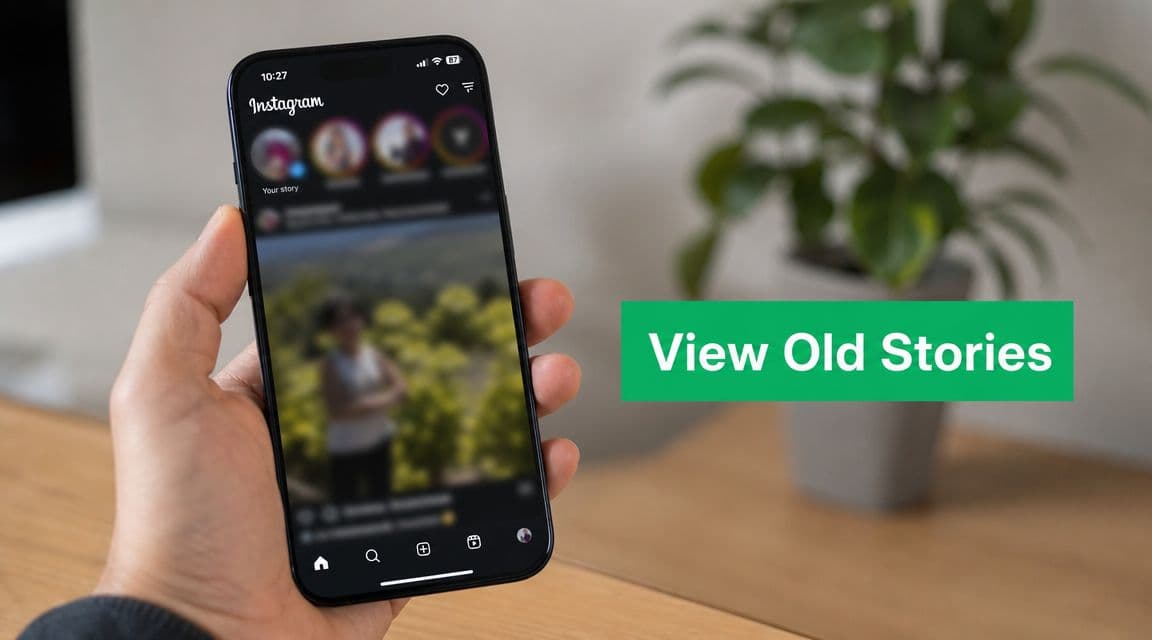
Why Your Old Instagram Stories Aren't Gone Forever
What disappears after 24 hours is the public Story feed, not necessarily the content itself.
That distinction trips people up all the time. A Story can vanish from your followers' view and still remain available to you through Instagram's private tools. For your own account, the key place is the Story Archive. For public-facing access to older Stories, the key place is Highlights.
What actually disappears
Instagram Stories were designed to be temporary in the feed. That's why followers can't scroll back through your old Story sequence the way they can with posts or Reels.
But Instagram also recognized that creators and businesses needed a historical record. That's why older Stories became something you could revisit privately, organize, and in some cases, analyze later.
Practical rule: If you're trying to find your own expired Story, think archive. If you're trying to find someone else's, think highlights.
Why this matters for creators and brands
A Story can hold more value after it expires than while it's live. Teams go back to old Stories to pull testimonials, recover product demos, rebuild launch sequences, and review what messaging worked.
That's also why Story viewing isn't one single feature. Instagram split it into two different jobs:
Private review of your own Story history
Public display of selected old Stories through Highlights
If you keep those two jobs separate in your head, the platform makes much more sense.
The fast answer
Here's the short version:
What you want to do: See your own expired Stories
What works: Use the Archive feature in the Instagram app, where Instagram automatically saves your past Stories if archiving is enabled.What you want to do: See someone else’s expired Stories
What works: You can only view them if the user has saved them to Highlights on their profile. Otherwise, they are not accessible after 24 hours.What you want to do: Browse a public database of old Stories
What works: This does not exist on Instagram. There is no public archive or searchable database of expired Stories on the platform.
That's the practical baseline before you waste time on workarounds that won't help.
Find Your Past Stories in the Instagram Archive
If you want your own expired Stories, use the mobile app first. That's the cleanest path.

The most reliable route is the one many account managers use every day: go to your profile, tap the menu in the top-right, choose Archive, and make sure the archive type is set to Story Archive. A walkthrough covering that exact path also notes that if your Stories are missing, the usual cause is that Save Story to Archive was turned off, which means Instagram had nothing to store after expiration, as shown in this Instagram archive walkthrough on YouTube.
The path inside the app
Use this sequence:
Open Instagram and go to your profile
Tap the three-line menu in the top-right
Tap Archive
Check the top dropdown
If needed, switch it to Story Archive
That dropdown matters more than people expect. Instagram can show different archive types, so plenty of users think their Stories are gone when they're looking at the wrong archive.
How the archive is organized
Once you're in the right place, Instagram usually makes browsing pretty easy.
You'll typically see Stories sorted by date, and many users find the calendar view more useful than endless scrolling. If you're trying to locate a launch week, event date, or a client campaign window, the calendar view is faster than guessing your way through thumbnails.
A few practical habits help here:
Check the filter first: If the archive opens to posts or live content, switch it immediately.
Use dates, not memory: Recalling when a Story was posted is often simpler than identifying it by its thumbnail.
Open and save key assets right away: If you find a Story you'll reuse, save it locally or add it to a Highlight while you're there.
If your old Stories don't appear
Missing Stories usually come down to settings, not a hidden bug.
If Save Story to Archive was off, Instagram can't retroactively rebuild those expired Stories later.
That's the trade-off. The archive is dependable when it was enabled at the time the Story expired. If it wasn't, there may be nothing for Instagram to show you now.
When I train new social coordinators, I tell them to verify archive settings before a campaign starts, not after it ends. That small check prevents a lot of avoidable loss.
How to View Someone Else's Old Stories
Expectations need a reset. You cannot browse someone else's expired Story history the way you can browse their posts.
Instagram doesn't offer a public archive of old Stories. The rule is simple: if the account owner didn't save the Story to Highlights, you generally can't retrieve it after the 24-hour window closes. That limitation is especially firm for private accounts and Close Friends content, as explained in this guide on finding old Instagram Stories from Zeely.

What actually works
If you want to see someone else's old Story content, check their profile for Highlight circles under the bio.
Those circles are curated. They are not a complete archive. The account owner decides what stays there, how it's grouped, and what gets removed.
That means your access is limited in three ways:
No Highlight, no access: If they didn't save it, it's gone from public view.
Private rules still apply: Private accounts control who can see their Highlights.
Close Friends stays restricted: You don't get a special route into content you weren't meant to see.
What doesn't work
A lot of people assume there's a hidden viewer, a browser trick, or a third-party site that can surface expired Stories. That's the wrong assumption.
Public profile does not mean public Story history.
If you need a refresher on how the live Story side works before expiry, this guide on how to view Instagram Stories covers the basics. But once the Story has expired, your options depend entirely on whether the creator preserved it.
From a platform safety standpoint, this is also where people make bad decisions. If a tool promises access to expired Stories from any profile, treat that as a red flag, not a shortcut.
Turn Archived Stories into Permanent Highlights
A Story in Archive is private. A Story in a Highlight becomes part of your profile's front door.
That's a useful shift when you want older content to keep doing work for you. Good Highlights answer recurring questions, show social proof, explain products, and help new visitors understand your brand without waiting for your next live Story.

How to build a Highlight from the archive
Start on your profile and look for the New or plus option in the Highlight area. Instagram will let you pull from archived Stories if they were saved previously.
The usual flow looks like this:
Open your profile
Tap New in the Highlights section
Select Stories from your archive
Choose a title
Pick a cover
Publish the Highlight to your profile
That's enough for basic setup. The more important question is which Stories deserve to become permanent.
What belongs in Highlights
Not every Story should become a Highlight. Some content is useful because it's temporary. Other content keeps earning attention over time.
Good candidates include:
FAQs: Shipping, booking, pricing process, what to expect
Proof: Reviews, client wins, user-generated content
Offers: Product drops, service menus, seasonal collections
Brand story: Founder intro, values, behind-the-scenes clips
Old Stories stop being leftovers and start becoming reusable assets. If you want more ideas for extending the life of short-form content, these content repurposing strategies are worth reviewing.
Keep Highlights organized
Messy Highlights are common. A profile with too many vague categories like “Stuff” or “More” forces visitors to guess.
Use simple names. Keep the sequence intentional. Update covers when needed.
For practical inspiration, this roundup of Instagram Story Highlight ideas is useful if you're rebuilding your profile structure from scratch.
Team habit: Review Highlights the same way you review pinned posts. If something no longer represents the brand well, replace it.
Story Viewing on Desktop vs Mobile and Tool Risks
If you're serious about managing Stories properly, treat the mobile app as the main workspace.
Instagram's web experience can handle some basic viewing, but archive access and Highlight management are far more reliable in the app. That difference matters because people often assume the desktop has the same controls and then conclude a feature is missing when it's only missing on the web.

Mobile versus desktop
Here's the practical comparison:
Mobile app – Best for core Instagram activity, including viewing Story Archive, creating and organizing Highlights, posting content, engaging with followers, and managing settings. It offers the most complete feature set and is essential for full account control.
Desktop web – Best for light account access, such as browsing feeds, replying to messages, or basic profile management. However, it is not ideal for deeper tasks like working with archives, editing Stories, or managing Highlights, since many features are limited or unavailable compared to mobile.
If someone on your team says they can't find old Stories, the first troubleshooting question should be: Are you in the app or on desktop?
Why third-party Story tools are risky
This is the part people skip until they have a problem. “Story saver,” “anonymous viewer,” and “expired Story viewer” tools often ask for access they shouldn't need.
The risks are straightforward:
Login exposure: Some tools ask for your Instagram credentials directly.
Privacy problems: You may be giving account data to a service you can't verify.
Platform violations: Unofficial access methods can create account trouble.
If a tool promises to reveal expired Stories from any account, that promise itself is the warning sign.
Use Instagram's built-in tools for Instagram jobs. That's safer than handing account access to a service built around bypassing platform limits.
Use Insights instead of unofficial analytics tools
For business or creator accounts, Instagram already supports long-term Story review through built-in analytics. Sotrender notes that Story analytics are available for those account types, and that Instagram aggregates Story data for up to two years, making official retrospective analysis possible through Instagram Story insights and archive reporting.
That's the safer route for marketers. You can review archived performance without chasing questionable tools that promise extra visibility.
If your team also worries about privacy around Story interactions, this article on whether Instagram notifies screenshots of a Story helps clear up another common point of confusion.
Frequently Asked Questions About Old Instagram Stories
Can I recover a Story if I deleted it before the 24-hour period ended
Sometimes the answer is no, so it's better to think preventively than optimistically.
If you manually remove a Story, you shouldn't assume it will behave the same as a normally expired Story in Archive. For important campaign assets, save originals outside Instagram before publishing. That gives you a backup no matter what happens inside the app.
Can I still see analytics for older Stories?
If you're using a business or creator account, Instagram's built-in Story insights are the intended place to review older performance. As noted earlier, that's the official path for longer-term analysis.
The bigger lesson is operational. If Stories matter to your marketing, don't treat them as disposable. Review them the same way you review post performance and ad creative.
What kind of metrics matter when reviewing old Stories
When teams analyze archived Story performance, they usually care about things like reach, impressions, replies, taps back, taps forward, and exits. Those are useful because they show not just whether people saw the Story, but how they moved through it.
For campaign reporting, that matters more than vague “it did well” impressions. If you're tying Stories into broader partnerships or creator work, a framework for influencer campaign ROI tracking can help you connect Story activity to business outcomes more clearly.
Are Close Friends' Stories saved in the archive?
If you posted the Story on your own account and archive saving was enabled, your own Story record is generally the place to check. But access for other people doesn't change just because the content was posted earlier.
Close Friends remains audience-limited by design. Other users don't get a delayed route into that content later.
Why can't I find my old Stories in Archive?
The first thing to check is the archive type. Many people open the Archive and are looking at the wrong category.
If the filter is right and the Stories still aren't there, the most likely explanation is that Save Story to Archive was turned off when those Stories expired. In that case, Instagram may have nothing stored to show you now.
Use this troubleshooting order:
Check Archive type: Confirm it says Story Archive
Check settings: Verify archive saving is on now
Check dates carefully: Use calendar view if available
Check whether the Story was ever posted normally: Drafts and unpublished content won't appear as expired Stories
Can I view someone else's old Stories without them knowing
If the Story has already expired, your only supported public route is a Highlight the creator chose to keep on their profile. At that point, you're viewing a profile element they intentionally published.
If the content was not saved to Highlights, there isn't a legitimate way to retrieve it. That's the line to keep in mind whenever a tool claims otherwise.
Can Instagram on desktop do all of this
Not reliably. For archive access, settings checks, and Highlight creation, the mobile app is still the practical default.
When I'm helping a team member troubleshoot, I move them to the app first. It eliminates a lot of false dead ends.
What's the safest way to handle old Stories for a brand account
Keep it simple:
Save Stories to Archive
Review Story performance inside Instagram
Turn strong Story sequences into Highlights
Avoid third-party viewers and saver tools that require account access
That workflow is boring in the best possible way. It's stable, supported, and far less likely to create security problems.
If you want to grow your Instagram with the same safe, platform-respectful mindset, Gainsty is built for that. It helps creators and brands focus on organic growth and stronger engagement without relying on bots, fake followers, or risky shortcuts.

.png&w=1920&q=75&dpl=dpl_34ZXCf12K5qjjdZjPn9snwDRADrB)







.png&w=750&q=75&dpl=dpl_34ZXCf12K5qjjdZjPn9snwDRADrB)