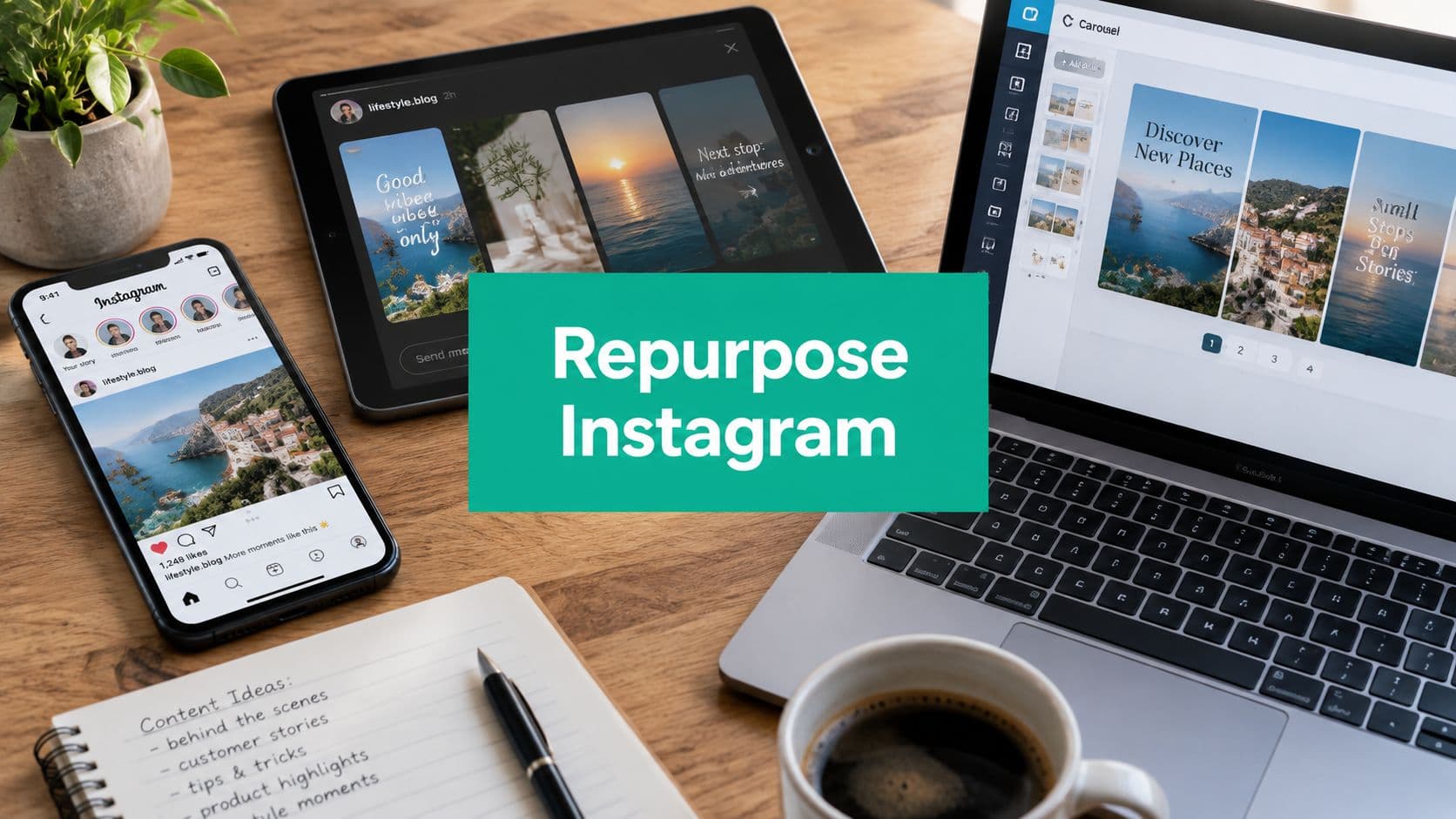
Why Repurposing Instagram Content Works Right Now
A strong Instagram idea can reach people in several formats before it starts feeling worn out. That matters because a 2026 industry analysis reports that 48% of social media marketers share similar or repurposed content across platforms with minor adaptations, while 34% create unique content from scratch for each channel (industry analysis of content repurposing statistics). The same analysis cites HubSpot-referenced research in which 60% of marketers believe repurposed content generates more leads than original content.
Instagram rewards that approach because audiences encounter content through different surfaces and viewing habits. Meta has disclosed that Reels are played more than 200 billion times per day across its apps. Industry tracking estimates that Reels represent roughly 38.5% of Instagram feed posts, compared with roughly 5% in the launch year (Instagram Reels statistics and historical tracking). Instagram launched Reels globally in 2020, and video now occupies a larger role in how accounts distribute ideas.

One tutorial can become a quick Reel, a saveable checklist, a Story question, a caption, and a reply to a related comment. Each version needs a new opening, rhythm, visual treatment, and call to action. Publishing the same file repeatedly is faster, but it usually looks stale and gives the audience no new reason to respond.
Practical rule: Repurpose the idea, not the file.
Batch the adaptations while the original insight is still familiar, then space them across different posting windows rather than releasing five versions together. Track which native format earns useful actions, and keep the weaker versions as learning rather than forcing a repeat. For a clear definition of the method, this guide to content repurposing provides useful context.
How to Find Your Best Instagram Posts to Repurpose
A post can look ordinary in your grid and still contain a strong repurposing opportunity. Start with evidence from your own account, then judge each idea by the action it generated. Instagram Insights provides reach, likes, comments, saves, and shares, giving you a practical view of attention, usefulness, and conversation.
Review recent posts by the signal that matters for their original format. A Reel with broad reach but few saves may need a more educational version. A carousel that earns steady saves can become a concise video explanation. A post with thoughtful comments may work better as a question-led Story sequence or a follow-up Reel answering the audience directly.

Build a shortlist from proven demand
Create a spreadsheet or Airtable view with one row for each candidate. Record the post type, topic, original hook, strongest metric, audience question, and possible native formats. The workflow guidance recommends a shortlist of three to five source posts per month as a planning benchmark, not a fixed quota for every account (Instagram repurposing workflow guidance).
Apply this filter before editing:
Clear takeaway: Can you state the main lesson in one sentence?
Visible audience response: Did people save, share, comment on, or watch it enough to justify another treatment?
Expandable structure: Does the idea include steps, mistakes, examples, opinions, or questions?
Current accuracy: Are its references, recommendations, and calls to action still correct?
Format flexibility: Can the idea work visually without depending on the original caption?
Do not choose a post only because it required substantial effort. Effort does not prove demand. A post with modest reach but unusually strong saves may offer more value than a widely viewed post that gave people no reason to return.
Read the comments before selecting the asset. Repeated follow-up questions often provide a sharper hook than the original caption. Turn that question into the opening of a fresh derivative, then change the format, pacing, and visual treatment so the audience receives a new reason to engage.
For a closer look at these signals, use this guide to Instagram analytics.
Turning One Instagram Post Into Multiple Native Formats
A tutorial Reel can keep working after its first publication. Extract the idea, proof, and audience question, then rebuild each part for a different Instagram experience. That process is atomization. It turns one source asset into several native pieces without making the feed look copied.
Start by identifying the decisive moment, supporting points, visual evidence, and action you want people to take. A careful workflow can produce at least five distribution-ready pieces from one source (Instagram content repurposing workflow). A skincare routine Reel, for example, could become a shorter Reel focused on the key step, a carousel checklist, a Stories quiz, a quote card, and a caption answering a common objection.

Pull out the strongest moments
For video, choose the clearest answer rather than automatically reusing the original opening. A 30 to 45 second Reel can come from the most decisive portion of a longer video, according to technical repurposing guidance (Instagram repurposing formats and workflow). Write a fresh first line, remove pauses and setup, and keep only the context the new version needs.
Carousels work best when each slide has one job. A 3-7 slide carousel with under 15 words per slide can name a mistake, explain the correction, or show the next action. Keep the caption useful rather than using it to rescue crowded slides.
A Reel about writing stronger hooks could become:
A cover naming the common hook problem.
A slide showing the weak version.
A slide explaining why it fails.
A slide presenting a clearer alternative.
A final slide offering a practical prompt.
Change the experience, not only the dimensions
Stories should feel conversational. Break the source into short frames with a poll, question sticker, or brief explanation. A quote card should isolate one memorable sentence and use a different visual treatment. A caption can add context, answer an objection, or ask people to share their experience.
Match the CTA to the format. Ask for a save on a carousel, a response in Stories, or a view of a related post from a Reel. Repeating “follow for more” on every derivative makes the account feel automated.
Batch visual variations with bulk image generation Instagram templates when you need several covers or graphics. Templates save time only when the headline, image, and angle change enough to give each asset a distinct purpose. Publish derivatives at different intervals, and retire a version if the audience has already seen the same hook too often.
Batching and Scheduling Workflows That Save Hours Every Week
Repurposing saves time when related decisions happen in one production block. Reopening old files, rebuilding context, and choosing publishing dates one post at a time creates avoidable friction. A batch gives each Instagram asset a clear path from source post to several native formats.
Set aside one working session to select source posts, extract their ideas, write fresh hooks, edit video, design carousels, and draft Stories. The time saved depends on publishing volume, templates, editing skill, and team structure. The practical gain comes from removing repeated setup work, not from producing every derivative at once.

Use a simple production cycle
Start with a content inventory. Mark each source as selected, scripted, edited, designed, approved, scheduled, or published. Keep the original and its derivatives in one folder, using filenames that identify the topic and format. This prevents outdated captions, missing clean video files, and uncertainty over which version is approved.
A practical batch can follow this order:
Source review: Choose posts with clear evidence of audience interest.
Message extraction: Record the central claim, supporting points, objections, and several new hooks.
Derivative production: Build a Reel, carousel, Story sequence, graphic, and caption, choosing only formats that suit the idea.
Quality check: Verify current facts, legibility, subtitles, tags, links, and format-specific CTAs.
Scheduling: Queue the formats with enough space for the account to feel varied.
Freshness should guide the batch. Atomize one asset into five or more formats, but give each version a different job. A Reel can demonstrate the idea, a carousel can explain the steps, Stories can collect responses, a graphic can isolate one takeaway, and a caption can address an objection.
A template library speeds production when it stores reusable structures, cover layouts, subtitle styles, and approval checklists. It should not force every topic into the same visual treatment. You can browse Nim social templates, then change the headline, crop, pacing, and angle enough to make each asset distinct.
Space the idea deliberately
Publishing derivatives too close together makes an account feel repetitive, especially when the cover, opening sentence, and visual sequence remain similar. One guide recommends waiting three to six months before reusing the same content to reduce repetition and audience fatigue (Instagram repurposing interval guidance). Use that interval as a planning reference, not a fixed rule. A time-sensitive topic may need a faster update, while an evergreen tutorial can wait longer.
Record the source date and every derivative date in your calendar. Batch creation can happen together, while publishing should be staggered according to format, audience response, and topic urgency. Review performance weekly and retire versions that repeat the same hook without adding a new takeaway.
A documented content creation workflow shows who owns each stage and which decision comes next, so a batch keeps moving without constant status checks.
How to Keep Repurposed Content Fresh and Handle UGC Correctly
A resized file is not a fresh post. If the cover, opening, examples, pacing, and CTA stay the same, followers experience the asset as a repeat. Changing dimensions alone will not solve declining attention or weak engagement. Each derivative needs a new reason to stop, watch, save, or respond.
Before publishing a proven Instagram post again, change at least two meaningful elements:
Hook: Open with a question, objection, result, or mistake instead of the original introduction.
Proof: Swap the example, screenshot, demonstration, or supporting explanation.
Visual rhythm: Use a different crop, cover, color treatment, sequence, or on-screen text style.
Audience angle: Adapt the lesson for beginners, returning followers, customers, or professionals.
CTA: Ask for a save, reply, vote, visit, or discussion that suits the format.
Use a five-format freshness check: can the source become a Reel, carousel, Story sequence, static post, and short text-led clip without repeating the same opening? Change the order of ideas, not only the packaging. Batch those versions at separate intervals, then review the original comments before choosing new objections or examples. That process keeps one asset productive without making the feed feel copied.
Freshness test: If someone saw the original post, can they learn something new from this version?
UGC carries a separate permission risk. Instagram has introduced more controls around reposted content, including settings that let creators turn off sharing and reuse (Instagram repost control coverage). A public post does not grant a brand permission to download, edit, advertise, or redistribute the creator's work.
Get explicit approval before reposting user content, and show visible credit even when the creator is tagged. Record the creator's handle, approved formats, territory, duration, paid-use status, and restrictions in a shared system. A casual comment may be inadequate if the asset will appear in a campaign or across several markets.
Ask in plain language. Identify the exact content, placements, permitted edits, and whether the creator can withdraw approval. Store the response beside the asset, then check it before producing every derivative. This protects the creator and keeps a freshness-first workflow from relying on assumptions.
Your Next Repurposing Plan and How Gainsty Helps It Reach Further
Run the next 30 days as a controlled freshness sprint. Select a small library of proven Instagram posts, then turn each into at least five native experiences: a Reel, carousel, Story sequence, graphic, and revised caption. Change the lesson's order, example, or audience question, not just its dimensions. Batch each version at separate intervals so the feed does not feel copied.
Review comments before producing the next derivative. They reveal objections, missing context, and examples worth adding. Track saves, shares, comments, profile actions, and the quality of conversations each format creates, rather than judging the batch by reach alone.
A Reel may earn discovery, a carousel can organize the lesson, and Stories can collect objections. Each version needs a distinct reason to engage and a different next action. If you reuse customer content, secure explicit permission for the exact asset, edits, placements, duration, territory, and paid use. Store the approval beside the file, record the creator's handle, and show clear credit. Public visibility is not permission to download, edit, advertise, or redistribute the work.
For channel ideas beyond Instagram, this guide to repurposing content for social media provides a broader perspective. Gainsty can support publishing with AI-powered targeting options and analytics for organic Instagram growth. It does not replace creative judgment, permissions, or a content calendar.
The sustainable advantage is making one useful idea create several different experiences.
Start with one proven post this week and record what each derivative teaches you.
Use Gainsty to help manage and measure the next batch with organic Instagram growth tools, audience targeting, and analytics.
.png&w=1920&q=75&dpl=dpl_C723nkStk4By7P6JWE3DQWUAB8y4)




.png&w=750&q=75&dpl=dpl_C723nkStk4By7P6JWE3DQWUAB8y4)