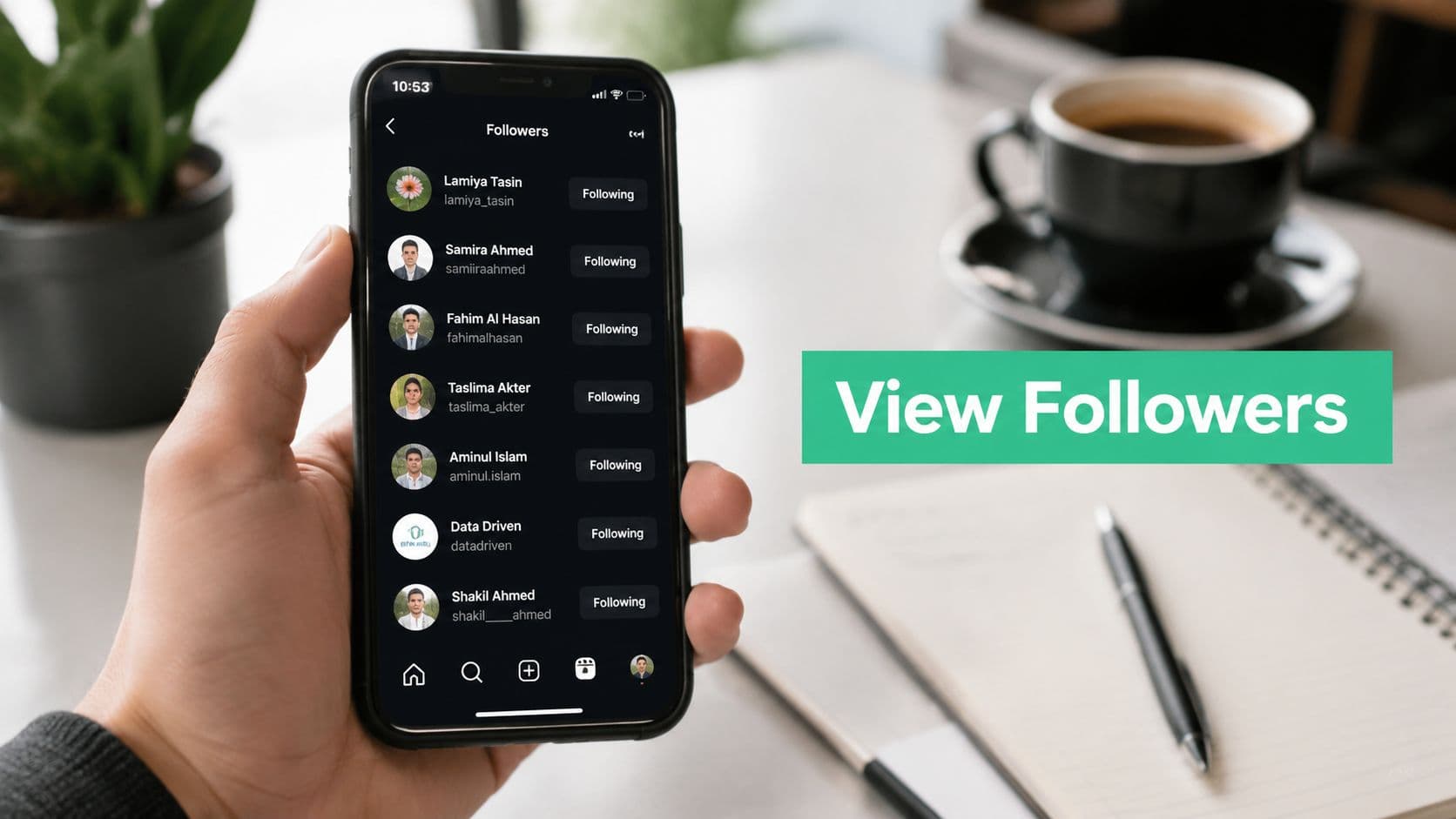
More Than a Number: What Your Follower List Reveals
A follower list looks simple until you need something specific from it.
A junior team member will often ask, “Can you just check who followed after that Reel?” The instinct makes sense. You assume the list should work like a clean timeline. In practice, it usually doesn't. Instagram gives you access to the list, but not always in the tidy, chronological way people expect.
That's why I treat the followers' view as two separate jobs.
First, there's the basic viewing job. You want to open the list, confirm whether someone follows you, or scan the accounts tied to a campaign, partnership, or giveaway. That's quick and useful.
Second, there's the analysis job. You want to understand patterns. Did a post attract peers in your niche, random giveaway hunters, or local customers? Did a collaboration bring in accounts that match your target audience, or just inflate the number for a day? The follower list becomes much more valuable when you stop treating it as a vanity screen and start treating it as a rough audience map.
Practical rule: Don't judge a follower spike by the count alone. Open the list and inspect the people behind the bump.
A healthy follower list often reveals familiar signals. You might see creators in your space, current customers, industry friends, and accounts that repeatedly engage with Stories and posts. A weak spike often looks different. You'll see irrelevant accounts, low-context profiles, or followers that don't line up with the content you just published.
That's the shift that matters. Viewing followers is basic account hygiene. Understanding them is a strategy.
The Official Ways to View Your Instagram Followers
For those seeking the fastest path, here it is.

On the Instagram mobile app
If you want to view your own followers:
Open the Instagram app.
Tap your profile picture in the bottom-right corner.
On your profile, tap Followers.
Instagram opens your follower list.
If you want to view another account's followers:
Open Instagram.
Use the search to find the account.
Go to that profile.
Tap Followers.
That's the direct method for both personal browsing and quick account checks. For public accounts, this is usually straightforward. For private accounts, what you can see depends on whether you follow them and what visibility rules apply to that profile.
On a desktop web browser
Instagram on desktop is simpler than people expect.
Go to Instagram in your browser and log in.
Click your profile picture or username to open your profile.
Click Followers.
A pop-up or panel opens with the list.
For other accounts, open their profile page and click Followers the same way.
A desktop is useful when you're auditing names, checking handles, or comparing accounts side by side. I use it when I need a little more visual space, especially for brand accounts with a large audience.
A second layer exists for people using Instagram professionally. Instagram's built-in follower analytics are tied to professional accounts, and the route is specific: switch account type in Settings and Privacy under Account type and tools, then open Insights from the three-line menu on your profile. Those built-in statistics can show follower count alongside likes, comments, video views, profile views, reach, story views, and similar account-level metrics, but those stats are visible only to the account owner, as described in this overview of Instagram statistics and Insights access.
What works best for quick checks
Confirm whether someone follows you
Best place to check: Mobile app
Designed for quick profile-level checks and direct account interactions
Scan another public account’s follower list
Best place to check: Mobile app
Optimized for browsing lists and viewing profiles in a more fluid, scroll-based way
Review names and handles more comfortably
Best place to check: Desktop browser
Better for readability, longer sessions, and easier comparison or tracking
Check owner-only audience metrics
Best place to check: Professional account Insights (mobile app)
Provides analytics like reach, engagement, and audience behavior that are only available to account owners
The basic list gets you visibility. Insights gets you account-level context. They're related, but they're not the same tool.
Troubleshooting Common Follower Viewing Problems
People usually assume the follower list is broken when it behaves differently than expected. Most of the time, it isn't broken. Instagram is applying privacy rules, ranking logic, or account-level restrictions.

Why can't you see every follower on every account
The most common blocker is privacy. If an account is private, you won't get the same visibility you'd get on a public profile unless you're approved to follow it. That part is expected.
The less obvious issue is that Instagram's visibility rules can make follower lists look different depending on who is viewing them. One widely shared tutorial also notes that Instagram may prioritize showing followers it thinks you know, which helps explain why the order can feel strange and why the full experience varies by viewer, as discussed in this video explanation of Instagram follower visibility and ranking behavior.
You and your coworker can open the same account and come away with slightly different impressions of the follower list.
That's frustrating if you expect a neat directory. It makes more sense once you treat the list as a ranked interface, not a neutral database view.
Why the order isn't chronological
This is the complaint I hear most often. People expect “recent followers first.” Instagram often doesn't present the list that way, especially when you're looking at other accounts.
A few practical takeaways help:
Don't assume the top of the list means newest. It may reflect relevance, mutual connections, or accounts that Instagram thinks matter more to you.
Don't use the visible order as proof of campaign timing. If you need timing, use analytics or logging instead of eyeballing the list.
Don't compare your view with someone else's too strictly. Their relationship to the account may change what appears first.
When the list won't load correctly
Sometimes the issue is simpler. The app hangs, the list spins forever, or names fail to populate properly.
Try this short triage process:
Restart the app: Close Instagram fully and reopen it.
Switch devices: If mobile is glitching, check desktop.
Log out and back in: Session errors do happen.
Review account context: If the account is private, restricted, or blocked in either direction, visibility changes.
What doesn't work is forcing a conclusion from partial data. If the list is incomplete or oddly sorted, treat it as a viewing limitation, not a clean reporting tool.
How to Sift Through a Large Follower List
Once an account has a serious audience, opening the follower list is the easy part. Finding anything useful inside it is the actual work.
Use search like an audit tool
The built-in search bar inside your followers list is the first thing to lean on. Its utility is often confined to checking whether one specific person follows them. That's too narrow.
Use it in batches. Search for brand names, creator handles, local businesses, campaign partners, or niche keywords that tend to appear in usernames. If you manage a skincare brand, for example, checking for estheticians, clinics, beauty creators, and stockists can tell you a lot about whether your audience is attracting the right people.
A few smart search passes can reveal patterns quickly:
Potential partners: Search for a creator or company name before outreach. If they already follow you, your warm-start odds are better.
Customer signals: Search city names, neighborhood names, or service keywords if you run a local business.
Community regulars: Search handles you recognize from comments, DMs, and Story replies to confirm whether your most engaged people also follow.
Don't try to review everyone
That's the trap. On bigger accounts, manual review of the entire list becomes a time sink.
Use a shortlist method instead:
Pull a small set of names from comments or Story interactions.
Check whether they follow you.
Search for partner, influencer, or customer categories.
Note repeating account types.
This gives you a working picture without pretending you can manually “know” thousands of followers.
Working habit: Search for follower segments, not individual curiosity checks. You'll find strategic information faster.
Know what the list can and can't tell you
A follower list is good for spot checks. It's not good for a full audience diagnosis on its own.
Use it to answer questions like these:
Does this person follow us?
Did that collaborator's audience overlap with ours?
Are local businesses or niche creators present here?
Are we attracting the kind of accounts we want?
Don't use it as your only proof of momentum. Once you care about timing and change over time, you need something more structured.
Tracking Your Recent Follower Activity
The true objective of most “how to view followers on Instagram” searches extends beyond a mere list. People don't just want the list. They want to know who followed recently, whether growth came from a specific post, and whether a bump was meaningful or temporary.
Instagram's standard follower list doesn't solve that cleanly.

Why recent follower tracking feels harder than it should
Instagram's public-facing help is better at explaining basic list access than chronological follower history. That's why people keep hunting for a “recent followers” view that feels obvious but usually isn't. The deeper need is timing. Creators and brands want to connect audience movement to something that just happened, which Instagram's standard list doesn't present clearly, as reflected in Instagram's help context around professional audience insights and visibility limits.
The real question usually isn't “How do I see followers?” It's “How do I tell what changed this week?”
That's a different problem, and it needs a different workflow.
Use Insights if you have a professional account
If your account has Professional status, Instagram's native Insights path is the cleanest first-party option for follower changes. Open your profile, tap the menu, select Insights, then check Followers/New followers to see net gains or losses over windows such as 7 days or 30 days, according to HypeAuditor's walkthrough of follower growth methods.
This is useful because it gets you out of guesswork mode. Instead of scanning the visible list and trying to infer movement, you can see whether the account moved up or down over a set period.
There is a real limitation, though. Native Instagram Insights are reported to keep only about 90 days of history in that workflow, which means long-range trend work needs outside tracking if you want to keep context over time.
If you want a workflow built specifically around monitoring changes, this guide on Instagram follower tracking is a practical next read.
What serious teams do instead
Once a brand starts caring about campaigns, collaborations, launches, or seasonal swings, the process usually changes from “check the list” to “log the movement.”
A practical setup looks like this:
Capture a baseline: Note the current count before a campaign, post series, or collab.
Review in intervals: Check follower movement after the content has had time to circulate.
Pair count change with content activity: Look at what was posted, promoted, or mentioned during the same period.
Keep notes: A simple running log often beats memory.
This is the point where follower viewing becomes actual growth analysis.
From Viewing to Understanding Your Audience Growth
Opening the follower list is useful. It's also the shallowest layer of audience work.
If you're managing an account with any real growth goal, the better question is whether you can connect follower movement to content, timing, and audience fit. That's where Instagram's native tools help, but only up to a point.

What native tools do well
Instagram Insights is the right starting point for any professional account. It gives you a first-party baseline and keeps you grounded in what the platform itself is reporting.
For teams that need more continuity, third-party tracking becomes operationally stronger. Some tools can automate daily follower-count logging and support weekly review, which makes it easier to spot spikes, drops, and likely causes over time. The same source notes that secure integrations should use OAuth rather than direct password sharing, and that business or creator account status matters for smoother connections, as explained in this SocialInsider guide to Instagram follower history tracking.
That matters in day-to-day management. If a post surges on Tuesday and the count jumps on Wednesday, a daily log gives you a cleaner line of sight than trying to remember what the number looked like last week.
Where outside tools fit
Third-party analytics expanded this space because Instagram's native interface wasn't built for every reporting use case. Some products focus on quick report access and pricing transparency. For example, FollowerStat advertises 3 free reports for any Instagram account and a premium tier starting at €4.99/month, while also illustrating how follower-based engagement formulas are commonly used in analytics workflows in the broader market, as shown on FollowerStat's Instagram analytics pages.
If you manage multiple profiles, process discipline matters too. A team handling several brands or client accounts needs naming rules, access control, and a clean review cadence. For that operational side, SMS Activate's Instagram guide is a useful reference on keeping multi-account workflows organized.
For marketers who want a broader business view of reporting, benchmarking, and decision-making, Gainsty has a more detailed guide on Instagram analytics for business growth.
One practical option in this category is Gainsty, which positions itself as an AI-powered social assistant for organic Instagram growth and analytics workflows. That kind of tool makes sense when you've outgrown manual spot checks and need a more consistent process around follower quality, engagement patterns, and ongoing monitoring.
The main shift is in mindset. Stop asking only, “Can I see my followers?” Start asking, “What does this audience change mean, and what caused it?” That's how follower viewing becomes useful.
If you're ready to move past manual list checks and build a cleaner growth workflow, Gainsty can help you monitor audience trends, understand follower quality, and support organic Instagram growth without relying on bots or fake followers.
.png&w=1920&q=75&dpl=dpl_34ZXCf12K5qjjdZjPn9snwDRADrB)




.png&w=750&q=75&dpl=dpl_34ZXCf12K5qjjdZjPn9snwDRADrB)