What Instagram Analytics Without Login Actually Means
You're sizing up a competitor before a brand pitch, or checking whether a creator in your niche is growing, and a website asks you to connect your Instagram account to see their numbers. You don't want to hand your credentials to a random site, and you shouldn't have to. So you search for Instagram analytics without login and land on tools promising a full report from a username alone.
Some of that promise is real. A thin public layer is visible to anyone who opens a public profile in a browser. You can read a bio, count posts, note follower and following counts, and see likes and comments sitting under recent posts. That is public-web observation, and it's useful for a quick snapshot.
It is not Instagram Insights. Insights is the private dashboard tied to a Business or Creator account, where the owner sees reach, impressions, saves, shares, audience breakdowns, and Story behavior. No username-only tool can open that dashboard for someone else's account, because access is tied to the owner's authorization, not to whether a profile happens to be public.
Think of a public profile as a shop window and Insights as the shop's sales ledger. You can count products on display and watch who stops to look. You can't see revenue, repeat customers, or which shelf drove the sale.
The Three Tiers That Organize Everything
Every number a no-login tool shows you falls into one of three buckets, and learning to sort them is the core skill here.
Directly visible: Numbers anyone can read on the profile itself, such as follower count and visible likes.
Algorithmically estimated: Numbers a tool calculates from repeated public snapshots, such as a growth trend or an engagement approximation.
Owner-only: Numbers that exist only inside Insights and can't be derived from public data at all.
Once you can place a metric in the right tier, tool marketing loses its power over you. A visible number deserves trust, an estimate deserves caution, and an owner-only number offered without login deserves skepticism. The rest of this guide builds that sorting habit, then turns it into a safe, repeatable benchmarking routine.
Why Instagram Locked Down Public Data Access
Today's limits aren't a bug or a temporary outage that clever tools will soon route around. Instagram closed these doors deliberately, on a published schedule, and understanding that timeline explains why no-login analytics works the way it does now.
The Shutdown Timeline
On January 30, 2018, Instagram announced a phased retirement of its older API platform, and functions like follower-list access, relationship data, and commenting on public content were restricted immediately, as detailed in the history of Instagram's public data API changes. Access to public content, including the ability for apps to read public profiles and media, ended on December 11, 2018. Instagram then disabled the remaining legacy platform entirely in June 2020, closing the last official channel for unauthenticated data pulls.
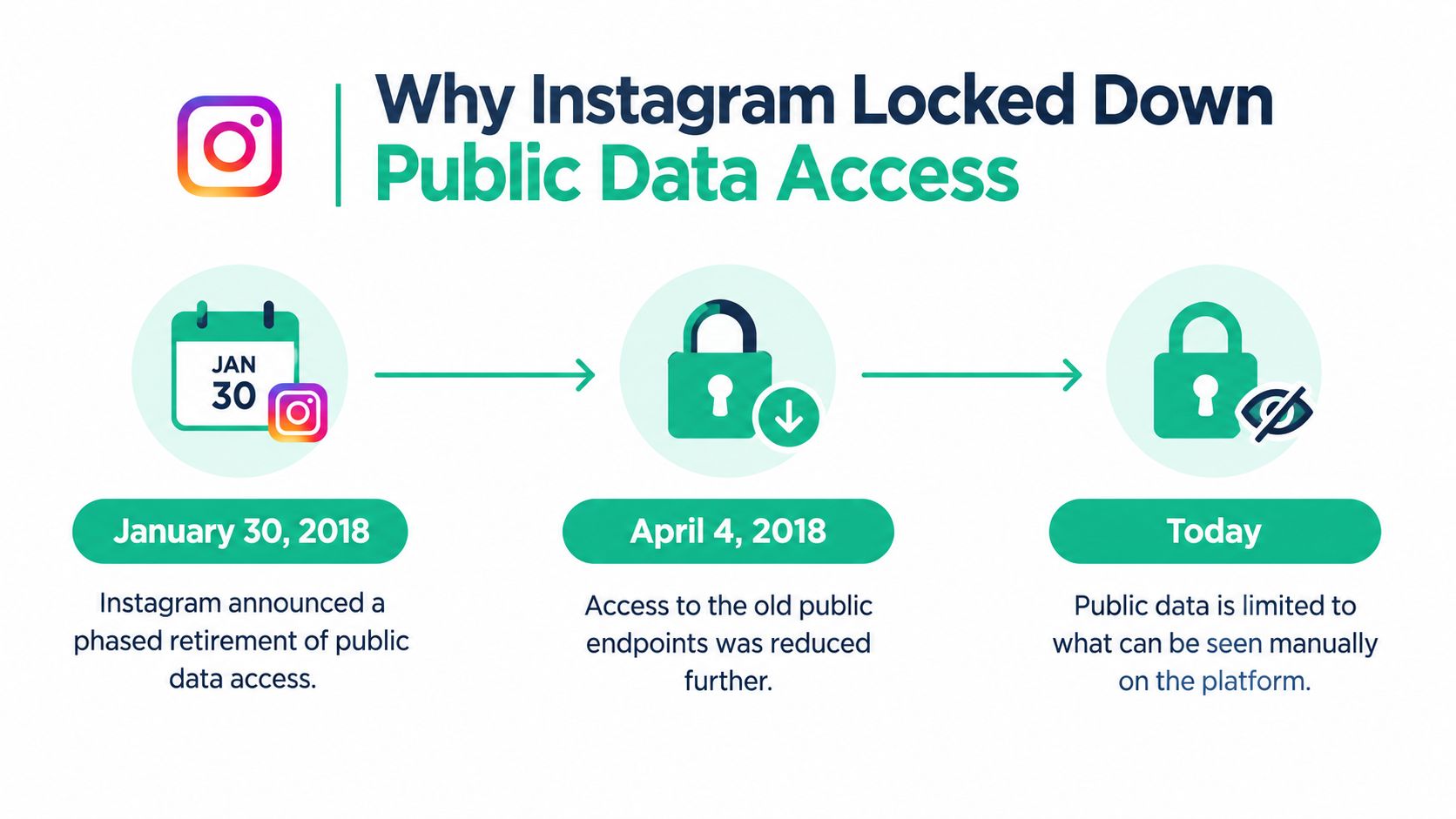
Before those dates, third-party apps could pull public profile information through official channels with relative ease. After them, official access recentered on authenticated professional accounts. For the browser-side view of how this tightening shows up day to day, public Instagram profile access changes walk through the login walls and profile info limits users now hit.
Scale Changed the Incentives
The lockdown tracks Instagram's own growth. The app launched in October 2010, and one widely repeated but unverified account puts its first-day signups near 25,000; treat that figure as folklore rather than fact. The confirmed milestones need no caveat: 500 million monthly active users by June 2016 and 1 billion monthly active users by June 2018, according to a chronology of Instagram's history and milestones. At that scale, public profile data became commercially valuable, and the platform gained strong reasons to control who could harvest it and how.
April 2018 reporting on the changes noted that apps could no longer freely access usernames, profile pictures, bios, follower and following counts, and post counts through the older system. That detail matters because those fields are exactly what no-login tools still display. They aren't coming through the old official pipeline anymore.
So when a service claims complete, real-time analytics for any account without authentication, it is claiming to defeat a policy Instagram spent years enforcing. Honest tools work inside these limits and say so plainly.
Two separate questions follow, and mixing them up is where most buyers go wrong. Credential safety asks whether a tool can harm your account. Data reliability asks whether its numbers mean anything. A tool can be perfectly safe to use and still show you weak estimates, and any dashboard offering owner-only metrics without a login has earned your sharpest skepticism.
Which Metrics You Can See and Which Stay Locked
Sorting metrics into the three tiers works best with concrete examples, so let's walk through what lands where and why. If you're new to measurement generally, Sprints & Sneakers explains marketing analytics as the practice of turning observed data into decisions, which is exactly the discipline you're applying here.
Tier One and Tier Two
Directly visible metrics sit on the public profile itself. Follower count, following count, post count, bio text, profile photo, captions, timestamps, and the likes and comments under public posts all qualify. Anyone can verify them by opening the profile, which is why they carry the highest confidence.
Algorithmically estimated metrics are built, not read. A tool that snapshots a profile repeatedly can infer follower growth trends, average likes per post, posting frequency, and content-format mix. The most common estimate is public engagement rate, calculated as (likes + comments) / followers × 100. Our breakdown of the Instagram engagement rate formula and what it actually measures shows how to run that calculation and interpret the result.
Tier Three Stays Behind the Door
Owner-only metrics can't be reconstructed from outside. Reach, impressions, audience demographics, profile actions, saves, shares, Story exits, and tap-throughs, and detailed Reel performance all require an access token tied to the authorized account. As an overview of how the Instagram API handles account insights explains, Meta's official APIs are designed around authenticated Business and Creator accounts, so publicly visible signals can support benchmarking but cannot reveal private metrics such as reach, impressions, or Story tap-through rates.
Instagram Metrics by Access Level
Follower and post counts: You can see these on a public profile without a tool.
Likes and comments: You can see these on public posts.
Engagement rate: Tools estimate a public version from visible interactions; a reach-based version requires the account owner's Insights.
Follower growth trend: Tools estimate this from repeated snapshots, while the account owner can see exact growth data in Insights.
Reach and impressions: Only the account owner can see these in Insights.
Saves and shares: Only the account owner can see these in Insights.
Audience demographics: Only the account owner can see these in Insights.
Story exits and taps: Only the account owner can see these in Insights.
Practical rule: Treat public engagement rate as a comparison proxy, never as a performance verdict. It ignores views, saves, shares, deleted posts, and paid promotion, so two accounts with identical rates can be performing very differently underneath.
Legitimate Ways to View Instagram Analytics Without Logging In
Three honest routes exist for login-free analysis, and they differ mainly in effort and data source. Judge each by where its numbers come from, not by how polished its dashboard looks.
Option One: Manual Public-Web Viewing
Open a public profile in a browser and read what's there. You'll get follower counts, bios, and post-level likes and comments with perfect confidence, because you're looking at tier one data directly. The cost is time. Manually recording numbers for several accounts every week is tedious, and you'll have no history unless you build your own spreadsheet from day one.
Option Two: Username-Based Third-Party Tools
These tools accept a public username and return a profile summary, recent post performance, and estimated engagement. They're convenient for a fast snapshot before a pitch or partnership decision. Their weakness is opacity, since you rarely know when the data was collected or how. A tool that never asks for your password can still carry risk, because Meta's public-content access requires app review for live data, independent reporting describes progressive API tightening from 2022 to 2025, and automated login-based scraping can trigger security challenges, temporary blocks, or bans, as outlined in Meta's documentation on Instagram public content access.
Option Three: Licensed Data and Permitted Endpoints
For systematic research, licensed datasets and permitted public endpoints offer the most defensible foundation. The data is still public-observation data, so it won't magically include reach or demographics. What you gain is stability, documented collection methods, and a clearer compliance footing. If you want to see what sits on the other side of the login wall for your own account, our guide, where Instagram Insights are explained metric by metric, maps the owner-only dashboard in detail.
A Quick Evaluation Checklist
Credential requests: A no-login tool shouldn't need your password to analyze a public username.
Data freshness: Look for a visible collection timestamp, not just a chart.
Estimate labeling: Honest tools mark calculated numbers as estimates.
Private account handling: A tool claiming data on private accounts is telling on itself.
Deletion and retention policies: Check how long collected data is kept and whether removal requests are honored.
Credential safety and data reliability are separate questions. A tool can protect your password perfectly while serving you stale, partial, or mislabeled numbers.
Privacy, Legal, and Safety Limits of Login-Free Analytics
The most common misconception in this space is that skipping login removes risk. It removes one specific risk, exposing your credentials, and leaves several others untouched.
The Rules Apply Either Way
Instagram's Terms prohibit automated account creation and automated access or collection without express permission, and that prohibition doesn't depend on whether collection happens while logged in, as stated in Instagram's Terms of Use. Repeatedly scraping public pages can therefore create compliance problems and get collection attempts blocked, even when every page scraped was technically public.
This is why the collection method matters more than the login question. A tool built on permitted endpoints or licensed data operates on different footing than one repeatedly hammering public pages. When a provider won't say which approach it uses, that silence is information.
The Quieter Problem Is Bad Data
Even where collection is permitted, intermittent gathering produces survivorship bias. Deleted posts vanish from later snapshots, unavailable profiles drop out, and login walls or rate-limit responses interrupt collection at unpredictable moments. Those gaps aren't random. A creator who deletes underperforming posts will look stronger in scraped data than one who leaves everything up, and neither tool nor user may notice the distortion.
Missing data in login-free analytics is rarely neutral. What's absent often disappeared for a reason, and that reason usually flatters the account being measured.
What a Defensible Approach Looks Like
Use permitted sources: Stick to allowed public endpoints or licensed datasets.
Collect gently: Cache responses and minimize request frequency.
Record everything: Log collection timestamps and response statuses alongside the numbers.
Label clearly: Separate observed values from inferred ones in every report.
Name things correctly: Never present competitor estimates as competitor Insights, since protected data depends on user-granted permissions.
Following those habits won't provide access to owner-only metrics, and that's fine. It means the public data you do use can survive scrutiny from a client, a brand partner, or your own future self checking last quarter's conclusions.
Building a Reliable No-Login Benchmarking Workflow
Constraints become useful once you turn them into a routine. The workflow below runs weekly or monthly, takes modest effort, and produces comparisons you can defend.
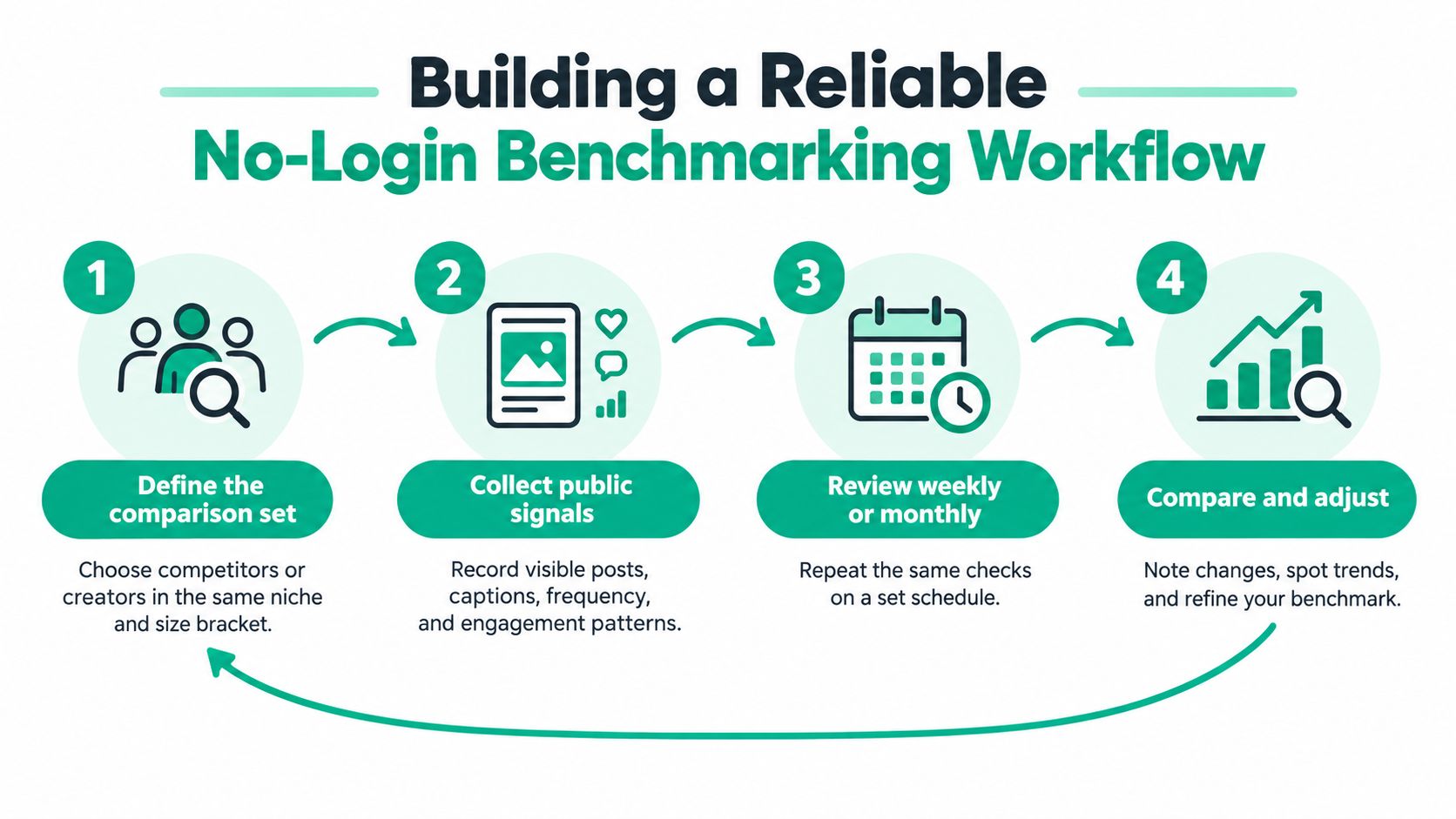
Steps One and Two: Choose and Collect
Define your comparison set first. Pick competitors or creators in your niche and roughly your size bracket, because a small account's engagement patterns won't map cleanly onto a huge one. If you want a broader framework for structuring that audit, Data Hunters Agency shows how to benchmark your social performance against competitors as part of a full social media review.
Collect the same visible fields every time: follower counts, media counts, captions, timestamps, likes, and comments. Timestamp every snapshot, because counters change continuously and an undated number becomes meaningless within weeks. Consistency of fields matters more than volume of fields.
Steps Three and Four: Calculate and Normalize
Compute public engagement rate as (likes + comments) / followers × 100, and label it in your notes as a public-interaction proxy. A no-login pipeline derives the rate exactly this way, but values must be timestamped and normalized by account size, posting frequency, content type, and observation time or comparisons will be systematically skewed a caution reflected in Meta's overview of how Insights data is structured.
Normalization is where beginners usually go wrong. A post measured two hours after publishing hasn't finished collecting interactions, so it'll look weak next to a week-old post. A Reel and a static photo also attract different visible behaviors. Compare like with like, at similar ages, before drawing conclusions. For tooling that supports this kind of structured comparison, see our roundup of social media competitive analysis tools and how to choose between them.
Step Five: Use Findings Narrowly
Let no-login data answer comparative questions only. Posting cadence, visible engagement velocity, hashtag and topic patterns, and format mix are all fair game. Whether a competitor's content converts, saves well, or reaches non-followers is not something public data can tell you. Validate any strategic conclusion against first-party analytics whenever an account owner can supply them.
When Public Data Stops Being Enough
Public observation earns its keep in competitive research, content inspiration, and niche discovery. You can spot which formats a rival leans on, how often they post, and which topics draw visible conversation, all without touching anyone's login.
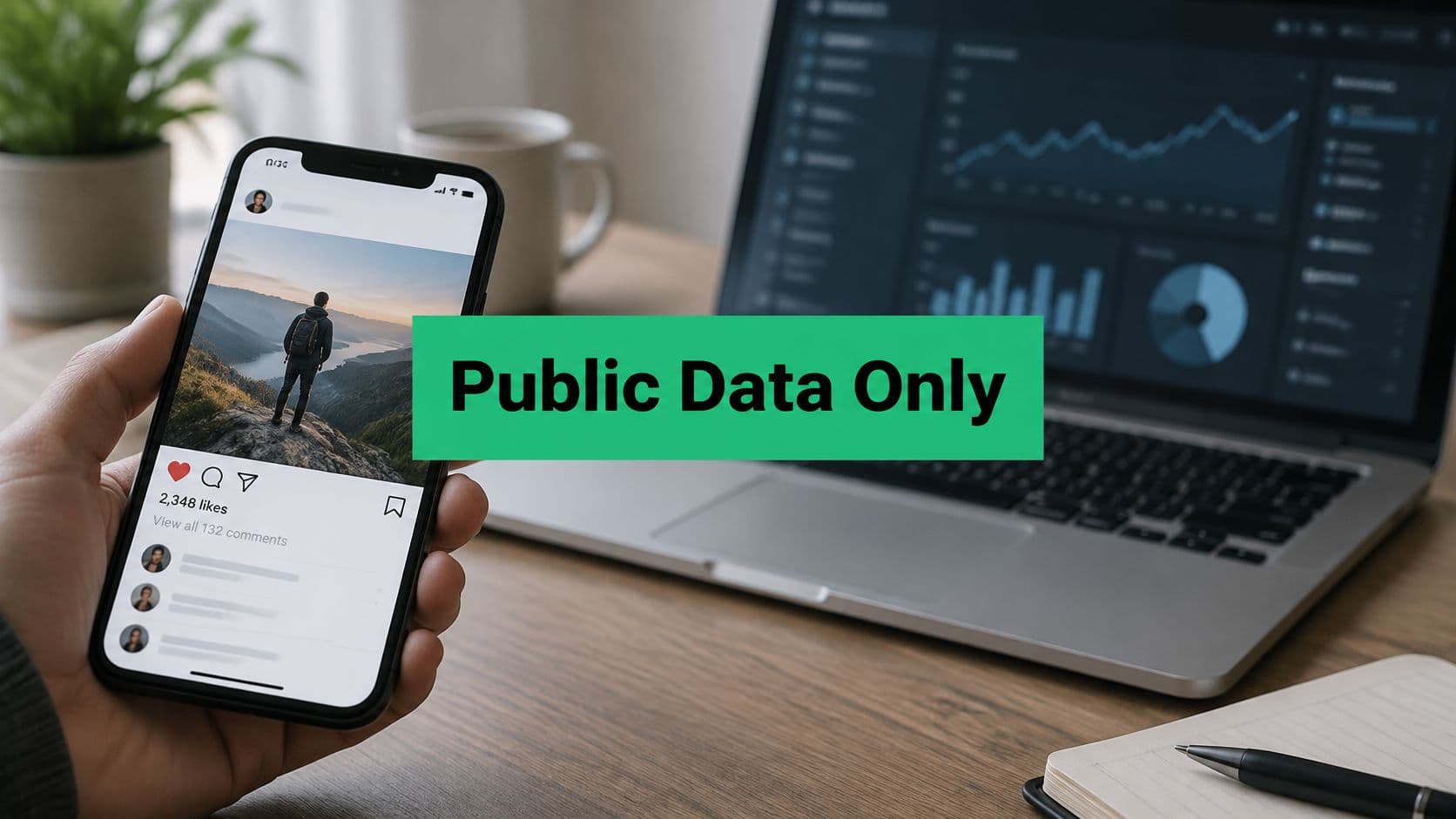
The screenshot below shows the kind of snapshot check this approach is built for.
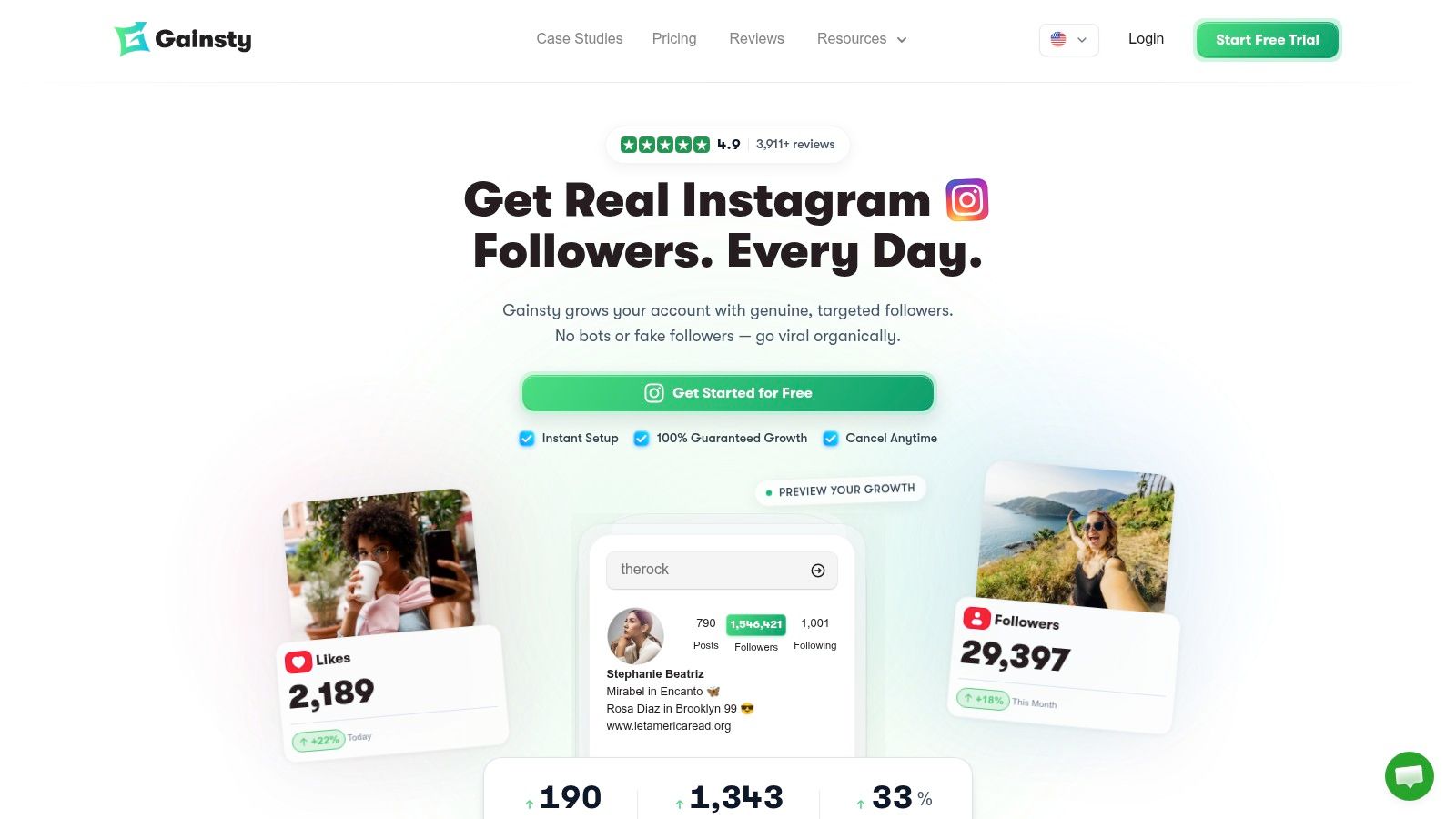
What public data can't do is diagnose your own growth funnel. Saves, reach, audience quality, and Story behavior decide whether your content strategy is working, and every one of those lives in tier three. The three-tier framework in one line: trust what's visible, question what's estimated, and get owner access for everything else.
For the observation side, we offer a free Instagram analysis tool that requires only a public Instagram username and no login, which fits the snapshot checks described above. When you're ready to grow rather than just observe, our process runs in three steps: connect your Instagram account, set your targets based on competitors, age, location, gender, and language, then watch your account grow organically through manual outreach with no bots. Initial results appear within 24 hours of connecting, and clients typically see an increase of around 1,200 followers every month.
Use no-login analytics for what it's good at, comparison, and build your actual strategy on first-party measurement. That combination keeps you informed about your market without fooling you about your own performance.
Run your first honest snapshot today with a free public-username analysis, then pair what you learn about competitors with targeted, manual organic growth for your own account. Visit Gainsty to check any public profile without logging in and see how our three-step targeting turns benchmarking insight into real followers.

.png&w=1920&q=75&dpl=dpl_C723nkStk4By7P6JWE3DQWUAB8y4)






.png&w=750&q=75&dpl=dpl_C723nkStk4By7P6JWE3DQWUAB8y4)