Turn Your Instagram Feed into a Sales Engine
A typical rollout looks like this. A brand has strong creative, a steady posting cadence, and products people already ask about in comments and DMs. Then the team adds product tags and hits the part nobody talks about enough: the catalog is slightly off, Meta shows conflicting eligibility messages, and a feature that looked simple turns into an operations problem.
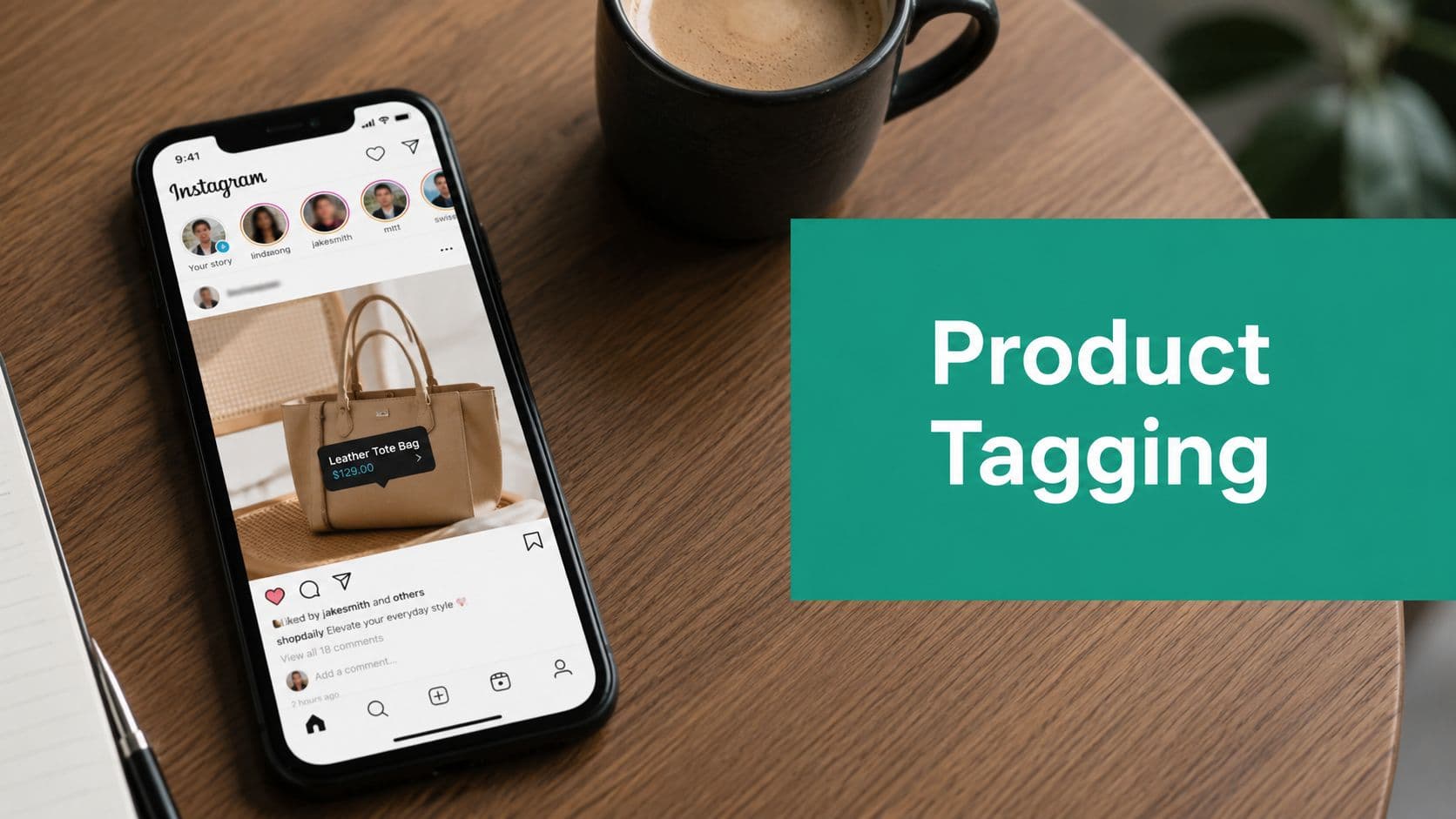
That gap matters because Instagram product tagging is not just a publishing feature. It sits between your product feed, Commerce Manager, account permissions, and content strategy. If those pieces are misaligned, tags either fail or go live without producing meaningful clicks.
Teams often treat product tagging as a finishing touch. It works better when you build around it from the start. Your feed has to do more than look polished. It has to move people from discovery to product view with as little friction as possible.
Practical rule: Treat your Instagram feed like a storefront with merchandising logic, not a mood board with product mentions.
The goal is not simply to enable tags. The goal is a clean catalog, accurate product mapping, and content built around buying intent. A lifestyle post may earn likes, but a post that shows the product clearly, tags the right SKU, and matches the landing page usually does more for revenue.
If your catalog also feeds other channels, it helps to understand the broader sync problem before touching Instagram settings. Spot Inventory Sync's guide explains the connection between product data, storefront platforms, and inventory consistency. The platforms are different, but the lesson is the same: if the catalog layer is messy, the content layer inherits the mess.
For a broader view of selling through the platform, this guide on how to sell on Instagram adds useful context. Product tagging is one of the highest impact parts of that system, but it works best when technical setup and organic content strategy support each other.
The Essential Prerequisites for Product Tagging
A common failure point looks like this. The account has switched to Business, the team can see a catalog in Commerce Manager, and the product tag option still never appears in Instagram. In practice, product tagging depends on asset ownership, catalog quality, domain trust, and account eligibility lining up at the same time. If one piece is off, setup stalls or tags fail later.
Use a professional account and connect the right assets
Start with account type. Product tagging requires a Professional account, usually Business or Creator, plus a connected Facebook Page and a catalog inside the correct Business Manager. That sounds simple until you audit the setup and find the Instagram profile tied to an old Page, the catalog owned by a different Business Manager, or admin access spread across former employees and agencies.
A personal profile is still one of the biggest blockers. For brands, stores, and product-based creators, switching is usually the obvious move. If you want to compare account types first, this data-backed Instagram account comparison is useful. For a practical breakdown of what changes after the switch, this guide to Instagram business account benefits covers the basics.
The Facebook Page connection matters more than many teams expect. Meta reviews the relationship between the Instagram account, the Page, the Business Manager, the domain, and the catalog. If the wrong Page is attached, if business info is outdated, or if the catalog sits in another ad account's ecosystem, approval gets messy fast.
One more point causes confusion. Teams see posts saying that everyone can tag products and assume eligibility is universal. It is not. Broader access did not remove commerce policy checks, asset verification, or catalog requirements.
Build a usable catalog, not just a full one
A catalog can be populated and still be unfit for tagging.
The accounts that get approved and stay stable usually clean up product data before review starts. Titles match the storefront. Images are real product images, not placeholders. Variant structure makes sense. Links resolve to live product pages on a verified domain. Inventory and pricing are current enough that the tagged product matches what the shopper sees after the tap.
Before submitting for review, check these points:
Eligible products only: Product tagging is for physical goods that comply with Meta's commerce policies.
Accurate product data: Titles, descriptions, prices, images, and URLs should match the storefront.
Verified domain: The domain in Commerce Manager should be the same domain customers land on from the tag.
Correct ownership: The Business Manager that owns the catalog should also control the connected assets.
Current inventory feed: Out-of-stock items, duplicate SKUs, and broken variant mapping create approval problems and a weak post-click experience.
A messy catalog does not just create technical errors. It hurts performance. If someone taps a tagged product and lands on the wrong color, wrong price, or dead page, you lose buying intent.
Know the content constraints before you design around tags
Creative teams often build the post first and ask about tag limits later. That reverses the process.
Instagram has limits on how many products you can tag in a post and how many can sit on a single carousel image. Meta documents those limits in its shopping help materials, and they should shape the creative brief before design starts. Dense flat lays and crowded gift guide carousels may look good in mockups, but they often perform poorly because the tap targets are too tight and the product choice is unclear.
A better approach is simple. Tag the products most likely to earn the click, usually the hero SKU, the clearest supporting item, and the product that matches the caption's selling angle. More tags do not automatically mean more revenue.
Recent posting activity also helps. Dormant accounts with a half-built profile, no recent content, and a newly connected catalog often face more scrutiny than active accounts that already look like real businesses.
Your Step-by-Step Setup and Verification Guide
A typical failure looks like this: the catalog is connected, the shop is submitted, Instagram shows no clear error, and the account owner assumes review just takes time. Then the tagging option never appears, or the account gets denied with a vague policy message. In practice, the problem is usually structural. The wrong Page is connected, the domain is not fully verified, or the catalog sits under the wrong Business Manager.
Start in Commerce Manager. Instagram is the last place to check, not the first.
Start in Commerce Manager, then verify every connection
Before opening shopping settings in the app, confirm that the assets behind the account line up.
Confirm the Instagram account is Professional.
Check the connected Facebook Page. Make sure it is the live business page, not an old local page or a page a former employee set up.
Open the catalog and inspect real products. Check images, titles, variants, links, and availability.
Verify the website domain.
Review commerce policy eligibility.
Submit for review only after those checks are clean.
That order saves time. Meta will often let an account begin setup with half-finished connections, but approval gets slower, and debugging gets harder once review is already in motion.
The setup also needs to hold up after approval. Product tagging depends on a catalog that stays current. If items go out of stock, links break, or prices drift away from the site, tagged posts lose clicks fast.
Treat review like a legitimacy check
The confusion around broader access comes from the gap between the announcement and the real review process. Expanded access did not remove Meta's appetite for business signals. Accounts that look incomplete, inactive, or loosely connected still get slowed down or rejected.
That is where casual tutorials fall short. They explain the button path, but not why two accounts with similar settings can get different outcomes.
A practical example: a creator account with a thin profile, no recent posting history, and a loosely connected Facebook Page may technically be eligible to start setup. It still often stalls in review. By contrast, an account with consistent branding across Instagram, the Facebook Page, the website domain, and the catalog usually has a cleaner path.
ABC3340's report on Instagram's expansion of product tagging covered the broader rollout, but the day-to-day friction is in the verification details, not the headline.
Here is what improves approval odds in practice:
Publish a few real posts before applying: Empty or near-empty accounts draw more scrutiny.
Finish the profile: Use a clear bio, profile image, category, and contact details that match the business.
Keep one identity across assets: Brand name, domain, Facebook Page, and catalog should match closely.
Check permissions inside Meta Business tools: The right people need access to the Page, catalog, and Instagram account.
If your account gets denied, fix the mismatch before you reapply. Submitting again without changing the setup usually leads to the same result.
If review gets stuck or approval does not translate into working tags
A long review is usually a signal, not bad luck. Check domain status first, then catalog ownership, then Page connection. Those three issues account for many stalled setups.
Use this triage list:
Review stuck: If your product review or approval process hasn’t progressed, first check that your domain is verified, your Facebook Page is correctly connected to your Instagram account, and your products meet Instagram’s eligibility requirements. Problems with any of these can delay approval.
Tagging option missing: If you can’t tag products in your posts or Stories, confirm that you’re using a professional Instagram account, your product catalog is assigned to the correct account, and your app is updated and refreshed. Logging out and back in or updating the app can sometimes restore the feature.
Approved but tags fail: If your catalog has been approved but product tags still aren’t working, check whether your catalog has synced successfully, the products are still available, and the product links are valid and functional. Out-of-date inventory or broken links can prevent product tags from working correctly.One tradeoff matters here. Rebuilding the setup from scratch can fix hidden asset conflicts, but it can also create more confusion if multiple Business Managers are involved. If the account belongs to an agency client or a brand with a long Meta history, audit ownership before disconnecting anything.
If you get denied, treat it like an operations problem. Check who owns the catalog, confirm the domain is verified in the right business account, reconnect the correct Page, and make sure the products being reviewed are eligible for sale through Instagram. Once those pieces are clean, reapply.
How to Tag Products Across Instagram Formats
A lot of accounts get approved for Instagram Shopping and still see weak results. The setup works, but the same tagging approach gets pasted across feed posts, Stories, and Reels.
Format changes intent. Feed usually captures consideration. Stories catch warmer traffic and returning viewers. Reels reach colder audiences who need more context before they tap. If you want product tags to drive revenue, match the tag to the way people use each format.
Instagram says people use product tags to learn more about products they discover in content, not just to check out immediately. That matters for creative decisions, especially if you are tying tagging to a broader organic growth plan. If you need a better reporting framework for that, this Instagram analytics guide for business growth can help you connect content behavior to traffic and sales signals.

Feed posts and carousels
Feed posts are the easiest place to tag products accurately because you control the frame. That makes them the best format for hero products, bundles, and comparison carousels where each slide supports a specific purchase decision.
The process is straightforward:
Create the post or carousel.
Tap Tag Products before publishing.
Search your catalog for the exact item.
Place the tag on the product itself, then preview the post before it goes live.
The friction starts after step three. Catalogs often contain near duplicate names, old variants, or colorways that look identical in search. Always verify the destination product page before publishing, especially for apparel, beauty shades, and seasonal inventory.
Placement also affects performance. Put tags on the visible product, not on a hand, a block of text, or a crowded corner of the image. If the user cannot tell what the tag refers to right away, fix the creative or skip the tag.
Carousels give you more room to be precise. Tag the featured item on each slide if each image highlights a different product. If the carousel tells one story around a single product, repeated tagging usually adds clutter.
Stories and urgency-driven content
Stories work best for timely product decisions. Restocks, limited runs, quick demos, founder picks, and simple styling suggestions usually perform well because the viewer already accepts the fast pace of the format.
Use the Product sticker, keep the frame clean, and make the call to action obvious.
A few Story rules consistently help:
Show one clear item first: one product sticker often performs better than several competing options in the same frame.
Write direct copy: “Shop this shade,” “Tap to view details,” or “Restocked today” gives the viewer a reason to act.
Protect the tap area: too many stickers, mentions, GIFs, and captions can make the product sticker harder to notice or press.
Check sticker behavior after posting: if the sticker overlaps with UI elements or gets buried under text, delete and repost while the Story is still fresh.
If feed tags work but the product sticker does not pull the right item, the issue is often catalog sync lag or a product that was recently edited in Commerce Manager. Wait for the item to refresh, then test again.
Reels and discovery content
Reels need stronger selling context because the audience is often colder. A product tag only works if the video already answers a basic question: why should anyone care about this item?
Three Reel angles tend to convert better than generic product shots:
Demonstration: show how the product works
Transformation: show the before and after result
Selection help: compare versions, sizes, colors, or use cases
Add the product during the tagging step, then confirm that the tagged SKU matches what appears on screen. This breaks often in real accounts where catalogs include archived items, duplicate listings, or variants with similar names.
One tradeoff is worth calling out. More tags do not always mean more clicks. In Reels, one relevant product usually beats several weakly related ones because attention is already split between motion, captions, audio, and the tag itself.
Across all formats, the goal is simple: make the product easy to identify, make the tag easy to understand, and make the click feel like the next logical step.
Analyzing Performance and Optimizing Your Tags
A post can get strong reach and solid engagement and still produce almost no product clicks. Once tagging is active, the job shifts from setup to diagnosis. The goal is to find out which combinations of content, product selection, and catalog quality produce real shopping behavior.
I review tagged content with four questions:
Which posts generate product taps consistently?
Which products appear often but get ignored?
Which creative angle gets stronger click intent: demo, styling, comparison, or proof?
Which format produces the best shopping behavior for that product type?
If your reporting setup is still too engagement-heavy, this Instagram analytics guide for business growth is a useful framework for reading Insights with a revenue lens.
Optimize the parts that usually break first
Underperforming tags are often a creative problem, but not always. Sometimes the issue is simple. The tag is hard to see. The tagged item is not the focal point. The first image sells one product, but the tag points to another.
Start with controlled comparisons instead of broad changes.
Visual style: Compare a lifestyle-focused image with a clean, product-first image to see which attracts more attention and drives more product interactions. Lifestyle images provide context, while product-forward visuals keep the focus on the item itself.
Tag position: Test whether placing the product tag directly on the featured item performs better than positioning it near the edge of the image. Tags that are easy to find without blocking important details often create a smoother shopping experience.
Product count: Compare posts featuring one clear hero product with posts that showcase multiple products. A single featured item can reduce decision fatigue, while multiple products may encourage browsing if the collection is well organized.
Caption angle: Experiment with a short, action-oriented buying prompt versus an educational caption that explains the product’s benefits, features, or use cases. This helps determine whether your audience responds better to direct calls to action or informative content.
SKU match: Ensure the exact product shown in the image matches the product being tagged. Avoid tagging similar variants or bundles unless they’re clearly identified, as accurate product tags create a smoother shopping experience and reduce customer confusion.
The tradeoff is straightforward. More tags can increase exposure, but they can also split attention. For products that need explanation, one precise tag usually outperforms a cluttered post with multiple weak options.
Separate content problems from catalog problems
This is the gap that trips up a lot of teams. They optimize the creative while the catalog is undermining performance.
If a tagged post gets taps but weak conversion behavior, inspect the product record before changing the content. Check the title, thumbnail, variant naming, and landing page. A strong image can drive curiosity, but it cannot fix a confusing PDP, outdated price, or poor variant structure.
This often happens after feed syncs, seasonal swaps, and catalog cleanup projects. The content looks fine, but the wrong variant is mapped, the featured color is out of stock, or the product page opens with a different image than the one shown in the post.
Use a weekly review loop
A simple review process beats occasional big audits.
Pull your top and bottom tagged posts each week. Compare them by product type, format, click behavior, and catalog health. Then make one change at a time so you can tell what helped. That might mean repositioning tags, reducing product density, swapping the tagged SKU, or rewriting captions to answer the buying question faster.
The accounts that improve fastest treat product tagging as both a merchandising system and a content system. Clean catalogs get the tag working. Deliberate testing gets the tag to produce revenue.
Advanced Growth Tactics Beyond the Tag
A common pattern looks like this. The shop is approved, tags are live, the team posts a few shoppable assets, and sales barely move. The setup is technically complete, but the distribution and merchandising strategy are still weak.
Product tagging only removes friction after someone is interested. It does not create demand on its own, and it does not fix poor reach, weak creative angles, or mismatched product positioning. Accounts that get real revenue from Instagram treat tagging as one part of a broader organic commerce system.
Use formats that help people compare and decide
The best tagged content does more than display a product. It helps the viewer answer a buying question quickly.
Carousels are strong for side-by-side comparison, bundles, before and after context, or showing how products work together. Reels are useful when the product needs motion, setup, texture, fit, or a short demonstration. Single image posts still matter, but they work best for obvious hero products that do not need much explanation.
A practical planning rule is simple: match the format to the buying friction.
Carousels for comparison: color options, routines, bundles, room sets, ingredient stacks
Reels for proof: application, fit, setup, transformation, use case
Single-image posts for clear winners: launches, bestsellers, giftable items, visually self-explanatory products
This is also where teams waste a lot of inventory. They tag too many products in one asset, especially in lifestyle creative, and each tag gets less attention. If the goal is clicks, clarity usually beats coverage.
Expand qualified reach, not just tagged output
Some brands publish more shoppable posts when what they really need is a larger relevant audience. More tagged content does not solve a weak top of funnel.
The growth stack is straightforward:
Content angle: The content angle is what captures attention and gives people a reason to care. It creates interest by presenting the product within a relevant context, such as solving a problem, teaching a skill, or telling a story.
Product tag: Product tags make it easier for interested viewers to move from discovery to shopping. By linking directly to the featured item, they shorten the path to the product and reduce the number of steps needed to learn more or make a purchase.
Audience growth: Growing your audience brings more qualified people into your content ecosystem. As more relevant viewers discover your account, more potential customers are exposed to your products, increasing opportunities for engagement and conversions over time.
If audience quality is low, product tags do not rescue performance. If audience quality is strong but the content is vague, reach turns into passive engagement instead of traffic.
That matters even more as discovery behavior changes. Teams testing conversational shopping flows and AI agents for ecommerce still need strong organic signals upstream. Instagram content is often the first touch that shapes product interest before any automated shopping experience takes over.
Build posts around purchase intent
A tagged post should move someone closer to a decision.
The strongest concepts usually answer one of four questions:
What does this look like in real use?
Which option is right for me?
What problem does it solve?
Why buy these items together?
That is why polished brand photography often gets saved but not tapped. It looks good, but it leaves too much unanswered. A Reel showing how a serum layers under makeup, or a carousel comparing sofa sizes in real rooms, gives the viewer a reason to click the tag.
For client teams, I usually push for one intent-led series per month instead of chasing endless one-off product shots. Variant comparison posts, routine breakdowns, founder demos, customer use cases, and restock callouts often produce better shopping behavior because they reduce hesitation before the tap.
Treat organic content and merchandising as one system
The bigger shift is operational. Social teams, ecommerce teams, and catalog owners cannot work in isolation if Instagram is expected to drive revenue.
For example, a content team may want to feature a top seller in a seasonal Reel. If merchandising knows that color is likely to sell out in three days, tagging it heavily can create wasted traffic and a bad user experience. If the ecommerce team plans a PDP image refresh, social should know whether the tagged destination will still match the asset in feed.
The accounts that grow fastest combine three habits. They publish content built around buyer questions. They align tags with products that are ready to convert. They expand reach through collaborations, creator content, and repeatable series that bring the right audience back.
Frequently Asked Questions About Product Tagging
Most Instagram product tagging issues are not dramatic. They are repetitive, easy to miss, and often show up only after they start affecting sales.

Common Product Tagging Questions
Why was my account rejected even though Instagram says tagging is available more broadly? While Instagram has expanded access to product tagging, your account must still meet Meta’s commerce requirements. Issues such as an incomplete profile, mismatched business assets, an unconnected Facebook Page, or limited account activity can prevent approval even if the feature is generally available.
Why is my product tag showing the wrong price? One common cause is that the price in your product catalog doesn’t match the price on your website. This often happens when products are entered manually instead of being synced automatically. Keeping your catalog synchronized with your online store helps ensure product information, including pricing, remains accurate.
Why does a tag fail to load after approval? If product tags stop working after your account has been approved, the problem is often related to outdated catalog data, broken product links, regional availability restrictions, or unresolved verification issues. Start by reviewing the product listing in your catalog before troubleshooting the post itself.
Can I tag products from Etsy or Amazon? Product tagging requires a product catalog that works with Meta’s commerce system. Whether a product originates from Etsy, Amazon, or another platform, the important factor is that the catalog data, pricing, and destination link remain accurate and compatible with Meta’s requirements.
My product is in the catalog. Why can’t I find it when tagging? Verify that the product is assigned to the correct catalog, published to the appropriate sales channel, and fully synced. Duplicate products, unpublished variants, or incomplete catalog synchronization can also prevent products from appearing when you try to tag them.
Fix price and sync problems first
The wrong instinct is to keep recreating the post. If a tag loads the wrong product, shows the wrong price, or disappears, the root issue is usually in the catalog.
Work through this order:
Check the website price.
Check the catalog price.
Confirm the product URL is correct.
Re-sync the catalog.
Test the product again in a fresh post draft.
That sequence solves more issues than random app troubleshooting.
Catalog problems often masquerade as Instagram problems. If the product record is wrong, the tag will faithfully display the wrong thing.
Expect commerce to get more technical over time
Instagram's shopping tools are moving closer to full commerce infrastructure, which means automation, sync quality, and product data hygiene matter more than they used to. If you want a broader view of where that trend is headed, Zinc's piece on AI agents for ecommerce is worth reading. It is not about Instagram specifically, but it does frame the bigger shift well: commerce systems are becoming more operationally demanding, not less.
If your tags fail, do not assume the platform is random. Most failures come from a short list of causes: account identity issues, catalog inconsistency, domain verification gaps, or weak setup discipline. Fix those at the source and the feature becomes much more reliable.
If you've got Instagram product tagging working and need more qualified people seeing those posts, Gainsty can help grow your audience with an organic Instagram growth approach built around real targeting and engagement, not bots or fake followers.

.png&w=1920&q=75&dpl=dpl_34ZXCf12K5qjjdZjPn9snwDRADrB)







.png&w=750&q=75&dpl=dpl_34ZXCf12K5qjjdZjPn9snwDRADrB)