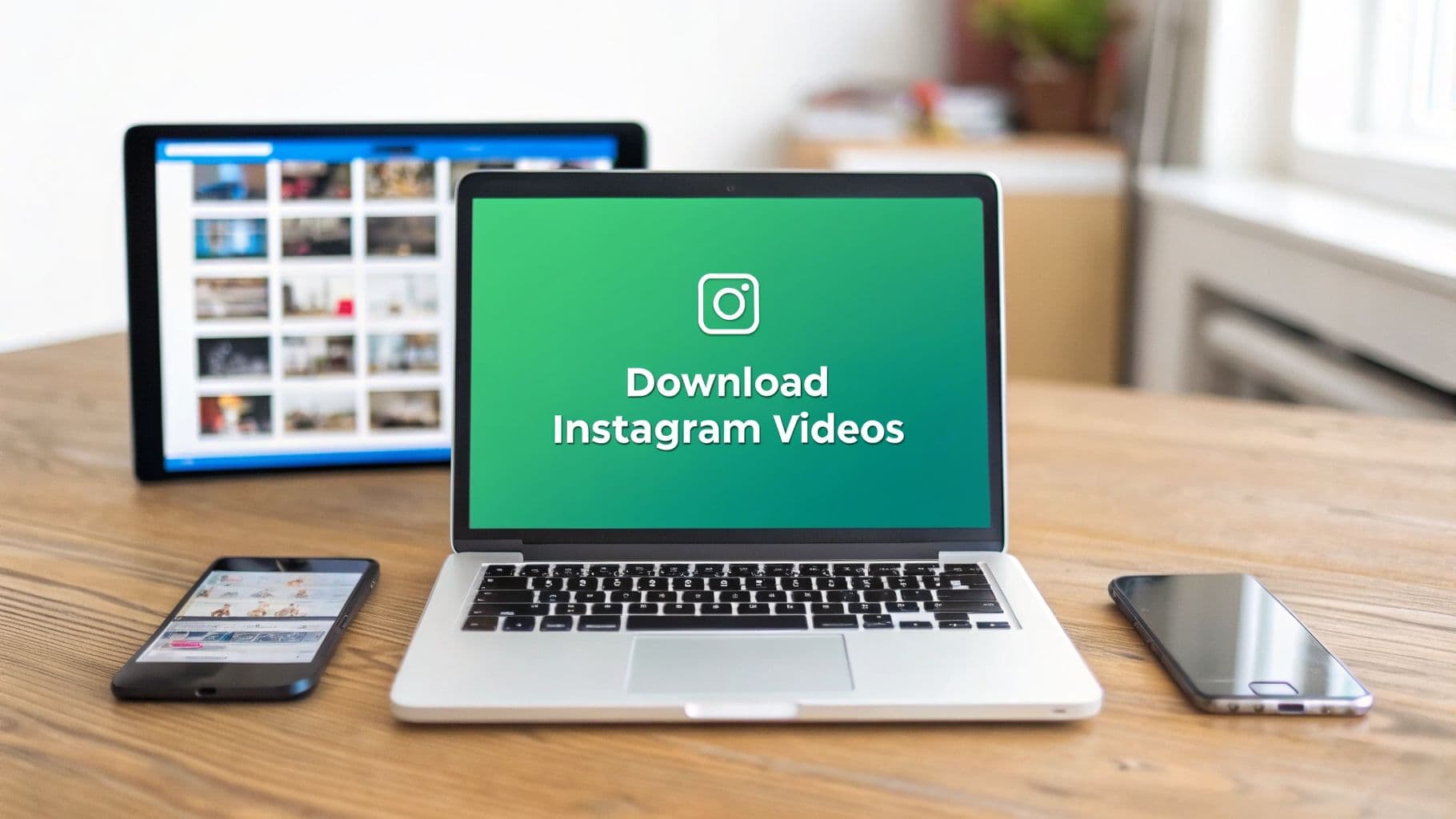
The Strategic Value of Downloading Instagram Videos

This isn’t about ripping off someone else's work. It’s about smart deconstruction.
When you download a competitor's viral Reel, you get to put it under a microscope. You can replay the first three seconds to pinpoint the hook, scrub through to analyze the call-to-action, and identify the exact trending audio that made it pop. These are the kinds of insights you just can't get from a quick scroll on your feed.
Unlocking Content Insights
By saving the best-performing videos in your niche, you start to see the bigger picture. Patterns emerge. Trends become obvious.
With this hand-picked collection, you can:
Identify Viral Hooks: Find the exact moments that stop the scroll and grab a viewer's attention.
Analyze Engagement Triggers: Figure out what makes people hit like, drop a comment, or share a video.
Track Trending Audio: Build a personal library of sounds and music that truly connect with your audience.
This simple habit shifts you from being a passive consumer to an active strategist, giving you a real edge. And it's a practice that's exploding in popularity. With Instagram now home to 3 billion monthly active users and Reels making up 45% of total engagement, everyone is trying to figure out what works. Saving and studying top content is the fastest way to learn.
To give you a quick overview, here are some of the key reasons why building a video library is a smart move for your growth strategy.
Strategic Reasons to Download Instagram Videos
Competitive Analysis – Saving strong or viral content allows you to study what makes it work. By breaking down the hook, format, pacing, and caption style, you can apply similar structures to your own posts and improve your performance organically.
Content Inspiration – Keeping a collection of high-performing posts helps when you run out of ideas. Instead of starting from scratch, you can reference proven concepts and adapt them to fit your voice and audience.
Trend Spotting – Saving content helps you notice patterns in trending audio, effects, editing styles, and formats early. Acting on trends before they become oversaturated increases your chances of getting more reach.
Offline Viewing & Archiving – Having access to saved content anytime makes it easier to review ideas, refine strategies, or analyze competitors without needing to search for the post again.
Content Repurposing – Archived clips can be edited and reused across platforms like TikTok or YouTube Shorts, helping you expand your reach without creating entirely new content each time.
Each of these reasons helps you work smarter, not harder, turning saved videos into a powerful tool for your content creation process.
Building Your Content Archive
It’s not just about saving other people's stuff. Downloading your own published videos is just as critical. Think of it as creating a personal content vault that you completely control, safe from platform glitches, accidental deletions, or policy changes.
A well-organized library of your own video content is one of the most underrated assets a creator can have. It's not just an archive; it's a goldmine for future content that you can deploy across multiple platforms with minimal effort.
This opens the door to powerful content repurposing strategies. That one killer Reel can be sliced into a punchy YouTube Short, turned into a GIF for X (formerly Twitter), or become part of a longer compilation video.
By doing this, you extend the life and impact of every piece of content you create. For a more detailed look at how to do this effectively, check out our guide on content repurposing strategies. It's the key to maintaining a strong, consistent brand presence across all your channels.
Saving Instagram Videos on Your Desktop

While saving clips on your phone is handy, the desktop is where the real work gets done. It's the perfect setup for when you need to manage a bunch of clips at once, analyze a competitor's content, or just prefer working on a bigger screen.
For most people, this boils down to two popular methods: using an online downloader website or installing a browser extension.
Using Online Downloader Websites
If you just need to grab a video quickly without installing any new software, a web-based downloader is your best bet. The whole process is super straightforward and perfect for those one-off saves.
It all starts with grabbing the video’s direct URL. Think of this link as the unique address that tells the website exactly which video you want to download.
Getting the URL is simple:
Head over to the Instagram Reel, post, or video you want to save using your desktop browser.
Look for the three-dot icon (...) in the top-right corner of the post and give it a click.
A small menu will pop up. Just hit Copy link, and the URL will be saved to your clipboard.
With the link copied, find a reputable online downloader site. You'll usually see a big, obvious input box right on the homepage. Paste your link in there, click the download button, and the site will do its thing. Most will even give you a few quality options before you save the final MP4 file to your computer.
If you're curious about how these links work, we've got a great breakdown of the standard Instagram URL format.
Pro Tip: Find one or two downloader sites you trust and bookmark them. If a site bombards you with pop-up ads or asks for weird permissions, that's a red flag. It’s better to find a cleaner, more secure alternative.
Leveraging Browser Extensions for Efficiency
For anyone who finds themselves constantly saving Instagram videos, a browser extension is a game-changer. It can seriously speed up your workflow.
Instead of the whole copy-and-paste routine, these tools often add a download button right onto the Instagram interface. Imagine scrolling your feed and saving a great video with a single click—that’s the convenience we’re talking about.
Here’s how to get set up:
Head to your browser’s web store. Whether it's the Chrome Web Store, Firefox Add-ons, or another equivalent, this is your starting point.
Search for an "Instagram Video Downloader". You'll see a bunch of options, so take a minute to compare features.
Check the reviews and permissions. This is crucial. Before you install anything, always read recent user reviews and see what kind of access the extension is asking for. A good one won't need to read your entire browsing history.
Once you have it installed, you'll likely see a new download icon appear next to videos on Instagram. Clicking it will usually save the video straight to your "Downloads" folder. This method is a favorite for marketers and content creators who are building up a library of inspiration or examples. It completely transforms a manual chore into a seamless part of browsing.
Downloading Instagram Content on Your Phone
Let's be real—most of us discover amazing content while scrolling on our phones. Whether you're a creator looking for inspiration or a marketer tracking trends, being able to save a video right then and there is a must.
The good news is that it's gotten a lot easier. The methods are a bit different depending on whether you're using an iPhone or an Android, but both have simple ways to get videos saved directly to your device. This has become a huge part of the content game, especially with Reels and Stories taking over.
With over 3 billion monthly active users on Instagram and more than 200 million business profiles, the demand for quick, easy tools is off the charts. That's why browser-based downloaders that don't need you to log in or install anything have become so popular for mobile users. You can find more insights on how these tools are changing content management on aijourn.com.
For iPhone Users: Screen Recording and Shortcuts
If you have an iPhone, the most straightforward way to download videos from Instagram is already built into your phone: screen recording. You don't need to install any third-party apps, and you get total control right away.
First, you'll need to add the Screen Recording button to your Control Center. Just pop into your Settings app to do that. Once it's there, find a video you want to save, swipe down to open the Control Center, tap the record icon, and hit play. When it's done, you can trim the beginning and end right in your Photos app to get a nice, clean clip.
Want something a bit more hands-off? The Shortcuts app is your best friend. You can find or create a shortcut specifically for downloading Instagram videos. Once it’s set up, all you have to do is tap the "Share" button on any Instagram post and select your shortcut. It does all the work for you, saving the video straight to your camera roll, usually without any watermarks.
For Android Users: Finding the Right Downloader App
Android users have a different playground—the Google Play Store. Because Android is more open, you'll find tons of dedicated downloader apps. The trick is picking a good one that won't compromise your device or your data.
When you're browsing the store, keep an eye out for these things:
High Ratings and Fresh Reviews: Stick with apps that have a 4.5-star rating or higher. More importantly, read the recent reviews to see what people are saying. This is the best way to spot bugs or sketchy behavior.
Minimal Permissions: A downloader app really only needs access to your files and storage. If an app is asking for your contacts, microphone, or location, that's a major red flag.
A Clean Interface: The best tools are the simplest. You should just have to paste the video link and tap a "download" button. Anything more complicated is probably unnecessary.
Safety First: Never, ever use an app that asks for your Instagram login details. Reputable downloaders only need the public URL of the video; they don't need access to your account. Handing over your login info is just asking for trouble.
By being a little picky, Android users can easily find a safe, reliable tool that makes saving Instagram content a breeze. This way, you can build up your library of inspiration right on the device you use for all your scrolling.
How to Choose the Right Downloader Tool
Picking the right tool to download Instagram videos can feel like a chore, but it really just comes down to what you need it for. Your choice affects everything from the final video quality to your own digital security, so it’s worth a minute of thought.
Are you just grabbing a single Reel for some quick inspiration? A simple, no-install online website will probably be your best bet. But if you're a creator or marketer building a library for competitor analysis, dedicated desktop software that handles batch downloads and 4K quality might be a much smarter investment.
The goal is to match the tool to your workflow.
Key Factors to Consider
Before you download the first thing you find on Google, let’s quickly run through the factors that separate the genuinely useful tools from the ones that are more trouble than they're worth.
Video Quality: Does the tool give you high-definition (HD) or even 4K downloads, or are you stuck with a grainy, low-res file? For any kind of professional use, higher quality is a must.
Batch Downloading: Can you queue up a bunch of videos at once? If you’re saving dozens of clips for a project, this feature is a massive time-saver. Seriously, who wants to paste links one by one?
Ads and Pop-ups: Is the tool clean and easy to use, or is it a minefield of intrusive ads and sketchy-looking buttons? Aggressive advertising is often a red flag for security risks.
Security Risks: Does the tool force you to install software or grant it a ton of permissions? I always lean toward browser-based tools—they’re generally safer because they don't need deep access to your system.
The best tool is one that fits seamlessly into your process without making you second-guess your device's security. My advice? Prioritize tools that are upfront about their features and don't ask for weird permissions or your personal info.
For a quick visual, here’s a simple way to think about your options when you’re on your phone.

As you can see, your phone's operating system often points you toward the easiest and safest path for mobile downloads.
Comparing Your Options
Online websites and browser extensions are fantastic for convenience. You copy a link, paste it in, and you're done. They’re perfect for grabbing a single video on the fly.
But for more demanding tasks, you’ll want to look at dedicated desktop programs or carefully vetted mobile apps. They just offer more power and better features.
The demand for these tools has shot up as more people want control over the content they see. With 3.8 billion app downloads and 3 billion users on Instagram, the trend is clear—people are actively saving content. No-install tools are popular because they offer speed and a bit more privacy, helping you sidestep the risks of installing questionable software. For a deeper dive, check out this guide on top downloader tools for 2026.
Ultimately, your choice is a balance between power and convenience.
Comparing Different Instagram Downloader Types
To make it even easier, here’s a quick feature-by-feature comparison to help you choose the best download method for your specific needs.
Online Websites – These are best for quick, one-time downloads when you don’t want to install anything. They’re usually free and work on any device with a browser. However, they often contain a lot of ads, have limited features, and may pose security or privacy risks.
Browser Extensions – Ideal if you frequently download single videos and want the option built directly into your browser. They’re convenient and save time, but they can slow down your browser and sometimes raise privacy concerns depending on permissions.
Desktop Software – Best for advanced users who need high-quality downloads, batch processing, or extra features like format conversion. They provide the most control and quality (including 4K in some cases), but require installation, can be more complex, and sometimes cost money.
Mobile Apps – Designed for downloading videos straight to your phone. They’re convenient for on-the-go use and easy to operate, but quality may vary, and some apps contain heavy ads or reliability issues.
Built-in Features – These include official platform options or screen recording tools. They are the safest method because no third-party software is involved, but they’re usually limited to saving your own content or basic recording rather than direct downloads.
Choosing the right tool doesn’t have to be complicated. Just think about how often you’ll be downloading videos and what you plan to do with them afterward. That will point you to the right solution every time.
Using Downloaded Content Ethically and Legally
Knowing how to download an Instagram video is the easy part. The real challenge—and the most important part—is understanding your responsibilities once you have that file saved. The moment you click "download," you're stepping into the world of copyright, intellectual property, and platform rules.
It’s one thing to save a video for personal inspiration, and a completely different thing to redistribute it. Let's break down where the lines are drawn.
Instagram’s terms of service are crystal clear on this: the person who created the content owns it. If you download a Reel to watch later, analyze a competitor's strategy, or save a recipe to try this weekend, you're generally in the clear. That's considered personal use. The trouble starts when you decide to re-upload it.
Personal Use vs Commercial Use
Think of it this way: saving a video to a private "ideas" folder on your computer is like bookmarking a cool website for later. You're just keeping it for your own reference.
But the second you use that same video in your brand’s marketing campaign, share it on your business profile, or use it in any way to attract customers or make money, you’ve crossed into commercial use. That’s where things get serious.
Personal Use: Keeping a video file for offline viewing, your own private analysis, or personal reference. This is typically very low-risk.
Commercial Use: Reposting someone else's content on a monetized account, using it in a paid ad, or including it in a product you sell. This almost always requires getting explicit permission first.
The golden rule is simple: download for inspiration, not for imitation. Use other people's content to spark ideas and learn what works, but always put in the effort to create your own original work. Passing off someone else's video as your own isn't just a bad look; it can get you hit with copyright strikes and do serious damage to your brand's credibility.
The Right Way to Share Content
So what do you do when you find a video that’s a perfect fit for your brand and you just have to share it? Don't just download and re-upload. There are established, respectful ways to share great content that benefit everyone.
The best and most ethical approach is to just ask. Seriously. Send a quick, friendly DM to the creator asking for permission to feature their video (with full credit, of course). You'd be surprised how many creators are thrilled to get the extra exposure, but you absolutely have to ask first. It shows respect and helps you build genuine relationships in your niche.
Once you’ve mastered the download, learning how to repost an Instagram post responsibly is the critical next step.
This entire process is the foundation of user-generated content (UGC), which is all about getting permission and giving credit. If you want to dive deeper, check out what user-generated content is in our quick guide. Following these rules isn't about holding you back—it's about building an authentic, respected brand that people trust.
Common Questions About Instagram Video Downloads
When you start looking for ways to download videos from Instagram, a few questions almost always pop up. Let's clear the air and tackle the most common ones so you can save content with confidence.
Is It Legal to Download Videos from Instagram?
This is the big one, and the answer isn't a simple yes or no. For your own personal viewing—like saving a recipe Reel to try later or a workout routine for the gym—you're generally in the clear.
The trouble starts when you re-upload or distribute that content publicly. That’s when you step into a legal gray area involving copyright law. Reposting someone else's video without their explicit permission, especially if you're doing it for commercial gain, is a fast track to violating both Instagram's terms of service and copyright regulations.
To stay on the safe side, think of downloaded content as being for your private library of inspiration and analysis. If you ever get the urge to share it, always reach out to the original creator and get their permission first. It's just good etiquette.
Can I Download Videos from a Private Account?
The short answer here is no. All the standard downloader tools—websites, browser extensions, apps, you name it—are built to work with public URLs. They simply can’t see or access content from a private Instagram account.
Be extremely wary of any service that claims it can get around this. These tools almost always ask for your Instagram login details, which is a massive security risk. Handing over your credentials could get your account compromised. Private content is private for a reason, and that’s a boundary worth respecting.
This limitation is a core privacy feature baked into Instagram itself. It’s designed to give users real control over who sees what they post.
Does Instagram Notify Someone If I Download Their Video?
You can relax on this one. Whether you use a third-party tool or just screen record a Reel, Story, or post, the original creator does not get a notification. The entire download process happens off-platform, so Instagram has nothing to report back to them.
This is completely different from other interactions on the app. For instance, Instagram does notify a user if you take a screenshot of a disappearing photo or video sent in a direct message. But that specific feature doesn't apply to public content like Reels or feed posts. Your content research can remain completely discreet.
What Is the Best Way to Download in High Quality?
If crisp, clear video is what you're after, the tool you choose makes all the difference. You’ll want to look for a downloader that specifically mentions HD (1080p) or even 4K download options. Many of the more reputable online tools and desktop programs let you pick your preferred resolution before you hit save.
This works great for highly produced Reels and feed videos. For Instagram Stories, though, you should expect a slight dip in quality; that’s just due to the heavy compression Instagram applies to them.
If top-tier quality is your number one priority, I’d steer clear of screen recording. That method is always limited by your device's screen resolution and often captures distracting on-screen elements, which just degrades the final clip.
Ready to take your Instagram to the next level? With Gainsty, you can grow your account with real, engaged followers who are genuinely interested in your content. Stop struggling with the algorithm and start seeing organic growth today. Check out Gainsty to learn more.

.png&w=1920&q=75&dpl=dpl_2si4hWs7xtpQVmrY6d8xhJ1wLJZL)





.png&w=750&q=75&dpl=dpl_2si4hWs7xtpQVmrY6d8xhJ1wLJZL)