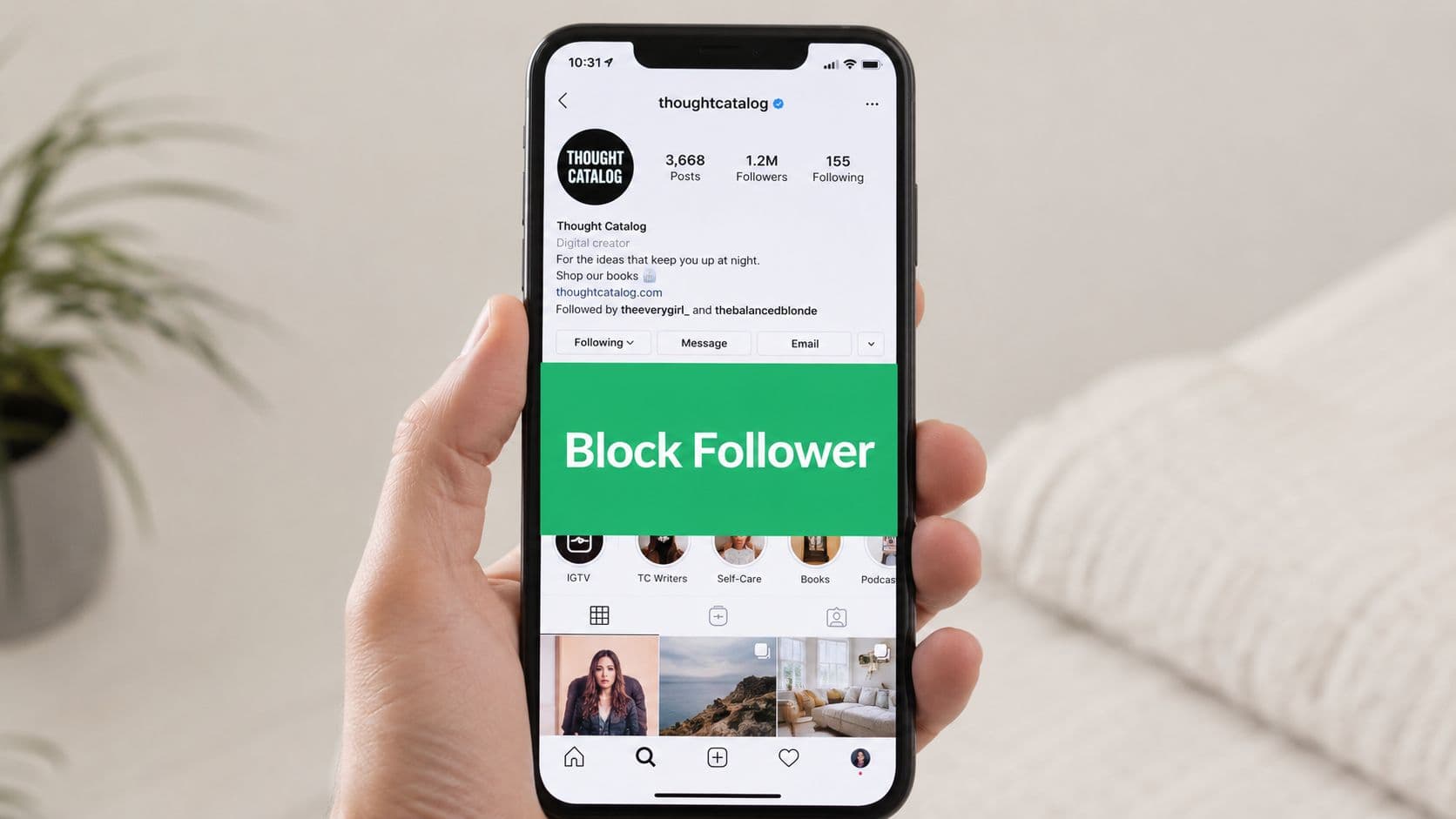
Why You Might Need to Block Followers
A creator sees the same person saving Stories, reposting clips, and treating private context like public content. A brand notices spam, bait comments, or an account that keeps poking at every post. An ex-client, former partner, or competitor may stay attached to the account just to watch, without respecting any boundary you set.
Blocking starts to make sense in moments like that. It is a direct access decision, not a dramatic one. On a public account, anyone can usually see your followers and following list, which makes unwanted viewing and repeat contact easier until you change who has access or remove the person one by one, as noted in a guide to hiding your Instagram followers.
When blocking is the right call
Use blocking when you want someone fully cut off from your profile, content, and follower list. It fits harassment, repeated boundary crossing, spam accounts, and people who return under new profiles after you have already dealt with them. For public figures and brands, it is often the cleanest way to stop one specific account from tracking activity or using your page as a target.
Practical rule: if the issue is access, blocking is usually the right tool.
Removal can feel too light when someone is actively crossing a line. Restricting or muting helps with lower-level problems, but neither one stops a determined viewer from checking your profile. If a person has already ignored a boundary, leaving the account alone usually gives them room to keep doing it, which is why many social media managers move straight to blocking in those cases.
How to Block Followers on Mobile and Desktop

Instagram keeps the blocking path pretty simple. The fastest route is usually to go straight from the person's profile or your follower list, open the three-dot menu, and choose Block. For repeat issues, Instagram also lets you block that account plus any new accounts they create, which is the better choice when someone keeps trying to re-enter through fresh profiles, as shown in this Instagram blocking walkthrough.
If you want a visual walkthrough later, browse AI video tutorials from ImagineVid AI can be useful for seeing the menu layout without guessing.
On mobile
On the Instagram app, open the follower's profile or your follower list. Tap the three-dot menu in the upper-right area, then select Block. If Instagram gives you the choice, use the stronger option that blocks future accounts they create when you're dealing with recurring contact.
On desktop
On a browser, open the person's profile, click the three-dot menu, and choose Block. The desktop interface is a little less tactile than mobile, but the logic is the same. You're cutting off their access at the account level, not just hiding a post or muting a notification.
What to check after blocking
The block should be immediate from your side. The blocked person should no longer see your profile, follower list, or content. If they still appear to have access through another account, the issue isn't the block itself; it's that the other account hasn't been covered yet.
Block vs Remove vs Restrict vs Mute
Reaching for blocking too fast, or too late, is a common misstep. The better approach is to match the tool to the problem. If you're managing a creator account, a brand page, or a busy public profile, that decision matters because not every unwanted follower deserves the same response.
Block: Blocking prevents someone from viewing or interacting with your account through normal Instagram use. Instagram does not notify them directly, although they may realize they've been blocked if they can't find your profile. It's the best option for dealing with harassment, repeated boundary violations, or accounts that continue trying to contact you after you've set clear limits.
Remove follower: Removing a follower quietly removes their access to your private content while allowing them to continue seeing your public posts if your account is public. Instagram does not notify the person that they've been removed, making this a good option for cleaning up your follower list without escalating the situation.
Restrict: Restricting an account limits the visibility of that person's comments and moves their messages into your Message Requests without making the change obvious to them. This is useful for handling persistent commenters, low-level negativity, or situations where you want to moderate interactions without blocking someone.
Mute: Muting hides another person's posts or Stories from your feed without affecting what they can see or notifying them. It's ideal when you want a quieter feed or a break from someone's content while keeping the relationship unchanged.
The simplest way to think about it is this. Block is for access denial. Remove is for audience cleanup. Restrict is for moderation. Mute is for your own sanity when the relationship doesn't need to end.
For creators dealing with a sensitive commenter, restrict can keep the account usable without creating a scene. For brands pruning inactive or low-quality followers, removal is often a better fit than blocking because it lowers clutter without making every case feel personal. If you want a deeper comparison on that lighter-touch option, see this guide to muting on Instagram.
People often treat every bad follower like a ban-worthy offender. That usually creates more friction than necessary.
What Happens After You Block Someone
Blocking changes what they can do, not what has already happened. A blocked person loses normal access to your profile, posts, Stories, and follower list, but that does not wipe out every trace of the relationship. The cleanest way to read it is that a block stops future access, while older interactions may still exist in places you did not intend.
That matters in real use. If someone commented on your post before you blocked them, that comment can still remain visible to other people, even though the blocked account can no longer view your profile or keep engaging from that account. The same logic applies to likes and message history, which may still show up in some form even after the block is in place.

A blocked account can still create confusion in shared spaces. If your creator account gets tagged in a mutual friend's comment thread, the blocked person may see activity there through that other profile, even though they cannot open your page normally. For brands, this often shows up as a customer or former partner asking why they can still spot old public interactions even after a block. The answer is simple: the block protects direct access, it does not rewrite the history of every public interaction around your account.
If you blocked someone who left a comment before the block, treat that comment as a separate cleanup task. Leaving it in place may be fine if it is harmless, but if you need a tighter public-facing profile, you still need to remove the comment manually. That distinction matters for influencers and brands that want to cut off contact without creating visible drama around every trace of the person.
You can also run into follow-up limits after you unblock someone. Unblocking does not restore the old follower relationship automatically, and a private account still requires a new follow request. If you later decide the block was a mistake, check the reason first, then decide whether the person should come back at all.
One more edge case comes up often, especially with evasive users. If you blocked someone and then cannot find their account later, it may be because they changed usernames, deleted the account, or moved the activity somewhere else. For a closer look at that situation, this guide on Instagram's user-not-found behavior can help you sort out what is happening before you assume the block failed.
Troubleshooting Common Blocking Issues
Sometimes the blocking flow breaks down in everyday use. You can't find the follower in the list because they already unfollowed you. The block option is missing because the app needs an update. Or the same person keeps showing up through new accounts and you're dealing with a moving target.
If you can't find the account quickly, search their profile directly rather than relying only on the followers list. If the menu isn't showing the right option, refresh the app, sign out and back in, or switch from mobile to desktop. For cases where someone seems to disappear and reappear, this guide on Instagram's user-not-found behavior can help you narrow down whether you're dealing with a deleted account, a username change, or something else.
Clean up your blocked list
Instagram lets you review blocked accounts from your privacy settings. That matters when you've blocked several people over time and need to undo one mistake or confirm that a repeat offender is still covered. If you block the wrong person, unblock them from that list and reassess before restoring access.
Escalate when needed
If the same user keeps creating new accounts, blocking alone may not be enough. Report the account in addition to blocking it, especially if there's harassment, impersonation, or targeted intimidation. A block is a shield. A report is the signal that the behavior needs platform review.
Best Practices for Influencers and Brands
For public accounts, the question is not just how to block followers on instagram. It is when blocking protects the brand and when a lighter action keeps the account cleaner. A creator dealing with a rude commenter usually does not need to make a scene. A brand being watched by competitors may need quieter enforcement, especially when public visibility is part of the strategy.
Blocking also should not be treated as a substitute for account design. Instagram does not give you a built-in way to hide a follower list from one person while keeping the account public. If tighter visibility matters, the practical choice is usually to make the account private so approved followers control access, as noted in a guide to hiding your Instagram followers.

A useful workflow starts with severity. Review follower quality regularly, use restrict for small but persistent issues, write clear community rules in your bio or highlights, and watch whether your audience still fits the kind of account you are running. If a follower is just noisy, do not overreact. If they are crossing a line, block them and move on. For teams that want a wider account-security baseline, this Instagram security guide belongs next to your moderation habits.
For brands, the trade-off is usually public friction versus private control. Blocking can stop a problem follower without drawing attention, while removing someone from a private audience can keep the feed cleaner without escalating the situation. Influencers who rely on community trust often use restrict first when the account is dealing with a persistent critic, then block if the behavior turns into harassment, impersonation, or repeated attempts to re-enter through new profiles. The right choice depends on whether the account needs quiet cleanup, stronger boundaries, or both.
.png&w=1920&q=75&dpl=dpl_C723nkStk4By7P6JWE3DQWUAB8y4)



.png&w=750&q=75&dpl=dpl_C723nkStk4By7P6JWE3DQWUAB8y4)