Why Instagram Story Links Are a Game Changer
For a long time, Story links felt like a gated feature. That changed on October 27, 2021, when Instagram announced it was expanding Story link sharing “to all accounts” in its announcement about expanding sharing links in Stories to everyone. That shift turned Story links from a limited perk into a standard publishing tool for creators, brands, and small businesses.
That matters because it changed what a Story could do. Before that, a Story was often a reach and engagement format. After that change, it became a practical traffic format too. You could move someone from attention to action without asking them to leave the app, visit your profile, and hunt for the right page.
Many teams still underuse that shift.
They post a Story, mention a product or guide, and assume the audience will take the next step. Usually they won't. People tap through Stories fast. If the path isn't visible and easy, they keep moving. That's why the link sticker became a foundational piece of modern Story strategy rather than a nice extra.
If you're building a stronger content system, this Instagram Story strategy guide is useful for thinking beyond one-off posts.
Practical rule: A Story link works best when the viewer knows exactly what they'll get after the tap.
The biggest mindset change is simple. Stop thinking of Stories as only a place to get seen. Start treating them as a place to guide behavior. A good Story link closes the gap between interest and intent while the audience is still paying attention.
Adding a Link to Your Instagram Story
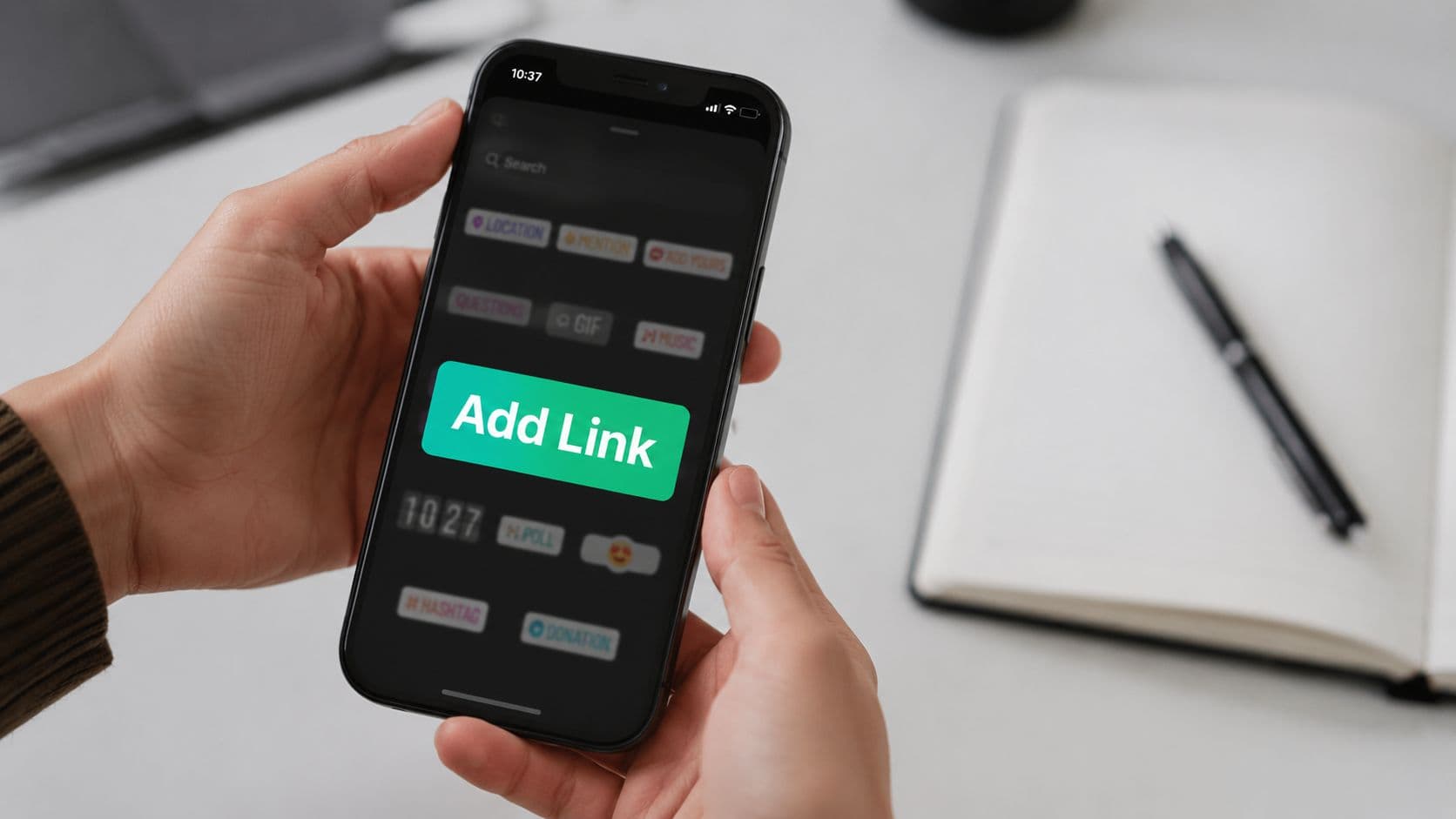
The current workflow is simple because Instagram built it into the sticker interface, not the old swipe-up format. The process has remained stable: open a Story, tap the sticker icon, choose Link, paste the URL, customize the sticker text, and publish, as outlined in Rebrandly's walkthrough on how to add a link to an Instagram Story.

Build the Story first
Open Instagram and create a Story the same way you normally would. Use a photo, video, graphic, screenshot, or simple text background. Don't add the link first and then figure out the creative. Start with the message.
That order matters because the sticker has to fit the layout. If the whole frame is crowded before you even add the link, you're forcing the most important interactive element into leftover space.
Add the Link sticker
Tap the sticker tray, select Link, and paste the destination URL. After that, Instagram lets you edit the text shown on the sticker. Use that option every time.
A raw domain usually says less than you think. It tells the viewer where they might go, but not why they should care. A clear CTA does both.
For teams that want another visual walkthrough, lnk.boo's guide to Story linking is a solid reference because it mirrors the current in-app flow.
Customize for clarity, not decoration
The sticker text should answer one question fast: what happens if I tap?
Good examples:
Read the full guide
Shop now
Book your spot
See the menu
Get the checklist
Weak examples:
Click here
Tap
More
The untouched domain name
If you're also using other Story elements, it helps to understand how they work together. This guide on how to make Instagram stickers is helpful for thinking about sticker hierarchy and not overloading a frame.
Don't publish until you've tapped through a final preview and checked three things: the destination URL, the sticker text, and whether the sticker is easy to see at a glance.
Place it where a thumb can find it
Once the sticker is on the canvas, resize and position it. Keep it visible. Keep it separate from dense text blocks. Keep it away from visual clutter.
This isn't about making the sticker huge. It's about making it unmistakable. If someone has to search for the action, you've already lost the click.
Best Practices for High-Converting Story Links
Adding a link is the easy part. Getting taps is the work.
The biggest mistake I see is treating the sticker like a technical requirement instead of a persuasive element. If your Story says something valuable but the sticker looks like an afterthought, people won't act. The sticker needs a job, a reason to exist, and a clear promise.

Write sticker text like a CTA
A practical optimization is to treat the link sticker as a conversion asset. Paste the destination link, then replace the default domain label with a short CTA such as “Read the Full Guide” or “Shop Now”, as noted in Evergreen Feed's guide to adding links on Instagram Story. Leaving the sticker as a bare URL reduces clarity and makes the interactive element easier to ignore.
That sounds small. It isn't. People make snap decisions in Stories. A CTA gives context before the tap.
Curiosity CTA: Read the full guide
Purchase CTA: Shop now
Action CTA: Book now
Utility CTA: Get the template
Event CTA: Save your seat
Match the CTA to the frame
The sticker text shouldn't fight the Story. It should complete it.
If the Story frame teases a tutorial, the CTA should promise the next step. If the frame previews a product, the CTA should move the viewer toward shopping. If the frame announces an event, the CTA should sound like registration, not browsing.
Blog traffic: Use calls to action such as “Read the full guide,” “See the full article,” or “Get the details” to encourage visitors to continue exploring your content.
Product sales: Use direct purchase-focused CTAs like “Shop now,” “View the product,” or “Get yours” to drive buying intent.
Lead generation: Encourage prospects to take action with “Download the guide,” “Get the checklist,” or “Access the resource.”
Event signups: Create urgency and increase registrations with “Save your seat,” “Book your spot,” or “Register now.”
Service inquiries: Guide potential clients toward your offers with “View services,” “See packages,” or “Start here.”
What works: a sticker that finishes the sentence the Story started.
What fails: a generic label pasted onto unrelated creative.
Make the sticker visible on purpose
A high-converting sticker needs visual hierarchy. That means:
Give it breathing room: Don't bury it under captions, GIFs, or busy design.
Use directional cues: Arrows, motion GIFs, or text placement can pull the eye toward the sticker.
Keep contrast strong: If the background is noisy, use a cleaner area of the frame or simplify the design.
Support silent viewing: Add on-screen text so the CTA still makes sense without audio.
A lot of low-performing Stories aren't weak because the offer is bad. They're weak because the viewer never notices the action.
Warm up the click before asking for it
One Story with a link can work. A short sequence often works better.
Use the first frame to surface the problem. Use the next frame to build interest. Then place the link when the viewer already wants the next step. You can also use polls, questions, or countdowns before the linked frame so the audience is mentally engaged before you ask for the tap.
If your team batches content, this guide on how to streamline Instagram content workflow is worth reviewing, especially because Story publishing often needs an extra QA pass when links are involved.
Tracking matters here, too. Use destination URLs that help you identify which Story campaign drove the visit. If you're sending people to the same page from multiple Stories, label your links consistently in your own tracking setup so you can compare messaging, creative style, and CTA language later. Without that, you won't know what caused the click.
Alternative Ways to Share Links on Instagram
Story stickers are strong, but they aren't the only way to move people off Instagram. The right method depends on how fast you want the action, how much context the audience needs, and whether the link needs to stay available after the Story expires.

Link in bio
This is still the most reliable evergreen option. Your bio link stays available while Stories disappear. It's useful when you're promoting something over a longer period or need one central hub for multiple destinations.
The trade-off is friction. The viewer has to leave the Story, visit your profile, and then choose the right link. That extra effort costs action, so your Story creative has to give clear directions.
Direct messages
DMs work well when the audience is already engaged. If someone replies to a Story asking for details, sending the link in the conversation feels natural and personal.
The trade-off is scale. DMs are excellent for warm leads and service businesses, but they don't replace the speed of a one-tap Story sticker.
Video descriptions and other surfaces
Depending on the format you're using, some Instagram surfaces give you room to direct people toward a destination through captions, descriptions, or a profile path. These methods help when your message needs more setup than a Story frame can hold.
The trade-off is delay. They usually require more intent from the user than a direct Story tap.
Paid promotion
Paid placements can extend reach when you need more control over audience targeting or volume. They're useful for launches, offers, or campaigns where organic visibility alone isn't enough.
The trade-off is obvious. You gain distribution, but you also add cost and campaign setup.
Use Story links when you want immediate action. Use the bio when the destination needs to stay live. Use DMs when the conversation matters more than speed.
The best Instagram accounts don't pick one method forever. They match the link path to the audience's level of intent.
Common Link Sticker Problems and Quick Fixes
Most Story link issues aren't complicated. They're usually small workflow mistakes that block the tap, confuse the viewer, or break the destination.

You can't find the Link sticker
Start with the obvious fix. Update Instagram and reopen the app. If the sticker still doesn't appear, create a fresh Story and check the sticker tray again.
Sometimes teams lose time because they assume the feature is gone when it's really an app-version issue or a temporary interface glitch.
The link goes to the wrong page
This is almost always a copy-and-paste mistake. Open the destination page before you build the Story. Copy the exact URL you want. Then test it again before publishing.
If you're using a short link or redirect tool, confirm that the final destination is still correct. Don't assume yesterday's link is still set up the same way today.
The Story is live but nobody taps
This is a conversion problem, not a feature problem.
Run through this checklist:
Check the sticker text: Replace generic wording with a clear CTA.
Check placement: Move it away from crowded text or decorative elements.
Check the frame message: Make sure the Story explains why the tap is worth it.
Check the destination match: The linked page should continue the same promise the Story made.
A working link can still underperform if the viewer doesn't understand the benefit in one second.
Scheduled Story workflows create last-minute errors
If you use a third-party scheduler, don't assume the final Story is done before it enters Instagram. Some workflows rely on notification-based publishing, which means the link still needs to be inserted and confirmed inside Instagram at posting time.
That final manual step needs a quick QA habit. Verify the URL, CTA text, and sticker placement before you hit publish.
Turning Story Views into Valuable Clicks
The technical side of how to add links on Instagram Story is simple. The strategic side is where results come from.
A Story link performs when the message is specific, the sticker is visible, and the destination matches what the frame promised. That's the difference between posting a clickable Story and building a Story that moves people. If you want to sharpen the top of the funnel first, this resource on how to improve Instagram Stories for creators pairs well with a conversion-focused approach.
For ongoing growth, it's also worth tightening the reach side and the click side together. This guide on how to get more views on Instagram Story is useful if you're trying to increase the number of qualified people who even see your CTA.
Treat each linked Story like a small campaign. Adjust the framing. Test the CTA. Watch which messages earn taps. Then keep the patterns that create action, not just views.
If you want help growing an Instagram audience that engages with your Stories, Gainsty can help you build organic momentum with AI-powered support, smarter targeting, and a strategy focused on real followers instead of fake growth.

.png&w=1920&q=75&dpl=dpl_2si4hWs7xtpQVmrY6d8xhJ1wLJZL)






.png&w=750&q=75&dpl=dpl_2si4hWs7xtpQVmrY6d8xhJ1wLJZL)