Understanding the Instagram Shadowban Reality
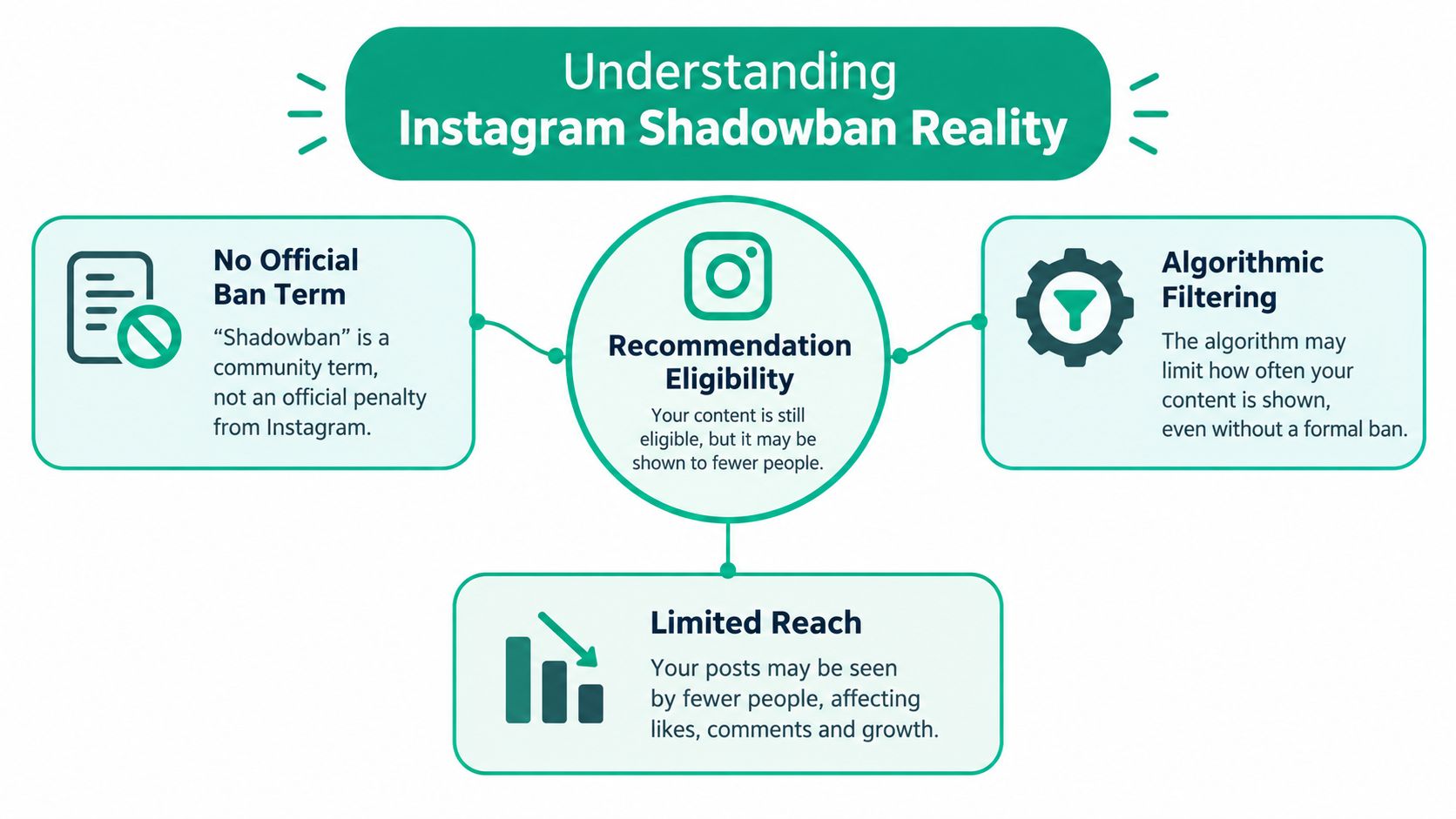
Instagram doesn't formally describe a separate “shadowban” mechanism in its official documentation. Instead, it explains that content can remain on the platform while becoming ineligible for recommendation surfaces such as Explore, Reels, Search, Suggested Posts, and Suggested Accounts. That distinction matters because a post can still appear to existing followers while losing much of its potential non-follower distribution. Instagram's explanation of ranking and recommendation controls provides a more useful framework than informal claims about fixed hashtag bans or universal reach limits.
What recommendation ineligibility means
Recommendation eligibility is a distribution filter. Instagram may permit a piece of content to remain online while deciding that it shouldn't proactively show that content to people who don't already follow the account. That can look exactly like a shadowban from the creator's perspective, especially when the account depends on Explore, Reels, or suggested content for growth.
The important question isn't, “What hidden ban did I trigger?” Ask instead:
Is a specific post marked ineligible?
Does the profile contain an issue affecting recommendations?
Have I repeatedly published material that falls outside recommendation standards?
Have my recent actions started to resemble spam or automation?
Instagram also says that repeated violations of its Recommendation Guidelines or Community Standards can make none of an account's posts eligible for recommendation for a period of time. A reach decline may therefore reflect a documented eligibility decision, not a platform-wide punishment based on one secret number.
Practical rule: Treat a sudden reach change as a diagnostic problem. Check the platform's own status signals before changing your entire content strategy.
Eligibility still isn't a promise that Instagram will recommend every eligible post. Distribution depends on many factors, including the content, audience response, and competition for recommendation space. But an ineligible status is concrete evidence. It gives you something to remove, edit, or appeal instead of encouraging guesswork.
Checking Your Account Status for Recommendation Issues
Start with Account Status before deleting posts, changing your username, or abandoning your normal publishing routine. Instagram introduced Account Status in October 2021 to give users more visibility into recommendation eligibility and to let them edit affected content or request a review, as described in its official ranking guidance.
Open Instagram and follow this path:
Open your profile. Tap the menu in the upper-right corner.
Enter Settings. Depending on your app version, this may appear under Settings and privacy.
Open Account. Look for the account management section.
Select Account Status. Review any notices affecting content, features, or recommendations.
Open each listed issue. Read the specific explanation instead of treating the status as a general warning.
Choose the appropriate action. Edit or remove the content if the issue is valid, or request a review if you believe Instagram made a mistake.
Instagram provides the path through Settings, Account, and Account Status, and the tool can identify content that isn't eligible for recommendations. Gainsty's guide to Instagram Account Status can also help you understand where to find the feature and how to interpret the information it presents.
How to interpret the result
A clean Account Status doesn't guarantee that your next post will perform well. It means Instagram hasn't identified a current recommendation issue in the areas shown there. Reach can still fluctuate for ordinary reasons, including audience interest, creative quality, timing, and how strongly a post performs with its initial viewers.
An ineligible result deserves a direct response. Review the affected post and its caption, media, hashtags, profile elements, and surrounding publishing behavior. If the problem is clear, make the correction. If the decision appears wrong, use the review option rather than relying on repeated reposting or increasingly aggressive engagement.
For a broader profile review, use these Instagram profile setup steps to check whether your bio, category, contact information, and public-facing profile accurately represent your account. Profile quality won't override an eligibility decision, but a clear profile supports a more trustworthy publishing setup.
Don't use follower reports or a single weak post as proof of suppression. Account Status is the reliable first checkpoint because it shows whether Instagram has identified a recommendation problem that requires action.
Avoiding the Unoriginal Content Trap
Reposting other creators' work is one of the clearest documented ways to lose recommendation eligibility. Instagram says accounts that repeatedly post content created by other Instagram users without materially enhancing it, defined as 10 or more such posts within the last 30 days, won't be shown in recommendation surfaces. Instagram's creator guidance on recommendations and originality sets out this specific threshold.
The rule targets recommendation distribution. It doesn't necessarily mean every repost disappears immediately. That difference causes confusion: the post remains visible on the account, but the account loses access to important discovery surfaces. A creator may call that a shadowban when Instagram is applying its stated originality standard.
Separate reposting from transformation
A downloaded video with a new caption is still fundamentally someone else's content. Adding a decorative border, changing the playback speed, or placing a small logo over the original doesn't automatically create a meaningful new work.
Material enhancement requires a substantial creative contribution. Depending on your niche, that could include:
Analysis: Explain why the original claim matters, identify its weaknesses, or add specialist context.
Commentary: Use the source as a starting point for your own spoken response, critique, or interpretation.
Editing: Restructure clips to support a new narrative instead of reproducing the original sequence.
Education: Add an original tutorial, demonstration, comparison, or practical explanation.
Creative contribution: Combine the source with your own footage, performance, reporting, or visual concept.
A reaction video where the creator contributes genuine analysis is different from a silent repost. A sports account that adds original tactical breakdowns is different from one that republishes match clips without context. A news or commentary page should make its own editorial contribution visible, rather than just collect popular posts.
Run a monthly originality audit
Review the previous 30 days of publishing history and label every post as original, substantially transformed, or near-identical reposted material. Pay particular attention to content sourced from other Instagram users, even if you received permission to publish it. Permission may address copyright, but it doesn't automatically make the post recommendation-eligible.
If you find repeated unoriginal posts, stop adding more of the same. Remove or revise content identified in Account Status, then rebuild your publishing mix around footage, opinions, research, and formats that your team created. Instagram says accounts can become eligible again after 30 days have passed since the last unoriginal post, so your recovery plan must account for the final problematic upload, not merely the day you first noticed the reach decline.
Originality isn't a cosmetic layer. If another creator made the substance, your contribution needs to be substantial enough to change what the audience receives.
Auditing Your Engagement Behavior for Automation Signals
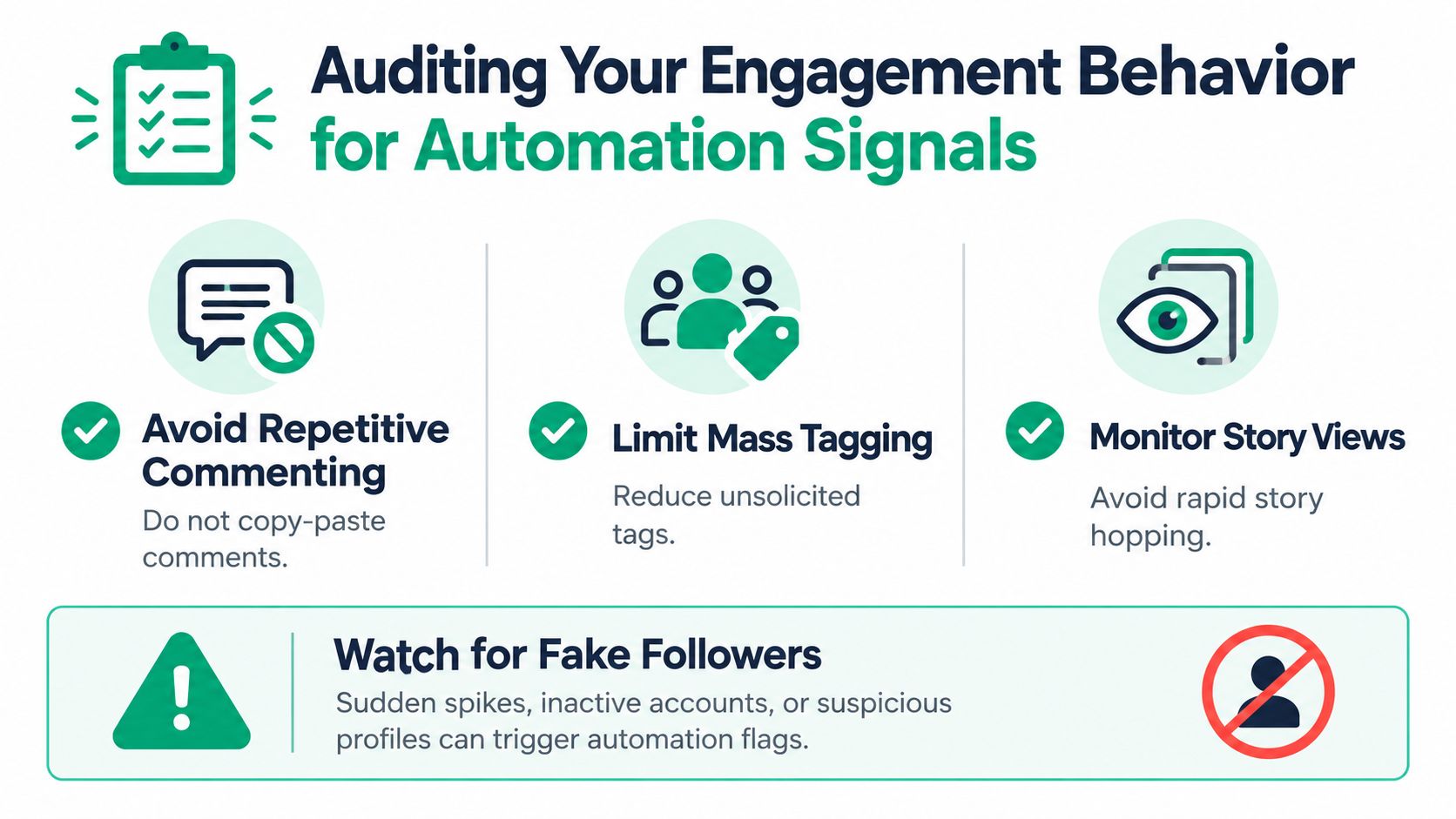
Content isn't the only risk. Instagram has strengthened automated spam detection around spammy comments and tags, story views, and fake followers, and it warns that recommendation or Community Guidelines violations can lead to reduced reach or other enforcement. The sensible approach is to audit every growth action that could make your account look automated.
Use a seven-day behavior audit
For seven days, record your daily follows, unfollows, comments, tags, direct messages, and login locations, following the practical audit approach in Instagram's creator empowerment guidance. Don't search for a magic safe limit. Instagram doesn't publish a guaranteed action threshold, and a number that appears safe today may become unreliable as detection changes.
Look for patterns rather than isolated actions:
Repetitive comments: Remove copy-pasted replies, generic praise, and comments that appear across unrelated accounts.
Mass tagging: Stop tagging people who have no clear reason to be part of the post or conversation.
Unsolicited story activity: Don't rapidly move through stories as a mechanical growth tactic.
Fake-follower acquisition: Avoid services that deliver fake or inauthentic followers. Low-quality accounts distort your audience and can create suspicious account activity.
Replace volume with context
After the audit, return to manual engagement. Reply to comments that relate to your content, send direct messages only when you have a genuine reason, and leave comments that reference the specific post rather than offering interchangeable phrases.
Sudden activity spikes are also worth investigating. If an account normally behaves calmly and then performs a large burst of follows, tags, comments, or messages, that pattern may look artificial even when a human initiated it. Keep activity consistent with how you genuinely use Instagram, and remove any growth process that depends on volume rather than relevance.
Human behavior leaves context. If an action would look strange when reviewed one by one, don't automate it at scale.
Building Content That Stays Recommendation-Eligible
A post can remain online and still be excluded from recommendations. That makes content review more important than asking whether Instagram deleted anything. Before publishing, compare the post you want to make with the version that gives Instagram and your audience the clearest reason to distribute it.

Choose useful over borderline
A recommendation-friendly post gives viewers a clear, worthwhile experience. It may teach a process, show an original result, answer a specific question, document a real perspective, or entertain without relying on material that repeatedly pushes against Instagram's standards.
A borderline post often depends on shock, misleading framing, recycled material, or a caption that makes a promise the content doesn't support. Even if one post stays live, repeatedly publishing content that violates Recommendation Guidelines or Community Standards can affect the account's recommendation eligibility more broadly.
Use original footage with a clear point instead of near-identical reposts with minimal changes.
Offer specific commentary supported by your own perspective instead of a reaction that adds little beyond the original.
Write a direct caption that accurately describes the post instead of sensational wording that misrepresents the content.
Use relevant tags and real context instead of unsolicited tags or repetitive promotional language.
Create a considered visual and audio edit instead of assembling content mainly to copy another account.
Review the caption as carefully as the video or image. Remove claims you can't support, avoid manipulative calls for engagement, and make sure the first frame accurately represents what follows. A strong opening matters for viewer retention, but it shouldn't mislead people into watching through an exaggerated promise.
Build a pre-publish review
Use a short checklist before each post:
Ownership: Did your team create the core material, or have you added a substantial original contribution?
Standards: Could the content conflict with Community Standards or Recommendation Guidelines?
Context: Does the caption explain the post accurately?
Behavior: Are tags, mentions, and calls to action relevant rather than forced?
Consistency: Does this post fit the account's subject and audience?
For creators working heavily in Reels, practical guidance on hooks and pacing for Reels can improve the viewing experience without resorting to spammy promotion. Also review Instagram's banned-hashtag guidance before adding tags, but don't mistake hashtag research for a substitute for content compliance.
The strongest strategy is simple: publish work that is recognizably yours, useful to a defined audience, and easy to understand without sensational packaging. Recommendation eligibility starts with that foundation.
Your Daily Instagram Safety Workflow
Make account safety part of publishing, not a panic response after reach drops. Each day, review Account Status, inspect the next post for originality and recommendation risks, and check that your planned comments, tags, follows, and messages have a clear human purpose.
Keep a simple activity log. Mark unusual login locations, revoke suspicious app access, and remove any workflow that creates duplicated or high-volume engagement. Review your recent posts regularly for repeated reposts, borderline material, or content that Account Status has identified for action.
A practical operating rhythm
Before publishing: Check the content's ownership, transformation, caption accuracy, tags, and recommendation suitability.
During engagement: Respond manually, use specific language, and avoid activity that would look mechanical if someone reviewed it in sequence.
During the weekly review: Audit the previous 30 days for unoriginal publishing, inspect Account Status again, and record any changes in non-follower discovery without treating ordinary fluctuations as proof of a restriction.
Security belongs in the same routine. Review Instagram account security tips from MY CYBER GUARD if you suspect that an unfamiliar app or login has influenced your account activity. A secure account with original content and authentic engagement is far easier to manage than one built around shortcuts.
The answer to “how to avoid shadowban on Instagram” isn't a secret hashtag list. It's a repeatable operating standard: check eligibility, publish original work, remove automation-like behavior, and respond directly when Instagram identifies a problem.
Gainsty offers Instagram growth support built around organic follower and engagement strategies, without bots or fake followers. If you want help maintaining a safer, more consistent growth process while you focus on content, visit Gainsty and review its targeting, analytics, and account-management options.
.png&w=1920&q=75&dpl=dpl_2si4hWs7xtpQVmrY6d8xhJ1wLJZL)



.png&w=750&q=75&dpl=dpl_2si4hWs7xtpQVmrY6d8xhJ1wLJZL)