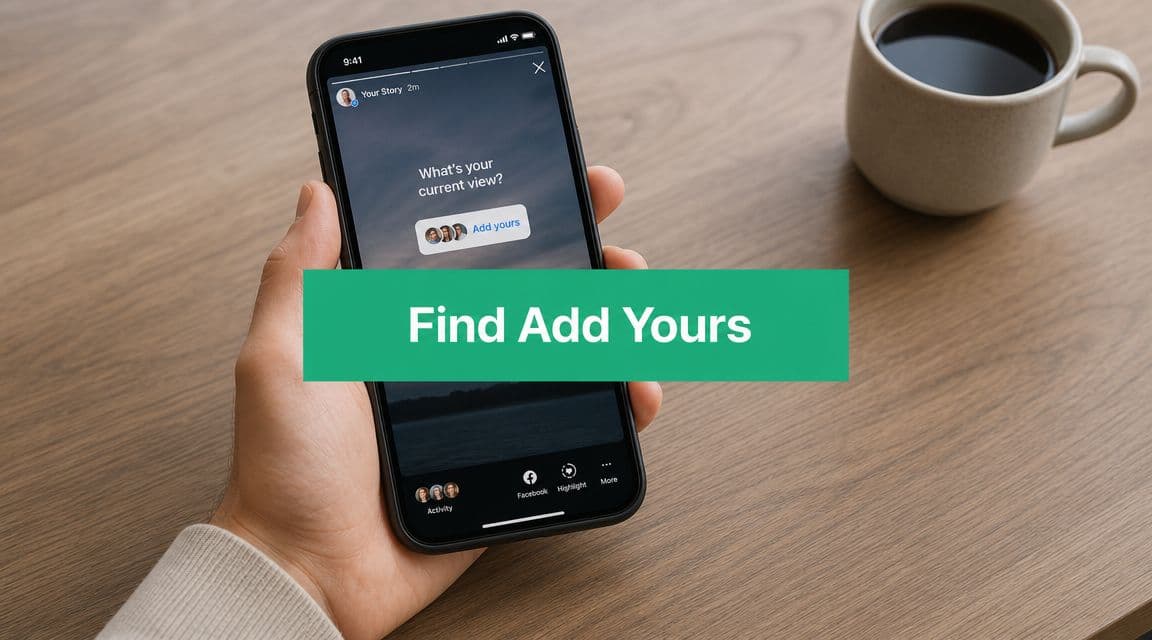
Understanding the Add Yours Phenomenon
Add Yours spreads because it gives people a prompt they can answer fast, inside a format they already use. In practice, it turns a Story from something people pass through into something they can join.
That matters because discovery on Instagram is messy. You usually do not find Add Yours by typing a clean keyword into search and browsing a tidy results page. You find it because a prompt gets carried from one Story to another, then reaches a new cluster of viewers. The feature behaves more like a live participation chain than a searchable content library.
For social teams, that changes how you judge it. Add Yours is not just a sticker. It is a distribution mechanic tied to repost behavior, profile taps, and low-friction responses. If you already understand how Story reposting works on Instagram, the participation pattern feels familiar. One response puts the same prompt in front of another audience, and the chain keeps moving as long as the prompt is easy to answer.
Why people keep using it
The best Add Yours prompts remove the hardest part of posting, which is deciding what to post. A good prompt gives enough direction to make participation easy, but not so much structure that the response feels scripted.
I have seen this work in a very ordinary way. A creator posts a polished Story about a new product and gets little response. An hour later, they post an Add Yours prompt like "your current desk setup" or "what's in your work bag today." Replies pick up because people do not need to write an opinion or perform for the camera. They just share a quick photo, tap post, and move on.
Prompts tend to travel when they do one of these jobs well:
Signal identity with answers people already like sharing, such as routines, preferences, or personal style
Lower the creative burden by making a photo or short clip enough
Match Story behavior so the post feels casual, quick, and native to the app
Prompts around habits, before-and-after moments, weekly recaps, favorites, or simple visual themes usually outperform branded copy that reads like a campaign brief.
Practical rule: If someone can answer the prompt in under ten seconds with a photo already on their camera roll, the chain has a better chance of spreading.
Why it matters for creators and brands
For creators and brands, Add Yours works best as a lightweight participation format, not a substitute for strategy. It helps pull people out of passive viewing without asking for a long reply, a polished video, or a public comment.
Used well, it can help you:
Start audience participation without needing a controversial question or a hard sell
Collect user-generated responses in a format people already post comfortably
Increase repeat exposure as responses push the prompt into adjacent audiences
Surface audience interests by seeing which prompts get quick, natural replies
Used poorly, it stalls fast. If the wording is vague, the topic feels self-promotional, or the visual makes the prompt harder to understand, people skip it. That is the trade-off with Add Yours. The barrier to joining is low, but the bar for relevance is still real.
The Direct Path to Joining an Add Yours Chain
The easiest way to find Add Yours is still the most obvious one. You come across it in a Story, tap it, and join from there. That's also the path Instagram officially documents in its help materials.

Instagram says you can create it by opening the story composer, tapping Stickers at the top, selecting Add Yours, and writing a prompt that others can answer in Stories or Reels. Once posted, other users can tap the sticker to join the same chain, according to Instagram's Add Yours help page.
What to do when you see one in a Story
When an Add Yours sticker appears in someone's Story, tap the sticker itself, not just the Story screen around it. Instagram then opens the prompt view tied to that chain. From there, you'll see the option to add your own response.
If you choose to participate, Instagram pushes you into the Story creation flow. You can post a photo, a video, or build around the prompt with text, stickers, or other creative elements before sharing it to your own Story.
That flow matters because Add Yours isn't separate from Stories. It lives inside the same interface, uses the same posting behavior, and depends on the same viewing habits that drive normal Story engagement.
What you'll usually see next
After tapping into the chain, expect a few common screens or actions:
Prompt view that confirms which Add Yours chain you're entering
Response option that opens your Story composer
Participant browsing in some cases, where you can explore who else joined
Profile click-throughs if you want to check the account behind a response
A lot of confusion comes from expecting a searchable library. In practice, the feature makes more sense once you treat it like a live Story object, not a static content category.
If your goal is to reshare a good response or build around someone else's Story behavior, it also helps to understand the broader Story repost workflow. This guide on how to repost a Story on Instagram is useful when you're trying to extend visibility after participating in a chain.
What works best when joining
Don't overthink your response. Fast, clear participation usually works better than turning every prompt into a full design exercise.
A few habits help:
Match the vibe of the original prompt so your response feels native
Keep your answer obvious so viewers understand it at a glance
Use readable text if you add context
Post while the chain still feels active instead of saving it too long
If the prompt is already circulating, speed matters more than polish.
Proactive Strategies to Discover Trending Stickers
Waiting for Add Yours prompts to land in your feed is inconsistent. If you want a repeatable system, you need to hunt for them the way social managers hunt for niche creators, breakout audios, and emerging topic clusters.

One practical discovery method is to search inside Instagram for accounts or prompts associated with the feature. A tutorial showing this workflow surfaced an account centered on “add yours stickers” with around 200,000 followers, which illustrates how some prompt-curation accounts have become active discovery hubs for users looking for chains to join, as shown in this YouTube walkthrough on finding Add Yours prompts.
Use search like a scout, not like a librarian
The search bar can help, but not in the clean way people expect. Don't assume there's a neat Add Yours database waiting for you.
Instead, search in layers:
Prompt-related phrases such as challenge themes, moods, routines, or niche topics
Creator accounts that regularly post participatory Stories
Hub-style accounts built around surfacing prompt ideas
Audience language your niche already uses in captions and profile names
This approach works because discovery often happens through accounts and active Stories, not through a dedicated Add Yours tab.
Build a short list of repeat sources
Once you find a few accounts that consistently use Add Yours well, save them mentally as your starting set. The goal isn't to follow every trend account. It's to identify the people and brands that post prompts your audience would care about.
I'd evaluate accounts on three things:
Relevance – What to look for: Prompts that clearly match your niche or target audience’s interests.
Why it matters: Broad or unrelated prompts may generate engagement, but they rarely lead to meaningful interaction or conversions.Activity – What to look for: Stories that are recent and regularly updated.
Why it matters: Active accounts are more likely to generate ongoing engagement and participation, while inactive or stale accounts reduce your chances of visibility and response.Prompt quality – What to look for: Questions or prompts that are clear, simple, and visually easy to respond to.
Why it matters: Well-structured prompts increase the likelihood of replies, shares, and reposts because they reduce friction for participation.
For broader trend research around adjacent discovery habits, this guide on finding trending Instagram hashtags pairs well with Add Yours hunting because both rely on understanding how themes move through Instagram's recommendation surfaces.
Check the surrounding ecosystem
The best Add Yours prompts rarely live alone. If a creator is good at them, they're usually also good at Story sequencing, audience cues, and repeatable themes.
Look beyond the sticker itself:
Watch their recent Stories for recurring prompt formats
Check their niche positioning to see why their audience responds
Notice visual patterns like backgrounds, text size, and framing
Track timing so you can spot when prompts tend to get posted
Search gets you close. Story browsing gets you the actual prompt.
That's the practical reality. Search is the lead. Stories are where discovery happens.
Troubleshooting: Why You Cannot Find Add Yours
Most frustration around Add Yours starts with a bad assumption. People think they should be able to search for any prompt the way they search a hashtag, effect, or account. That assumption is what breaks the experience.

Instagram's own documentation shows that Add Yours is primarily surfaced inside Stories. Users can access it by tapping an existing sticker or by tapping profile pictures on the left side of an Add Yours template to see who has used it. That's why direct search often feels unreliable, as explained in Instagram's help documentation on using Add Yours templates and discovery inside Stories.
The most common reasons it seems to be missing
If you can't find Add Yours, the issue is usually one of these:
You're searching the wrong way and expecting a searchable prompt index
The prompt isn't active in the Stories you're viewing
Your app hasn't updated cleanly
Instagram is rolling or testing features unevenly
A temporary glitch is blocking stickers or Story tools
A related issue happens with other Instagram discovery features, too. If you've ever struggled to locate effects, the workflow in Bio Links Page Builder's Instagram effects tutorial is a good reminder that Instagram often hides useful tools behind creator surfaces rather than obvious directories.
What to check before assuming it's gone
Start with the practical fixes first.
Update the app: Old versions often create missing-feature confusion.
Restart the app session: Close Instagram fully and reopen it.
Test from multiple Stories: Don't rely on one account's content.
Open the Story composer directly: Check whether the sticker appears in your sticker tray.
Wait and retry later: Some problems are temporary and clear on their own.
If you can't find Add Yours through search, that doesn't mean the feature is unavailable. It often means Instagram hasn't surfaced an active chain to you in the place you're looking.
That's why “just search for it” is weak advice. The better question is where the sticker is currently visible in the Story interface.
Leveraging Add Yours for Authentic Growth
You find a prompt that fits your niche, post a quick reply, and get a few Story views. Useful, but limited. The bigger win comes from creating prompts that people want to pass along, because Add Yours can turn a single Story into a chain of audience responses, profile visits, and repeat interaction.
That only happens when the prompt is easy to join and worth sharing. Good Add Yours posts spread because they lower the effort for the next person while still giving them a way to show personality.

What strong Add Yours prompts have in common
The best prompts are usually simple, specific, and socially rewarding. People should understand the ask in a second and know what kind of response would feel natural on their own Story.
Strong prompts tend to have four traits:
They are easy to answer quickly, so people do not have to stop and think too hard
They fit a clear audience identity, such as runners, new parents, designers, or local food creators
They still make sense when reposted without your account name or extra context attached
They give participants a small social payoff because posting an answer says something about their taste, routine, or point of view
Weak prompts usually break at least one of those points. They ask for too much effort, sound too branded, or depend on context that disappears once someone else reposts the chain.
A practical prompt filter
Before posting, run the prompt through a quick check. I use this because direct discovery on Instagram is inconsistent, so your own prompt has to do more of the work. If people cannot grasp it instantly, the chain usually stalls.
Is this obvious at a glance?
The prompt should be immediately understandable without any explanation. If it needs context, it’s too complex.Can someone answer in under five seconds?
Fast-response prompts usually generate higher participation because they reduce friction and encourage quick replies.Does it match why people follow this account?
The prompt should feel natural to your niche so the engagement comes from the right audience, not random viewers.Will each repost stand on its own?
Any shared response should make sense independently, so viewers understand it without seeing your original Story.Does the background help instead of distract?
Visuals should support the prompt and improve clarity, not compete for attention or confuse the message.
If two answers are weak, rewrite it. That extra minute usually matters more than adding more design.
Participation builds better responses
Accounts get better results when they treat Add Yours like a community habit, not a one-off growth trick. Joining relevant chains teaches you what your audience responds to. It also shows you the practical side of discovery. The prompts that spread are rarely the ones that sound smartest. They are the ones that feel easiest to adopt.
A useful operating rhythm looks like this:
Join active chains in your niche to see which prompts people repost
Answer with something specific because generic replies are easy to skip
Reshare audience responses when they add personality or useful context
Turn recurring replies into future prompts, so your Stories reflect what followers already care about
If you want to turn those responses into a repeatable content system, this guide to using user-generated content in your Instagram strategy is a strong next step.
The best Add Yours prompts give people an easy way to participate and a good reason to share.
Timing and prompt fit matter together
A strong prompt posted at the wrong time can disappear before anyone picks it up. Early responses matter because they give the chain visible momentum. If Friday is one of your heavier Story days, MicroPoster's Friday Instagram guide can help you choose a better posting window.
Timing alone will not save a weak prompt, though. Clear wording, relevant topic choice, and fast answerability still do most of the work.
What usually underperforms
Some Add Yours ideas look polished but still go nowhere. In practice, these are the patterns that stall most often:
Overdesigned templates that make people feel they need to match your aesthetic
Brand-heavy wording that reads like a campaign instead of a prompt
Questions that ask for an explanation instead of instinct
Trend chasing with no niche fit, where the audience has no real reason to join
Growth from Add Yours comes from relevance, clarity, and repost value. That is the trade-off. A broader prompt may reach more people, but a niche-specific one usually brings better-quality interaction from your target audience.
Your Next Steps in the Add Yours Universe
You open Instagram to find an Add Yours prompt worth joining, spend five minutes tapping through Stories, and still come up empty. That is normal. Discovery is uneven, and direct search often misses the chains that are getting replies.
Use the next 7 days to build a repeatable system instead of relying on luck.
Day 1: Save 5 accounts that regularly post interactive Stories in your niche. Mix creator accounts, community pages, and smaller peers. The smaller accounts often surface usable prompts earlier because they post more casually and with less polish.
Day 2: Join 2 active Add Yours chains. Choose prompts you can answer in under a minute. Speed matters because you are testing participation habits, not trying to make a perfect Story.
Day 3: Review the prompts you answered and write down what made them easy to join. Look for simple wording, low-effort replies, and topics people already share without much prompting.
Day 4: Draft 3 prompts for your own audience. Keep one broad, one niche-specific, and one personal. This gives you a real comparison instead of guessing what your followers will respond to.
Day 5: Post the strongest prompt during a time when your Story views are usually steady. Then watch the first few responses closely. Early participation is the clearest signal that the prompt fits your audience.
Day 6: Repost good responses and note which ones create follow-on replies. That tells you whether your prompt sparked a chain or just collected a few isolated answers.
Day 7: Cut what did not work and keep one format to test again next week. Consistency beats chasing every prompt you happen to see.
This approach solves the core problem. Finding Add Yours on Instagram is rarely about one perfect search term. It is about building a small set of habits that help you spot active chains, judge them quickly, and turn what you learn into better Story prompts on your own account.
If you want help turning those Story tests into steady account growth, Gainsty can support an organic approach built around real audiences, stronger engagement, and profile growth without bots or fake followers.
.png&w=1920&q=75&dpl=dpl_34ZXCf12K5qjjdZjPn9snwDRADrB)




.png&w=750&q=75&dpl=dpl_34ZXCf12K5qjjdZjPn9snwDRADrB)