The Rise of Ephemeral Messaging on Instagram
Instagram used to feel like a place where everything stayed visible. Posts sat on the grid. Comments stuck around. DMs became long-running records of every exchange. That worked for public content, but it didn’t match how people often want to communicate in private.
A lot of conversations aren’t meant to become archives. People want room for half-formed thoughts, quick reactions, private jokes, and time-sensitive updates. That’s where disappearing messages fit. They make a digital conversation feel closer to a hallway chat than an email thread.
Instagram’s answer to that shift was Vanish Mode, which officially launched in late 2020 to let people send messages that disappear after they’re viewed and the chat is closed, as detailed in Business Insider’s overview of Vanish Mode. The feature gave Instagram a direct way to compete in the broader move toward ephemeral messaging.
Why this change matters
This isn’t just a novelty feature. It reflects a bigger change in user behavior. People still want to reach in public, but they want freedom in private.
For creators, that means followers may be more willing to respond when the interaction feels temporary. For brands, it means some conversations work better in a low-pressure format than in a permanent thread. A limited-time product hint, a fast answer to a pre-purchase question, or a private community perk can feel more natural when it doesn’t live forever.
Practical rule: Public content builds awareness. Private, temporary content often builds trust.
This also connects to how Instagram already rewards timely, interactive behavior. If you’re thinking about how private engagement complements visible content, this guide to the Instagram Story algorithm is useful because Stories and disappearing DMs both lean into recency, interaction, and attention in the moment.
What users are really asking for
At the core, people want three things:
Less permanence: Not every message deserves a permanent record.
Less performance: Temporary chats often feel more candid than public replies.
More control: Users want to decide when a conversation should fade instead of accumulating.
That’s why mastering instagram disappearing messages matters in 2026. They’re part of how modern audiences communicate now.
Understanding the Core Concepts of Disappearing Messages
Instagram disappearing messages make more sense once you separate them into two tools that solve two different jobs. That distinction matters because the right format changes how a conversation feels, and for creators or brands, that can change how willing someone is to reply.
One tool makes the chat itself temporary. The other makes a photo or video temporary.

Vanish Mode
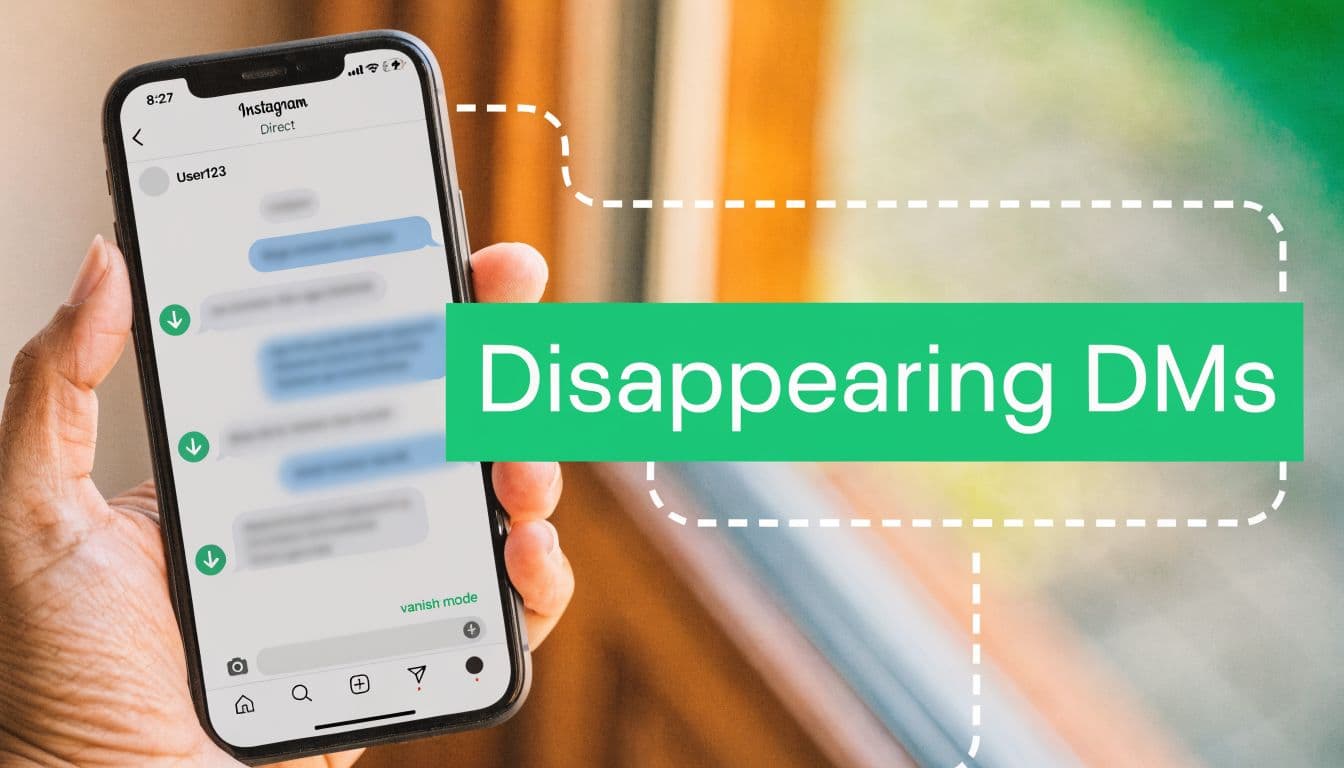
Vanish Mode creates a temporary version of a chat. Once it is turned on, messages sent inside that mode are designed to disappear after they are seen, and the conversation is closed.
Instagram makes that change obvious on screen. The interface looks different, and both people in the chat can tell the conversation has shifted into a temporary setting. That shared visibility is important. It sets expectations before anyone sends a message.
For strategy, this is the part many people miss. Vanish Mode does not just change message storage. It changes the social pressure of the conversation. A follower who hesitates to leave a permanent DM may feel more comfortable asking a quick question in a temporary space. For brands, that can make time-sensitive exchanges feel more natural, especially for early interest checks, private perks, or low-pressure customer conversations.
Temporary does not mean risk-free, though. The message may disappear from the thread, but the other person still sees it while it is open. Instagram can also notify users about screenshots in Vanish Mode. If you want a feature-specific walkthrough, Gainsty's guide to Vanish Mode on Instagram explains how this temporary chat setting works in practice.
Disappearing photos and videos
Disappearing media works differently. Here, the conversation stays normal, but one photo or video is sent with limited visibility. You are not changing the full chat environment. You are setting rules for a single piece of content.
This is useful when the message thread should stay intact, but the media itself should be short-lived. A creator might send a quick behind-the-scenes clip to a close contact. A brand might share a limited preview, a one-time coupon visual, or a product detail meant for a short viewing window.
That difference is the principle to remember. Vanish Mode changes the room. Disappearing media changes one item inside the room.
Here’s a simple comparison:
Vanish Mode – This changes the conversation environment. The best mental model is a temporary chat session, where messages are designed to disappear after the session ends.
Disappearing media – This changes a single photo or video. The best mental model is one temporary piece of content, sent to be viewed briefly rather than stored permanently.
Why do people confuse them?
The confusion comes from the result. In both cases, something disappears. But the trigger is not the same.
Vanish Mode changes the chat experience for both people.
Disappearing media applies only to the photo or video you send.
Standard DMs remain in the conversation unless someone removes them.
If you’ve used Messenger's direct chats before, the split may feel familiar. Many messaging apps separate temporary conversations from temporary attachments, even if users describe both as disappearing messages.
Temporary messaging works best when you know whether you’re making the whole space temporary or just one message inside it.
For influencers and brands, that choice affects more than convenience. It shapes tone, response rate, and trust. If your goal is authentic engagement, use the format that matches the moment instead of treating every disappearing message as the same feature.
How to Use Instagram Disappearing Messages Step by Step
Knowing the idea is one thing. Using it smoothly is another. Most mistakes happen because people move too fast in DMs and activate a feature without noticing what changed on screen.
Start with the visual cues. Instagram usually gives you hints when a temporary feature is active. If the chat looks different, pause before sending anything important.

Activating Vanish Mode
This is the version users typically refer to when they talk about instagram disappearing messages.
Open Instagram DMs
Go to your messages and choose the one-on-one chat where you want the temporary conversation.Swipe up from the bottom of the chat
This is the key gesture. Instagram uses a simple swipe-up action to activate Vanish Mode.Watch for the visual confirmation
The screen will darken, and Instagram will show that disappearing messages are now active. Both people in the chat can see this.Send your message
You can send text, photos, videos, voice notes, emojis, stickers, and GIFs inside this temporary mode.Close the chat after the message is viewed
Once messages are viewed and the chat is closed, they’re designed to disappear from the conversation view.
Turning Vanish Mode off
People often think they’re stuck once they’ve enabled it. They’re not.
You can exit by returning to the chat and reversing the action. In practice, users usually either swipe again or tap the on-screen option to turn it off. Once you’ve left Vanish Mode, new messages return to the normal persistent chat style.
If you need a visual walkthrough for switching back to standard messaging, this guide on how to turn off Vanish Mode on Instagram is useful.
If the chat suddenly looks darker than usual, stop and check whether Vanish Mode is active before sending anything you need to keep.
Sending disappearing photos or videos
This is different from changing the full chat. Here, you’re sending one temporary piece of media.
A simple workflow looks like this:
Open a DM conversation: Choose the person you want to message.
Tap the camera icon: This opens the in-app camera for DM media.
Capture or upload your content: Take a photo or record a short video.
Choose the temporary viewing option: Instagram presents playback options for how the recipient can view the media.
Send it: The media behaves as temporary content rather than a permanent attachment in the thread.
This format is useful when the message itself can stay in a normal DM thread, but the actual visual content shouldn’t linger.
What to look for on screen
Instagram doesn’t make these features invisible. It uses interface changes to communicate them. Pay attention to:
A darker chat appearance: Often signals Vanish Mode.
A disappearing-message notice: Confirms the chat is temporary.
Media playback labels: Helps you identify whether a photo or video is meant for limited viewing.
That tiny pause before hitting send can save a lot of confusion.
When to use each option
Not every temporary interaction needs Vanish Mode. A cleaner way to think about it is:
Casual off-the-record conversation – The better option is Vanish Mode, since it is designed for temporary chat exchanges that are not meant to stay in the thread.
One temporary visual update – The better option is a disappearing photo or video, because it is meant for sharing a single short-lived piece of media.
Information you may need later – The better option is a standard DM, since regular messages remain available for future reference.
If you’re an influencer or business owner, this choice matters. A short-lived teaser or a behind-the-scenes clip can work well as disappearing media. A negotiation, approval, or customer support issue usually shouldn’t happen in a temporary thread.
That’s the practical habit to build. Don’t ask only, “Can this disappear?” Ask, “Should this disappear?”
Privacy and Safety Implications You Should Know
The most significant misunderstanding surrounding Instagram's disappearing messages is the assumption that “disappearing” means “gone forever.” For creators, brands, and everyday users, that assumption can lead to the wrong kind of confidence.
A disappearing message works more like a whiteboard note erased after a meeting than a document fed into a shredder. It leaves the chat view, but that does not guarantee the interaction never existed or could never be reviewed.
What disappearing actually means
Instagram’s own Help Center explains that Vanish Mode messages disappear after they are seen and you leave the chat, but Instagram can still use reported content to review safety issues and policy violations. Meta also notes in its transparency and safety materials that reporting tools exist because harmful behavior can still happen in private spaces, including temporary ones. You can review Instagram’s explanation of Vanish Mode and reporting through the Instagram Help Center.
That distinction matters. “Disappears from the conversation” and “cannot be retrieved under any circumstances” are not the same thing.
For a brand, this is more than a privacy footnote. It affects risk. If a creator manager sends pricing details, approval terms, or sensitive customer information in a temporary thread, the message may vanish from the screen while the business problem remains fully real.
Screenshot alerts help, but they are only one layer
Instagram can notify participants when someone screenshots content in Vanish Mode. That helps set expectations, but it should not be treated like a security system.
A person can still photograph the screen with another phone. They can copy the information before the thread closes. They can share the details somewhere else after the fact.
That is why disappearing messages are better understood as lighter-footprint communication, not protected communication.
Safety risks users often underestimate
The bigger risk is usually behavior, not software. Temporary chats can make people speak faster, share more, and question less. That is useful for casual conversation. It is risky for anything sensitive.
The warning signs are usually practical:
Harassment in private conversations: Temporary chats can feel less visible, which may encourage abusive behavior.
Oversharing: Users often disclose more when they believe the record will vanish.
Pressure and urgency: A disappearing message can create a “reply now” feeling that lowers judgment.
Weak documentation for business use: Customer complaints, approvals, refund promises, and partnership terms can become hard to verify later.
If your audience includes teens, parents, or educators, this concern is even sharper. The Cyberbullying Research Center documents how common online harassment remains among young people, which is one reason temporary messaging features deserve careful boundaries instead of blind trust.
A safer way to use the feature
Use disappearing messages for low-risk communication that benefits from immediacy. Behind-the-scenes teases, quick reactions, limited-time community moments, and casual follow-ups fit well. Anything tied to money, consent, customer support, or formal approval belongs in a standard record.
Here is a simple filter:
Casual, low-risk conversation – The better choice can be disappearing messages, since temporary chats may suit light, informal conversations.
Customer issue details – The better choice is a standard DM or official support channel, so there is a clear record and easier follow-up.
Payment, contract, or approval terms – The better choice is a standard written record, since important agreements should be documented clearly.
Personal content that could cause harm if saved – The better choice is not to send it. If content could create risk later, it’s safest not to share it digitally at all.
An effective strategy is key to growth. Ephemeral messaging can build closeness because it feels personal and immediate. But trust is built by boundaries, not by secrecy. Smart brands use temporary DMs to create authentic moments, then move important details into channels that protect both sides.
If you are reviewing capture behavior across the app, Gainsty’s guide on whether Instagram notifies when you screenshot a Story helps clarify what Instagram signals and what it does not. For e-commerce brands, this pairs well with a broader approach to optimizing your Instagram account for an online store, especially if your DMs support sales or customer relationships.
The practical rule is simple. Use disappearing messages for temporary context, not permanent decisions.
Strategic Uses for Influencers and Brands
Instagram disappearing messages become more than a personal feature. Used strategically, they can create a sense of access that public content can’t replicate.
Public posts are like billboards. Temporary DMs are more like a whispered invitation. They feel immediate, selective, and personal. That changes how people respond.

A creator flash sale that feels exclusive
Say a small fashion creator wants to reward her most engaged followers without blasting a code publicly. She posts a Story asking followers to reply with a keyword. Then she sends a disappearing DM to the people who responded first with a short-lived promo code and a note that the offer is only for that moment.
Why does this work? Because ephemerality adds scarcity. The code feels less like a coupon and more like a private pass.
For businesses, that can be valuable. A source provided in the briefing states that the selective use of disappearing messages for transient promotions has shown an 18% engagement boost in niche creator campaigns, according to this YouTube source on business use cases. The same source also warns that manual record-keeping may still be needed for compliance.
A private Q and A that lowers audience friction
Now consider a wellness coach with a growing audience. Public Q and As in Stories are useful, but some followers don’t want their questions attached to their public identity. A temporary DM exchange can make those followers more willing to ask.
This works especially well when the topic has emotional weight. Skincare concerns, pricing questions, confidence issues, and creative doubts often get more honest replies in a setting that doesn’t feel permanent.
Audiences don’t always need more content. Sometimes they need a safer feeling container for responding.
That’s the strategic value here. Disappearing messages can lower the social cost of participation.
A brand collaboration pre-screen
A small product brand can also use temporary DMs for early-stage influencer outreach. Not for final terms. Not for legal approvals. But for the light first exchange.
For example:
Interest check: “Would you want a sample for an upcoming launch?”
Quick fit test: “Are you open to a short-form tutorial partnership?”
Early concept sharing: “We’re thinking of a limited drop around this theme. Does it fit your audience?”
At this stage, temporary messaging can make the interaction feel less formal and more conversational. It can help both sides test chemistry before moving into standard written records.
Where the feature helps and where it hurts
The best professional use cases share one thing. The message is valuable in the moment but not dangerous if it disappears.
A practical breakdown looks like this:
VIP promo codes – A good use case because it is a light promotional message that doesn’t usually require formal recordkeeping.
Final pricing agreements – A risky use case because important commercial terms should be documented clearly in a permanent written record.
Quick community perks – A good use case since temporary or casual rewards can be shared informally with engaged followers.
Customer dispute handling – A risky use case because disputes often need clear documentation, timelines, and accountability.
Informal creator outreach – A good use case when starting casual conversations or testing collaboration interest in a low-pressure way.
Legal or compliance-sensitive details – A risky use case because sensitive matters should be handled through secure, documented channels.
Behind-the-scenes teasers – A good use case because temporary content can create exclusivity and excitement.
Order issues that need documentation – A risky use case because order problems are better handled where records can be tracked and referenced later. That distinction matters more than the feature itself.
A smart operating rule for brands
If you run an online store, disappearing messages should support your broader account strategy, not replace it. Your profile, Highlights, product presentation, and DM flow still need structure. This guide on optimizing your Instagram account for an online store fits nicely here because temporary DMs work best when the rest of your Instagram presence is already clear and credible.
The strategic mindset to adopt
Think of disappearing messages as a relationship tool, not a record-keeping tool.
Use them to create:
urgency,
intimacy,
exclusivity,
candid replies.
Don’t use them to store:
approvals,
promises,
support histories,
essential business terms.
That’s a key strategy for brands and influencers. Temporary messaging can make your audience feel like insiders. It just shouldn’t become the place where critical business memory disappears.
Troubleshooting Common Issues with Vanishing DMs
Sometimes messages disappear because you meant them to. Other times, they disappear and leave you staring at your screen, wondering what just happened.
That confusion is common. According to this report on vanishing Instagram DMs, thousands of users daily report Instagram DMs vanishing unexpectedly, and many cases are tied not to deliberate Vanish Mode use but to technical issues like server sync problems, app updates corrupting data, or storage limits triggering silent auto-deletions of older messages.

Problem one: You activated Vanish Mode by accident
This happens more than people expect because the activation gesture is simple. A swipe can be enough.
Signs this happened:
the chat suddenly looks darker,
Instagram indicates temporary messaging is active,
new messages stop appearing like normal persistent DMs.
Fix: return to the chat and turn Vanish Mode off. Then send a normal message to confirm the conversation is back to standard behavior.
Problem two: your devices aren’t in sync
You may open Instagram on your phone and see one thing, then check another device and see something else. That usually points to sync delays rather than a true deletion.
Common clues:
messages appear on mobile but not on the web,
a thread looks incomplete on one device,
old messages reappear out of order after refresh.
What to do:
Close and reopen Instagram: A fresh session often forces a sync.
Check the same thread on one device first: Don’t compare half-loaded versions across platforms.
Wait before assuming deletion: Temporary inconsistency can look worse than it is.
Problem three: The app changed after an update
Instagram updates can shift settings, alter interface cues, or temporarily affect how conversations load. If your DMs started behaving strangely right after an update, the app itself may be the issue.
Try this short checklist:
Restart the app: This clears many session-level glitches.
Update again if available: A patch may already exist.
Log out and back in: This can reset loading behavior for DMs.
Watch for repeated patterns: If only one thread is affected, the issue may be conversation-specific.
When messages vanish unexpectedly, first ask whether you changed a feature. Second, ask whether Instagram changed something for you.
Problem four: Your device is low on storage
This is less obvious, which makes it frustrating. When a phone is under storage pressure, apps may behave unpredictably. Cached data can be cleared, and message visibility can become inconsistent.
A useful rule of thumb is simple: if Instagram is glitching and your device is crowded with photos, videos, or unused apps, make space before assuming the thread is permanently gone.
A fast diagnosis table
Dark chat interface – The most likely cause is accidental Vanish Mode being turned on. Your first move should be to turn it off and return the chat to normal.
Different messages on different devices – The most likely cause is a sync issue between devices. Your first move should be to refresh the app and wait a moment for messages to update.
DM problems after an update – The most likely cause is an app glitch caused by the recent update. Your first move should be to restart the app or log out and back in.
Older messages missing on a full phone – The most likely cause is storage pressure affecting app performance or cached data. Your first move should be to free up storage space on the device.
The biggest mindset shift is this: don’t treat every vanished DM as a mystery. Usually, it’s either a feature you triggered, a sync problem, or an app issue. Once you sort those categories, the fix gets much easier.
Conclusion: The Future of Ephemeral Communication
Instagram disappearing messages aren’t just a side feature tucked inside DMs. They reflect a broader shift in how people want to communicate online. Less like archivists, more like humans talking in real time.
The practical lesson is clear. Vanish Mode and disappearing media aren’t the same thing. Temporary communication can feel more natural, more exclusive, and more responsive than standard messaging. That makes it useful for creators, influencers, and brands that want a stronger audience connection without turning every exchange into permanent chat clutter.
The strategic lesson matters even more. Ephemeral messaging works best when you use it with intention. It can support flash offers, private community touchpoints, and candid replies. It should not become the default place for customer disputes, business approvals, or anything you may need later.
The future of social communication looks less like a filing cabinet and more like a conversation.
That doesn’t mean permanence is gone. It means the smartest Instagram operators know when to use each mode. Public posts for discovery. Stories for momentum. Standard DMs for recordkeeping. Disappearing messages for immediacy and trust.
If you’re building an audience in 2026, that balance matters. Authentic growth doesn’t come from talking louder. It comes from creating the right kind of interaction for the moment. Temporary messaging is part of that toolkit now, and it’s not going away.
Frequently Asked Questions About Disappearing Messages
Can you recover a disappearing message after it’s gone
In normal use, no. Once a disappearing message has been viewed and the chat closes under the temporary rules, it won’t remain in the thread for you to revisit. That’s why you shouldn’t use disappearing messages for anything you may need as a record later.
Are disappearing messages the same as unsending a message
No. A disappearing message is sent inside a temporary format by design. Unsending removes a message that was already sent in a regular chat. Those are different actions with different expectations.
Do disappearing messages work for business conversations
They can, but only for the right kind of conversation. They’re useful for quick, low-stakes, time-sensitive exchanges. They’re a poor fit for terms, approvals, disputes, or anything that needs documentation.
Why did my DM disappear when I didn’t mean to use the feature
The most common causes are accidental Vanish Mode activation, device sync problems, app update glitches, or storage-related issues. If the chat looks different than usual, check the mode before assuming the message was lost for good.
Should brands use disappearing messages at all
Yes, but selectively. They work best as a tool for exclusivity, urgency, and candid interaction. They shouldn’t replace a proper customer support or business communication workflow.
If you want to grow on Instagram without bots, fake followers, or risky shortcuts, Gainsty helps you build real momentum through organic growth strategies, smarter targeting, and expert support designed for creators, brands, and businesses.

.png&w=1920&q=75&dpl=dpl_D59Qa4oJ5cFQ7dZDLQ1JPQVnqHSs)






.png&w=750&q=75&dpl=dpl_D59Qa4oJ5cFQ7dZDLQ1JPQVnqHSs)