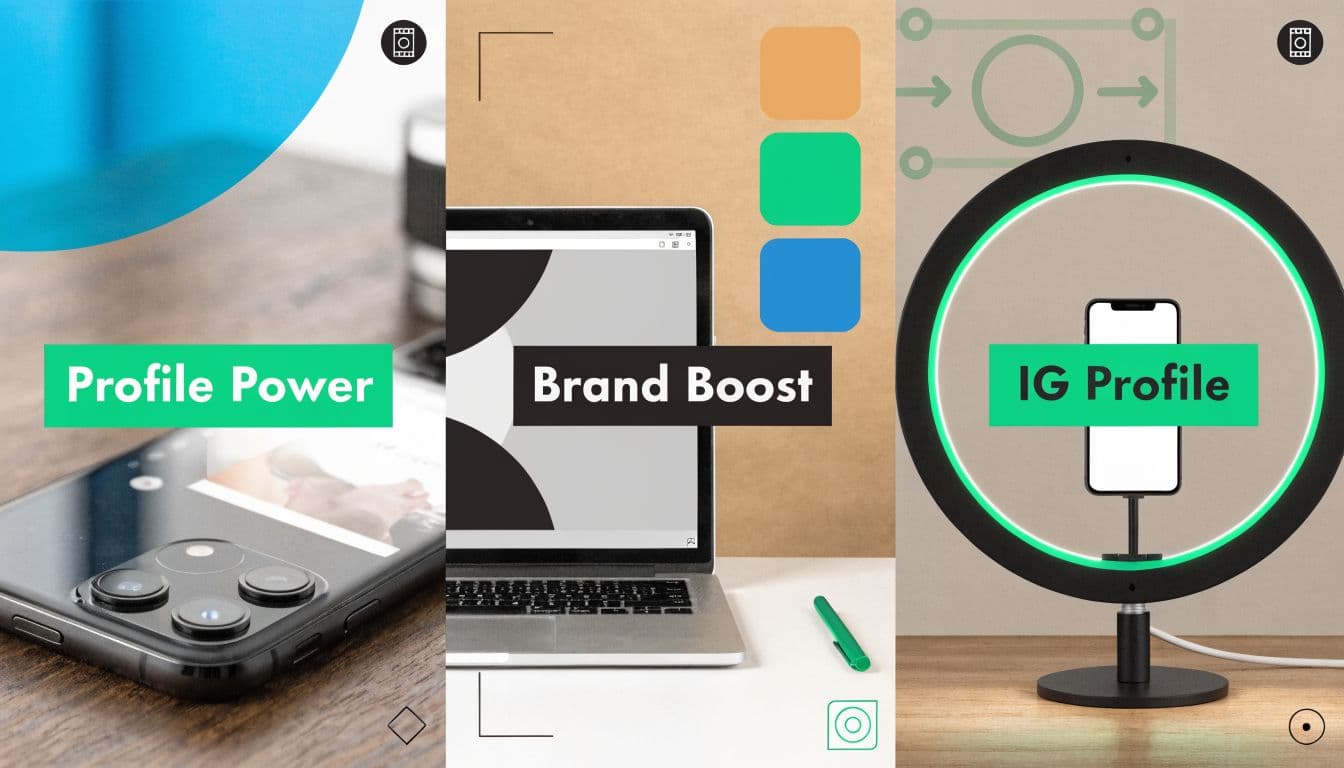
Why Your Instagram Profile Picture Is Your Most Important Asset
Instagram stopped being a casual photo app a long time ago. With over 200 million business profiles on the platform, your profile picture now works like packaging on a crowded shelf. People use it to judge legitimacy, style, niche, and professionalism in a split second.
That matters because your profile picture appears far beyond your profile page. It shows up in comment threads, Story viewers, tags, mentions, message lists, and feed interactions. In practice, many people see your profile picture before they ever see your best post.
A strong image does three jobs at once:
Signals identity: It tells people whether this is a person, a brand, a creator, or a business.
Builds trust: A clean headshot or a sharp logo looks intentional. A blurry crop looks neglected.
Improves recognition: Repetition matters on Instagram. The more often users can quickly recognize your tiny circle, the easier it is for your content to feel familiar.
Your profile picture is your visual handshake. If it looks careless, people assume the rest of the account will too.
This is why creators who focus on content alone often leave easy wins on the table. Content earns attention, but the profile picture often earns the click. If you sell products, run a personal brand, or rely on discovery, it should be part of the same system as your bio, highlights, and posting strategy. If you want a broader view of what drives profile-level performance, this guide on Instagram engagement for POD sellers is useful because it connects presentation choices with actual account interaction.
Mastering the Technical Foundations of Your Profile Picture
Instagram profile pictures fail for technical reasons more often than creative ones. The image may be strong, but the file is too small, the crop is off, or the edges get destroyed when Instagram compresses it.
The baseline spec is simple. Instagram profile pictures should be uploaded in a 1:1 square format, and the platform’s technical requirement is 320 x 320 pixels. Instagram then crops that square into a circle and displays it at a 110-pixel diameter in the main profile view, with even smaller appearances in other placements. The practical recommendation is to upload at 1000 x 1000 pixels so the file stays crisp after scaling and compression.

Use a bigger source file than the minimum
A lot of people hear 320 x 320 and upload exactly that. It works, but it doesn’t give you much margin for editing, export compression, or reuse across devices. A 1000 x 1000 master file gives you more control.
That matters because Instagram compresses images. If your original file is already small, any softness becomes more obvious. If your source file is cleaner and larger, Instagram has more quality to work with when it scales the image down.
Here’s the practical rule:
Start with 1000 x 1000
Keep the canvas square
Export a clean final version
Let Instagram scale it down
Practical rule: Design for the final tiny circle, but export from a larger square source.
Design for the circle, not the square
The Instagram cropping process can ruin good assets. You may compose a logo or portrait perfectly in a square, then Instagram removes the corners, and the whole image feels cramped.
Center the critical element. That could be your face, your logo mark, or a simple symbol. Don’t place important details near the edges. Corners disappear, and edge tension becomes obvious in a circular crop.
A good profile picture has breathing room. If the face fills the frame too aggressively, the circle feels claustrophobic. If the logo stretches too wide, the crop cuts the visual balance.
A quick checklist helps:
Subject placement – What works is centering the subject with enough margin, so it stays visible even in small previews. What fails is an off-center crop, which can cut off key elements.
Logo sizing – What works is a logo that remains readable at very small sizes. What fails is using thin lines or tiny text, which become unclear or invisible.
Canvas shape – What works is designing in a square format from the start, especially for profile and grid use. What fails is forcing a horizontal or vertical image into a square, which often crops important parts.
Edge safety – What works is keeping empty space or safe margins around the edges. What fails is placing important details in the corners, where they can get cut off or overlooked.
File format, lighting, and source quality
If your profile picture is a photo, start with the best original image you have. Don’t grab a screenshot from an old Story highlight or crop a group photo from years ago. Compression stacks up fast on weak source material.
For portraits, lighting matters more than filters. Soft, even light gives Instagram less ugly shadow detail to compress. Harsh overhead light creates dark eye sockets and uneven skin tones that get worse at thumbnail size. If you need practical help getting a cleaner portrait before editing, BetterDatingAI's headshot advice has solid lighting setups that also work well for social profile photos.
For implementation details after you’ve chosen the image, this walkthrough on how to change your Instagram profile picture is a useful operational reference.
The non-negotiables
You don’t need expensive gear. You do need discipline.
Work from a high-quality original
Crop on a square canvas first
Keep the subject centered
Export at 1000 x 1000
Preview mentally as a tiny circle, not a full-size image
Technical mistakes make profile pictures look amateur before anyone even evaluates the brand behind them.
The Art of a Brand-Defining Profile Picture
A technically correct image can still be forgettable. Sharpness doesn’t create recognition on its own. Your instagram profile picture has to communicate identity fast, and that usually means choosing simplicity over cleverness.
Research on Instagram interface behavior suggests profile pictures need high contrast, and simple, recognizable designs with bold, on-brand colors are 3-5x more effective for brand recall than more complex visuals at tiny thumbnail sizes. That matches what works in practice. The small circle punishes detail and rewards clarity.

Headshot or logo
This is the first strategic decision, and most accounts should make it based on the relationship they want with followers.
If you are the brand, use a headshot. That applies to coaches, consultants, creators, photographers, speakers, agents, and most influencers. People follow people faster when the account feels personal and visible.
If the business itself is the brand, use a logo. That usually fits product brands, media pages, agencies with a strong identity, and stores where the company name carries the trust signal.
There are exceptions. Some founders should still use a logo if the business is the primary customer touchpoint. Some creators should use a logo if they operate more like a publication than a personality. But in most cases, the cleaner choice wins.
A simple comparison makes it easier:
Personal brand – The better default is a clear headshot, because people connect more easily with a recognizable face.
Influencer – The better default is a clear headshot, which builds familiarity and trust with the audience.
Solo service provider – The better default is a clear headshot, helping potential clients quickly identify and relate to the person behind the service.
Product brand – The better default is a logo, since the focus is on the brand identity rather than an individual.
E-commerce store – The better default is a logo, which reinforces brand recognition across products and platforms.
Media page – The better default is a logo or symbol, making it easier to create a consistent and recognizable visual identity. What a strong composition looks like
At profile picture size, composition is less about artistry and more about instant readability.
A strong portrait usually has:
One subject only
Face centered
Background separation
Expression that matches the brand
A strong logo usually has:
One symbol or monogram
No tiny tagline
Clean shape
Strong contrast with the background
The most common mistake is trying to say too much. A lifestyle shot, a full-body portrait, a product flat lay, or a scenic photo may look beautiful in full size. In a tiny circle, it becomes visual static.
If users have to decode the image, the image isn’t working.
Color does more work than people realize
Color carries recognition when details disappear. That’s why a flat, high-contrast background often beats a realistic scene. The goal isn’t to make the picture louder. The goal is to make it readable from across the interface.
Good options include a solid brand color, a lightly textured neutral background, or a clean backdrop that separates the subject from the frame. Weak options include busy offices, cluttered rooms, crowded outdoor scenes, and low-contrast wardrobes against similar-colored walls.
Use this decision filter when choosing a final image:
Can someone identify the subject instantly at thumbnail size
Does the subject contrast clearly from the background
Would this still look recognizable in comments
Does it match the tone of the account
What not to use
A lot of profile pictures fail because they were chosen for sentiment, not performance.
Avoid these:
Group photos because nobody knows which person owns the account.
Full-body shots because the face becomes too small.
Wordy logos because text disappears.
Dark, moody portraits because they lose definition at a small size.
Random product shots unless the product itself is iconic and unmistakable.
For personal brands, facial framing matters. Cropping from the chest or shoulders upward usually gives the face enough weight in the frame. If you need help finding flattering angles before you ever edit the image, this guide on how to pose for a selfie is a practical starting point.
Match the image to the brand promise
A polished luxury consultant shouldn’t use a casual party photo. A fitness coach shouldn’t use a dim, passive portrait. A handmade brand shouldn’t use a generic stock-style icon.
The best instagram profile pictures feel aligned. They give the viewer the same impression that the rest of the account will reinforce. That alignment reduces friction. People don’t have to reconcile one visual identity in the profile picture with a different one in the grid.
When in doubt, choose the version that is easier to recognize, easier to trust, and easier to remember.
A Step-by-Step Editing Workflow for a Polished Image
Most Instagram users have small accounts. According to Passport Photo’s Instagram statistics roundup, approximately 54% of Instagram’s global audience has fewer than 1,000 followers. That makes Polish more important, not less. Smaller accounts don’t have established brand equity to compensate for a weak first impression.
The good news is you don’t need advanced retouching. You need a repeatable workflow that makes the image clean, bright, and readable in a tiny circle.

Start with crop before everything else
Open the image in Snapseed, Lightroom Mobile, Canva, Photoshop, or any editor you already know. The first move is always the crop.
Set the image to a 1:1 square. Then frame for circular safety, not square perfection. Keep space around the face or logo. If the crop feels slightly looser than you’d use for a standard post, that’s often correct for profile use.
A useful editing order looks like this:
Crop the square
Check circular framing
Adjust exposure
Refine contrast
Sharpen lightly
Export and preview
Fix brightness before you touch color
Most weak profile pictures are too dark. Not dramatic. Just dark enough that the subject blends into the interface.
Raise exposure until the face or logo reads immediately. Then use contrast carefully. You want separation, not harshness. If you push contrast too far, skin looks brittle, and logos pick up ugly edge artifacts after compression.
A practical rule:
If it looks merely “good” at full size, it may still look flat at thumbnail size.
If it looks slightly bright on your editing screen, it often looks right inside Instagram.
Edit for visibility, not mood. Profile pictures have one job. Be seen and recognized fast.
Sharpen with restraint
This step gets abused. A little sharpening helps eyes, logo edges, and key contours survive Instagram compression. Too much sharpening creates halos and crunchy detail that looks cheap.
Use texture and clarity lightly if you’re editing a portrait. For logos, prioritize clean edges over aggressive crispness. If you’re unsure, reduce the effect by a notch before export.
These adjustments usually help:
Portraits: modest sharpness, mild contrast, slight warmth if skin looks dull
Logos: clean edge definition, solid background, no visible pixelation
Low-light images: more brightness, less heavy saturation
Clean the distractions
You don’t need to airbrush the image into plastic. You do need to remove things that pull attention away from the main subject.
That can mean:
Stray objects in the background
A distracting light hotspot
Uneven color casts
Loose crop issues
Background clutter that competes with the face or symbol
If you’re editing in Snapseed, use Healing for small distractions and Tune Image for broad fixes. In Lightroom Mobile, use Light, Color, and Detail in that order. In Canva, simple background removal can help if the original photo is clean enough.
A quick reference list:
Exposure – Adjust the brightness so the subject is clear and readable at a glance.
Contrast – Increase or refine contrast to separate the subject from the background.
Sharpness – Enhance clarity to preserve detail without making it look harsh or overprocessed.
Color – Use color intentionally to support recognition and consistency, not just for novelty.
Cleanup – Remove distractions to keep focus on the subject while maintaining its natural personality.
Export and check on your phone
Desktop edits can fool you. The image may look polished on a large monitor and weak on a phone.
Export a square file, then view it on your mobile device before uploading. Zoom out. Hold the phone at arm’s length. If the image still reads clearly, you’re close.
Keep a master and a live version
Don’t overwrite your original. Keep:
A master editable file
A final exported square
Any alternate versions you may want to test later
That makes iteration easier. If you later decide the image is too dark, too tight, or too saturated, you won’t need to start from scratch.
How to Preview, Test, and Validate Your Profile Picture
A profile picture isn’t finished when the edit is done. It’s finished when you know it works inside Instagram’s actual interface. That means testing placement, recognizability, and response.
A lot of creators stop too early. They choose an image, upload it, and assume the job is done. Serious accounts validate. They treat the profile picture as a variable that can improve profile taps and follower conversion if handled carefully.

Preview in the places that matter
Don’t judge the picture only from your profile page. That’s the most forgiving environment because users intentionally opened your account.
You need to evaluate it in the placements where discovery happens:
Comments where the image appears tiny beside the text
Story rings where color and contrast matter more than detail
DM lists where repeat recognition matters
Mentions and tags where the profile picture competes with many others
Suggested accounts where users make quick follow decisions
A simple manual workflow works well. Upload the image. Then use a second account, a teammate’s account, or a friend’s phone to inspect how it appears in normal browsing conditions. If you manage multiple brand accounts, compare the new image beside competing profiles in the same niche.
Use a practical validation checklist
The best validation questions are brutally simple.
Can I identify the account instantly without reading the handle
Does the image hold up at a tiny size
Is the subject still clean inside the circle
Does the picture look current and intentional
Does it fit the rest of the brand presentation
If any answer is no, revise before you lock it in.
The best profile picture often isn’t the one you like most. It’s the one strangers recognize fastest.
Run a lightweight A B test
You don’t need enterprise tooling to test profile pictures. You need discipline and clean comparison periods.
Test one image for a defined window, then test another. Keep everything else as stable as possible during the comparison. Don’t change your bio, username, content style, and highlights all at once, or you won’t know what caused the difference.
A practical framework:
Version A: current profile picture
Version B: one meaningful alternative, not five tiny variations
Test window: enough time to collect normal account activity
Observation focus: profile visits, follows after profile visits, and qualitative reactions from DMs or peers
The exact data available depends on your account type and analytics setup, but the core principle is stable comparison. If one image consistently feels more clickable and produces cleaner profile behavior, keep it.
Test meaningful differences, not cosmetic ones
Don’t waste time comparing two almost identical edits. Test differences that users can perceive.
Good tests include:
Headshot vs logo
Bright background vs dark background
Tighter crop vs looser crop
Smiling portrait vs neutral portrait
Color background vs grayscale treatment
Weak tests include tiny exposure changes that nobody will detect in a comment thread.
If you want a broader framework for evaluating small interface changes before they go live, these efficient UI validation techniques are useful because they reinforce the idea that presentation decisions should be tested in context, not judged in isolation.
Know when to stop testing
Some accounts turn profile picture optimization into endless tweaking. That’s not the goal. The goal is to find a version that is clear, aligned, and validated in real use.
Once you have a winner, keep it stable long enough to build recognition. Constantly changing profile pictures weakens brand memory. Change only when the brand changes, the image becomes outdated, or a test clearly shows a stronger option.
From Optimized Picture to Organic Growth
A high-performing instagram profile picture does a simple job well. It gets recognized fast, looks credible in every placement, and matches the promise of the account behind it.
That outcome comes from a stack of decisions, not one trick. The file has to be prepared correctly. The composition has to survive the circular crop. The subject has to be clear at thumbnail size. The edit has to improve visibility without making the image look artificial. Then the final version has to prove itself in real interface conditions.
The accounts that grow steadily usually treat these details seriously. They don’t assume followers will overlook sloppy presentation. They remove friction wherever they can. A sharper logo, a better-lit headshot, or a cleaner background won’t replace strong content, but it does improve the odds that people give that content a chance.
Use this final checklist:
Upload a square source image with clean resolution
Center the face, logo, or symbol
Choose simplicity over detail
Use contrast that stands out in crowded feeds
Edit for readability on mobile
Preview in comments, Stories, and search
Test alternatives before settling
Keep the winner consistent
Organic growth starts before the follow button. It starts with whether your account looks worth clicking. For a broader system beyond visual presentation, this guide on how to grow Instagram followers organically connects profile optimization with the rest of a sustainable growth strategy.
If you want help turning profile polish into a real Instagram growth system, Gainsty helps creators and brands grow with AI-powered, organic support built around safe audience growth, better engagement, and a more intentional account strategy.
.png&w=1920&q=75&dpl=dpl_D59Qa4oJ5cFQ7dZDLQ1JPQVnqHSs)




.png&w=750&q=75&dpl=dpl_D59Qa4oJ5cFQ7dZDLQ1JPQVnqHSs)