What Are Push Notifications on Instagram, Really?
Think of them as Instagram's way of tapping you on the shoulder. Their whole purpose is to give you real-time updates so you don't miss out on what's happening with your account.
These alerts are so much more than just digital noise; they're the main way Instagram keeps its community active and connected. If you're a creator or a business, getting a handle on push notifications is a game-changer. They are your direct line to your audience, helping you turn passive followers into a genuinely engaged community.
Each alert is specifically designed to get you to open the app and interact. Before we get into the nitty-gritty of the different types and how to use them to your advantage, let’s quickly break down the most common ones you’ll see.
Here's a simple table that unpacks what each of these common pings and buzzes actually means.
Common Instagram Push Notifications and What They Mean
Likes and comments: This notification is triggered when someone likes or comments on your post or Reel. Its primary purpose is to inform you of direct engagement with your content.
Direct messages (DMs): This notification appears when you receive a new message in your inbox. It is designed to facilitate private communication and one-to-one conversations.
Follower updates: This notification is triggered when someone new follows your account. Its purpose is to keep you informed about audience growth.
Story interactions: This notification occurs when someone replies to your Story or mentions you in their own Story. It is intended to promote timely, interactive engagement.
Basically, each notification is a signal of a specific type of interaction, giving you a quick snapshot of what’s happening without having to constantly check the app.
How Instagram’s Notifications Got So Smart
It’s hard to imagine now, but Instagram’s push notifications weren’t always the finely tuned system we see today. Back in the early days, the app’s approach was simple: you got a ping for pretty much everything. Every like, every new follower—it all triggered an alert.
While this created a buzz of constant activity, it quickly led to a huge problem: notification fatigue. Users were drowning in a sea of pings that felt more like digital noise than helpful updates. Unsurprisingly, many people just muted the app or turned off notifications altogether, which was a massive roadblock for a platform built on keeping people engaged.
Meta quickly realized that more notifications didn't mean better engagement. The real win wasn't in blasting users with alerts, but in sending them updates they actually cared about—the kind that would make them want to open the app. This was a major turning point, shifting the strategy from sheer quantity to smart quality.
From Basic Alerts to Predictive Pings
To tackle the fatigue problem, Instagram leaned into machine learning. Instead of treating every interaction as equal, the system started to learn what was genuinely important to you. It began prioritizing notifications from close friends or for content that you’ve shown a real interest in.
This wasn't just a tweak; it was a fundamental change. Notifications evolved from a simple "someone did something" alert into a predictive engagement tool. The algorithm began asking itself, "Is this specific notification likely to spark a meaningful interaction?" rather than just announcing that an action happened.
The core idea shifted entirely. The value of a notification isn't just the information it carries, but the action it inspires. A single, perfectly timed alert about a comment from a best friend is far more powerful than ten random "like" notifications.
This smarter system was built on advanced ranking frameworks. One of the biggest breakthroughs was a "diversity-aware" system that managed to dramatically cut down the daily number of notifications while boosting click-through rates. How? By filtering out repetitive or spammy alerts. If you’re curious about the deep tech, you can find more insights on this ranking framework over on Meta's official engineering blog.
Ultimately, this AI-powered curation is why the notifications you get today feel so relevant. Each one is a carefully selected invitation from Instagram’s algorithm, betting that it’s something you’ll actually want to see.
How the Instagram Notification Algorithm Works
Think of the algorithm behind every Instagram notification as a personal gatekeeper for your phone's lock screen. It’s not just announcing every little thing that happens; it’s making a calculated guess about what you’ll actually care about, ranking each alert to grab your attention. The whole point is to send you notifications that lead to a real interaction, not just an automatic swipe to clear them away.
So, how does it decide what's important? The algorithm looks at a whole cocktail of signals, but it definitely plays favorites. It puts a much higher value on actions that show genuine interest, way beyond a simple "like." Key signals it watches for include comments, shares, saves, and even how long you stick around after tapping a notification.
This system is always learning from how you use the app. It pays close attention to who you interact with most. That’s why a comment from your best friend or a DM from a family member will almost always trigger a notification, while a like from a random account might not. The algorithm knows the difference and prioritizes alerts from people you have a real relationship with.
The Most Powerful Engagement Signals
The algorithm's main job is to keep you coming back to the app by showing you stuff you can't resist. Ever notice how some notifications make you immediately stop what you're doing? That's the algorithm at work, predicting which alerts are most likely to make you tap, comment, or share.
Speaking of which, shares have become one of the most powerful signals of all. A share is a massive vote of confidence.
In essence, a share tells the algorithm, "This content is so good, it's worth sending to my friends." Triggering this signal is one of the most effective ways for creators to increase visibility.
For creators, understanding this is like getting a cheat sheet for the platform. The system isn't just a machine; it's a roadmap showing you exactly what kind of content gets rewarded. To get a better handle on this, check out our deep dive on how Instagram's algorithm works.
For even more ways to improve your visibility, these actionable Instagram algorithm tips can really make a difference. When you create content that gets people talking and sharing, you’re playing directly into what the notification algorithm wants to promote.
Decoding the Different Types of Instagram Notifications
Not all Instagram notifications are created equal. It's best to think of them like different tools in a toolbox, each one built for a specific job. A like is a simple nod of approval, but a comment sparks a conversation, and a share is a powerful endorsement. Getting a handle on this hierarchy is the key to understanding what really connects with your audience.
Instagram pings you with a whole range of alerts to keep you in the loop. These pop-ups cover everything from personal interactions to major growth milestones.
You’ll get notifications for:
Direct Messages (DMs): These are your private conversations, essential for building genuine relationships.
Story Mentions and Replies: Think of these as direct taps on the shoulder, perfect for quick, personal back-and-forth.
New Followers: The clearest sign that your account is growing and your content is hitting the mark.
Live Video Announcements: These create a sense of urgency and exclusivity, pulling people in to watch in real-time.
Product Tags and Mentions: For businesses, these are gold. They're direct links to potential sales right from a post.
The Real Value Behind Each Notification
Every type of notification carries a different weight, not just for you, but in the eyes of the Instagram algorithm. For creators and brands, knowing which ones to chase can be the difference between a passive audience and an active, engaged community.
An Instagram push notification for a share is fundamentally more valuable than one for a like. A share means someone found your content so compelling that they were willing to vouch for it by sending it to their own friends and followers.
This simple hierarchy shows which notifications signal the deepest levels of engagement.
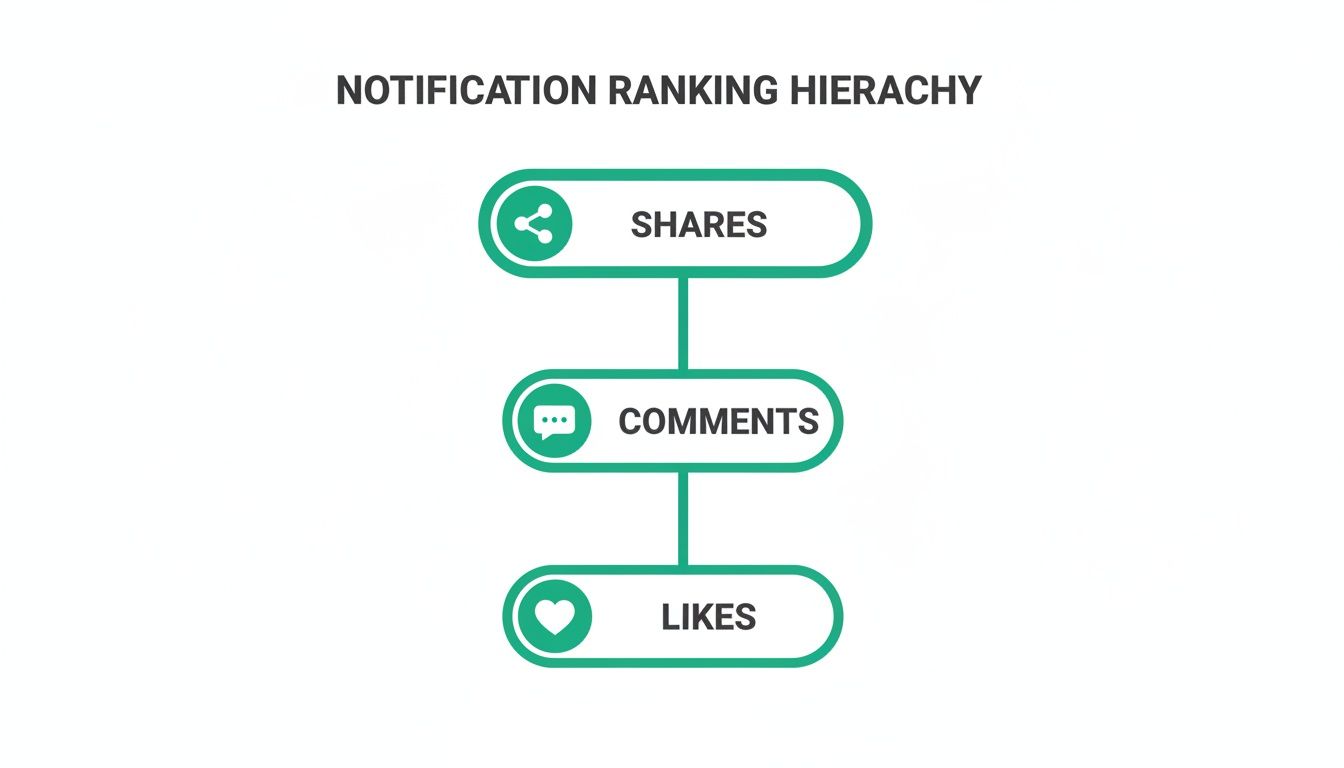
To help you see how these different alerts fit into a broader strategy, let's break them down.
Comparing Instagram Notification Types for Creators
Each notification gives you a different piece of the puzzle. Understanding their purpose helps you focus your efforts where they'll have the most impact.
Shares: The primary function of shares is content amplification. Strategically, shares indicate that your content provides strong value and is being distributed organically to new audiences. This is a high-impact signal to the algorithm and a key driver of reach expansion.
Comments: Comments primarily support community building. They create opportunities for direct conversation, feedback, and relationship development. A high volume of comments can significantly increase post visibility and overall engagement performance.
Direct messages (DMs): The main function of DMs is relationship nurturing. They enable meaningful one-on-one interactions, support collaboration opportunities, and help build a loyal inner circle within your audience.
Story mentions and replies: These interactions foster interactive engagement. They keep your brand top-of-mind through quick, personal exchanges and can generate additional user-generated content opportunities.
New followers: This notification reflects audience growth. Strategically, it serves as a direct indicator of your content’s appeal and overall account health, demonstrating that your growth strategy is effective.
Likes: Likes represent passive approval. They provide a quick, low-effort signal that your content is being viewed and acknowledged. While useful as a baseline metric, they are less impactful than deeper engagement actions such as comments or shares.
Ultimately, while likes are a nice pat on the back, shares and comments are the true engines of visibility and community. When you shift your content strategy to earn these top-tier interactions, you'll not only get more valuable notifications but also send a powerful message to the algorithm that your content is worth showing to more people.
How to Customize Your Instagram Notifications
Is your phone buzzing every two seconds with another Instagram alert? It’s easy to feel overwhelmed. The good news is that you don't have to let the app run your life. Taking control of your push notifications is the key to cutting through the digital noise and making Instagram work for you, not the other way around.
Instagram gives you a surprising amount of control to mute the fluff while making sure you never miss what’s important. You can access all these settings right inside the app, letting you either pause everything at once or hand-pick the alerts you want to see. For instance, a lot of creators I know turn off notifications for likes and new followers to stay in their creative flow, but they’ll keep DMs and comments on to stay connected with their community.
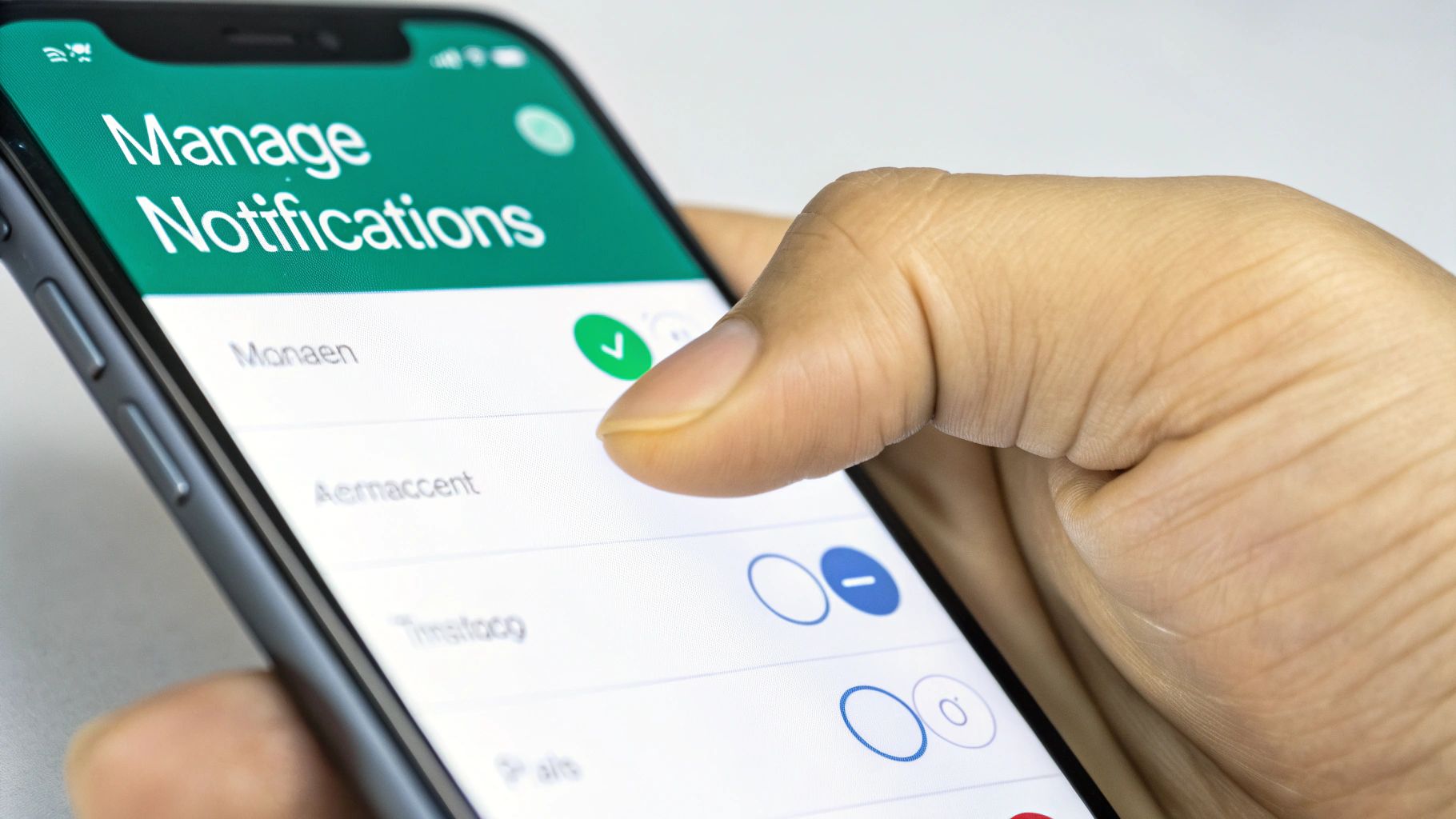
This kind of customization is what helps you use the platform with intention, rather than letting it constantly demand your attention.
Navigating to Your Notification Settings
You don't need to be a tech wizard or dig through your phone's complicated system settings. Instagram keeps everything neatly organized right inside the app, which makes it incredibly easy to make adjustments whenever you need to.
Here’s the simple path to find your notification command center:
Open your Instagram profile and tap the three horizontal lines (the hamburger menu) in the top-right corner.
Select "Settings and privacy" from the menu.
Tap on "Notifications," and you’re in.
From this screen, you can dive into all the different categories of alerts. To get a really detailed breakdown of what every single toggle does, check out our complete guide to Instagram notifications settings.
Customizing your alerts is more than just a feature; it's a strategy. It lets you prioritize high-value interactions like DMs and comments—the stuff that actually builds relationships—while tuning out the less critical pings from things like new likes.
When you tailor these settings, your phone stops being a source of constant interruption and becomes a powerful tool for building real connections. It’s an essential skill for any creator trying to grow an engaged community without burning out.
Using Notifications to Drive Engagement and Growth
Knowing what a push notification is and how the Instagram algorithm sees them is one thing. But using that knowledge to your advantage? That's where the real growth happens. It's about actively creating content that makes people want to interact, turning your profile into a powerhouse for organic engagement.
Don't just post and hope for the best. You can strategically design your content to earn the kinds of interactions the algorithm loves most—think comments, shares, and DMs. A smart content strategy is a direct line to better visibility and a more connected community.
Creating Notification-Worthy Content
The way you frame your content and what you ask your followers to do can directly impact the notifications they get. The key is to focus on actions that build real relationships.
Here’s how to get started:
Spark Comments with Questions: Don't just end your captions—start a conversation. Ask for opinions, advice, or personal stories. This simple prompt encourages comments, which triggers those high-value notifications and tells the algorithm your post is buzzing.
Design for Shares and Saves: Think about what makes content truly valuable. Infographics, relatable memes, and super-helpful Reels are gold. When someone shares your post to their Story or saves it for later, it’s a huge signal to Instagram that you're creating quality stuff.
Encourage DMs with Story Stickers: Make it incredibly easy for followers to slide into your DMs. Interactive stickers like polls, quizzes, and Q&A boxes in your Stories are perfect for this. They break the ice and help you build those crucial one-on-one connections.
A well-crafted post doesn't just collect likes; it starts conversations and gets passed around. This proactive approach turns your notifications from simple alerts into real, measurable signs of a thriving community.
Of course, these tactics work best when they're part of a bigger plan. Applying proven tips to get more engagement on Instagram will give your overall reach a serious boost. And for an even deeper dive, check out our advanced Instagram engagement strategies.
Frequently Asked Questions
Even when you think you have a handle on things, Instagram notifications can be a bit tricky. Let's tackle some of the most common questions that pop up.
Why Am I Not Receiving Instagram Notifications?
It's frustrating when you're expecting alerts and get nothing. Usually, the fix is pretty simple.
First, check your phone’s main settings. Go into your Apps or Notifications menu and make sure you’ve actually given the Instagram app permission to send you alerts. Sometimes a system update can accidentally switch this off.
If that looks good, dive into the Instagram app itself. Head to Settings > Notifications and double-check that your preferences are set up correctly. If all else fails, the classic "turn it off and on again" trick—restarting your phone or updating the app—often works wonders.
Can I See My Old Instagram Notifications?
Unfortunately, no. Instagram doesn't keep a log or history of the push notifications it sends to your phone.
Once you dismiss an alert from your lock screen or notification center, it's gone for good. You can always tap the heart icon in the app to see your recent activity feed, but think of that as a live stream of what's happening now, not an archive of past notifications.
How Does Instagram Decide Which Likes to Send?
Ever wonder why you get a notification for one person's like but not another's? It's all about the algorithm.
To keep from completely flooding your phone, Instagram tries to be smart about which alerts it sends. It often bundles likes together (e.g., "Jane Doe and 15 others liked your post") or prioritizes a notification from an account you interact with a lot. The goal is to show you what it thinks are the most meaningful interactions, not just every single ping.
Ready to turn engagement into real growth? Gainsty uses advanced AI and expert strategies to help you get more organic followers and boost your followers safely and effectively. Start growing your Instagram community today by visiting https://www.gainsty.com.
.png&w=1920&q=75&dpl=dpl_34ZXCf12K5qjjdZjPn9snwDRADrB)




.png&w=750&q=75&dpl=dpl_34ZXCf12K5qjjdZjPn9snwDRADrB)