Why Hiding Instagram Posts is a Strategic Move
You notice it when someone lands on your profile for the first time. They do not see your content history the way you do. They see a brand signal. An outdated launch post, an old sponsorship, or a promo that no longer matches your offer can make the account feel neglected, even if your current work is strong.
Many account holders hide posts for that reason. The account changed. The business changed. The standard for what deserves public space has changed.
That makes hiding posts on Instagram a profile management decision, not just a cleanup habit.

Instagram operates at an enormous scale. The platform reached about 2 billion monthly active users worldwide by early 2024, according to Statista's Instagram market overview. At that size, even small visibility choices shape how new visitors, customers, collaborators, and critics read your account in seconds.
Why brands hide posts
A public grid does two jobs at once. It preserves your posting history, and it sells the current version of your brand. Those goals do not always match.
Old content can still be useful internally. Teams may want it for reporting, campaign records, or creative reference. Publicly, that same content can create friction. Expired offers, old pricing, past partnerships, or visuals from a previous brand phase can weaken trust and make the account look unmanaged.
Practical rule: If a post still has internal value but no longer earns its place on the public grid, archive is usually the first move.
Different visibility choices lead to different outcomes
The mistake I see often is treating every problem as a deletion problem. That throws away options.
Archive: Best when the post is still valid, but no longer helps your profile presentation.
Delete: Best when the post is inaccurate, risky, or no longer something you want tied to the account at all.
Audience controls: Best when the issue is access, harassment, or moderation, rather than the content itself.
The trade-off is simple. Archive protects flexibility. Deleting removes baggage but also removes the public asset. Audience controls help you manage who can interact or view, but they do not solve a weak grid.
If the cleanup is happening during a reputational issue, the decision should be slower and more deliberate. A rushed delete can look evasive. A temporary archive can buy review time while your team follows broader social media crisis management practices.
Hidden does not mean the same thing in every case
This distinction is important because Instagram offers several kinds of reduced visibility, and they solve different problems.
Hiding like counts changes what viewers see, but it does not remove the post. Archiving removes the post from your profile grid, but keeps it in your account. A private account changes who can access your content. Restricting and blocking are moderation tools aimed at specific people, not broad content cleanup.
For creators and brands, that difference affects more than appearance. It affects reporting continuity, customer perception, internal review, and how easy it is to reverse the decision later.
The Easiest Way to Hide Posts Temporarily: The Archive Feature
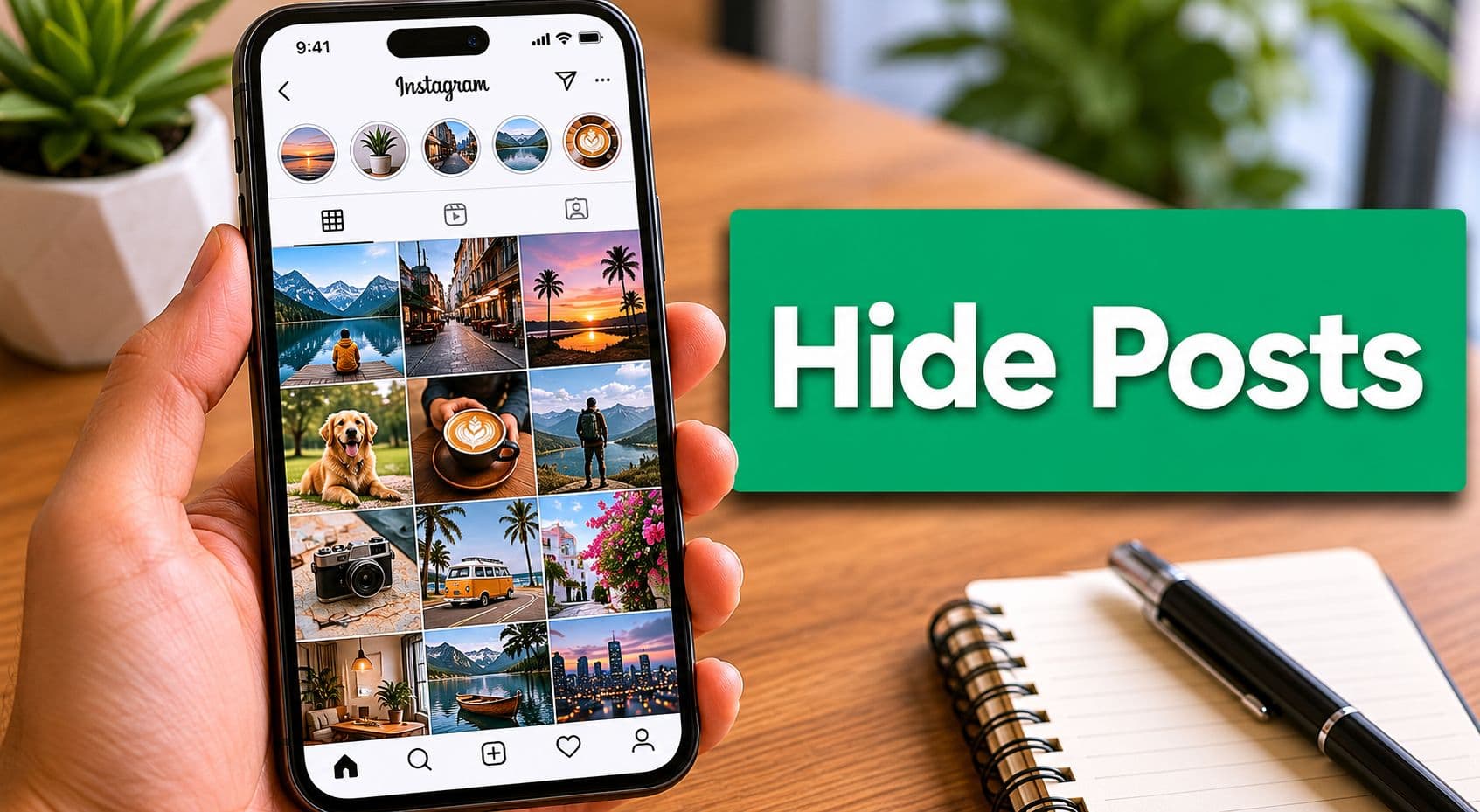
For many, Archive is the cleanest answer. It removes a post from your profile grid without turning it into a permanent loss.

How to archive a post
Instagram's archive flow is straightforward:
Open the post you want to hide.
Tap the three-dot menu.
Choose Archive.
That removes the post from the main profile grid. The post remains recoverable in your Archive, where you can restore it with Show on profile, as demonstrated in this walkthrough of Instagram's archive process.
Why is an archive usually better than panic-deleting
Archive works well because it's reversible. That sounds obvious, but the strategic value is bigger than convenience.
When a campaign ends, you may want it off the grid without erasing the record of it. When a creative direction changes, you may want to test a cleaner profile before making permanent cuts. When a post underperformed, you may want it out of public view while still keeping the history intact for internal review.
Archive is a presentation tool. It changes what visitors see first, while letting you keep the post available for your own account management.
That's why archives are useful for things like:
Seasonal cleanup: A holiday sale post can disappear from the grid without disappearing from your records.
Aesthetic testing: You can remove several posts, look at the grid, and decide whether the profile feels stronger.
Campaign pauses: If a message feels out of step with current events, archive gives you room to adjust.
A lot of creators also use this during profile resets, especially when they're organizing Instagram posts for a cleaner grid.
How to restore an archived post
Restoring is simple, but many users forget where to look.
Go to your profile.
Open the menu.
Find Archive.
Select the archived post.
Tap the menu again and choose Show on profile.
One common mistake
People confuse archive with mute. They're not related.
Mute changes what you see from other accounts in your feed. Archive changes what other people see on your profile. If your goal is to hide your own post from public view on your grid, muting does nothing.
When to Permanently Delete an Instagram Post
Deletion is the hard reset. Once you use it, you should assume the public life of that post is over.
That's why I treat deletion as a last resort, not a routine cleanup habit. If a post is merely dated, awkward, or visually off-brand, archive is safer. If a post creates risk, deletion becomes the right call.
When deletion is the better choice
Delete a post when keeping any version of it creates more downside than value. That usually applies in a few situations:
The information is wrong. If the caption, pricing, event details, or product claim is inaccurate, removing the post may be cleaner than leaving a flawed version live.
The content creates legal or compliance exposure. This can include unauthorized claims, rights issues, or regulated messaging that shouldn't stay public.
The post no longer belongs to your brand at all. Some rebrands are soft. Others need a clean break.
The content is harmful to trust. If people would reasonably screen-capture it and use it as evidence of poor judgment, deletion is often the prudent move.
If your debate is “Should we archive this or delete it?” ask a sharper question. “Would we be comfortable defending this post if it resurfaced tomorrow?”
The trade-off you accept
Deletion is permanent in a way archive isn't. You're not just removing a tile from the grid. You're deciding the post doesn't deserve a future role in your content history.
That means you lose the option to bring it back as a live profile asset later. For brands and creators who care about continuity, that's not a small decision.
Use a decision filter before tapping delete
A simple internal rule helps:
Is the post only visually outdated?
If yes: The message is still acceptable and may still support your positioning
Better action: Archive it instead of deleting, so you can restore or reference it later if needed
Is the post factually wrong or risky?
If yes: The content could mislead people or create unnecessary exposure
Better action: Delete it rather than keep it stored publicly or privately
Do you still want the history for reference?
If yes, you may want to review or reuse the content later
Better action: Archive it to preserve the history without keeping it visible
Do you want no ongoing association?
If yes: You want a complete separation from the content or message
Better action: Delete it for a cleaner break from the material
Deletion is strongest when the goal isn't tidying. Its removal.
Hiding Posts from Specific People, Not the Public
Sometimes the issue isn't the post. It's the audience.
That's where many “hide posts on Instagram” guides fall short. They focus on removing content from your grid, when what you need is tighter control over who can access your account.

Private account versus restrict versus block
These tools look similar on the surface, but they solve different problems.
Private account
What it changes: Limits your photos, videos, and most profile activity to approved followers only
Best use case: Broad privacy control when you want to manage who can access your content overall
Restrict
What it changes: Limits how a specific person’s comments and messages interact with your account without fully removing them
Best use case: Low-drama moderation when someone is becoming disruptive, but you do not want to escalate to blocking
Block
What it changes: Prevents a person from accessing, viewing, or interacting with your account
Best use case: Full access removal for harassment, fake accounts, impersonation, or strong boundary enforcement
Private account is the strongest broad visibility control
If your goal is to hide posts from the general public without deleting them, switching to private is the clearest option. Instagram states that only approved followers can see photos and videos on a private account in its account privacy guidance.
The practical sequence is simple:
Open Settings
Go to Account privacy
Turn on Private account
Review follower access
The important catch is that privacy doesn't erase your current audience. Existing followers still keep access unless you remove or restrict them. So this setting works as an access-control layer, not as retroactive content removal.
Restrict is for people you don't want to escalate with
Restrict is useful when someone is annoying, invasive, or borderline abusive, but you don't want the visible fallout of blocking them yet.
It's often the right moderation move when:
A customer is being difficult in comments, and you need space to manage the issue.
A personal contact keeps watching and replying in ways that make you uncomfortable.
You want to lower friction without creating a direct confrontation.
This is also where a clean understanding of your Instagram block list and account boundaries becomes useful. Teams often jump straight to blocking when a softer moderation tool would have handled the problem.
Restrict is less about hiding your entire profile and more about controlling a relationship without announcing it.
Block is the hard boundary
Blocking is the clearest signal and the strongest individual-level control. Use it when you want someone completely out of your account environment.
That includes harassment, impersonation concerns, repeated boundary crossing, or any case where continued access is a bad idea. For brands, it can also be necessary when an account repeatedly derails comments, targets staff, or creates safety concerns.
Which one should you choose?
Use this quick filter:
Choose private if your concern is general visibility.
Choose restrict if your concern is one person's behavior and you want a quieter control.
Choose the block if access itself is the problem.
Those are different levers. Treating them as interchangeable usually creates more work later.
Strategic Content Pruning for Brands and Creators
The strongest Instagram profiles aren't always the ones with the most content. They're the ones where each visible post still earns its place.
That's the fundamental value of content pruning. You're not hiding posts randomly. You're deciding what belongs in public view right now.

What a practical pruning review looks like
A strong review usually checks four things:
Brand fit: Does this still match your current offer, positioning, and tone?
Grid role: Does this improve the profile when someone lands on it cold?
Operational relevance: Is the information current, or does it create confusion?
Reputation risk: Could this post weaken trust if a prospect sees it first?
This is less about perfection and more about alignment. A post can be decent and still be wrong for the profile you're building now.
Hide likes is a separate visibility decision
A lot of teams mix up post-pruning with hidden engagement counts. They're related, but they're not the same move.
Instagram began testing hidden public like counts in the U.S. in 2019 and expanded the controls globally in May 2021, according to Cure Media's summary of the rollout and creator adoption. That same source notes that the design goal was to reduce social pressure and shift attention toward photos and videos, but adoption stayed limited. Only about 3% of creators and influencers in one large analytics dataset chose to hide like counts, with mega creators at 1.7% and macro creators at 2.4%.
That tells you something useful. Most creators still treat visible public signals as part of their positioning. So if a post feels weak, hiding the like count usually won't solve the larger presentation problem.
A polished grid beats a hidden metric. If the content itself is off, the audience still sees that immediately.
A simple pruning system
Use a three-bucket approach:
Keep visible
What belongs there: Strong, current, on-brand posts
Action: Leave live so they continue supporting your positioning and discovery
Hide for now
What belongs there: Useful history that no longer fits your current direction or aesthetics
Action: Archive to keep it available without showing it publicly
Remove fully
What belongs there: Risky, inaccurate, or no longer appropriate content
Action: Delete to eliminate potential confusion, exposure, or brand conflict
Creators who get serious about mastering social media content usually improve not only what they publish next, but also what they choose to keep visible from the past.
What works and what doesn't
What works is a routine review cadence and clear standards. What doesn't is emotional cleanup, where you archive half the grid in one sitting because a post underperformed or you're tired of looking at it.
Good pruning supports brand perception. Bad pruning makes the profile inconsistent and reactive.
Common Questions and Advanced Scenarios
A common real-world scenario looks like this. A creator wants to clean up an old campaign post, but that post is tied to a brand partnership, product tags, or a collaborator. Hiding it is no longer just a cosmetic decision. It can affect reporting, storefront visibility, and how a partner reviews the campaign later.
Will archiving hurt performance history
Archiving changes what people see on your profile. It does not erase the post from your own account history in the same way deletion does. For account managers, the practical question is less about a vague penalty and more about recordkeeping.
If a post matters for monthly reporting, client approvals, or future case studies, the archive is usually safer than deleting.
That matters even more for brands and agencies. Teams often need to revisit old campaign assets, confirm publish dates, or pull screenshots after a promotion ends. Deleting removes that fallback. Archiving keeps the post out of public view while preserving a cleaner internal trail.
What happens with branded content and collaborations
At this stage, mistakes get expensive.
If a post includes a branded content label, a paid partnership tag, or a collaborator setup, hiding it can create confusion for anyone reviewing campaign delivery after the fact. The content may no longer be visible on your grid, but the partner may still expect it to remain live for a certain period. Before archiving or deleting, check the agreement. Some campaigns have minimum live-time requirements, usage rights, or reporting windows that make a quick cleanup a bad move.
The same logic applies to Collab posts. If the post was published as a shared post between accounts, changing its visibility is not just about your own profile presentation. It can affect how the collaboration appears across accounts and how both sides document the result.
What about Instagram Shopping tags and product posts
Product-tagged posts need extra care. If a post helps drive traffic to a product detail page or supports a seasonal collection, archiving it can remove a useful discovery point even if the post is old. For e-commerce brands, that means the decision is partly merchandising, not just aesthetics.
A weaker-looking post can still be commercially useful.
I usually separate visual cleanup from revenue cleanup. If a product post still supports catalog browsing, branded search, or retargeting workflows, keep it live unless the creative is clearly off-brand or the item is no longer relevant. If the product is discontinued, priced incorrectly, or tied to an outdated promotion, removal makes more sense.
What about posts that other people tag you in
Tagged posts are a different control surface. You do not own the original content, so you are managing an association, not a publication. In practice, this is a reputation decision.
If the tag is harmless but off-brand, hide it from your profile. If the content creates a trust or safety issue, contact the poster, adjust tag settings, or escalate to stronger account controls. Instagram separates these recommendations and visibility controls in its help documentation, including guidance on recommendation controls and “Not interested” behavior: Instagram Help information about recommendation controls and “Not interested” behavior.
The advanced rule to remember
Every visibility tool changes a different business outcome. The archive affects profile presentation. Delete affects recoverability. Tag controls affect association. Restrict and block affect access.
Choose the option that matches the risk you are solving, not the one that feels fastest.
If you're growing on Instagram and want more than surface-level tips, Gainsty can help you build a stronger account with smarter organic growth support. It's designed for creators, brands, and businesses that want better followers and engagement without fake tactics, so your profile looks sharper and performs like it's being managed on purpose.